

If you run a food blog, the recipe plugin you choose can affect much more than the appearance of your recipe cards. It can influence how easy your recipes are to read, how well they work on mobile devices, and how clearly search engines understand the information on the page.
A good recipe plugin can handle the technical side of publishing while making recipes easier for readers to use. Depending on the plugin, that may include structured data, printable cards, serving adjustments, nutrition information, ratings, video, and equipment recommendations.
Some plugins keep things simple and focus primarily on clean recipe cards and structured data. Others are built for larger food blogs and include recipe indexes, collections, analytics, affiliate links, Pinterest features, and more advanced publishing tools.
In this guide, we compare the best WordPress recipe plugins for food bloggers in 2026, including both free and premium options. We’ll look at what each plugin does well, where it falls short, and which type of food blogger it makes the most sense for.
Whether you are publishing your first few recipes or managing an established food site with hundreds of posts, the goal is the same: choose a recipe plugin that fits your workflow today without becoming a problem as your blog grows.
Quick Comparison: Best WordPress Recipe Plugins
If you want to narrow the list quickly, start with the way you already publish recipes and the features you actually expect to use. Some plugins focus heavily on recipe schema and SEO, while others are stronger for Gutenberg, affiliate monetization, design, or large recipe libraries.
Affiliate Disclosure: Some links in this article may be affiliate links. If you make a purchase or sign up through one of these links, iFoodBloggers may earn a commission at no extra cost to you.
| Recipe Plugin | Best For | Free Version | Recipe Schema | Standout Feature |
|---|---|---|---|---|
| WP Recipe Maker | All-around recipe publishing | Yes | Yes | Extensive features, customization, and migration tools |
| WP Tasty Recipes | Professional food bloggers | Yes, via Tasty Recipes Lite | Yes | Polished recipe cards and streamlined workflow |
| Recipe Card Blocks by WPZOOM | Gutenberg users | Yes | Yes | Native block-editor workflow and recipe blocks |
| WP Delicious | Monetization-focused recipe sites | Yes | Yes | Equipment links, engagement tools, and advanced recipe features |
| Create | Recipes, how-to guides, and roundups | Yes | Yes | Recipe, HowTo, and list cards in one plugin |
| Zip Recipes | Bloggers who want simplicity | Yes | Yes | Straightforward recipe cards and structured data |
| Cooked | Dedicated recipe libraries | Yes | Yes | Separate recipe management and searchable recipe archives |
Our Top Choices at a Glance
For food bloggers who want plenty of flexibility, WP Recipe Maker is one of the strongest options. It combines recipe schema, customizable cards, ratings, nutrition tools, serving adjustments, migration features, and a large ecosystem of additional functionality.
WP Tasty Recipes takes a more streamlined approach. Its polished recipe cards and simpler workflow make it appealing to established bloggers who want strong recipe functionality without spending as much time configuring settings. A free version, Tasty Recipes Lite, is also available for bloggers who want to try the ecosystem before upgrading.
If you primarily work inside the WordPress block editor, Recipe Card Blocks by WPZOOM is especially worth considering. Its free version includes recipe blocks, structured data, ratings, Cook Mode, video support, and an inline schema validator, while Pro adds features such as adjustable servings, unit conversion, recipe indexes, roundups, and equipment blocks.
Bloggers focused on monetization should also take a close look at WP Delicious, while Create is particularly useful if your site publishes recipes alongside how-to guides and product or recipe roundups.
There is no single recipe plugin that fits every food blog. The better choice depends on your editing workflow, budget, monetization plans, design preferences, and how large you expect your recipe library to become.
What to Look for in a WordPress Recipe Plugin?
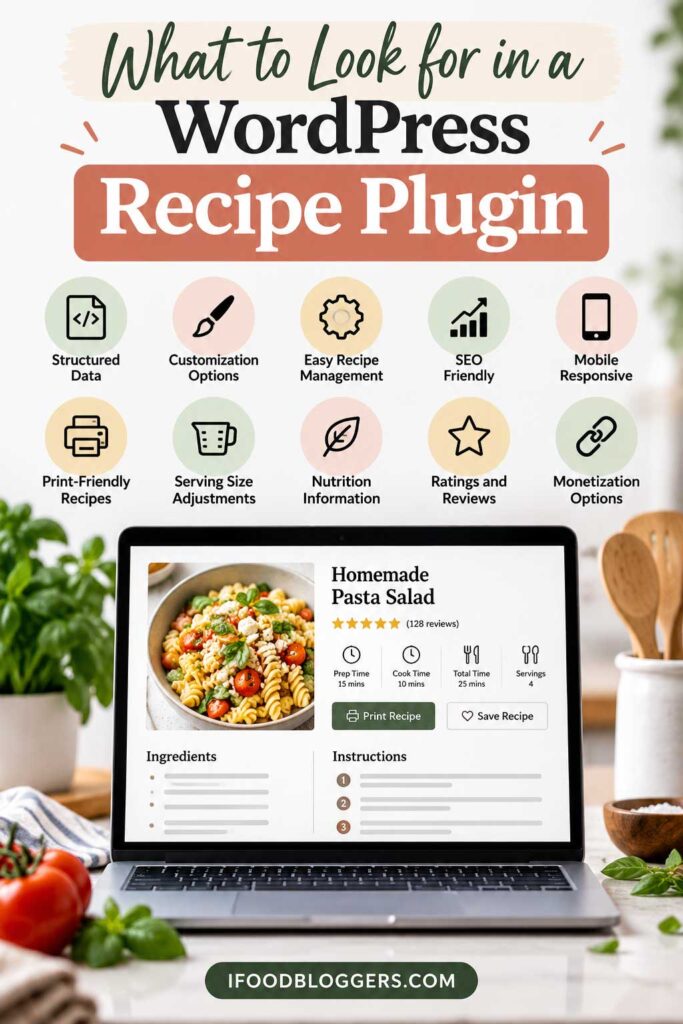
The best WordPress recipe plugin should do more than make your recipes look good. It should make them easier to use, help search engines understand the content, fit your publishing workflow, and support the way you plan to grow and monetize your food blog.
Here are the features worth comparing before you choose one.
Recipe Schema and SEO
Recipe schema is one of the most important things to check.
A good plugin should generate structured data for details such as:
- Recipe name
- Ingredients
- Instructions
- Prep and cooking time
- Nutrition information
- Ratings and reviews
- Images and video
Structured data does not guarantee higher rankings, but it can help search engines understand your recipe and make eligible content available for enhanced search features.
Before publishing, compare your markup with Google’s Recipe structured data guidelines to make sure the important recipe fields are implemented correctly.
Look for a plugin that is actively maintained and keeps its recipe markup aligned with current standards.
Mobile-Friendly Recipe Cards
Recipe cards need to be easy to use on a phone, not just on desktop.
Look for readable ingredient lists, clear instructions, responsive layouts, and buttons that are easy to find for actions such as printing, jumping to the recipe, or adjusting servings.
It is also useful if you can match the recipe card to your site branding without having to write a lot of custom CSS.
Adjustable Servings and Unit Conversion
These are small features, but readers notice them when they actually start cooking.
Someone may want to double a dinner recipe, cut a dessert in half, or switch between U.S. and metric measurements.
Some plugins automatically recalculate ingredient quantities when the serving size changes, while others also provide unit conversion.
If you attract an international audience, this is especially useful.
Nutrition Information
Nutrition tools vary quite a bit from one plugin to another.
Some let you enter values manually. Others calculate estimates from the ingredients or connect to external nutrition services.
If nutrition information matters to your audience, check whether calculations are included, whether they require credits or a separate service, and how much control you have over the displayed values.
Ratings and Reviews
Ratings give readers a quick sense of how other people got on with the recipe and can also provide useful feedback to the publisher.
Many plugins allow readers to leave star ratings directly from the recipe card or comment section, and some can include aggregate ratings in structured data.
The important thing is to keep the process simple for real readers and avoid adding unnecessary friction.
Pinterest and Social Features
Pinterest can be an important traffic source for food blogs, so it is worth checking what social features a recipe plugin includes.
Depending on the plugin, you may find support for:
- Pinterest-specific images
- Custom Pinterest descriptions
- Social sharing buttons
- Rich Pin compatibility
- Integrations with dedicated social plugins
Your recipe plugin does not have to handle everything. A separate Pinterest or social sharing plugin may still be the better option for some sites.
Affiliate and Equipment Links
If affiliate income is part of your strategy, equipment links can be very useful.
Some plugins let you recommend products directly inside or alongside the recipe card, including:
- Air fryers
- Stand mixers
- Blenders
- Baking pans
- Knives
- Food processors
- Measuring tools
If those fields accept affiliate URLs, you can recommend tools that are genuinely relevant to the recipe instead of relying only on display ads.
For a monetized food blog, this can be a meaningful feature.
Recipe Import and Migration
Migration support becomes much more important once you have a large recipe library.
You do not want to rebuild hundreds of recipe cards manually if you decide to switch plugins.
Before choosing a new plugin, check whether it can import recipes from your current system and which fields actually transfer.
This is one area where WP Recipe Maker is particularly strong because it supports imports from a wide range of older and competing recipe plugins.
Editor and Page Builder Compatibility
Make sure the plugin fits the way you already build content.
Some plugins work especially well with Gutenberg, while others also support the Classic Editor, Elementor, or other page builders.
If you use the block editor heavily, dedicated recipe blocks can make publishing much faster. If you use a page builder, check compatibility before committing to a plugin.
Performance
Recipe plugins can add styles, scripts, ratings, nutrition tools, video features, analytics, and other functionality.
That does not automatically make a plugin slow, but it is worth avoiding features you never use.
Look for actively maintained plugins and test performance on your own site, especially if you already run display ads, video, analytics, affiliate scripts, and social sharing tools.
Updates and Support
Do not overlook maintenance when comparing plugins.
WordPress, PHP, structured data requirements, and search features continue to change, so an abandoned recipe plugin can eventually become a problem.
Check for regular updates, current documentation, recent support activity, and a clear development history.
For a food blog you plan to grow for years, reliable maintenance is just as important as the feature list.
1. WP Recipe Maker
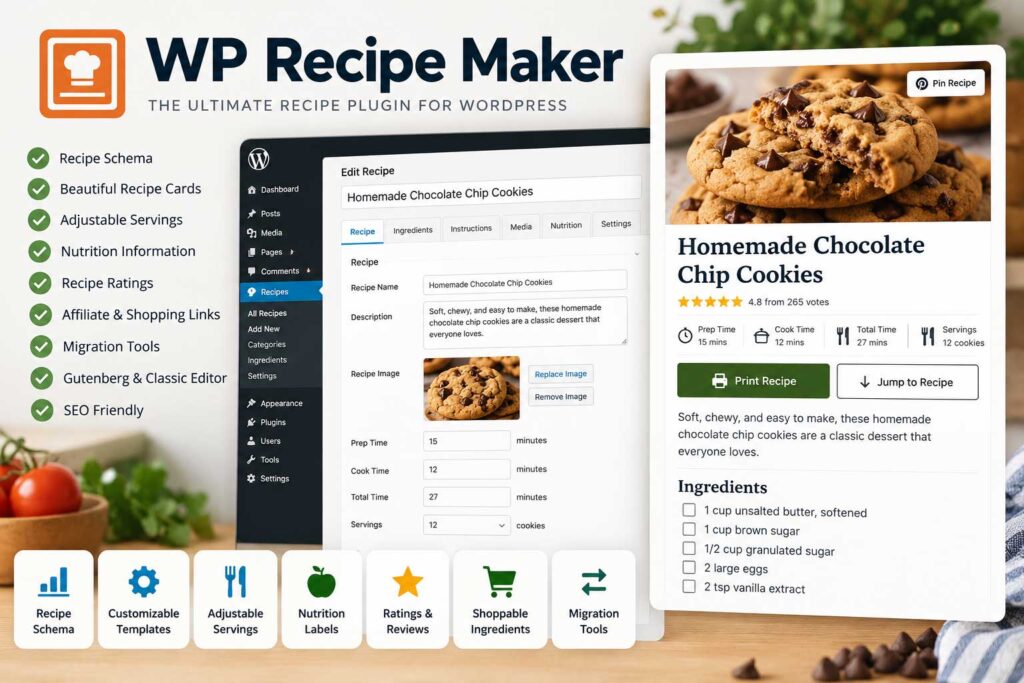
WP Recipe Maker has been around for years and now has more than 50,000 active installations, making it one of the more established recipe plugins in WordPress. It is a strong option for food bloggers who want reliable recipe schema, flexible recipe cards, migration tools, and enough advanced features to keep using the same plugin as their site grows.
It works with the WordPress block editor and Classic Editor, supports Elementor, and can also be inserted into other page builders using shortcodes.
Key Features
WP Recipe Maker automatically generates Recipe JSON-LD structured data for information such as ingredients, instructions, cooking times, ratings, images, and video.
It also works alongside popular SEO plugins including Yoast SEO and Rank Math and provides tools for checking important recipe metadata.
If you are still choosing the SEO side of your setup, compare the best WordPress SEO plugins for food bloggers to see which tools work best alongside your recipe plugin.
Other useful features include:
- Responsive recipe cards
- Recipe and HowTo structured data
- Recipe video support
- Images or videos for individual steps
- Jump to Recipe and Print Recipe buttons
- Ingredient and instruction groups
- Recipe ratings
- Pinterest Rich Pin compatibility
- Recipe roundup markup
- Full-text recipe search
- Customizable recipe templates
- Recipe migration tools
- Shoppable ingredient integrations
Premium plans add features such as adjustable servings, nutrition labels, ingredient links, kitchen timers, ingredient and instruction checkboxes, custom taxonomies, automatic nutrition calculations, unit conversion, recipe submissions, and recipe collections.
Strong Migration Support
Where WP Recipe Maker really stands out is migration.
If you already have hundreds of recipes stored in another plugin, manually rebuilding every recipe card would be a major project. WP Recipe Maker includes import tools for a long list of competing and older recipe plugins, including:
- WP Tasty Recipes
- WP Delicious
- Create
- Recipe Card Blocks by WPZOOM
- Zip Recipes
- Cooked
- EasyRecipe
- WP Ultimate Recipe
- Meal Planner Pro
- Yummly
- Simple Recipe Pro
That makes it especially useful for established food blogs that have changed themes or recipe systems over the years.
Monetization Features
There are also several ways to connect recipes with products readers may want to buy.
Ingredient links can point readers toward relevant products or other content, while supported shopping integrations can make it easier for visitors to purchase ingredients.
You can also add equipment recommendations to recipes, creating natural affiliate opportunities when the products are genuinely useful to the reader.
For example, a baking recipe might recommend a stand mixer, kitchen scale, baking pan, or cooling rack, while a smoothie recipe could point readers toward a blender, reusable cups, or measuring tools.
Used carefully, these recommendations can add affiliate opportunities without making the recipe feel overly commercial.
WP Recipe Maker Pros and Cons
| Pros | Cons |
|---|---|
| Strong recipe schema support | Many advanced features require a paid plan |
| Free version available | Serving adjustments and some nutrition tools are premium |
| Large, established user base | Can feel overwhelming for beginners |
| Excellent migration tools | More settings than simpler recipe plugins |
| Works with Gutenberg, Classic Editor, and Elementor | |
| Highly customizable recipe cards | |
| Adjustable servings and unit conversion available | |
| Nutrition features | |
| Ratings and reviews | |
| Pinterest compatibility | |
| Shopping and affiliate opportunities | |
| Suitable for growing and established food blogs |
The plugin also includes a large number of settings. That flexibility is useful for experienced publishers, but beginners who only want a basic recipe card may find the interface more detailed than they need.
Best For
WP Recipe Maker is best for food bloggers who want a recipe platform they can continue using as their site grows.
It is particularly well suited to publishers who care about structured data, customization, migration support, and long-term flexibility.
Best for: Growing and established food blogs
Free version: Yes
Recipe schema: Yes
Affiliate potential: High
Beginner friendly: Yes, although the advanced settings take some time to learn
2. WP Tasty Recipes
WP Tasty Recipes is aimed at food bloggers who want professional recipe cards without having to spend much time tweaking technical settings.
It is part of the WP Tasty ecosystem and now comes in both a premium version and a free Tasty Recipes Lite plugin. The Lite version includes core recipe publishing tools, while the paid version adds more advanced features for established food blogs.
Key Features
WP Tasty Recipes includes:
- Built-in recipe schema
- Responsive recipe cards
- Adjustable serving sizes
- U.S. and metric unit conversion
- Nutrition labels
- Ingredient checkboxes
- Recipe ratings
- Recipe video embeds
- Print-friendly recipes
- Jump to Recipe buttons
- 11 recipe card designs
- Hands-Free Cook Mode
- Recipe importing tools
- How-To cards
- Recipe Explorer dashboard
- Save/Email Recipe functionality
- Kit email integration
- Instacart integration
- Social recipe card footer
- Ingredient copy button
- AI scraper prevention
All current paid plans include the core premium feature set, with pricing mainly changing according to the number of sites and support level.
Recipe SEO and Structured Data
WP Tasty Recipes automatically generates structured recipe data for information such as ingredients, instructions, cooking times, nutrition, ratings, images, and video.
The free Tasty Recipes Lite version also includes built-in recipe schema, Pinterest Rich Pin support, Guided Recipes support, and tools for managing recipe taxonomies.
For bloggers who do not want to manage JSON-LD manually, this takes care of much of the technical recipe markup behind the scenes.
Clean Recipe Card Design
The recipe card design is one of the main reasons bloggers choose WP Tasty Recipes.
The premium version currently includes 11 recipe card designs, while Tasty Recipes Lite includes three templates. The cards can be customized to match your site’s colors and are designed to resize for phones and tablets.
That makes it particularly appealing to bloggers who want a polished recipe card without extensive CSS work.
Adjustable Servings and Metric Conversion
Premium users can let readers scale recipes without doing the math themselves.
Serving controls support common adjustments such as half, double, or triple quantities, while metric conversion allows visitors to switch between measurement systems. These features can also be disabled on individual recipes when conversion or scaling would not make sense.
Cook Mode and Ingredient Checkboxes
WP Tasty Recipes also includes Hands-Free Cook Mode, designed to make recipes easier to follow while someone is cooking.
Readers can check off ingredients as they work through the recipe, and the plugin also includes an ingredient-copy feature for quickly copying a list.
They may sound minor, but they are useful when someone is following the recipe from a phone or tablet in the kitchen.
Recipe Explorer
The plugin’s Recipe Explorer provides a searchable dashboard for managing recipes from one place.
This becomes especially useful once a food blog has dozens or hundreds of recipes. Instead of opening posts individually to find a recipe, publishers can search, filter, and manage recipe content through the recipe dashboard.
Monetization Potential
WP Tasty Recipes has become more interesting from a monetization standpoint as well.
Premium users can integrate Instacart shopping with recipe ingredients, and the plugin works with WP Tasty’s separate Tasty Links product for automated ingredient linking and affiliate equipment recommendations.
You can also recommend products in the surrounding article, such as blenders, Dutch ovens, baking pans, stand mixers, knives, and specialty ingredients.
WP Tasty Recipes Pros and Cons
| Pros | Cons |
|---|---|
| Polished recipe card designs | Premium version requires an annual subscription |
| Built-in recipe schema | Some advanced monetization tools depend on other WP Tasty products |
| Free Tasty Recipes Lite version available | Less deeply customizable than some competitors |
| Adjustable servings | Full feature set may be unnecessary for small blogs |
| Metric conversion | |
| Nutrition labels | |
| Ingredient checkboxes | |
| Cook Mode | |
| Recipe ratings and video support | |
| Recipe Explorer dashboard | |
| Save/Email Recipe functionality | |
| Instacart integration | |
| Gutenberg, Classic Editor, and Elementor support | |
| Active development |
Best For
WP Tasty Recipes is best for food bloggers who want a polished recipe plugin with a streamlined workflow and fewer configuration headaches.
It is particularly appealing to established food bloggers who value design, recipe usability, structured data, and a consistent publishing process.
Best for: Professional food bloggers who value simplicity
Free version: Yes, through Tasty Recipes Lite
Recipe schema: Yes
Affiliate potential: Moderate to high
Beginner friendly: Very
3. Recipe Card Blocks by WPZOOM
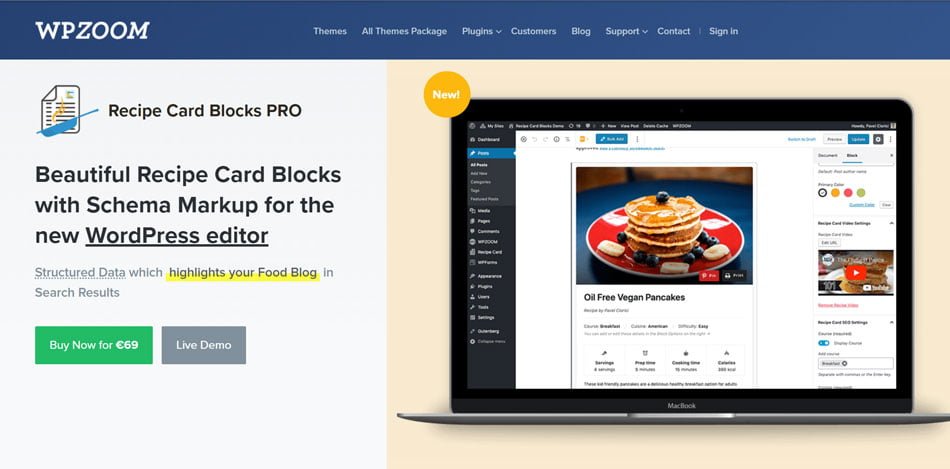
Recipe Card Blocks by WPZOOM is a modern WordPress recipe plugin built around the block editor, with additional support for Elementor.
It is especially appealing to food bloggers who prefer creating recipes directly inside Gutenberg instead of managing them through a completely separate recipe interface.
The plugin has expanded well beyond basic recipe cards and now includes structured data, ratings, Cook Mode, recipe indexes, recipe roundups, adjustable servings, unit conversion, equipment sections, Pinterest tools, and recipe submissions.
Key Features
The free version includes useful features such as:
- Recipe schema using JSON-LD
- Gutenberg recipe blocks
- Elementor recipe widget
- Ingredients and directions blocks
- Nutrition facts
- Video support
- Recipe ratings
- Comment ratings
- Cook Mode
- Multiple recipe card styles
- AMP support
- Recipe shortcode support
- Recipe import tools
- Bulk ingredient and direction entry
- Structured data validation
Cook Mode is particularly useful on mobile because it helps keep the screen active while someone follows the recipe.
Recent versions have also added an optional AI Assistant integration that can answer reader questions about substitutions, serving adjustments, unit conversions, timing, and storage directly from the recipe page.
Recipe SEO and Structured Data
Recipe Card Blocks generates Schema.org Recipe markup for information such as the recipe name, images, ingredients, directions, cooking times, ratings, and nutrition data.
It also includes structured-data validation tools that can help identify missing recipe information before publication.
The Pro version has continued expanding its SEO tools, including an SEO Score column and improved handling of nutrition data inside recipe schema.
Gutenberg Integration
Its Gutenberg integration is the clearest difference between Recipe Card Blocks and many competing plugins.
Instead of treating the recipe as a separate system, the plugin provides dedicated blocks that can be inserted directly into your article.
You can work with blocks for recipe cards, ingredients, directions, nutrition information, and other recipe details while using the same editor you already use for the rest of the post.
For bloggers comfortable with Gutenberg, the workflow feels very natural.
The plugin also supports Elementor through a dedicated recipe widget.
Adjustable Servings and Unit Conversion
The Pro version lets readers change the number of servings directly from the recipe card, with ingredient quantities updating automatically.
It also supports U.S. and metric unit conversion.
Recent updates improved fraction handling as well, so amounts such as 1/4 or 1 1/2 can be entered naturally and still work with serving adjustments and unit conversion.
Recipe Index and Recipe Roundups
Recipe Card Blocks Pro includes a powerful Recipe Index for larger food blogs.
Visitors can search and filter recipes by criteria such as:
- Ingredients
- Courses
- Cuisines
- Difficulty
- Cooking time
Recent updates expanded ingredient filtering and improved recipe-image loading and mobile layouts.
The Recipe Roundup feature can also be used to create collections such as:
20 Easy Chicken Dinner Recipes
or
15 Healthy Smoothies for Breakfast
Roundups also give you an easy way to connect related recipes and build stronger topic clusters around them.
Pinterest Features
The Pro version includes Pinterest controls that let publishers specify a custom Pinterest image and description.
That is useful when the image you want people to save on Pinterest is different from the main image displayed inside the article.
The plugin also includes social calls to action for platforms such as Pinterest, Facebook, and Instagram.
Equipment and Affiliate Opportunities
One of the strongest monetization features is the Equipment Block.
You can add tools used in a recipe, such as:
- Blenders
- Stand mixers
- Air fryers
- Baking pans
- Dutch ovens
- Knives
- Food processors
This creates a natural place to recommend kitchen products alongside the recipe.
Recipe Card Blocks Pro also maintains an ingredient database that can store affiliate-link information, and recent updates added import/export tools for preserving that data across sites.
For example, a cake recipe could recommend the mixer, cake pan, kitchen scale, and cooling rack used to make it.
For recipes that already attract traffic, those equipment links can add another source of revenue alongside display ads.
Recipe Submissions and WooCommerce
The Pro version also supports user-submitted recipes and WooCommerce integration.
These features are more relevant to larger recipe communities, membership sites, recipe marketplaces, or publishers selling food-related products.
Recipe Card Blocks Pros and Cons
| Pros | Cons |
|---|---|
| Excellent Gutenberg integration | Many advanced features require Pro |
| Elementor support | Recipe Index and Roundups are premium |
| Free version available | Unit conversion and adjustable servings are premium |
| Recipe structured data | Equipment and advanced Pinterest tools require Pro |
| Structured-data validation | Less ideal for bloggers who prefer a separate recipe-management workflow |
| Ratings and comment ratings | |
| Cook Mode | |
| Adjustable servings | |
| U.S./metric conversion | |
| Recipe Index | |
| Recipe Roundups | |
| Pinterest controls | |
| Equipment and affiliate opportunities | |
| Recipe submissions | |
| WooCommerce integration | |
| Active development |
Pricing
Recipe Card Blocks Pro is currently $59 per year as a standalone plugin. WPZOOM also includes it in larger theme and plugin bundles.
Best For
Recipe Card Blocks is best for food bloggers who use Gutenberg heavily and want recipe publishing to feel like a natural extension of the WordPress block editor.
It is particularly attractive for publishers interested in recipe indexes, roundup content, Pinterest, and equipment-based affiliate monetization.
Best for: Gutenberg-based food blogs
Free version: Yes
Recipe schema: Yes
Affiliate potential: High
Beginner friendly: Very
4. WP Delicious
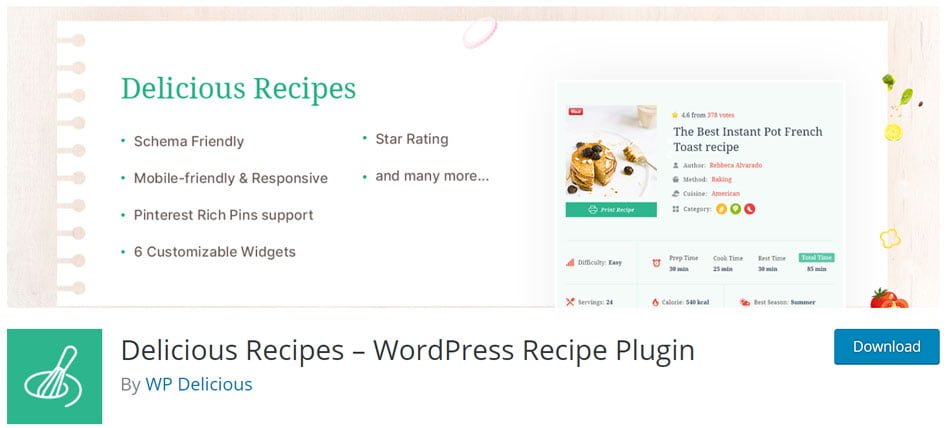
WP Delicious goes well beyond a basic recipe card, with features aimed at recipe organization, reader engagement, and monetization.
The free version already includes structured recipe data, nutrition information, ratings, recipe archives, advanced search, Pinterest Rich Pins, user dashboards, favorites, and Gutenberg support. The Pro version adds features such as affiliate equipment links, front-end recipe submissions, analytics, advanced ratings, and a floating recipe bar.
Key Features
WP Delicious includes:
- Unlimited recipes
- Recipe schema and structured data
- Responsive recipe cards
- Image and video galleries
- Nutrition information
- Printable recipes
- Star ratings
- Advanced recipe search
- Recipe archive layouts
- Pinterest Rich Pins
- Gutenberg blocks
- Recipe Index functionality
- User accounts and favorite recipes
- Recipe importing tools
- Equipment recommendations
- Front-end recipe submissions
- Recipe analytics
- Meal-planning add-ons
- AI Recipe Assistant
- Category-page customization through add-ons
The plugin also works with Delisho, a companion plugin that adds Gutenberg blocks and Elementor widgets for building more customized recipe layouts.
Recipe SEO and Structured Data
WP Delicious is built with structured recipe data in mind.
Recipe details such as ingredients, instructions, nutrition information, images, and ratings can be included in schema markup so search engines can better understand the page.
The plugin also supports Pinterest Rich Pins, which can help Pinterest pull structured recipe information when the required data is available.
Equipment and Affiliate Links
For example, a smoothie recipe could recommend the blender used to make it, while a bread recipe could link to a Dutch oven, proofing basket, or kitchen scale.
This gives bloggers a natural way to monetize high-traffic recipes without relying entirely on display advertising.
Recipe Analytics
WP Delicious Pro includes an analytics dashboard that tracks engagement around published recipes, including likes and ratings.
The analytics can help you spot which recipes are attracting the most engagement and may be worth improving further.
If a recipe consistently performs well, you might improve its affiliate recommendations, add stronger internal links, create more Pinterest content, or build related articles around the same topic.
User Accounts and Favorite Recipes
The free plugin includes a user dashboard where readers can register, browse recipes, and save favorites.
For a larger recipe site, saved recipes can give readers a reason to return instead of treating every visit as a one-off search.
Front-End Recipe Submissions
WP Delicious Pro allows visitors to submit recipes from the front end of the site.
That feature is probably unnecessary for a traditional personal food blog, but it can be useful for:
- Community recipe websites
- User-generated recipe platforms
- Cooking membership sites
- Regional recipe collections
- Niche recipe communities
Submitted recipes can be reviewed before publication.
Meal Planner
WP Delicious also offers a dedicated Meal Planner add-on.
It can build weekly meal plans from recipes already published on your site and supports features such as nutrition details and printable shopping lists.
That creates opportunities for content such as:
7-Day Mediterranean Meal Plan
5-Day High-Protein Dinner Plan
Easy Weeknight Meal Plan for Families
These pages can then link back to multiple recipes across the site.
Floating Recipe Bar
The Pro version includes a floating recipe bar that keeps useful tools accessible while someone follows a recipe.
Depending on the setup, it can include Focused Reading mode, a timer, social sharing, and other controls.
These are small additions, but they can make the recipe easier to use while someone is actually cooking.
AI Recipe Assistant
WP Delicious now also includes an AI Recipe Assistant that can generate recipe drafts from titles or prompts and publish them directly into WordPress.
For serious food publishers, I would treat this as a workflow tool rather than a substitute for recipe testing, original photography, or editorial review.
WP Delicious Pros and Cons
| Pros | Cons |
|---|---|
| Strong free version | Some of the best monetization features require Pro |
| Recipe schema support | Meal Planner and some advanced tools are separate add-ons |
| Pinterest Rich Pins | Large feature set may be excessive for small blogs |
| Nutrition information | Wider ecosystem can feel more complex than simpler plugins |
| Recipe ratings | |
| Recipe Index | |
| User accounts and favorites | |
| Gutenberg support | |
| Advanced recipe search | |
| Equipment affiliate links | |
| Recipe analytics | |
| Front-end recipe submissions | |
| Meal-planning options | |
| Migration tools | |
| AI Recipe Assistant | |
| Active development |
Pricing
WP Delicious Pro is currently listed at $59 per year for one site, with a $199 lifetime option. The company also offers larger bundles that include WP Delicious Pro, Delisho Pro, Meal Planner, category tools, and other products.
Best For
WP Delicious is especially attractive for food bloggers who want to combine recipe publishing with affiliate monetization, reader engagement, and larger recipe-site features.
Its equipment links, analytics, favorites, recipe submissions, and meal-planning tools make it more ambitious than a basic recipe-card plugin.
Best for: Monetization-focused and feature-rich recipe sites
Free version: Yes
Recipe schema: Yes
Affiliate potential: Very high
Beginner friendly: Yes, although the full ecosystem is more advanced
5. Create
Create is a WordPress plugin for publishing recipes, how-to guides, and list-style content with built-in structured data.
Originally developed by Mediavine, Create was purchased in 2025 by John-Michael L’Allier, one of its founding developers. It is now independently operated and actively developed through Create Studio.
Create is unusual because the same plugin can handle recipes, how-to guides, and structured lists or roundups.
Key Features
Create includes:
- Recipe cards
- How-to cards
- List and roundup cards
- Recipe JSON-LD schema
- HowTo and ItemList structured data
- One-click schema validation
- Automatic nutrition calculation
- Recipe videos
- Reader ratings and reviews
- Gutenberg support
- Classic Editor support
- Multiple card themes
- Built-in recipe importers
- Recommended products
- Configurable ad placements
- Adjustable servings on premium plans
- Metric and imperial conversion on premium plans
- Interactive cooking tools on premium plans
- Affiliate products in list content on premium plans
The free plugin also includes a nutrition calculator powered by API Ninjas and built-in importers for more than 10 recipe plugins.
Recipe SEO and Structured Data
Create automatically generates structured data for its cards.
Recipe information such as ingredients, instructions, cooking times, nutrition, images, and other fields can be converted into Recipe JSON-LD.
It also supports structured data for HowTo and ItemList content, which makes the plugin useful beyond recipes.
For example, the same food blog could use Create for:
Recipe: Homemade Sourdough Bread
How-to guide: How to Season a Cast-Iron Skillet
Roundup: 15 Best Air Fryer Recipes for Beginners
That flexibility is one of Create’s biggest advantages.
Automatic Nutrition Calculation
Create includes automatic nutrition calculation through API Ninjas Nutrition.
The plugin can estimate nutritional information from your ingredient list, or you can enter the values manually.
For publishers managing hundreds of recipes, that can save considerable time.
As with other automatic nutrition tools, the results should generally be treated as estimates.
Adjustable Servings and Unit Conversion
Premium Create features allow readers to adjust serving quantities and convert between metric and imperial measurements.
Ingredient amounts update as the serving size changes, making recipes easier to use for both domestic and international audiences.
Interactive Mode
Create also offers an Interactive Mode designed to make recipes easier to follow while cooking.
Readers can work through ingredients and recipe steps using interactive checklists. On Create Pro, the experience stays directly on the publisher’s website rather than opening externally.
This does not directly affect rankings, but it can improve the actual usefulness of the recipe on phones and tablets.
Recipe Migration
Create includes built-in importers for a wide range of recipe plugins, including:
- WP Recipe Maker
- WP Tasty
- EasyRecipe
- WP Ultimate Recipe
- Zip Recipes
- ZipList Recipe Plugin
- Meal Planner Pro Recipes
- Yummly
- Simple Recipe Pro
- Purr Recipe Cards
- Cookbook
The importers are built directly into the plugin, which makes Create a realistic option for established food blogs with large existing recipe libraries.
Lists, Roundups, and Affiliate Content
The list builder is especially useful if your site publishes commercial roundups alongside recipes.
You can build structured articles containing links, images, and products, including content such as:
10 Best Blenders for Smoothies
15 Kitchen Tools Every Baker Needs
20 Easy Dinner Recipes for Busy Weeknights
12 Best Air Fryers for Home Cooks
Premium plans can also place products inside lists for affiliate monetization.
Recommended Products
Create also supports recommended products and affiliate links within its content system.
That can be useful when a recipe naturally depends on a specific tool or ingredient, while the list-card features give publishers more room for product-focused roundups.
Performance and Advertising
Create also puts noticeable emphasis on keeping its cards lightweight and ad-friendly.
The plugin uses lightweight JavaScript and optimized asset loading, while its card themes are designed to work with advertising placements.
That matters for recipe sites that may already be loading large food images, video, display ads, analytics, affiliate scripts, and social sharing tools.
Create Pros and Cons
| Pros | Cons |
|---|---|
| Free core plugin | Most advanced interactive features require a paid plan |
| Recipe, How-To, and ItemList schema | Bloggers who only publish recipes may not need the list and how-to tools |
| Recipe, tutorial, and roundup cards in one plugin | Premium pricing is higher than some standalone recipe plugins |
| Automatic nutrition calculation | Some advanced functionality relies on Create Studio services |
| User ratings and reviews | |
| Built-in migration tools | |
| Gutenberg and Classic Editor support | |
| Adjustable servings available | |
| Unit conversion available | |
| Interactive cooking tools | |
| Affiliate product opportunities | |
| Ad-friendly layouts | |
| Performance-focused design | |
| Actively developed independently |
Pricing
The core Create plugin is free.
Create Pro currently costs $12.50 per month when billed annually, or $150 per year, and includes premium themes, serving adjustments, unit conversion, Interactive Mode, review-management tools, products in lists, custom CSS, and priority support.
Best For
Create is best for food bloggers who publish a mixture of recipes, tutorials, roundups, and affiliate-focused content.
It is particularly appealing if you want one structured-content system for both recipe publishing and commercial list-style articles.
Best for: Recipes, how-to guides, and affiliate roundups
Free version: Yes
Recipe schema: Yes
Affiliate potential: High
Beginner friendly: Yes
6. Zip Recipes
Zip Recipes is a straightforward WordPress recipe plugin for bloggers who want clean recipe cards, structured data, and a simple publishing workflow without a large collection of advanced tools.
It is not as feature-heavy as WP Recipe Maker, WP Delicious, or Recipe Card Blocks, but that can be an advantage if you mainly want to publish professional-looking recipes without managing a complicated plugin ecosystem.
Key Features
Zip Recipes includes:
- Recipe cards
- Schema.org recipe markup
- JSON-LD structured data
- Gutenberg support
- Nutrition information
- Nutrition Label block
- Nutrition Details block
- Recipe tags
- Responsive layouts
- Print-friendly recipes
- Recipe images
- Ingredient and instruction sections
- AMP compatibility
- Ad-network integration
The plugin currently provides dedicated Gutenberg blocks for recipe content and nutrition information.
Recipe SEO and Structured Data
One of Zip Recipes’ main strengths is built-in structured data.
The plugin adds Schema.org markup and JSON-LD so search engines can better understand information such as ingredients, instructions, cooking details, and nutrition information.
That removes much of the technical work involved in maintaining recipe schema manually.
Gutenberg Integration
Zip Recipes works directly with the WordPress block editor.
You can insert the recipe card and nutrition blocks while editing the rest of your article, which keeps the workflow relatively simple for Gutenberg users.
For bloggers who do not need a separate recipe-management dashboard, this can be a good fit.
Nutrition Information
Zip Recipes includes both a Nutrition Label block and a newer Nutrition Details block.
These can display information such as calories, protein, carbohydrates, fat, and other nutritional values alongside the recipe.
As with other automated nutrition tools, calculated values should generally be treated as estimates.
Ad-Friendly Recipe Cards
Zip Recipes also promotes compatibility with advertising networks.
That can be useful for food blogs that already combine recipes with display ads, video, affiliate links, and email signup forms.
The plugin’s simpler structure may also appeal to publishers who do not want their recipe system adding many extra layers of functionality.
AMP Compatibility
Zip Recipes still supports AMP.
AMP is much less important to recipe SEO than it once was, so this should not be the main reason to choose the plugin.
However, publishers still maintaining AMP versions of their content may appreciate the compatibility.
Ease of Use
The main appeal of Zip Recipes is that it keeps things relatively simple.
You do not get the same level of recipe indexes, community features, analytics, meal planning, or affiliate equipment tools found in some larger plugins.
For a smaller recipe site, that may be exactly what you want.
If you mainly want to create a recipe card, add structured data, and continue publishing, Zip Recipes keeps the workflow fairly focused.
Monetization Potential
Zip Recipes does not emphasize built-in affiliate monetization as heavily as WP Delicious or Recipe Card Blocks.
You can still monetize the surrounding article with relevant equipment or ingredient recommendations.
For publishers building a more aggressive affiliate strategy, however, a plugin with dedicated equipment-link features may offer a smoother workflow.
Zip Recipes Pros and Cons
| Pros | Cons |
|---|---|
| Easy to use | Smaller user base than major competitors |
| Free version available | More limited feature ecosystem |
| Recipe schema support | Fewer built-in affiliate monetization tools |
| JSON-LD structured data | No advanced recipe community features |
| Gutenberg integration | Less suitable for very large recipe platforms |
| Nutrition Label block | |
| Nutrition Details block | |
| Responsive recipe cards | |
| AMP compatibility | |
| Ad-network-friendly positioning | |
| Actively maintained |
Best For
Zip Recipes is best for food bloggers who want a simple recipe plugin with structured data and nutrition tools without a complicated setup.
It is especially suitable for smaller or newer recipe sites that want professional recipe cards without immediately moving into a larger premium ecosystem.
Best for: Simple recipe blogs and beginners
Free version: Yes
Recipe schema: Yes
Affiliate potential: Moderate
Beginner friendly: Very
7. Cooked – Recipe Management
Cooked – Recipe Management is a WordPress recipe plugin built around a dedicated recipe-management system rather than placing everything directly inside a standard blog post.
Recipes are created as their own content type and can then be displayed throughout the site using recipe templates, archives, search tools, and shortcodes.
That setup works well if you want recipes organized separately, but it may feel awkward if you prefer creating the entire article and recipe in one editor.
Key Features
The free version of Cooked includes:
- Recipe schema and structured data
- Drag-and-drop ingredients and directions
- Preparation and cooking times
- Nutrition facts
- Photo galleries
- Difficulty levels
- Recipe notes
- Recipe search
- Recipe categories
- Sorting options
- Interactive cooking timers
- Adjustable servings
- Ingredient substitutions
- CSV recipe import
- Recipe author pages
- Responsive recipe layouts
- Developer hooks and filters
Many features that competing plugins reserve for premium plans are included in Cooked’s free version.
Dedicated Recipe Management
Cooked treats recipes as their own content type.
Instead of building the recipe entirely inside a regular blog post, you create the recipe separately and manage it through the dedicated Recipes section in WordPress.
For larger recipe libraries, that separation can make recipes easier to organize and search from the dashboard.
The tradeoff is workflow. If you prefer writing the introduction, recipe card, tips, and supporting content all in one editor, Cooked may feel less direct than Gutenberg-focused alternatives.
Drag-and-Drop Recipe Builder
Cooked uses a dedicated recipe builder for ingredients and directions.
Recipes can include elements such as:
- Ingredients
- Instructions
- Preparation time
- Cooking time
- Nutrition facts
- Recipe notes
- Images
- Galleries
- Timers
This helps keep recipe formatting consistent across the site.
Recipe SEO and Structured Data
Cooked includes Google Structured Data and Schema.org support for recipes.
That allows important recipe details such as ingredients, directions, cooking times, nutrition information, and images to be presented in a machine-readable format for search engines.
As with any recipe plugin, structured data does not guarantee enhanced search results, but it helps search engines interpret the content correctly.
Adjustable Servings
One useful feature included in the free version is a servings switcher.
Readers can adjust the number of servings and have ingredient quantities update accordingly.
That is a useful free feature, especially since several competing plugins place serving adjustments behind a paid plan.
Ingredient Substitutions
Cooked also supports ingredient substitutions.
You can add alternative ingredients for dietary preferences, restrictions, or availability.
For example, a recipe could suggest dairy-free, gluten-free, or vegetarian alternatives where appropriate.
Interactive Cooking Timers
Cooked includes clickable timers inside recipe instructions.
This can be especially useful for recipes involving several timed stages, such as baking bread, roasting vegetables, chilling desserts, or simmering sauces.
Readers can start the timer directly from the recipe instead of opening a separate app.
Recipe Search and Archives
Cooked includes a built-in recipe search system with text search, categories, and sorting options.
That can be useful for larger sites where visitors may want to browse recipes by category or quickly find something specific.
The plugin also supports grid-style recipe listings and author pages.
CSV Recipe Import
Cooked now includes CSV import, allowing publishers to bulk-import recipes with ingredients, directions, substitutions, and other recipe data.
That can make the plugin more practical for publishers migrating from spreadsheets or other recipe systems.
Monetization Potential
Cooked focuses more on recipe organization and usability than built-in affiliate monetization.
Affiliate products can still be recommended in the surrounding article, but if you want equipment links integrated directly into recipe content, WP Delicious or Recipe Card Blocks may offer a more natural workflow.
Free and Premium Options
The standard version of Cooked is free and already includes many advanced features.
The Pro version adds additional tools such as:
- Ratings
- Favorites
- Front-end recipe submissions
- Additional premium functionality
This makes Cooked one of the more generous free options in the article.
Active Development
Cooked remains actively maintained.
WordPress.org currently lists 3,000+ active installations, version 1.16.1, and compatibility with current WordPress releases.
Cooked Pros and Cons
| Pros | Cons |
|---|---|
| Strong free version | Separate recipe workflow may feel less convenient |
| Recipe schema support | Smaller ecosystem than WP Recipe Maker |
| Drag-and-drop recipe builder | Built-in affiliate tools are limited |
| Nutrition facts included | Advanced engagement features require Pro |
| Adjustable servings included free | |
| Ingredient substitutions | |
| Interactive cooking timers | |
| Recipe search and filtering | |
| Photo galleries | |
| CSV recipe import | |
| Dedicated recipe archive | |
| Developer-friendly hooks and filters | |
| Actively maintained |
Best For
Cooked is best for bloggers who want recipes managed as a dedicated content type with strong organization and a generous free feature set.
It is particularly appealing to publishers who want recipe search, nutrition facts, timers, serving adjustments, substitutions, and structured data without immediately upgrading to a premium plan.
Best for: Dedicated recipe libraries
Free version: Yes
Recipe schema: Yes
Affiliate potential: Moderate
Beginner friendly: Yes, although the separate recipe workflow takes some adjustment
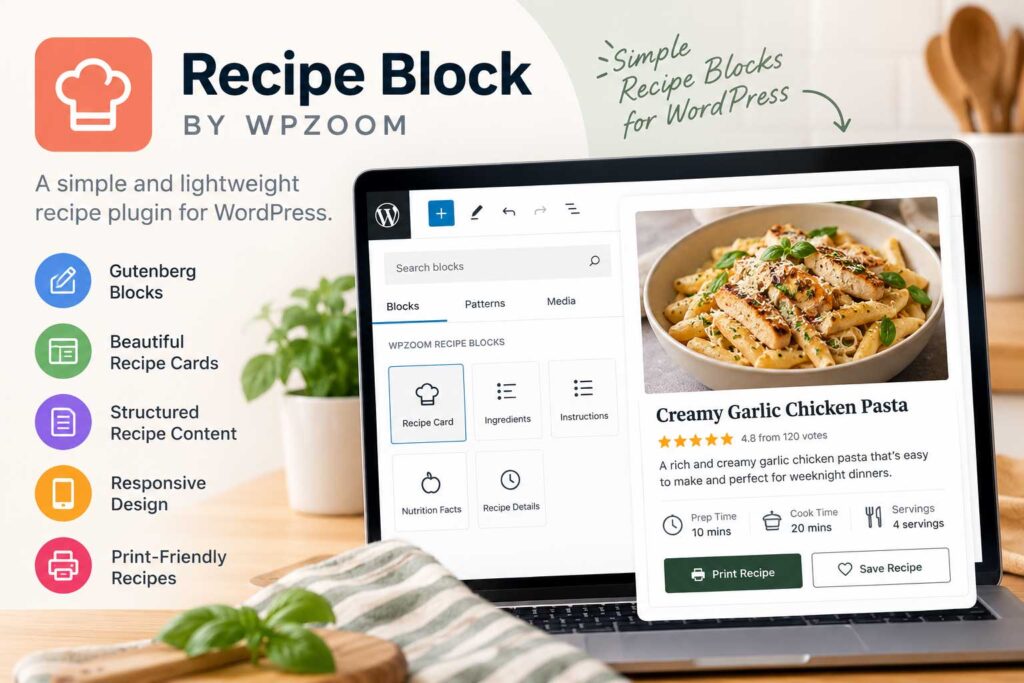
8. Recipe Block
Recipe Block is a lightweight Gutenberg plugin that adds a simple recipe block to the WordPress editor.
It currently has around 700+ active installations, but there is an important drawback: WordPress.org lists it as tested only with WordPress 5.8.x, which is far behind current WordPress releases.
That compatibility gap makes it difficult to compare Recipe Block directly with plugins that are actively updated for current WordPress releases.
What Recipe Block Does
The plugin is designed around one basic idea: add a recipe directly inside the Gutenberg editor without installing a large recipe-management system.
That can appeal to bloggers who only need a simple recipe layout and do not want features such as:
- Recipe analytics
- User accounts
- Meal planners
- Recipe submissions
- Advanced recipe indexes
- Large settings panels
- Premium add-on ecosystems
For occasional recipe publishing, that simplicity can be attractive.
Gutenberg-Based Workflow
Recipe Block works directly inside the WordPress block editor.
Instead of creating the recipe in a separate dashboard, you add the recipe block while editing the rest of the article.
That keeps the workflow familiar for Gutenberg users and avoids managing recipes as a separate content type.
Simplicity Is Its Main Advantage
Recipe Block makes the most sense for a site where recipes are only a small part of the content.
For example, a lifestyle blog covering home, gardening, travel, and food may publish only a handful of recipes each year.
In that situation, a large recipe-management platform may feel unnecessary.
However, simplicity becomes a limitation once you start needing more advanced features.
Limited Long-Term Features
Compared with modern recipe plugins, Recipe Block does not offer the same depth of tools for:
- Adjustable servings
- Unit conversion
- Nutrition calculation
- Recipe ratings
- Recipe indexes
- Recipe migration
- Affiliate equipment links
- Recipe collections
- Advanced structured-data management
Those features become increasingly valuable as a food blog grows.
Maintenance Is the Bigger Concern
The limited feature set is not the main concern here. The bigger issue is compatibility with current WordPress versions.
WordPress.org still lists Recipe Block as tested only through WordPress 5.8.x, while current WordPress installations are several major versions ahead.
That does not automatically mean the plugin will stop working, but it does mean I would be cautious about building a new recipe site around it.
For a serious food blog, long-term compatibility and active maintenance matter much more than saving a few settings screens.
Monetization Potential
Recipe Block does not provide the built-in affiliate tools found in plugins such as WP Delicious or Recipe Card Blocks.
Affiliate recommendations would generally need to be added elsewhere in the article.
For example, below the recipe you could recommend the blender, baking pan, Dutch oven, knife, or kitchen scale used to prepare it.
That can still work well, but the recipe plugin itself does not appear to be designed around monetization.
Recipe Block Pros and Cons
| Pros | Cons |
|---|---|
| Very simple Gutenberg workflow | Tested only through WordPress 5.8.x |
| Lightweight approach | Appears significantly behind current WordPress versions |
| Free | Limited advanced recipe features |
| Easy for occasional recipes | No strong built-in affiliate tools |
| Minimal configuration | Not ideal for large recipe libraries |
| Works directly inside post editing | Long-term maintenance is a concern |
Best For
Recipe Block is best viewed as a very lightweight option for occasional recipe publishing rather than a strong choice for a new professional food blog.
Because of its outdated compatibility status, bloggers starting a serious recipe site would generally be better served by a more actively maintained plugin.
Best for: Occasional recipe publishing
Free version: Yes
Recipe schema: Do not rely on it without testing the current output
Affiliate potential: Low
Beginner friendly: Very
Maintenance concern: High
9. Tasty Recipes Lite
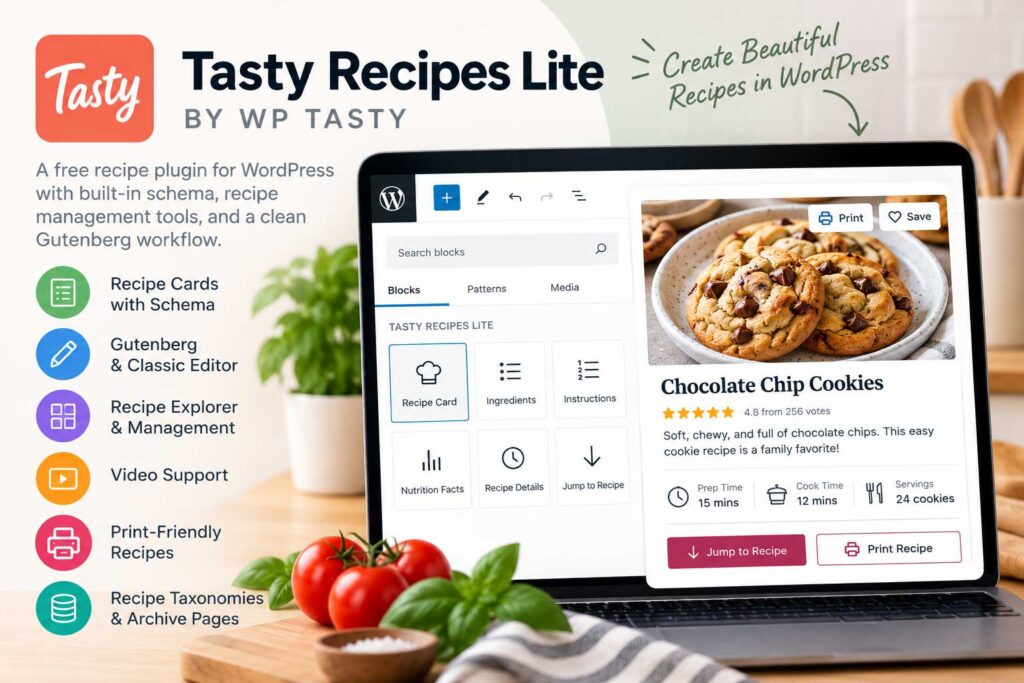
Tasty Recipes Lite is the free version of the WP Tasty recipe ecosystem. It gives food bloggers access to core recipe-card functionality, built-in structured data, recipe management tools, and a clean upgrade path to the premium WP Tasty Recipes plugin.
As of September 2026, the plugin has more than 2,000 active installations and is actively maintained.
Key Features
Tasty Recipes Lite includes:
- Recipe cards
- Built-in recipe schema
- Recipe editor
- Gutenberg support
- Classic Editor compatibility
- Recipe images
- Recipe videos
- Nutrition fields
- Print-friendly recipes
- Recipe taxonomies
- Recipe archive pages
- Multiple recipe card templates
- Recipe Explorer
- Pinterest Rich Pin support
- Guided Recipes support
That covers most of what a new food blogger needs to start publishing structured recipes without paying immediately.
Built-In Recipe Schema
Structured data is built directly into the plugin.
You can enter details such as:
- Ingredients
- Instructions
- Prep time
- Cook time
- Images
- Nutrition
- Video
- Additional recipe information
and Tasty Recipes Lite generates the corresponding recipe markup automatically.
That removes much of the technical work involved in managing recipe schema manually.
Recipe Explorer
The plugin also includes Recipe Explorer, a centralized dashboard for managing recipes.
Recipe Explorer becomes much more valuable once the site has dozens or hundreds of recipes. Instead of opening individual WordPress posts to locate recipes, publishers can search and manage recipe content from one place.
For bloggers planning to build a larger recipe library, that can save time.
Recipe Taxonomies and Archives
Tasty Recipes Lite includes recipe taxonomies and archive pages that can help organize recipes into useful groups.
Depending on your setup, these can be used for areas such as:
- Cuisine
- Course
- Cooking method
- Dietary preference
- Meal type
These archive pages can improve navigation and make it easier to build stronger internal linking between related recipes.
Video and Printing
Tasty Recipes Lite supports recipe video and print-friendly recipe cards.
Video is useful for techniques that are easier to demonstrate visually, while printable layouts give readers a simpler version of the recipe without the rest of the page clutter.
Recent updates have also improved video handling, including support fixes related to YouTube Shorts.
Monetization Potential
Tasty Recipes Lite is primarily a recipe-publishing plugin rather than an affiliate tool.
Affiliate recommendations are usually better added in the surrounding article for products such as cookware, small appliances, bakeware, utensils, or specialty ingredients.
The broader WP Tasty ecosystem includes separate tools for affiliate links and internal linking, so bloggers who later upgrade can expand beyond the recipe plugin itself.
Lite vs. Premium
The biggest difference is that the Lite version focuses on core recipe publishing, while the premium WP Tasty Recipes plugin adds more advanced tools.
Premium features include things such as:
- Adjustable servings
- U.S. and metric conversion
- Additional recipe card designs
- Ingredient checkboxes
- Cook Mode
- Save/Email Recipe
- More advanced workflow tools
- Additional integrations
That makes Lite a good way to test the WP Tasty workflow before paying for the full product.
Tasty Recipes Lite Pros and Cons
| Pros | Cons |
|---|---|
| Completely free | Fewer advanced features than the premium version |
| Built-in recipe schema | No advanced serving controls |
| Actively maintained | No full metric conversion tools |
| Recipe Explorer | Less customization than premium |
| Recipe taxonomies and archives | Affiliate monetization tools are limited |
| Video support | Smaller user base than WP Recipe Maker |
| Nutrition fields | |
| Print-friendly recipes | |
| Gutenberg and Classic Editor support | |
| Pinterest Rich Pin support | |
| Easy upgrade path to WP Tasty Recipes |
Best For
Tasty Recipes Lite is best for newer food bloggers who want a free, modern recipe plugin with built-in structured data and a straightforward path to a premium system later.
It is especially appealing if you like the WP Tasty workflow but want to test it before paying for the full version.
Best for: Free entry into WP Tasty
Free version: Yes
Recipe schema: Yes
Affiliate potential: Moderate
Beginner friendly: Very
10. Structured Content (JSON-LD)
Structured Content takes a different approach from the dedicated recipe plugins above.
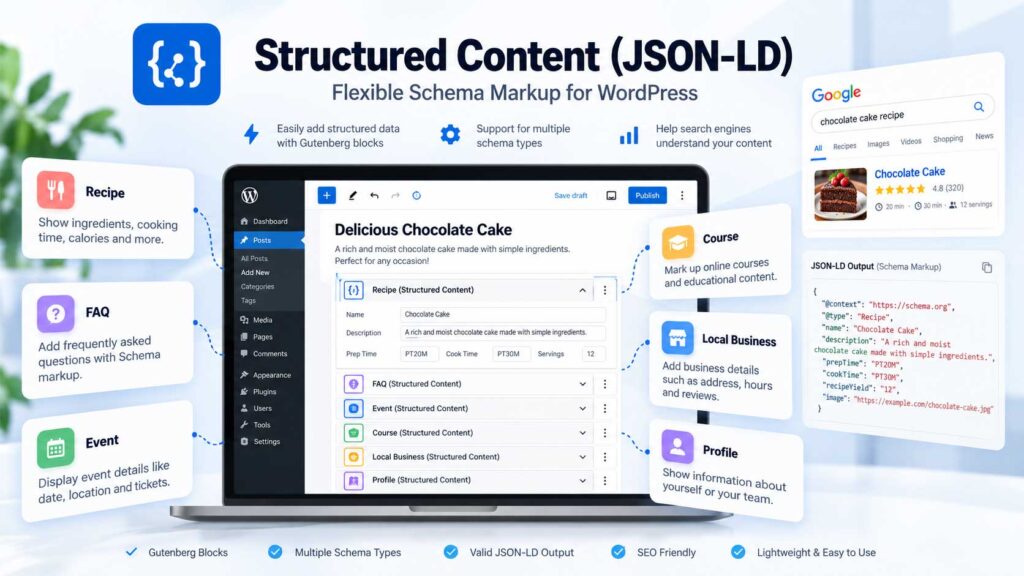
Instead of trying to be a complete recipe-management platform, it focuses on adding structured content and Schema.org markup directly to WordPress posts and pages.
Importantly, the plugin does include a dedicated Recipe block, so it can generate Recipe structured data without requiring a full recipe plugin ecosystem.
WordPress.org currently lists more than 30,000 active installations.
Structured Data Types
Structured Content currently supports several schema types, including:
- Recipe
- FAQPage
- ProfilePage
- JobPosting
- Local Business
- Event
- Course
The plugin generates JSON-LD structured data from the information you enter.
You can also choose whether the structured content appears visibly on the page or is output only as JSON-LD in the source code.
Recipe Schema
The dedicated Recipe block is what makes Structured Content relevant to food bloggers.
You can add recipe information through Gutenberg and have the plugin generate corresponding Schema.org Recipe markup.
That gives bloggers a lighter-weight way to add structured recipe data without adopting a larger platform such as WP Recipe Maker or WP Delicious.
The Recipe block has also received updates in recent plugin releases.
Gutenberg Workflow
Structured Content is optimized for Gutenberg.
You add the appropriate structured-content block while editing a post and fill in the relevant fields instead of manually writing JSON-LD.
Most of the older structured elements can also work with the Classic Editor through shortcodes, but future development is focused primarily on Gutenberg blocks.
Useful Beyond Recipes
One of the biggest advantages is that the plugin can be used across many different types of food-blog content.
For example, a site might publish:
Recipe: Homemade Sourdough Bread
FAQ: How Long Does Homemade Bread Last?
Local Business: A restaurant or cooking-school profile
Course: An online cooking class
That makes Structured Content more flexible than a plugin designed exclusively around recipe cards.
Where It Falls Short
The tradeoff is that Structured Content stops well short of being a full recipe-management platform.
It does not provide the same depth of tools for:
- Adjustable servings
- Unit conversion
- Nutrition calculation
- Recipe ratings
- Recipe indexes
- Recipe collections
- Ingredient databases
- Recipe migration
- Equipment affiliate links
- Reader favorites
If recipes are the main focus of your site, one of the dedicated recipe plugins earlier in this guide will usually provide a much better publishing experience.
Monetization Potential
Structured Content does not include dedicated affiliate-equipment tools.
Affiliate recommendations would generally need to be placed elsewhere in the article.
For example, a pizza recipe could separately recommend a pizza stone, peel, digital scale, stand mixer, or dough scraper.
That works, but it is less integrated than the equipment features available in WP Delicious or Recipe Card Blocks.
Maintenance Considerations
This is the main area where I would be cautious.
WordPress.org currently lists the plugin as tested through WordPress 6.8.8 and displays a warning that it has not been tested with the latest three major WordPress releases.
The recent changelog does include compatibility work and updates to the Recipe block, but publishers should test it carefully with their current WordPress setup before relying on it for a new large recipe site.
Structured Content Pros and Cons
| Pros | Cons |
|---|---|
| More than 30,000 active installations | Not a complete recipe-management platform |
| Dedicated Recipe schema block | No adjustable servings |
| JSON-LD structured data | No unit conversion |
| Supports multiple schema types | Limited built-in monetization tools |
| Gutenberg-friendly workflow | No advanced recipe indexes or collections |
| Can display content or output JSON-LD only | Less current WordPress compatibility than leading competitors |
| Useful beyond recipe content | Should be tested carefully on newer WordPress versions |
| Free |
Best For
Structured Content is best for food and lifestyle bloggers who want flexible Schema.org markup without installing a complete recipe-management system.
It makes the most sense when recipes are only one part of a broader content strategy.
For a dedicated recipe site publishing hundreds of recipes, WP Recipe Maker, WP Tasty Recipes, WP Delicious, or Recipe Card Blocks would generally provide a more complete workflow.
Best for: Structured-data flexibility
Free version: Yes
Recipe schema: Yes
Affiliate potential: Low
Beginner friendly: Moderate
Maintenance concern: Moderate
Which WordPress Recipe Plugin Is Best?
The best WordPress recipe plugin depends on how you publish recipes and how large you expect your food blog to become.
A beginner publishing a few recipes each month has very different needs from an established publisher managing hundreds of recipes, affiliate links, recipe indexes, multiple contributors, and advanced monetization.
Here is the easiest way to narrow down the options.
Best Overall: WP Recipe Maker
WP Recipe Maker is one of the strongest all-around choices for serious food bloggers.
It combines recipe schema, customizable recipe cards, nutrition tools, ratings, adjustable servings, unit conversion, migration tools, recipe collections, and monetization features in one ecosystem.
It also has more than 50,000 active installations and remains actively maintained, making it one of the most established plugins in this comparison.
Choose WP Recipe Maker if you want flexibility, strong migration support, and a recipe system that can continue growing with your site.
Best for Professional Food Bloggers: WP Tasty Recipes
WP Tasty Recipes is a strong choice for publishers who value a polished workflow and do not want to spend a lot of time configuring every detail.
Its recipe cards are professional, its interface is streamlined, and premium features include adjustable servings, unit conversion, nutrition tools, Cook Mode, ingredient checkboxes, and recipe management.
Choose WP Tasty Recipes if you want a polished experience with less setup than some of the more complex alternatives.
Best for Gutenberg: Recipe Card Blocks by WPZOOM
If you build most of your content inside the block editor, Recipe Card Blocks by WPZOOM is one of the most natural fits.
It provides dedicated Gutenberg blocks for recipe cards, ingredients, directions, nutrition, ratings, and other recipe elements. Pro adds tools such as recipe indexes, roundups, equipment blocks, unit conversion, and adjustable servings.
Choose Recipe Card Blocks if Gutenberg is central to your publishing workflow.
Best for Affiliate Monetization: WP Delicious
WP Delicious is especially interesting for bloggers who want affiliate opportunities built directly into recipe content.
Its equipment features can be used to recommend products such as blenders, mixers, baking pans, kitchen scales, and cookware alongside the recipe.
It also adds engagement tools such as favorites, analytics, meal planning, and recipe submissions.
Choose WP Delicious if monetization and reader interaction are major priorities.
Best for Recipes and Roundups: Create
Create is particularly useful for publishers who produce more than recipes.
It can support recipes, how-to content, and list-style articles in the same system.
For example, one site could publish:
- A homemade pasta recipe
- A guide to making fresh pasta
- A roundup of the best pasta makers
That makes Create a strong fit for food blogs mixing informational content with commercial roundups.
Best Simple Option: Zip Recipes
Zip Recipes is a good choice for bloggers who mainly want recipe cards, structured data, nutrition information, and Gutenberg support without a large ecosystem of advanced features.
It is less ambitious than WP Recipe Maker or WP Delicious, but that simplicity can be useful for smaller sites.
Choose Zip Recipes if you want a straightforward recipe plugin without a complicated setup.
Best for Dedicated Recipe Libraries: Cooked
Cooked manages recipes as their own content type rather than treating them simply as part of a normal post.
That makes it useful for websites built around large searchable recipe collections.
Its free version also includes several features that competing plugins reserve for paid plans, including adjustable servings, ingredient substitutions, timers, and recipe search.
Choose Cooked if you prefer a dedicated recipe-management system.
Best Free Entry Into WP Tasty: Tasty Recipes Lite
Tasty Recipes Lite provides a free way to use the WP Tasty recipe workflow.
It includes recipe schema, Recipe Explorer, nutrition fields, video support, recipe taxonomies, archives, and print-friendly recipe cards.
The plugin is also actively maintained and received multiple updates in September 2026.
Choose Tasty Recipes Lite if you want to try WP Tasty before upgrading to the premium version.
Best for Broader Structured Data: Structured Content
Structured Content is different from the dedicated recipe platforms above.
It supports Recipe schema along with other structured content types such as FAQs, events, courses, local business information, and profile content.
That makes it useful for publishers who need broader Schema.org functionality but do not need advanced recipe-management features.
Choose Structured Content if structured data flexibility matters more than features such as recipe indexes, serving adjustments, or equipment links.
What About Recipe Block?
I would not place Recipe Block among the leading recommendations for a new food blog.
Its lightweight Gutenberg workflow is simple, but its outdated compatibility status makes it difficult to recommend over actively maintained alternatives.
It is better viewed as an older lightweight option than a plugin around which to build a new professional recipe site.
Which Plugins Deserve the Closest Look?
For most serious food bloggers, the four plugins worth comparing most closely are:
WP Recipe Maker for overall flexibility, WP Tasty Recipes for a polished workflow, Recipe Card Blocks for Gutenberg-based publishing, and WP Delicious for stronger affiliate and engagement features.
From there, the right choice comes down to your editing workflow, budget, monetization strategy, and how large you expect the recipe library to become.
Best WordPress Recipe Plugin for SEO
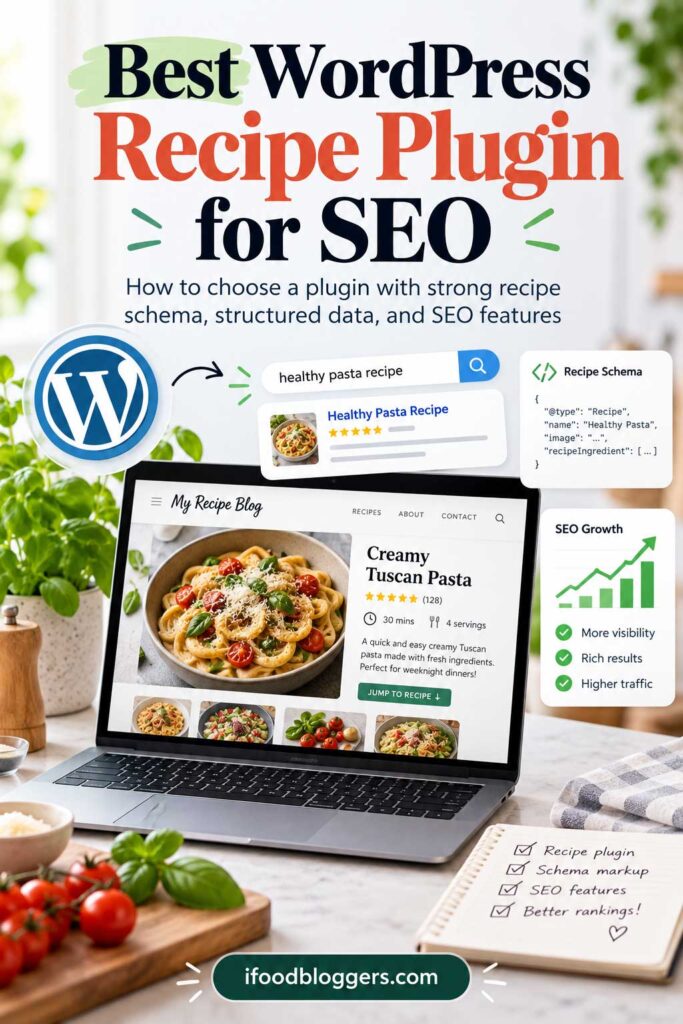
A recipe plugin can support SEO, but it does not make a recipe rank simply because it adds schema.
Its main SEO role is to turn recipe details such as ingredients, instructions, cooking times, images, ratings, and nutrition into structured data that search engines can interpret.
Google says properly implemented Recipe structured data can make eligible pages available for enhanced recipe results in Search and Google Images. It does not guarantee rich results or higher rankings.
WP Recipe Maker for SEO
WP Recipe Maker is one of the strongest options for bloggers who want a lot of control over recipe SEO.
It supports Recipe JSON-LD, detailed recipe fields, metadata checks, and integrations with popular SEO plugins.
Its built-in checks can also help identify missing information before a recipe is published, which is useful for bloggers managing a large recipe library.
WP Tasty Recipes for SEO
WP Tasty Recipes is a strong alternative for bloggers who want structured data handled automatically with less configuration.
The plugin generates Recipe JSON-LD from the information entered in the recipe card and follows Schema.org Recipe formatting.
It can structure details such as:
- Ingredients
- Instructions
- Prep time
- Cook time
- Nutrition
- Ratings
- Images
- Video
Its biggest SEO advantage is simplicity. You fill out the recipe card, and the plugin handles much of the structured-data work in the background.
Recipe Card Blocks for SEO
Recipe Card Blocks by WPZOOM is particularly useful for Gutenberg users.
It includes Schema.org Recipe markup, star ratings, comment ratings, and an inline structured-data validator that can help catch missing information before publication.
For bloggers already working primarily in the block editor, that makes recipe SEO feel like a natural part of the publishing process.
WP Delicious for SEO
WP Delicious also combines Recipe structured data with recipe archives, search tools, ratings, and other organizational features.
It makes the most sense for bloggers who want recipe SEO alongside stronger engagement and monetization features rather than choosing a plugin solely for schema.
Does Recipe Schema Improve Rankings?
Not directly.
Recipe schema is not a shortcut to higher rankings. Its purpose is to describe your recipe in a format search engines can understand.
Google specifically recommends adding the required properties, following its structured-data guidelines, validating the markup, and fixing critical errors before publication.
Your ability to rank still depends on the quality of the page itself, including factors such as:
- Search intent
- Recipe quality
- Original photography
- Clear instructions
- Page performance
- Internal linking
- Topical relevance
- Backlinks
- User experience
- Competition
Perfect schema will not make up for a recipe page that is thin, confusing, or simply less useful than competing results.
Complete the Important Recipe Fields
Whichever plugin you use, fill out the recipe fields accurately.
Useful fields can include:
- Recipe name
- Description
- Author
- Image
- Ingredients
- Instructions
- Prep time
- Cook time
- Total time
- Yield or servings
- Cuisine
- Category
- Nutrition
- Video
- Ratings
Only include information that genuinely applies to the recipe. For a more technical reference, the Schema.org Recipe specification lists the properties available for describing recipes in structured data.
Do not invent nutrition values, ratings, cooking times, or other details just to make the schema look more complete. The structured data should accurately match the content readers can see on the page.
Validate Your Recipe Schema
After publishing, test important recipes with the Google Rich Results Test to check whether Google can detect valid recipe structured data on the page.
Google recommends validating structured data and fixing critical errors before rolling it out broadly.
You can also use the best SEO tools for food bloggers to check rankings, research keywords, monitor technical issues, and find additional opportunities around your recipe content.
This is especially useful after:
- Changing recipe plugins
- Redesigning recipe cards
- Migrating older recipes
- Adding ratings
- Changing nutrition fields
- Updating video or image markup
A plugin can automate most of the technical work, but it is still worth checking that the final output is valid.
Recipe SEO Goes Beyond the Recipe Card
The recipe card is only one part of a strong recipe page.
The surrounding article can answer questions the card does not cover.
For example, a lasagna recipe might include sections on:
- Ingredient substitutions
- The best cheese to use
- How to prevent watery lasagna
- Make-ahead instructions
- Storage
- Freezing
- Reheating
- Common mistakes
- Serving suggestions
Those sections make the page more useful and can help it satisfy a wider range of related searches.
Which Recipe Plugin Is Strongest for SEO?
WP Recipe Maker is especially strong for publishers who want extensive control and detailed recipe management.
WP Tasty Recipes is a strong fit for bloggers who want a more streamlined workflow.
Recipe Card Blocks works particularly well for Gutenberg-first sites, while WP Delicious makes sense when recipe SEO needs to work alongside affiliate and engagement features.
The bigger priority is choosing a well-maintained plugin, completing the recipe fields accurately, and publishing content that deserves to rank.
Best Free WordPress Recipe Plugin
If you are starting a food blog and want to keep costs low, several recipe plugins offer genuinely useful free versions.
The better free option is usually the one you can keep using as your recipe library grows.
WP Recipe Maker Free
WP Recipe Maker has one of the strongest free versions available.
It includes core recipe-card functionality, structured recipe data, responsive templates, recipe videos, ingredient and instruction groups, printing, and migration support from many older recipe plugins.
That makes it a practical starting point for new bloggers who want a plugin they can keep using as the site grows.
You can upgrade later if you need features such as adjustable servings, unit conversion, advanced nutrition tools, recipe collections, or deeper monetization options.
Tasty Recipes Lite
Tasty Recipes Lite is another strong free option.
It includes built-in recipe schema, recipe cards, nutrition fields, video support, print-friendly layouts, recipe archives, taxonomies, and Recipe Explorer.
It is especially useful if you like the WP Tasty workflow and may eventually upgrade to the premium version.
Recipe Card Blocks Free
Recipe Card Blocks by WPZOOM is one of the strongest free choices for Gutenberg users.
The free version includes recipe blocks, structured data, ratings, nutrition information, video support, Cook Mode, and structured-data validation.
Features such as advanced Pinterest controls, recipe indexes, equipment blocks, unit conversion, and serving adjustments require Pro.
WP Delicious Free
The free version of WP Delicious is unusually feature-rich.
It includes recipe schema, nutrition information, ratings, recipe archives, advanced search, Pinterest Rich Pins, Gutenberg integration, user accounts, and favorite recipes.
That makes it worth considering if you want more reader-engagement features without paying immediately.
Cooked Free
Cooked also deserves a place in the free-plugin discussion.
Its standard version includes structured recipe data, nutrition facts, adjustable servings, ingredient substitutions, cooking timers, recipe search, galleries, and CSV import.
That is a generous feature set for a free plugin, especially for bloggers building a dedicated recipe library.
The main difference is workflow: Cooked manages recipes as their own content type rather than keeping everything inside a normal post.
Which Free Recipe Plugin Should You Start With?
For most new food bloggers, WP Recipe Maker Free is one of the safest starting points because it combines strong core functionality with a clear upgrade path.
If you prefer Gutenberg-first editing, Recipe Card Blocks may feel more natural.
If you want to enter the WP Tasty ecosystem, Tasty Recipes Lite is the obvious free option.
If reader accounts, favorites, and broader engagement features matter, WP Delicious deserves a closer look.
And if you want a dedicated recipe-management system with a generous free feature set, Cooked is surprisingly competitive.
The most important thing is to avoid switching recipe plugins unnecessarily. Even with migration tools, moving hundreds of recipes can create extra work.
Choose a plugin that fits your workflow now and still gives you room to grow later.
Best WordPress Recipe Plugin for Affiliate Marketing
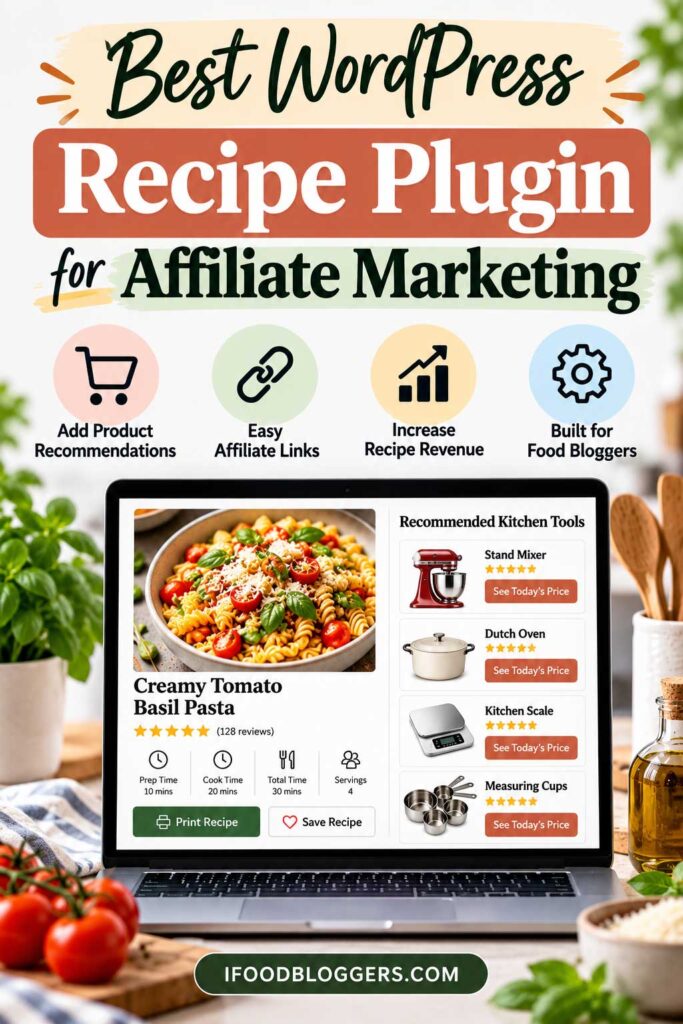
If affiliate income is part of your food-blog strategy, your recipe plugin can do more than organize ingredients and instructions.
Some plugins let you recommend the equipment or ingredients used in the recipe directly from the card, which creates a natural place for relevant affiliate links.
WP Delicious for Affiliate Marketing
WP Delicious is one of the strongest options for bloggers who want affiliate links built directly into the recipe experience.
WP Delicious Pro lets publishers create equipment recommendations and attach affiliate links to products used in the recipe. It also includes settings for affiliate disclosures and sponsored-link attributes.
A recipe could recommend products such as:
- Blender
- Stand mixer
- Air fryer
- Dutch oven
- Baking pan
- Chef’s knife
- Kitchen scale
- Food processor
WP Delicious can also add links to individual ingredients, giving publishers another way to connect relevant products with recipes.
The advantage is relevance. Someone following a bread recipe may genuinely want to know which Dutch oven, kitchen scale, or proofing basket was used.
WP Recipe Maker for Affiliate Marketing
WP Recipe Maker is another flexible option for monetized recipe sites.
Ingredient links, equipment recommendations, and shopping integrations can be combined with affiliate content in the surrounding article.
For example, a homemade pizza recipe might recommend a pizza stone, peel, digital scale, stand mixer, or dough scraper.
The key is to recommend equipment because it helps the reader make the recipe—not simply because a product has an affiliate program.
Recipe Card Blocks for Affiliate Marketing
Recipe Card Blocks by WPZOOM is particularly interesting for Gutenberg users.
The Pro version includes equipment management and an ingredient database capable of retaining affiliate-link information. Recent versions also added import and export tools that preserve those affiliate links when moving ingredient data between sites.
That can be useful for publishers managing the same ingredients or equipment recommendations across a large recipe library.
Create for Affiliate Roundups
Create becomes more interesting when your affiliate strategy goes beyond individual recipes.
Its list-style content tools make it suitable for commercial articles such as:
- Best Blenders for Smoothies
- Best Dutch Ovens for Bread
- Essential Baking Tools for Beginners
- Best Air Fryer Accessories
- Kitchen Gifts for Home Cooks
That makes Create a useful option for publishers who mix recipe traffic with buying guides and product roundups.
Don’t Limit Affiliate Links to the Recipe Card
Do not force every affiliate recommendation into the recipe card.
In many cases, a dedicated equipment section in the surrounding article gives you more room to explain why a particular product is useful.
For example:
Equipment You’ll Need
Instead of simply linking to a blender, explain why a high-powered model works better with frozen fruit.
Instead of listing a kitchen scale, explain why weighing ingredients can improve consistency in baking.
That context makes the recommendation more useful and gives readers a reason to click.
Build Affiliate Content Around Popular Recipes
High-traffic recipes can also point you toward commercial content worth creating.
A successful smoothie recipe might support articles about:
- Best Blenders for Smoothies
- Best Personal Blenders
- Best Smoothie Cups
- Best Protein Powders for Smoothies
A popular bread recipe could support:
- Best Dutch Ovens for Bread
- Best Kitchen Scales for Baking
- Best Proofing Baskets
- Best Bread Knives
The buying guides can link back to relevant recipes, while the recipes link readers toward the equipment guides.
That creates a stronger content cluster and gives you more than one way to monetize the same audience.
Which Recipe Plugin Is Strongest for Affiliate Marketing?
WP Delicious is especially strong if you want affiliate equipment and ingredient links integrated directly into recipes.
Recipe Card Blocks is attractive for Gutenberg users who want equipment and ingredient management with affiliate-link support.
WP Recipe Maker provides a flexible foundation for larger monetized recipe sites, while Create makes particular sense when affiliate roundups are an important part of your content strategy.
Whichever plugin you choose, avoid filling every recipe with product links. Recommend tools and ingredients when they genuinely help someone prepare the recipe.
Best WordPress Recipe Plugin for Beginners
If you are starting your first food blog, the best recipe plugin is usually one that is easy to learn, provides reliable structured data, and gives you room to grow without forcing you to migrate later.
Most new food blogs can ignore the advanced features at first.
A clean recipe card, mobile-friendly design, structured data, printing, and a straightforward publishing workflow matter more at the beginning.
WP Recipe Maker for Beginners
WP Recipe Maker is one of the strongest starting points because the free version already covers many of the essentials.
You can create professional recipe cards, organize ingredients and instructions, add images or video, generate structured recipe data, and give readers a print-friendly version.
The bigger advantage is long-term flexibility. If your blog grows, you can add more advanced features later without moving to a completely different recipe system.
The tradeoff is that WP Recipe Maker has a lot of settings, so beginners may need some time to learn the interface.
Tasty Recipes Lite for Beginners
Tasty Recipes Lite is a good alternative if you want a simpler workflow.
It provides the core tools needed to publish structured recipes without paying for the premium WP Tasty product immediately.
That makes it especially appealing to bloggers who want to get started quickly and prefer a cleaner setup over extensive customization.
Recipe Card Blocks for Gutenberg Beginners
If you already use the WordPress block editor, Recipe Card Blocks by WPZOOM can feel very natural.
You build the recipe with familiar Gutenberg blocks rather than learning a completely separate recipe system.
For bloggers who already create the rest of their site with blocks, that can make publishing easier from the beginning.
New food blogs usually do not need advanced tools such as meal planners, community features, large recipe indexes, or detailed analytics. Start with the publishing essentials and add more only when your recipe library and traffic justify it. Pick a well-maintained plugin that fits your workflow, configure the essentials, and start publishing.
If you are still setting up the rest of the site, choosing reliable hosting for your food blog is just as important as choosing the right recipe plugin. You can worry about advanced features once you actually need them.
Think About Growth Before You Choose
Even if you start small, think about where you want the site to be in a few years.
If you eventually plan to publish hundreds of recipes, switching plugins later can create a lot of unnecessary work.
Look for a plugin that can eventually support features such as:
- Adjustable servings
- Unit conversion
- Recipe ratings
- Nutrition information
- Recipe indexes
- Equipment links
- Recipe collections
- Migration tools
You may not need those features today, but having them available later can save you from another migration.
Which Recipe Plugin Should a Beginner Choose?
For most beginners, WP Recipe Maker Free is one of the safest places to start because it combines a strong free version with plenty of room to grow.
If you want a simpler WP Tasty workflow, Tasty Recipes Lite is worth considering.
If you build primarily with Gutenberg, Recipe Card Blocks may feel the most intuitive.
Pick a well-maintained plugin that fits your workflow, configure the essentials, and start publishing. You can worry about advanced features once you actually need them.
Best WordPress Recipe Plugin for Established Food Blogs
Established food blogs usually need more than an attractive recipe card.
Once a site has hundreds of recipes, meaningful search traffic, display ads, affiliate links, email subscribers, and repeat visitors, the recipe plugin becomes part of the site’s publishing infrastructure.
At that scale, reliability and workflow usually matter more than whether one plugin has two or three extra features.
WP Recipe Maker for Large Recipe Libraries
WP Recipe Maker is especially well suited to established food blogs because of its broad feature set and strong recipe-management tools.
It can support large recipe libraries with features such as:
- Recipe schema
- Adjustable servings
- Unit conversion
- Nutrition tools
- Ratings
- Recipe collections
- Ingredient links
- Equipment recommendations
- Template customization
- Migration tools
- Recipe metadata checks
Its extensive import support is also valuable for older sites that may have recipes stored in several legacy plugins.
For a publisher managing hundreds of recipes, avoiding a manual rebuild can save an enormous amount of work.
WP Tasty Recipes for Streamlined Publishing
WP Tasty Recipes is a strong alternative for established publishers who prefer a cleaner workflow.
Rather than emphasizing deep configuration, it focuses on polished recipe cards and commonly used food-blogging features.
That can be valuable for sites with writers, editors, or virtual assistants who need to follow the same publishing process every time.
A simpler workflow can reduce training and make recipe formatting more consistent across a large site.
WP Delicious for Engagement and Monetization
WP Delicious becomes especially interesting when increasing revenue per visitor and encouraging repeat use are major goals.
Its features include affiliate equipment links, user accounts, saved recipes, analytics, meal-planning tools, and recipe submissions.
For a high-traffic recipe site, those tools can add value beyond the recipe card itself.
A popular recipe, for example, could include carefully selected equipment recommendations while favorites and meal-planning features encourage readers to return.
Recipe Card Blocks for Gutenberg-First Sites
For sites built heavily around the block editor, Recipe Card Blocks by WPZOOM offers a more native Gutenberg workflow.
Its recipe index, roundup, equipment, Pinterest, and serving-conversion features are useful for publishers creating both individual recipes and larger collections.
That can work particularly well for articles such as:
25 Easy Chicken Recipes
15 Healthy Breakfast Ideas
20 Summer Desserts
These roundup pages can then connect readers to individual recipes across the site.
Migration Becomes a Bigger Decision
If your site already has 300, 500, or 1,000 recipes, switching plugins should not be treated as a casual change.
Before migrating, confirm which fields actually transfer, including:
- Ingredients
- Instructions
- Images
- Nutrition information
- Ratings
- Notes
- Videos
- Prep and cooking times
- Recipe categories
- Equipment links
A plugin may technically support migration without preserving every field exactly.
For a large site, test a representative group of recipes on a staging environment before changing the live site.
Performance Matters More at Scale
Large recipe sites often already load:
- Display advertising
- Analytics
- Video players
- Affiliate scripts
- Email tools
- Social sharing
- Consent management
- SEO plugins
Your recipe plugin has to work cleanly alongside all of those systems.
Do not compare plugins only by features. Test them with your actual theme, caching setup, advertising platform, hosting environment, and other production tools.
Your hosting also affects how well that entire stack performs, so it is worth comparing the best hosting for food bloggers if your site is beginning to outgrow its current setup.
A plugin that performs well on a simple demo site may behave differently on a heavily monetized food blog.
Editorial Workflow Matters Too
Established food blogs often have more than one person creating or updating recipes.
That changes what “easy to use” means.
A solo blogger may be comfortable with a complex setup they have used for years. A publishing team needs a workflow that writers and editors can learn quickly and follow consistently.
Before switching plugins, consider how easily your team can:
- Create new recipes
- Edit existing recipe cards
- Add nutrition information
- Insert product recommendations
- Update old recipes
- Manage ratings
- Find recipes in the dashboard
The most technically advanced plugin is not necessarily the best operational choice if it slows down the people using it every day.
Which Plugin Makes the Most Sense for an Established Blog?
For established sites, the decision usually comes down to workflow and infrastructure rather than one standout feature.
WP Recipe Maker offers the most flexibility, WP Tasty Recipes emphasizes a streamlined publishing process, WP Delicious adds stronger engagement and monetization tools, and Recipe Card Blocks fits naturally into Gutenberg-first sites.
Whichever direction you choose, test migration, performance, and editorial workflow before making a site-wide change.
WordPress Recipe Plugin Comparison Table
Here is a side-by-side comparison of the main recipe plugins covered in this guide.
| Plugin | Free Version | Recipe Schema | Best For | Affiliate Potential | Gutenberg Friendly | Feature Depth |
|---|---|---|---|---|---|---|
| WP Recipe Maker | Yes | Yes | Overall flexibility and growth | High | Yes | Very high |
| WP Tasty Recipes | Yes, via Tasty Recipes Lite | Yes | Professional food bloggers | Moderate to high | Yes | High |
| Recipe Card Blocks by WPZOOM | Yes | Yes | Gutenberg-based food blogs | High | Excellent | High |
| WP Delicious | Yes | Yes | Monetization and engagement | Very high | Yes | Very high |
| Create | Yes | Yes | Recipes, how-to guides, and roundups | High | Yes | High |
| Zip Recipes | Yes | Yes | Simplicity and smaller food blogs | Moderate | Yes | Moderate |
| Cooked | Yes | Yes | Dedicated recipe libraries | Moderate | Partial | Moderate to high |
| Recipe Block | Yes | Needs careful testing | Occasional recipe publishing | Low | Excellent | Low |
| Tasty Recipes Lite | Yes | Yes | Free entry into WP Tasty | Moderate | Yes | Moderate |
| Structured Content | Yes | Yes | Broader structured-data needs | Low | Yes | Moderate |
A Note About Recipe Block
Recipe Block is included for completeness, but I would approach it differently from the other plugins in this table.
Its lightweight Gutenberg workflow is simple, but its compatibility information is significantly behind current WordPress releases. For a new professional recipe site, an actively maintained alternative would generally be the safer choice.
Don’t Choose on Features Alone
A plugin can look impressive in a feature table and still be the wrong fit for your site.
Before choosing, consider:
- How many recipes you expect to publish
- Which WordPress editor or page builder you use
- Whether you need recipe migration
- Whether affiliate links are part of your strategy
- Whether readers need serving or unit conversion
- Whether nutrition calculation matters
- Whether multiple people publish recipes
- How large you expect the recipe library to become
- Whether the plugin is actively maintained
For a new site, choosing a plugin with a strong upgrade path is usually better than switching recipe systems repeatedly as the blog grows.
Can You Switch WordPress Recipe Plugins Without Losing Your Recipes?
Yes, in many cases you can switch WordPress recipe plugins without rebuilding every recipe manually.
The difficulty depends on which plugin you are moving from, which one you are moving to, and how much recipe data the importer can preserve.
Major plugins such as WP Recipe Maker, Create, and WP Delicious include migration tools for selected competing or older recipe systems, which can make a large move much easier.
What Usually Transfers?
Depending on the plugins involved, migration tools may transfer:
- Recipe title
- Description
- Ingredients
- Instructions
- Prep time
- Cook time
- Total time
- Yield or servings
- Images
- Nutrition information
- Notes
- Video
- Recipe categories
- Ratings
However, never assume every field will transfer perfectly.
Plugin-specific features such as equipment data, recipe collections, user favorites, custom taxonomies, or advanced ratings may need additional cleanup.
Test the Migration on a Staging Site
If you have a large recipe library, test the migration before touching the live site.
Choose a small sample that includes several different recipe types and compare them carefully after import.
Check that:
- Ingredients transferred correctly
- Instructions remain in order
- Images still display
- Cooking times are accurate
- Nutrition information is present
- Ratings were preserved when supported
- Recipe schema is valid
- Print layouts still work
- Internal links remain intact
- Mobile layouts look correct
Finding a broken field after ten test migrations is manageable. Finding it after 500 recipes have been converted is not.
Back Up the Site First
Create a complete backup before beginning the migration.
That should include both your WordPress files and database. Major plugin changes are also a good time to review your broader WordPress setup, including the best WordPress security plugins for food bloggers.
Do not remove the original recipe plugin immediately after importing the recipes.
First confirm that the new recipe cards, structured data, styling, ratings, and other important features are working correctly.
Only deactivate the old plugin once you are confident the migration is complete.
Check Recipe Schema Carefully
Structured data deserves special attention after a migration.
Make sure the old and new plugins are not both outputting Recipe schema at the same time, which could create duplicate or conflicting markup.
Also check that important recipe fields such as ingredients, instructions, images, cooking times, yield, and ratings still appear correctly.
Google’s Rich Results Test and the Schema.org Validator can help identify problems before you complete the migration.
Expect Some Design Changes
Even when all of the recipe data transfers correctly, the cards themselves may look different.
Each plugin uses its own templates, spacing, buttons, typography, and layout rules.
After migrating, review recipes on both desktop and mobile and pay attention to:
- Ingredient readability
- Instruction spacing
- Button placement
- Print layout
- Font size
- Image dimensions
- Mobile responsiveness
- Recipe card branding
You may need to adjust the new plugin’s settings or add a small amount of custom CSS.
What About Existing Google Rankings?
Changing recipe plugins does not automatically mean you will lose your rankings.
If the page URLs remain unchanged and the recipe content, structured data, images, and internal links transfer correctly, the migration can often be completed without major disruption.
The migration becomes harder to troubleshoot when several major site changes happen at the same time.
Avoid migrating recipe plugins while simultaneously:
- Changing URLs
- Replacing the theme
- Redesigning the entire site
- Restructuring categories
- Moving hosts
- Making large permalink changes
When changes are made in stages, problems are much easier to identify.
When Is Switching Worth It?
A migration may be worthwhile if your current plugin:
- Is no longer maintained
- Uses outdated structured data
- Creates performance problems
- Lacks features you now need
- Does not fit your editor or workflow
- Has weak migration or management tools
- No longer supports your monetization strategy
If your current recipe plugin is actively maintained, works well, and provides the features you need, switching just because another plugin has a few extra tools may not be worth the risk.
The larger your recipe library becomes, the more valuable stability is.
Choose your recipe platform carefully, then avoid unnecessary migrations once the site is established.
Do WordPress Recipe Plugins Help With Google SEO?
Yes, a good WordPress recipe plugin can support SEO, but it does not automatically make a recipe rank higher.
Its main role is technical: organizing important recipe information in a format that search engines can understand more easily.
Recipe Plugins Add Structured Data
One of the biggest SEO benefits is Recipe structured data, usually added in JSON-LD format.
That markup can describe details such as:
- Recipe name
- Ingredients
- Instructions
- Prep time
- Cook time
- Total time
- Yield
- Nutrition
- Images
- Video
- Ratings
When implemented correctly, structured data can make eligible recipes available for enhanced recipe search features.
Structured data does not guarantee higher rankings. It helps search engines understand the recipe and may make eligible pages available for enhanced search features, but the quality of the recipe, photography, instructions, performance, internal linking, and overall usefulness of the page still matter.
Internal Linking Helps Build Stronger Recipe Topics
Recipe plugins do not replace good internal linking. A recipe plugin handles only part of the technical setup. Your WordPress SEO plugin can handle other site-wide SEO elements such as titles, canonical URLs, XML sitemaps, and broader schema settings.
A hummus recipe, for example, could naturally connect to:
- Homemade pita bread
- Mediterranean appetizers
- Chickpea recipes
- Tahini guides
- Mediterranean meal plans
Those related pages can link back to the recipe as well.
That creates clearer topic relationships for both readers and search engines.
Use Recipe Categories Carefully
Many recipe plugins support categories, cuisines, courses, diets, or other taxonomies.
These can be useful when they create meaningful browsing pages.
Good examples might include:
- Breakfast
- Dinner
- Desserts
- Smoothies
- Mediterranean Recipes
- Air Fryer Recipes
- Vegetarian Recipes
Avoid creating dozens of archive pages that contain only one or two recipes. Categories should help readers discover content, not exist only because the plugin allows you to create them.
Page Speed Still Matters
Recipe plugins can add CSS, JavaScript, ratings, video features, nutrition tools, and other assets.
That matters because food blogs are often already heavy with:
- Large images
- Display ads
- Video
- Analytics
- Social sharing
- Affiliate scripts
- Email forms
Choose a well-maintained plugin and disable features you do not use.
Optimize Recipe Images
Food photography is part of the overall recipe experience.
Use high-quality images, but optimize them so they do not unnecessarily slow the page.
Pay attention to:
- File size
- Image dimensions
- Featured images
- Step-by-step photography
- Descriptive alt text
- Mobile loading
The recipe plugin may control the main recipe image, but overall image optimization is still your responsibility.
Ratings Can Add Useful Feedback
Many recipe plugins allow readers to leave star ratings.
Genuine ratings can provide social proof, feedback, and—in some implementations—aggregate rating data within Recipe schema.
The important word is genuine.
Ratings should reflect actual reader experiences rather than being added or manipulated simply to make a recipe appear more popular.
Keep the Plugin Updated
Recipe markup, WordPress, PHP, and search requirements change over time.
An abandoned plugin can eventually create compatibility or structured-data problems even if it worked perfectly several years ago.
Before relying on a plugin for hundreds of recipes, look for active development, recent updates, current documentation, and ongoing support.
Frequently Asked Questions About WordPress Recipe Plugins
What is the best WordPress recipe plugin?
For most serious food bloggers, WP Recipe Maker is one of the strongest all-around choices because it combines structured data, customization, migration tools, nutrition features, ratings, serving adjustments, and room to grow.
WP Tasty Recipes is a strong option for a cleaner workflow, Recipe Card Blocks works especially well with Gutenberg, and WP Delicious is particularly attractive for affiliate monetization and engagement features.
Do I need a recipe plugin for a food blog?
You do not technically need one, but a dedicated recipe plugin makes publishing much easier.
It can handle recipe cards, structured data, printing, ratings, nutrition fields, serving adjustments, and other features that would otherwise require manual work or custom development.
For a site that publishes recipes regularly, a dedicated plugin is usually worth using.
Are free WordPress recipe plugins good enough?
Yes, especially when you are starting out.
WP Recipe Maker, Recipe Card Blocks, WP Delicious, Tasty Recipes Lite, and Cooked all offer useful free functionality.
You may need to upgrade later for features such as unit conversion, advanced recipe indexes, equipment links, analytics, meal planning, or deeper customization.
Which recipe plugin is best for Gutenberg?
Recipe Card Blocks by WPZOOM is one of the strongest choices for Gutenberg users because the recipe-building workflow is designed around the block editor.
WP Recipe Maker and several other major plugins also support Gutenberg.
Which recipe plugin is best for affiliate marketing?
WP Delicious is especially strong because it supports affiliate-linked equipment recommendations inside recipes.
Recipe Card Blocks also offers equipment tools, while WP Recipe Maker provides a flexible foundation for monetized recipe sites.
Which recipe plugin is best for SEO?
WP Recipe Maker, WP Tasty Recipes, Recipe Card Blocks, and WP Delicious all support Recipe structured data.
Structured data can support recipe SEO, but rankings still depend on the quality of the recipe, search intent, internal links, photography, performance, and the strength of the site overall.
Can I switch recipe plugins later?
Yes, but migration quality depends on the plugins involved.
Many leading recipe plugins include import tools, but not every field will necessarily transfer perfectly.
If you have a large recipe library, test the migration on a staging site before changing the live site.
Will changing recipe plugins hurt my SEO?
Not necessarily.
If your URLs remain unchanged and your recipe content, structured data, images, ratings, and internal links transfer correctly, a migration can often be completed without major disruption.
Backups, staging tests, and structured-data checks are still important.
Can recipe plugins calculate nutrition information?
Many can.
Some allow manual entry, while others calculate estimates from ingredients using external databases or APIs.
Automatically generated nutrition values should generally be treated as estimates.
Do recipe plugins support metric conversions?
Some do.
Premium versions of WP Recipe Maker, WP Tasty Recipes, Recipe Card Blocks, Create, and other advanced plugins can support U.S. customary and metric conversions.
This can be especially useful for sites with an international audience.
Can readers adjust serving sizes?
Many recipe plugins support adjustable servings.
When readers change the number of servings, ingredient quantities can update automatically.
Some plugins include this in premium plans, while Cooked currently includes serving adjustments in its free version.
Can I add affiliate links inside a recipe card?
Yes, depending on the plugin.
WP Delicious supports affiliate-linked equipment, while Recipe Card Blocks and other plugins offer product or equipment features that can be used for monetization.
Affiliate recommendations can also be added in the surrounding article.
Are recipe ratings important?
Ratings can provide useful feedback and social proof.
They may also appear in Recipe structured data when implemented correctly.
Use genuine reader ratings rather than trying to inflate scores artificially.
Should I use a recipe plugin if I only publish recipes occasionally?
Possibly.
If recipes are only a small part of your site, you may not need a large recipe-management platform.
If you expect to build a substantial recipe library later, choosing a scalable plugin from the beginning can reduce the need for future migrations.
How often should I update my recipe plugin?
Keep your recipe plugin updated when stable, compatible releases become available.
Because recipe plugins handle structured data, templates, and sometimes user-generated content, outdated versions can eventually create compatibility, security, or SEO problems.
Final Thoughts: Choosing the Best WordPress Recipe Plugin
There is no reason to choose the plugin with the most features if half of them do not fit the way you publish recipes.
For most food bloggers, WP Recipe Maker is one of the strongest all-around choices because it combines structured data, customization, migration tools, recipe management, and plenty of room to grow.
If you prefer a more streamlined premium workflow, WP Tasty Recipes is a strong alternative. Gutenberg-focused publishers may prefer Recipe Card Blocks by WPZOOM, while WP Delicious stands out for affiliate monetization and reader-engagement features.
Before choosing, think about what your site may need a year or two from now:
- How many recipes do you expect to publish?
- Do you need serving adjustments or metric conversion?
- Will affiliate links be part of your strategy?
- Do you need nutrition calculations?
- Are you building primarily with Gutenberg?
- Will you eventually need recipe indexes or collections?
- Are you migrating from another recipe plugin?
If you are just starting, there is no reason to pay for every advanced feature immediately. Choose a well-maintained plugin with a strong free version or clear upgrade path.
If you already manage a large recipe library, prioritize stability, migration support, performance, and a workflow your team can use consistently.
Once the plugin is set up properly, stop obsessing over settings. The recipes themselves still matter more: they should be tested, easy to follow, genuinely useful, and good enough that readers want to make them again.
Read More: Food Blogging and WordPress Guides
Choosing the right recipe plugin is only one part of building a fast, search-friendly food blog. These guides can help you improve the rest of your WordPress setup:
- Best WordPress SEO Plugins for Food Bloggers – Compare SEO plugins for titles, sitemaps, schema, indexing, and other technical SEO tasks.
- Best SEO Tools for Food Bloggers – Find tools for keyword research, Search Console data, competitor research, technical audits, and content optimization.
- Best Hosting for Food Bloggers – Compare hosting options for food blogs as your traffic, images, plugins, and advertising setup grow.
- WordPress Security Plugins for Food Bloggers – Protect your recipes, WordPress files, database, and admin area with the right security setup.