

Growing a successful food blog takes more than publishing great recipes and beautiful food photography. To attract steady traffic from Google, you also need to understand what your audience is searching for, which pages are performing well, and whether search engines can properly crawl and understand your website.
That is where the best SEO tools for food bloggers can make a real difference.
The right tools make it easier to uncover recipe keywords, spot new content opportunities, track rankings, analyze competitors, identify technical issues, improve internal linking, monitor backlinks, and see which posts already attract visitors from search.
You do not need to use every SEO platform available. If you are still building your overall setup, our guide to the best tools for food bloggers covers useful platforms beyond SEO, including tools for content creation, analytics, productivity, and running your site. In fact, having too many tools can make SEO more confusing and expensive than it needs to be.
For most food bloggers, a solid setup includes Google Search Console, a reliable WordPress SEO plugin, a keyword research tool, and an occasional technical SEO audit tool.
In this guide, we will look at some of the best SEO tools food bloggers can use to improve their rankings, discover better content opportunities, and grow organic traffic.
What to Look for in an SEO Tool for a Food Blog
Not every SEO tool is equally useful for a food blogger. The best choice depends on what you are trying to improve, whether that is keyword research, technical SEO, content optimization, backlinks, or tracking performance.
For most food blogs, the most useful SEO tools should help with at least a few of these areas:
- Keyword research – Find recipe ideas, long-tail keywords, and related searches people are actually using.
- Competitor research – See which topics and pages are performing well on competing food blogs.
- Technical SEO – Identify broken links, indexing problems, duplicate content, and other site issues.
- Rank tracking – Monitor how your recipes and articles perform in Google over time.
- Backlink analysis – Understand which websites are linking to your content and where new opportunities may exist.
- Content optimization – Improve titles, meta descriptions, internal links, and on-page SEO.
- Search performance data – See which queries are already generating impressions and clicks.
You do not necessarily need one platform that does everything. A combination of a few focused tools is often more practical and affordable for an independent food blogger.
1. Google Search Console
Best for: Monitoring search performance, indexing, clicks, and rankings
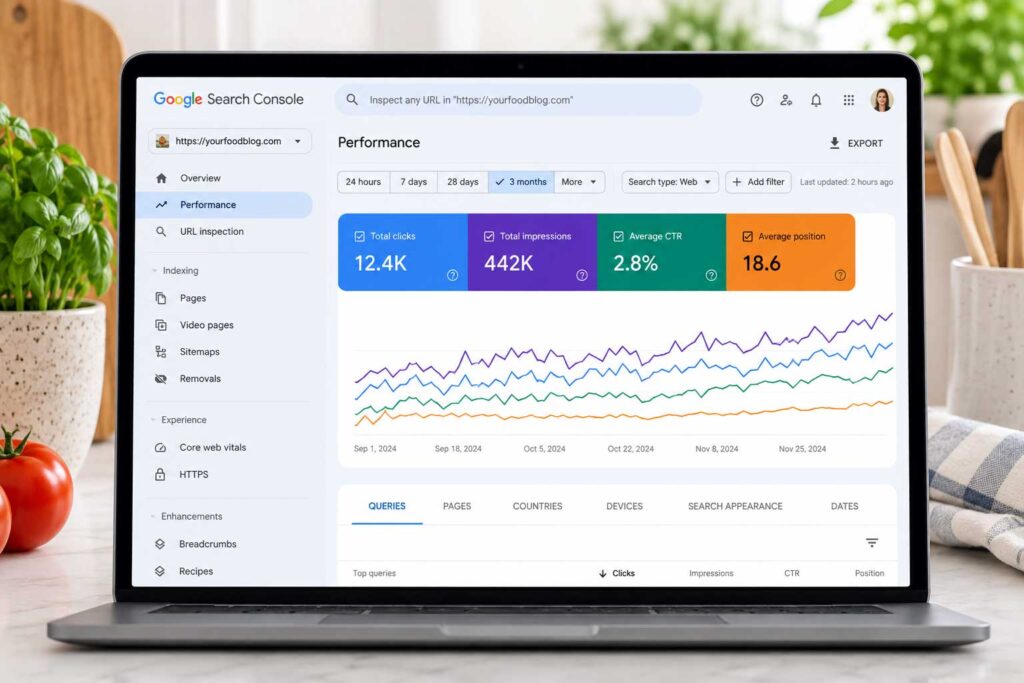
Google Search Console should be one of the first SEO tools you connect to your food blog. It is completely free and gives you data directly from Google about how your recipes and other content are performing in search results.
You can see the search terms people use to find your site, how often your pages appear in Google, how many clicks they receive, their click-through rates, and their average search positions.
For food bloggers, this information can uncover opportunities that are easy to miss.
For example, imagine you published a chocolate banana smoothie recipe. Search Console might show that the page is also receiving impressions for searches such as:
- chocolate banana protein smoothie
- healthy chocolate banana smoothie
- banana cocoa smoothie
- chocolate smoothie without yogurt
If one of those searches is relevant to your recipe but barely mentioned in the article, you may be able to improve the page by answering that search intent more clearly. You might also discover a related keyword that deserves its own recipe or supporting article.
Search Console is also useful for checking whether Google can find and index your content. You can submit your XML sitemap, inspect individual URLs, review indexing problems, and see which pages Google has discovered. Google’s Search Console documentation explains how to inspect URLs, request crawling, and submit or monitor sitemaps.
Useful Google Search Console features include:
- Search queries bringing visitors to your food blog
- Total organic clicks and impressions
- Average click-through rate
- Average search position
- Page indexing reports
- XML sitemap submission
- URL inspection
- Core Web Vitals reports
- Internal and external link reports
- Search performance by page, query, country, and device
One of the most useful strategies for an established food blog is to look for recipes already ranking around positions 8–30.
Pages already appearing around positions 8–30 have some existing search visibility, which makes them useful candidates for closer review.
Updating the recipe, improving weak sections, answering missing questions, strengthening internal links, or refreshing outdated information may help improve performance.
In many cases, improving an existing recipe with proven search visibility can be a better use of time than publishing another article from scratch.

2. Semrush
Best for: All-in-one SEO research, competitor analysis, and content opportunities
Semrush is one of the most comprehensive SEO platforms available for bloggers, publishers, businesses, and marketing teams.
For food bloggers, its biggest advantage is that you can handle several parts of SEO in one place instead of jumping between multiple tools. You can research keywords, analyze competing food blogs, track rankings, review backlinks, run technical site audits, and look for pages that could be improved.
One of the most useful features is keyword research.
Instead of guessing which recipes or food topics people are searching for, you can research ideas such as:
- easy chicken dinner
- high-protein breakfast
- healthy smoothie recipes
- air fryer chicken thighs
- Mediterranean salad
- gluten-free desserts
Semrush can show estimated search volume, keyword difficulty, search intent, related keywords, questions, and the pages currently competing for those searches.
That makes it especially useful when deciding whether a recipe idea deserves its own post or whether you should target a more specific long-tail keyword.
For example, rather than targeting a broad term like chicken recipes, you may uncover more focused opportunities such as:
- air fryer chicken thighs without breading
- healthy chicken dinner for two
- Mediterranean chicken meal prep
- easy chicken recipes with vegetables
Find Content Gaps in Competing Food Blogs
Semrush’s keyword gap tools can compare your website with competing food blogs and show keywords they rank for that your site does not.
This can reveal missing recipe categories, supporting guides, ingredient articles, or informational content that could strengthen your overall topic coverage.
The goal is not to copy another food blog. Use competitor data to understand where your own content library may have gaps and then create something original and genuinely useful.
Semrush Features Food Bloggers May Find Useful
- Keyword research
- Keyword gap analysis
- Competitor research
- Position tracking
- Backlink analysis
- Technical site audits
- On-page SEO recommendations
- Organic traffic research
- SERP feature tracking
- Content opportunity discovery
- AI search visibility research
Semrush has also expanded its tools for AI-driven search. You can now research visibility in Google AI Overviews and other AI search environments, which can help you understand whether your content is appearing beyond traditional blue-link search results.
For a new food blogger, Semrush may offer more functionality than you need at the beginning. But once your site has a growing library of recipes and articles, the ability to research keywords, study competitors, audit your website, and uncover content gaps in one platform can make it much easier to decide what to work on next.

3. Ahrefs
Best for: Backlinks, competitor research, content gaps, and technical SEO
Ahrefs is a powerful SEO platform used for keyword research, competitor analysis, backlink research, content discovery, rank tracking, and technical website audits.
For food bloggers, one of its biggest strengths is competitor research.
Ahrefs lets you dig into the pages performing best on competing food blogs, the keywords bringing them visibility, and the sites linking to their content.
That can be extremely useful when planning new recipe categories or deciding which topics deserve more coverage on your own site.
For example, imagine you run a Mediterranean food blog. Ahrefs might reveal that competing websites consistently attract search traffic from topics such as:
- Mediterranean chicken recipes
- Greek appetizers
- healthy Mediterranean dips
- Mediterranean meal prep
- Greek desserts
- Mediterranean salads
You should not copy those articles. Instead, use the data to understand which topics audiences are actively searching for and where your own content library may be missing useful recipes or supporting guides.
Find Content Gaps and New Recipe Opportunities
Ahrefs’ Content Gap tools can help uncover keywords that competing websites rank for while your own site does not.
For a food blogger, this might reveal missing topics such as ingredient guides, cooking methods, substitutions, meal-prep ideas, or recipe variations.
You may also discover that one of your competitors has several strong articles around a topic while your site only has one.
If competitors cover the subject in depth while your site only touches it once, it may be worth building out the topic more fully.
For example, instead of publishing only one hummus recipe, you might eventually build a cluster around:
- classic hummus
- roasted red pepper hummus
- hummus without tahini
- beet hummus
- high-protein hummus
- how to make hummus smoother
- what to serve with hummus
Backlink Research
Ahrefs is also especially well known for backlink analysis.
You can see which websites link to competing recipes, guides, and resources. This can help you understand what types of content naturally attract links.
For food bloggers, backlinks may come from:
- recipe roundups
- news websites
- food publications
- universities
- health and nutrition websites
- travel websites
- lifestyle blogs
- ingredient brands
The goal is not to chase every backlink your competitors have. Instead, look for patterns that can help you create more useful, reference-worthy content of your own.
Free Ahrefs Tools for Your Own Website
Ahrefs also offers a free account for website owners.
For verified websites, you can access tools including Site Explorer, Site Audit, and Web Analytics.
Site Audit can scan your website for more than 170 common technical and on-page SEO problems, including issues involving titles, meta descriptions, internal links, redirects, indexability, images, structured data, Core Web Vitals, and sitemaps.
That makes the free version especially useful for food bloggers who are not ready to pay for a full SEO subscription.
Useful Ahrefs Features Include:
- Competitor organic traffic analysis
- Keyword research
- Backlink research
- Content gap analysis
- Top-performing page research
- Broken link discovery
- Technical SEO audits
- Rank tracking
- Internal link opportunities
- Organic competitor research
- Content and link prospect research
For food bloggers trying to understand why competing recipe websites rank and where their own content has gaps, Ahrefs can be one of the most useful SEO platforms available.
You probably do not need every Ahrefs feature when you are just starting out. But as your recipe library grows, its competitor, backlink, and technical SEO data can become much more valuable.
4. Rank Math
Best for: WordPress on-page SEO, schema, and technical SEO settings
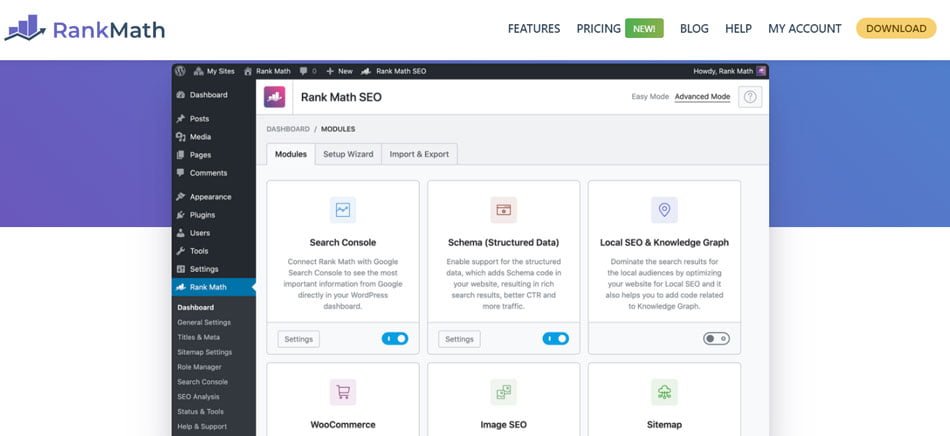
Rank Math is a WordPress SEO plugin that helps bloggers manage many important SEO settings without editing code manually.
From inside WordPress, you can optimize SEO titles and meta descriptions, control indexing settings, generate XML sitemaps, manage redirects, add structured data, monitor 404 errors, and review basic on-page SEO recommendations.
For a broader comparison of your options, see our guide to the best WordPress SEO plugins for food bloggers.
For food bloggers, one of the most relevant features is schema markup.
Rank Math supports Recipe Schema, which can provide search engines with structured information about a recipe, including details such as:
- Preparation time
- Cooking time
- Total time
- Ingredients
- Nutrition information
- Ratings
- Recipe instructions
You can review Rank Math’s official Recipe Schema documentation for the fields and configuration options available inside the plugin.
Be Careful With Duplicate Recipe Schema
This is especially important for recipe websites.
If you already use a dedicated recipe plugin such as WP Recipe Maker, Tasty Recipes, or another recipe card plugin that generates Recipe Schema, you generally should not create a second set of Recipe Schema through Rank Math.
When two plugins try to generate the same Recipe Schema, you can end up with duplicate or conflicting markup that is harder to troubleshoot.
In that situation, let your recipe plugin handle the recipe-specific schema while Rank Math manages the rest of your site’s SEO settings.
Rank Math Features Include:
- SEO titles and meta descriptions
- XML sitemaps
- Schema markup
- Recipe Schema support
- Redirect management
- 404 monitoring
- Robots meta controls
- Canonical URL settings
- Search Console integration
- On-page SEO analysis
- Internal linking suggestions
- Google Trends integration on supported plans
Who Is Rank Math Best For?
Rank Math can be a good fit for food bloggers who want a broad set of SEO controls directly inside WordPress.
The free version covers many of the basics a smaller food blog needs, while paid plans add more advanced features for publishers managing larger websites or more complex SEO workflows.
For most food bloggers, the biggest benefit is convenience: many important SEO settings can be managed from one plugin without adding several separate tools.
5. Yoast SEO
Best for: WordPress SEO fundamentals, content optimization, and site structure
Yoast SEO is one of the best-known WordPress SEO plugins and remains a solid option for food bloggers who want to manage important SEO settings directly from WordPress.
Like Rank Math, it handles many technical SEO elements that would otherwise require manual configuration.
You can use Yoast to manage SEO titles, meta descriptions, canonical URLs, XML sitemaps, indexing settings, breadcrumbs, structured data, and other important on-page SEO elements.
It also includes content analysis tools that review factors such as keyword usage, internal links, headings, and readability while you are editing a post.
Structured Data and Schema
Yoast automatically generates structured data using JSON-LD and connects different types of schema into a single graph.
That helps search engines understand how your website, organization, authors, articles, pages, and other content relate to one another. Yoast currently supports more than 50 schema types and automatically creates a connected schema graph across the site.
For a food blog, this can provide a useful technical foundation around your recipe content.
However, just as with Rank Math, your dedicated recipe plugin should usually handle the actual Recipe Schema.
If you use a plugin such as WP Recipe Maker or another recipe card plugin that already outputs Recipe Schema, avoid configuring multiple plugins to generate competing recipe markup.
Useful Yoast SEO Features Include:
- SEO titles and meta descriptions
- XML sitemaps
- Canonical URLs
- Structured data and schema markup
- Readability analysis
- On-page SEO analysis
- Breadcrumb management
- Indexing controls
- Social sharing metadata
- Internal link counting
- Internal linking suggestions with Premium
- Cornerstone content tools
Yoast also creates its own enhanced XML sitemaps and provides controls over which content should be included, helping search engines discover important pages across your site.
Rank Math or Yoast?
You generally do not need both Rank Math and Yoast installed on the same WordPress website.
Both plugins cover many of the same core SEO functions, so running them together can create unnecessary overlap.
Choose one primary SEO plugin, configure it properly, and let it handle the site’s general SEO settings.
For food bloggers who prefer an established plugin with straightforward content analysis and strong technical defaults, Yoast is a practical choice.
6. Screaming Frog SEO Spider
Best for: Technical SEO audits and finding sitewide problems
Screaming Frog SEO Spider is different from most keyword research and competitor-analysis tools.
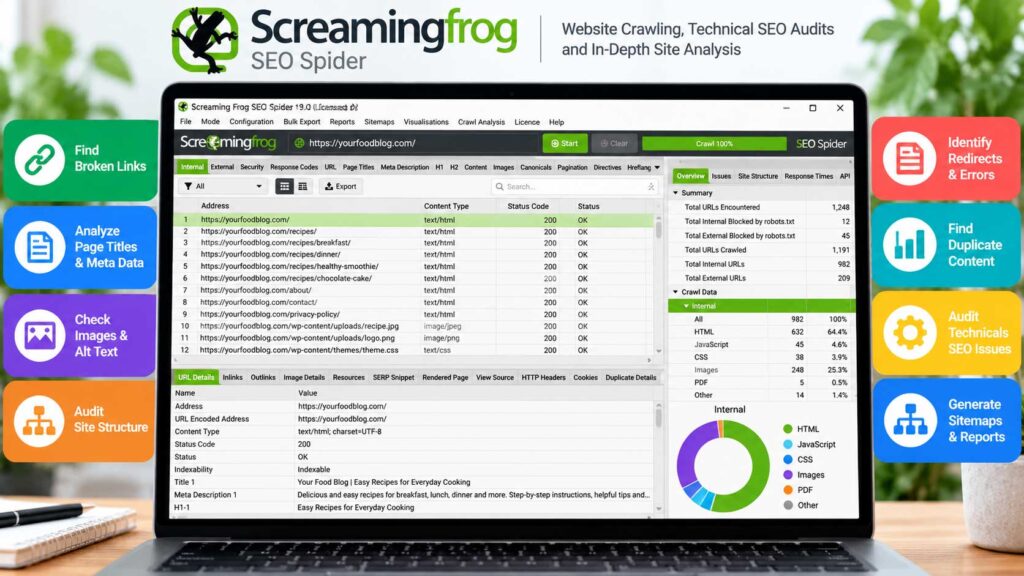
Instead of focusing mainly on keywords, it crawls your website and collects technical SEO information about your pages, links, images, redirects, metadata, and site structure.
That becomes much more valuable as a food blog grows.
A site with 20 recipes may be relatively easy to review manually. But once a food blog has hundreds or thousands of URLs, problems can start to build up without being obvious.
You may have old recipe links pointing to deleted pages, redirect chains from previous URL changes, duplicate titles, missing meta descriptions, orphaned posts, or pages that are accidentally blocked from indexing.
Screaming Frog Can Help Identify:
- Broken internal links
- 404 errors
- Redirect chains
- Duplicate page titles
- Missing title tags
- Missing meta descriptions
- Canonical URL problems
- Indexability issues
- Internal linking problems
- Orphaned pages
- Large or missing images
- Website architecture issues
Why This Matters for Food Blogs
Technical problems tend to accumulate as a food blog grows.
Old recipes get redirected, categories are reorganized, themes change, plugins are replaced, and outdated posts are sometimes deleted or merged. A crawl can reveal problems created along the way that are easy to miss during day-to-day publishing.
Each of those changes can create technical issues if something is missed.
For example, if you change the URL of a popular recipe but forget to add a redirect, internal links across your site may continue pointing to the old address.
A Screaming Frog crawl can help uncover those problems quickly. Technical problems are only part of the picture. Our guide to SEO mistakes food bloggers should avoid covers several other issues that can quietly limit organic growth.
When Should You Use Screaming Frog?
Most food bloggers do not need to run a full technical crawl every week.
It makes more sense to use it periodically, such as:
- After a site redesign
- After changing themes
- After migrating domains or URLs
- After reorganizing categories
- After deleting or combining old content
- Before a major SEO cleanup
- When organic traffic suddenly drops
- Every few months on a large content site
The free version is enough for smaller websites and limited crawls, while larger food blogs may eventually need the paid version to crawl more URLs and access advanced features.
For established recipe sites with hundreds of posts, Screaming Frog can be one of the fastest ways to uncover technical SEO problems that would be difficult to find manually.
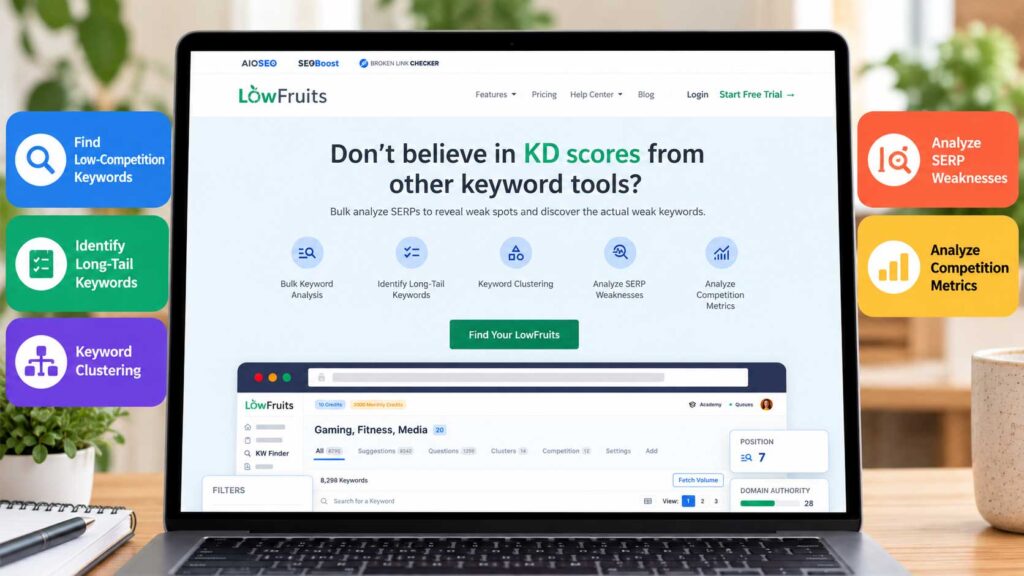
7. LowFruits
Best for: Finding lower-competition keywords and long-tail content opportunities
Large SEO platforms are excellent, but sometimes food bloggers simply want to answer one practical question:
What can my website realistically rank for?
LowFruits is built around finding lower-competition keyword opportunities, which can make it especially useful for newer or smaller food blogs.
Instead of immediately targeting huge keywords such as chicken recipes, healthy recipes, or dessert recipes, you can look for more specific searches where the search results may be less dominated by large, established sites.
For example:
- air fryer chicken without breadcrumbs
- banana smoothie without milk
- healthy blueberry oatmeal muffins
- Bulgarian cucumber yogurt salad
- easy lentil soup without tomatoes
- high-protein breakfast without eggs
These long-tail searches may attract fewer searches individually, but they usually represent a much more specific need.
That can make it easier to create a recipe or guide that closely matches what the searcher actually wants.
Why Long-Tail Keywords Matter for Food Bloggers
Food searches can become extremely specific.
Someone may not simply search for:
banana smoothie
They may search for:
- banana smoothie without yogurt
- banana smoothie without milk
- banana smoothie with protein powder
- banana oatmeal smoothie
- banana smoothie for breakfast
Each variation can represent a slightly different search intent.
LowFruits can help you uncover these types of opportunities so you can decide whether to improve an existing recipe or create a separate article. You can also explore our guide to free keyword tools for food bloggers for additional ways to research recipe and content ideas without committing to another paid platform.
Use LowFruits to Build Content Clusters
This type of keyword research can also help you build stronger topic clusters.
For example, if your food blog focuses on air fryer recipes, you might gradually create content around:
- air fryer chicken thighs
- air fryer chicken breast
- air fryer chicken wings
- air fryer chicken without breading
- air fryer frozen chicken
- air fryer chicken meal prep
Instead of publishing unrelated recipes, you begin building deeper coverage around one topic.
That can make your website more useful to readers and give you a clearer content strategy.
LowFruits Is Especially Useful For:
LowFruits is particularly well suited to newer food blogs, niche sites, long-tail keyword research, recipe discovery, and publishers trying to find realistic gaps in their existing content.
LowFruits will not replace a full SEO platform like Semrush or Ahrefs, but it can be a very practical tool when your main goal is finding specific keyword opportunities your food blog may realistically compete for.
For newer food bloggers in particular, targeting dozens of focused long-tail searches can often be a smarter strategy than chasing only the biggest recipe keywords.
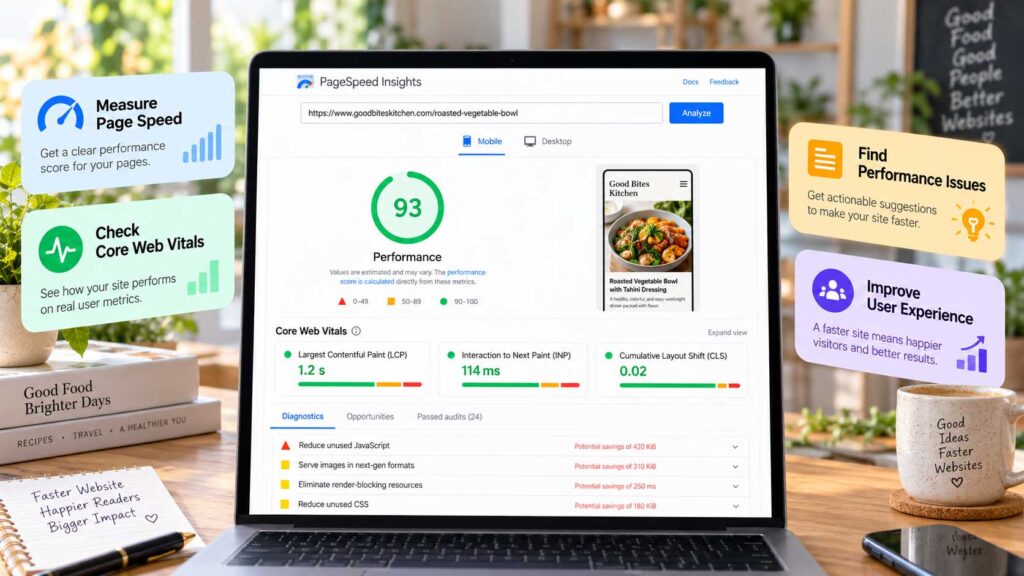
8. Google PageSpeed Insights
Best for: Website performance and Core Web Vitals
Food blogs can become surprisingly heavy.
High-resolution recipe photos, display ads, video players, recipe cards, analytics scripts, Pinterest integrations, social sharing tools, and WordPress plugins all add resources that a visitor’s browser has to load.
That makes performance especially important for food publishers.
Google PageSpeed Insights analyzes a page and highlights issues that may affect loading speed, responsiveness, and visual stability.
It can also show Core Web Vitals data when enough real-user information is available.
PageSpeed Insights Can Help Identify:
- Oversized or poorly optimized images
- Slow server response times
- Excessive JavaScript
- Layout shifts
- Render-blocking resources
- Inefficient caching
- Slow-loading third-party scripts
- Large page elements that take too long to load
- Interaction delays
Why Core Web Vitals Matter for Food Blogs
Core Web Vitals focus on how users actually experience a page.
The main metrics include:
- Largest Contentful Paint (LCP) – how quickly the main visible content loads
- Interaction to Next Paint (INP) – how responsive the page feels when someone interacts with it
- Cumulative Layout Shift (CLS) – how much the page unexpectedly moves while loading
Food blogs can struggle with these metrics because of large images, advertisements, pop-ups, sticky elements, and embedded videos.
For example, an ad loading above a recipe card can push the content down and create layout shifts. A large unoptimized hero image can slow down the initial page load.
Lab Data vs. Real-User Data
One important thing to understand is that PageSpeed Insights may show two different types of information.
Lab data is generated during a simulated performance test.
Field data is based on real users visiting the page through Chrome when enough data is available.
The two results may not always match, and that is normal.
For established food blogs, real-user Core Web Vitals data is often more useful for understanding how visitors actually experience the site.
Do You Need a Perfect PageSpeed Score?
Not at all. A score of 100 may look impressive, but chasing a perfect number is rarely the best use of your time.
Instead, focus on meaningful improvements that make the site faster and easier to use.
For a food blog, the biggest wins often come from resizing and compressing images, improving hosting performance, removing unnecessary plugins, delaying nonessential scripts, reviewing ad behavior, reducing layout shifts, and using caching or a CDN where appropriate.
Use PageSpeed Insights as a diagnostic tool rather than a scoreboard. The goal is a faster, smoother experience for readers—not simply a higher number.
Use PageSpeed Insights as a diagnostic tool, not as a scoreboard.
The goal is not simply to achieve a higher number. The goal is to give readers a faster, smoother experience while protecting the performance of your recipe content.

9. AnswerThePublic
Best for: Finding questions, search angles, and content ideas
AnswerThePublic is useful when you want to understand the types of questions and phrases people search for around a topic.
Start with a broad seed keyword such as:
air fryer chicken
and the tool can surface related questions, comparisons, prepositions, and search variations connected to that topic.
For a food blogger, that might reveal ideas involving:
- Cooking times
- Cooking temperatures
- Frozen chicken
- Reheating methods
- Ingredient substitutions
- Different cuts of chicken
- Storage questions
- Troubleshooting problems
Those ideas can help you improve an existing recipe or create supporting content around it.
How Food Bloggers Can Use AnswerThePublic
Question research can be especially useful for creating:
- Recipe FAQs
- Ingredient guides
- Substitution guides
- Cooking tutorials
- Storage and reheating guides
- Troubleshooting articles
- How-to content
- Supporting informational posts
For example, if you publish an air fryer chicken breast recipe, related questions might inspire additional sections covering:
- How long to cook chicken breast in an air fryer
- Whether you need to flip it
- How to keep it from drying out
- Whether frozen chicken can be used
- How to reheat leftovers
If those questions fit naturally into the recipe, answering them can make the page more useful.
If a question deserves a much more detailed answer, it may work better as its own supporting article.
Use Search Questions Carefully
Do not add dozens of FAQs just because a keyword tool suggests them.
Keep the questions that a real reader would reasonably ask while making, storing, adapting, or troubleshooting the recipe. Skip the rest.
Adding irrelevant questions only makes the page longer without making it better.
AnswerThePublic works best as an idea discovery tool. Use it to understand what people may want to know, then choose the questions that genuinely strengthen your content.

10. Keyword Tool
Best for: Long-tail keyword discovery and autocomplete research
Keyword Tool is useful for uncovering long-tail search ideas based on autocomplete suggestions.
You start with a broad seed phrase, and the tool expands it into more specific keyword variations that people may be searching for.
For example, entering:
strawberry smoothie
might surface variations involving:
- banana
- yogurt
- milk
- protein powder
- frozen strawberries
- dairy-free options
- breakfast
- weight loss
That makes Keyword Tool especially useful during the early stages of recipe research, when you are trying to understand how people search for a topic.
Use Modifiers to Find More Specific Recipe Ideas
Food searches often become much more useful when you pay attention to the words people add to the main keyword.
Common modifiers include:
- easy
- healthy
- quick
- high protein
- low carb
- gluten free
- dairy free
- air fryer
- slow cooker
- without eggs
- without milk
Modifiers often reveal exactly what the searcher wants. Someone looking for strawberry smoothie without yogurt has a different need from someone searching for a high-protein strawberry smoothie, even though both start with the same basic recipe.
That difference can help you decide whether to add a variation to an existing recipe or create a separate post.
When Keyword Tool Is Most Useful
Keyword Tool can be helpful for:
- Finding long-tail recipe keywords
- Discovering ingredient variations
- Researching dietary modifiers
- Finding “without” searches
- Brainstorming recipe variations
- Expanding topic clusters
- Generating supporting article ideas
The main thing to avoid is creating separate posts for every tiny keyword variation.
Use the suggestions to understand search behavior, then group closely related terms together when they share the same intent.
Keyword Tool is most valuable as a keyword discovery and brainstorming tool, especially when you want to uncover specific recipe variations that broader SEO platforms may not make immediately obvious.
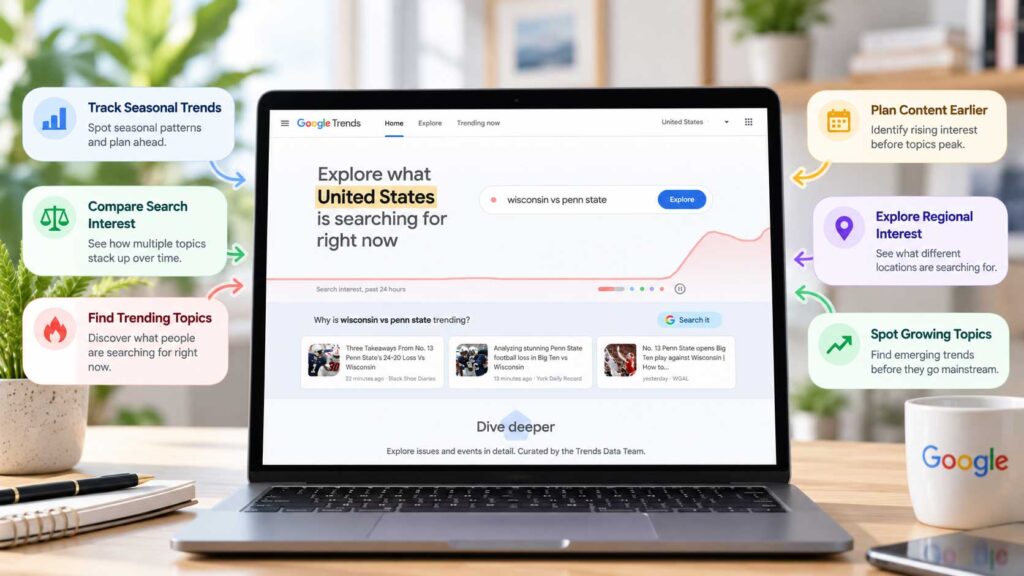
11. Google Trends
Best for: Understanding seasonality and comparing search interest
Food searches can be extremely seasonal.
Pumpkin recipes tend to rise in fall, grilling content usually becomes more popular during warmer months, and searches for holiday cookies, Thanksgiving side dishes, soups, smoothies, salads, and slow-cooker recipes often follow predictable patterns throughout the year.
Google Trends helps you visualize those changes in search interest over time.
For food bloggers, that can be especially useful when planning an editorial calendar.
Use Google Trends to Plan Seasonal Content
One of the biggest mistakes with seasonal content is publishing too late.
If searches for pumpkin bread begin climbing in August or September, publishing the recipe in late October may mean you missed much of the opportunity.
A better strategy is to publish or update seasonal recipes before demand reaches its peak.
That gives search engines more time to crawl the page, understand the content, and begin ranking it before search interest reaches its highest point.
Google Trends can help you plan content around topics such as:
- Pumpkin recipes
- Thanksgiving side dishes
- Christmas cookies
- Summer grilling recipes
- Smoothies
- Soups
- Slow-cooker meals
- Back-to-school lunches
- Game-day appetizers
Compare Similar Food Topics
Google Trends is also useful when you are deciding between closely related topics.
For example, you can compare:
- overnight oats vs. baked oats
- air fryer recipes vs. Instant Pot recipes
- protein smoothies vs. green smoothies
- sourdough bread vs. no-knead bread
- pumpkin bread vs. pumpkin muffins
This can help you understand how interest changes over time and whether one topic is growing faster than another.
Look at Regional Interest
Another useful feature is geographic interest.
A recipe or ingredient may be much more popular in one state, region, or country than another.
Regional data is especially useful for blogs built around a particular cuisine, country, or audience.
Google Trends Does Not Show Exact Search Volume
One important limitation is that Google Trends shows relative search interest, not exact monthly search volume.
A score of 100 represents the point of highest popularity within the selected comparison and time period. It does not mean the keyword receives 100 searches.
That is why Google Trends works best alongside another keyword research tool.
Use Semrush, Ahrefs, LowFruits, or another platform for keyword estimates, then use Google Trends to understand when interest rises, falls, or changes over time.
For food bloggers, that combination can make seasonal content planning much more strategic.
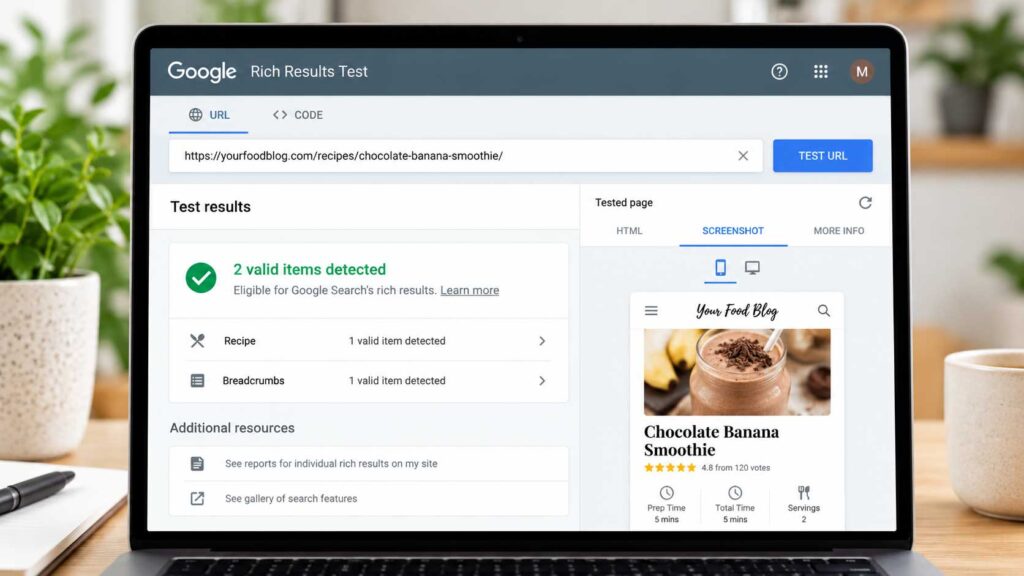
12. Google Rich Results Test
Best for: Testing Recipe Schema and structured data
Structured data is especially important for food blogs because recipe pages contain details that search engines need to interpret correctly.
That can include information such as:
- Recipe name
- Ingredients
- Cooking instructions
- Preparation time
- Cooking time
- Nutrition information
- Ratings
- Images
- Recipe yield
Google’s Rich Results Test allows you to check whether supported structured data is detected on a page and whether there are errors that could affect eligibility for rich results.
Google specifically recommends validating Recipe structured data with the Rich Results Test and fixing critical errors before publishing.
Why Food Bloggers Should Test Recipe Schema
If you use a recipe plugin such as WP Recipe Maker, Tasty Recipes, or another structured recipe card plugin, much of the schema is generated automatically.
That does not mean you should assume everything is always working correctly.
A plugin update, theme change, caching setting, or schema configuration can sometimes affect what Google sees.
Testing an important recipe only takes a few moments and can reveal problems before they go unnoticed for months.
When to Use the Rich Results Test
It is especially useful to test recipe pages after:
- Changing recipe plugins
- Installing a new recipe plugin
- Redesigning your website
- Changing WordPress themes
- Migrating your website
- Changing SEO plugins
- Modifying schema settings
- Installing caching or optimization plugins
- Making major changes to recipe templates
- Troubleshooting structured data warnings
What Should You Look For?
The Rich Results Test can show whether Google detects your Recipe structured data and whether important properties contain errors.
Google’s current Recipe documentation includes properties such as name and image, along with recommended information including prepTime, cookTime, recipeIngredient, recipeInstructions, recipeYield, nutrition information, ratings, and video.
If the test reports a critical error, investigate and fix it.
Warnings or recommended-property notices may not always prevent eligibility, but they can identify missing information that could make your structured data more complete.
Passing the Test Does Not Guarantee a Rich Result
A page can have completely valid structured data and still not receive a special rich result in Google Search.
Google states that correctly implemented structured data makes a page eligible for supported search features but does not guarantee that those features will appear.
Think of the Rich Results Test as a technical validation tool.
Its job is to help confirm that Google can detect and understand the structured data on your recipe page—not to guarantee rankings or special search-result features.
For food bloggers, it is a simple free tool worth using whenever major changes are made to recipe cards, themes, SEO plugins, or structured data settings.

13. MonsterInsights
Best for: Viewing Google Analytics and Search Console data inside WordPress
MonsterInsights is a Google Analytics plugin for WordPress that makes website performance data easier to access without constantly switching between WordPress, Google Analytics, and other reporting tools.
For food bloggers, that can be especially useful because it brings many important metrics directly into the WordPress dashboard.
You can monitor traffic, top-performing posts, referral sources, search performance, affiliate link clicks, outbound links, scroll depth, and other visitor behavior without digging through multiple analytics reports.
MonsterInsights currently includes dedicated reports for traffic, publishers, Search Console, eCommerce, dimensions, and other performance data inside WordPress.
See Which Recipes Are Actually Bringing Traffic
One of the most useful features for food bloggers is page-level reporting.
Instead of simply seeing that your website received a certain number of visitors, you can identify which recipes and articles are attracting the most traffic.
Once you have that data in front of you, you can answer practical questions such as:
- Which recipes bring the most visitors?
- Which categories perform best?
- Which posts keep readers engaged?
- Which traffic sources send the most visitors?
- Which affiliate links receive the most clicks?
- Which older recipes may be worth updating?
This kind of information can help you decide where to spend your time instead of choosing posts to update at random.
Search Console Data Inside WordPress
MonsterInsights can also connect with Google Search Console and display important search-performance data inside your WordPress dashboard.
Its Search Console report can show metrics including:
- Search clicks
- Impressions
- Click-through rate
- Average search position
- Top search terms
It can currently display up to 50 top search terms and can connect focus-keyword information from plugins including Rank Math, Yoast, AIOSEO, and SEOPress with performance data.
It gives you a quick view of search performance without opening Search Console separately.
Track Affiliate and Outbound Link Clicks
This feature is particularly relevant for food bloggers who monetize with affiliate marketing. Traffic data becomes even more useful when it is connected to a broader growth strategy. These 30 ways to get traffic to your food blog cover search alongside social media, email, referrals, and other channels.
MonsterInsights can automatically track clicks on affiliate and outbound links in Google Analytics.
That means you can better understand which links readers actually use.
For example, you may discover that visitors frequently click links for:
- Blenders
- Air fryers
- Baking equipment
- Cookware
- Kitchen appliances
- Ingredients
- Recipe books
That information can help you improve product recommendations and focus on affiliate content that readers are genuinely interested in.
Useful MonsterInsights Features Include:
- Google Analytics integration
- Search Console reporting
- Real-time traffic reports
- Page-level analytics
- Top content reports
- Affiliate link tracking
- Outbound link tracking
- Scroll tracking
- File download tracking
- Site speed reports
- Custom dimensions
- Category and tag tracking
- eCommerce tracking
- Form tracking
- AI referral traffic reporting
MonsterInsights has also added reporting for traffic coming from AI platforms such as ChatGPT, Claude, Gemini, and others, which can help publishers see whether AI-driven discovery is beginning to send visitors to their websites.
Do Food Bloggers Need MonsterInsights?
MonsterInsights is not required for SEO.
You can use Google Analytics and Google Search Console directly without installing it.
Its main advantage is convenience.
For food bloggers who prefer seeing important analytics, search, affiliate, and content-performance information directly inside WordPress, MonsterInsights can make that data much easier to review.
For a newer blog, the free version may provide enough functionality to get started. As your traffic and monetization grow, the more advanced publisher, affiliate, and eCommerce tracking features may become more useful.

14. BuzzSumo
Best for: Content research, trend discovery, and competitor inspiration
BuzzSumo is more of a content research and discovery platform than a traditional SEO tool, but it can still be valuable for food bloggers who want to understand which topics are gaining attention and what types of content perform well across the web.
Instead of focusing mainly on rankings and technical SEO, BuzzSumo helps you research popular content, trending topics, questions, competitors, and backlinks.
For food bloggers, that can be useful when planning seasonal content, recipe roundups, trend-driven articles, and highly shareable guides.
Find Popular Food Content
You can search for a topic and see which articles or pages have attracted strong engagement.
For example, you might research topics such as:
- air fryer recipes
- high-protein meals
- sourdough
- cottage cheese recipes
- Mediterranean diet
- meal prep
- healthy desserts
The results give you a quick sense of which angles and formats are getting attention right now.
The goal is not to copy successful articles.
Instead, use them to understand what people are interested in and then create something more useful, original, or better suited to your own audience.
Discover Trending Topics Earlier
Food trends can change quickly.
Ingredients, cooking methods, diets, kitchen appliances, and viral recipes can suddenly become much more popular.
BuzzSumo is particularly handy for spotting subjects that are beginning to gain momentum.
That can be especially useful for publishers creating:
- Trending recipe content
- Seasonal roundups
- Food news
- Ingredient guides
- Product comparisons
- Viral recipe explainers
- Social-media-friendly content
Catching a trend early gives you time to publish something worthwhile before every major site has covered the same idea.
Research Competitors and Backlinks
BuzzSumo can also help you examine which content performs well for competing food websites.
You can look for patterns such as:
- Which topics receive the most engagement
- Which articles attract backlinks
- Which formats perform repeatedly
- Which publishers link to food content
- Which subjects generate strong interest
That information can help you decide what kinds of content may be worth developing on your own site.
Useful BuzzSumo Features Include:
- Content discovery
- Trending topic research
- Competitor content research
- Backlink analysis
- Question discovery
- Keyword research
- Content performance analysis
- Alerts
- Influencer and author research
- Evergreen content research
Is BuzzSumo Necessary for Food Bloggers?
Not necessarily.
If your main goal is keyword research, rankings, or technical SEO, tools such as Semrush, Ahrefs, Search Console, and Screaming Frog will usually be more important.
BuzzSumo becomes more useful when your content strategy also includes social media, digital PR, link building, trend research, or highly shareable articles.
For larger food blogs and publishers, it can be a useful way to discover what is gaining attention beyond traditional search data.
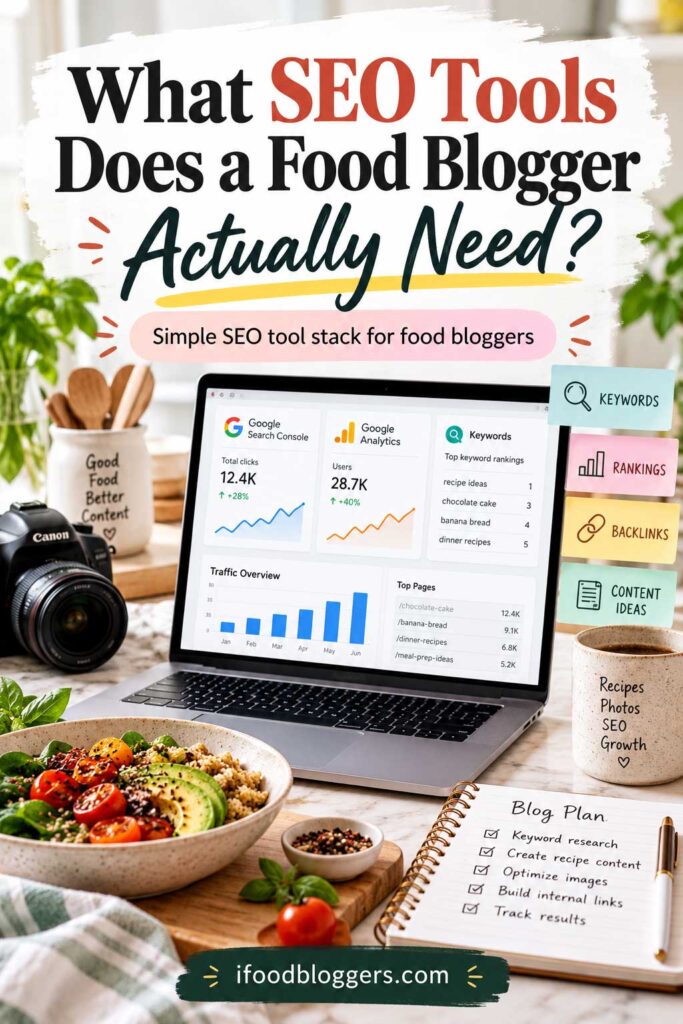
What SEO Tools Does a Food Blogger Actually Need?
You do not need all 14 tools in this guide.
For most food bloggers, a small combination of tools is enough to handle the most important parts of SEO without making the process unnecessarily expensive or complicated.
A practical setup might look like this:
- Google Search Console for search performance, indexing, clicks, impressions, and rankings
- Rank Math or Yoast SEO for WordPress SEO settings, metadata, sitemaps, and general on-page optimization
- Semrush, Ahrefs, LowFruits, or Keyword Tool for keyword research and content opportunities
- Google PageSpeed Insights for performance and Core Web Vitals
- Google Rich Results Test for checking Recipe Schema
- Screaming Frog for occasional technical SEO audits
That is already enough to cover most of the SEO work an independent food blogger will need.
A Simple SEO Tool Stack for Beginners
If your food blog is still relatively new, you can start almost entirely with free tools.
A beginner-friendly setup could include:
- Google Search Console
- Google Trends
- Google PageSpeed Insights
- Google Rich Results Test
- Rank Math or Yoast SEO
- A limited free keyword research tool
You can always add more advanced tools later as your traffic and content library grow.
A More Advanced SEO Stack
Established food blogs may benefit from adding tools such as:
- Semrush or Ahrefs for deeper competitor and keyword research
- Screaming Frog for larger technical audits
- MonsterInsights for easier analytics and affiliate tracking inside WordPress
- BuzzSumo for trend research and content discovery
- LowFruits for finding additional lower-competition keyword opportunities
The right combination depends on your goals. If managing content and SEO is becoming time-consuming, our guide to the best productivity tools for food bloggers can help streamline the rest of your workflow.
A food blogger publishing two recipes per month does not need the same tool stack as a publisher managing 1,000 recipes, multiple writers, affiliate content, display ads, and several traffic channels.
The best approach is to choose tools that solve a specific problem rather than paying for software simply because other bloggers use it.
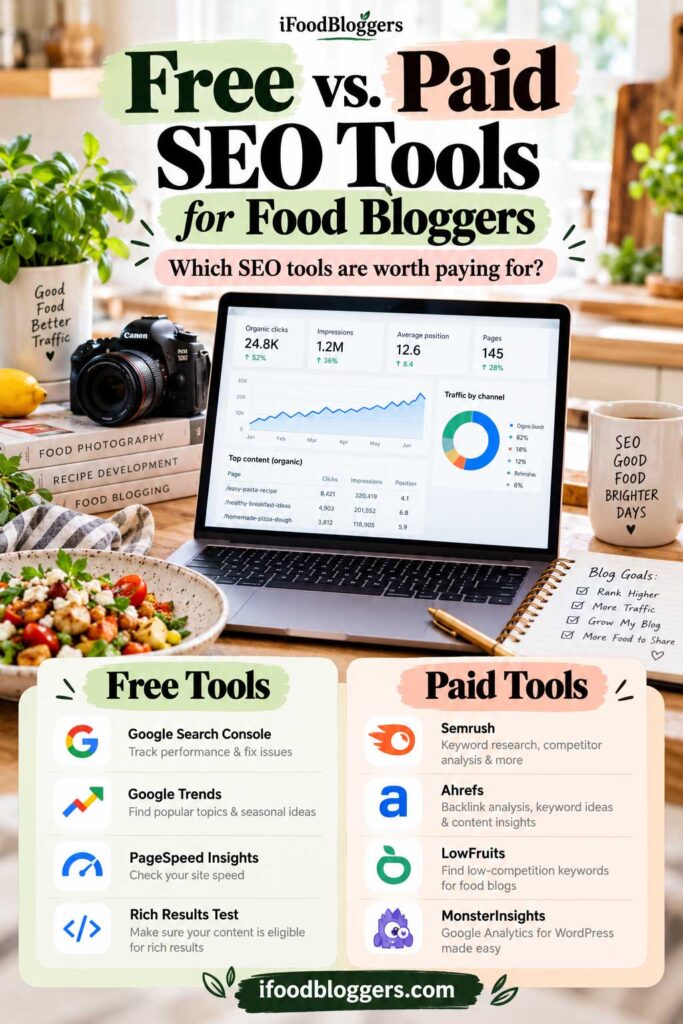
Free vs. Paid SEO Tools for Food Bloggers
You do not need an expensive SEO subscription to start improving a food blog.
Some of the most useful tools in this guide are completely free, and they can cover a surprising amount of the work a newer blogger needs to do.
Free tools are often enough for:
- Monitoring Google search performance
- Checking indexing
- Testing Recipe Schema
- Reviewing Core Web Vitals
- Researching seasonal trends
- Managing basic WordPress SEO settings
- Finding some keyword ideas
- Running smaller technical audits
Paid tools become more useful when you need deeper data, faster research, larger reports, competitor analysis, rank tracking, or more advanced technical features.
Best Free SEO Tools for Food Bloggers
A strong free setup can include:
- Google Search Console for search performance and indexing
- Google Trends for seasonality and topic comparisons
- Google PageSpeed Insights for performance testing
- Google Rich Results Test for structured data
- Rank Math or Yoast SEO for WordPress SEO basics
- Ahrefs Free tools for limited site auditing and website analysis
- Screaming Frog’s free version for smaller technical crawls
For a new food blog, that may be more than enough to build a solid SEO foundation.
When Paid SEO Tools Become Worth It
Paid tools usually become more valuable as your site grows.
You may want to invest in a platform such as Semrush, Ahrefs, LowFruits, MonsterInsights, or BuzzSumo when you regularly need to:
- Research hundreds of keywords
- Analyze multiple competitors
- Track rankings over time
- Discover content gaps
- Review larger backlink profiles
- Crawl thousands of URLs
- Monitor affiliate performance
- Research trends at scale
- Manage a large content library
The key is to pay for a tool when it saves you meaningful time or helps you make better decisions.
Do Not Pay for Several Tools That Do the Same Thing
This is where many bloggers overspend.
You usually do not need subscriptions to several all-in-one SEO platforms at the same time.
There is significant overlap between many SEO tools.
Semrush and Ahrefs, for example, overlap in areas such as keyword research, competitor analysis, backlinks, and rank tracking.
The same applies to WordPress SEO plugins.
You generally need Rank Math or Yoast SEO, not both.
A smaller, well-chosen SEO tool stack is usually easier to manage and much more cost-effective than subscribing to every platform you see recommended.
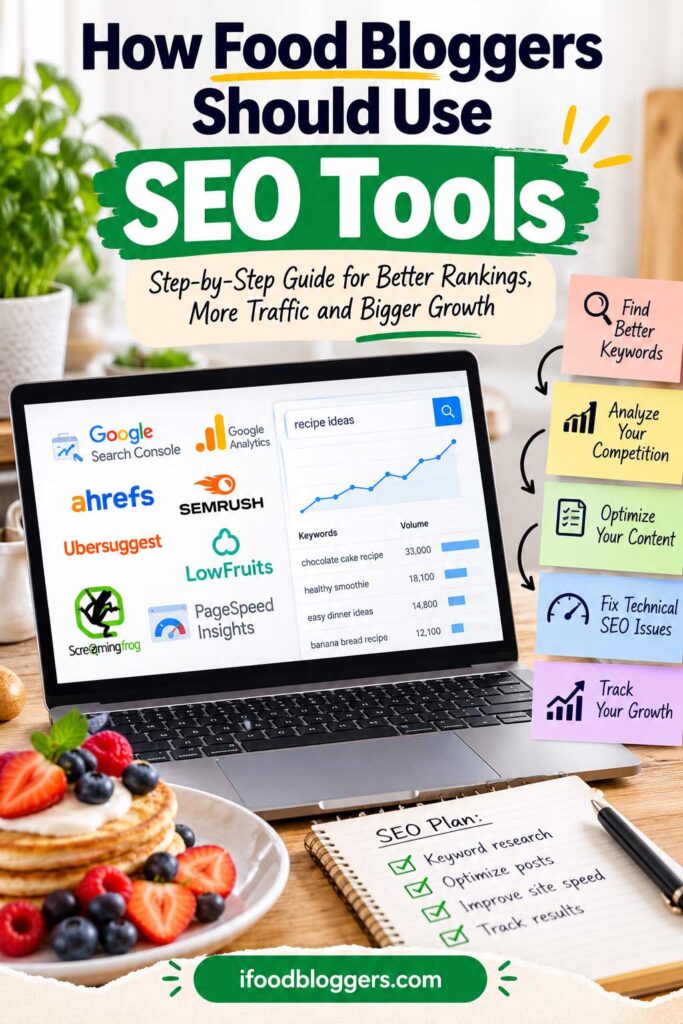
How Food Bloggers Should Use SEO Tools
SEO tools are most valuable when they help you make better content decisions.
A keyword showing high search volume does not automatically mean you should write about it. Start with whether the topic actually fits your audience and whether you can add something worthwhile.
Instead, use SEO data to understand what your audience is looking for, where your site already has traction, and which topics deserve deeper coverage.
Start With Search Intent
Before creating a new recipe or article, look at what already ranks for the keyword.
Ask yourself:
- Are people looking for a recipe?
- A how-to guide?
- An ingredient substitution?
- A product comparison?
- A quick answer?
- A troubleshooting guide?
Matching the right content format to the search is often more important than simply using the keyword several times. Many ranking problems begin with basic optimization mistakes, so it is also worth reviewing the most common SEO mistakes food bloggers should avoid.
Build Topic Clusters
SEO tools can also help you find related searches around one broader topic.
For example, instead of publishing one air fryer chicken recipe and moving on, you could gradually build a cluster around:
- air fryer chicken breast
- air fryer chicken thighs
- air fryer chicken wings
- frozen chicken in the air fryer
- air fryer chicken without breading
- how to reheat chicken in the air fryer
Then connect the recipes naturally through internal links where they genuinely help the reader.
The same strategy can work for:
- Air fryer recipes
- Mediterranean food
- Sourdough
- High-protein meals
- Gluten-free baking
- Meal prep
- Slow-cooker recipes
Improve Existing Content Before Publishing More
One of the smartest ways to use SEO tools is to identify posts that are already close to performing well.
Google Search Console, Semrush, and Ahrefs can help you find pages that:
- Already receive impressions
- Rank just outside the top results
- Have declining traffic
- Rank for keywords not fully covered
- Have weak internal linking
- Need updated information
Updating those pages may produce better results than constantly publishing new content.
Use SEO Data as Guidance, Not a Rulebook
SEO data always needs context. Search-volume figures, difficulty scores, and competitor traffic estimates can vary between platforms and should not be treated as exact measurements.
Search volume estimates can vary. Keyword difficulty scores are not absolute. Competitor traffic numbers are estimates.
Use the data to guide your decisions, then combine it with:
- Your own experience
- Reader questions
- Search Console data
- Seasonal trends
- Recipe testing
- Audience feedback
The best content strategy usually comes from combining SEO research with what you already know about your readers.
Do SEO Tools Guarantee Higher Rankings?
No SEO tool can guarantee that your food blog will rank higher in Google.
SEO tools provide data, recommendations, and diagnostics. They can show you what people search for, where competitors are strong, which pages have technical issues, and which posts may have room to improve.
But the tool itself does not create rankings.
What matters is how you use the information.
A food blog still needs a strong combination of:
- Helpful, original content
- Recipes that satisfy search intent
- Clear site structure
- Strong internal linking
- Accurate Recipe Schema
- Fast page performance
- Useful images
- Good mobile usability
- Trustworthy authorship
- Natural backlinks and mentions
- Regular updates to older content
Avoid Chasing SEO Scores
Many SEO plugins and content tools assign scores based on keyword placement, headings, metadata, links, readability, and other factors.
Those scores can be useful as a checklist, but they should not become the goal.
A page with a perfect SEO score is not automatically better than a page with a lower score.
If adding another keyword makes a sentence awkward, do not force it in just to improve a plugin score.
Write for readers first, then use SEO tools to make sure search engines can clearly understand the page. Your WordPress setup matters too. These WordPress mistakes new food bloggers should avoid can help you catch problems that SEO software alone may not solve.
SEO Is an Ongoing Process
Search behavior changes over time.
New competitors appear. Older recipes lose traffic. Seasonal trends shift. Google changes how search results are displayed.
That is why SEO is not something you finish once.
The most successful food blogs regularly review their data, improve older content, fix technical problems, strengthen internal links, and look for new opportunities.
Use SEO tools to help you decide what deserves attention next, not as a shortcut that replaces good content.
Frequently Asked Questions About SEO Tools for Food Bloggers
What is the best SEO tool for food bloggers?
There is no single best tool for every food blogger.
Google Search Console is one of the most important because it shows how your site actually performs in Google Search. For keyword and competitor research, Semrush and Ahrefs are stronger. For WordPress SEO settings, Rank Math or Yoast SEO are practical choices.
Most food bloggers will get better results from using a small combination of tools rather than relying on one platform for everything.
What are the best free SEO tools for food bloggers?
Some of the best free SEO tools include Google Search Console, Google Trends, Google PageSpeed Insights, Google Rich Results Test, and the free versions of Rank Math or Yoast SEO.
Screaming Frog also offers a free version for smaller crawls, while Ahrefs provides free tools for verified websites.
Do food bloggers need Semrush or Ahrefs?
Not necessarily.
A new food blogger can make significant progress using free tools. Semrush or Ahrefs become more valuable when you need deeper keyword research, competitor analysis, backlink research, content gap analysis, and rank tracking.
For larger or more established food blogs, one of these platforms can save a substantial amount of research time.
Is Semrush better than Ahrefs for food bloggers?
Both are excellent. Semrush tends to suit bloggers who want a broad all-in-one workflow, while Ahrefs is particularly strong for competitor and backlink research. Most independent food bloggers only need one of them.
What SEO plugin is best for a food blog?
Rank Math and Yoast SEO are both popular options.
Either can handle important tasks such as SEO titles, meta descriptions, XML sitemaps, canonical URLs, indexing settings, and structured data.
You generally should not install both plugins on the same WordPress site.
If your food blog uses a dedicated recipe plugin such as WP Recipe Maker, let that plugin handle Recipe Schema while your SEO plugin manages the rest of your site’s SEO settings.
Do SEO tools help food blogs rank higher?
SEO tools can help you make better decisions, but they do not directly guarantee higher rankings.
They can help identify keyword opportunities, technical problems, content gaps, indexing issues, backlinks, and pages that may need improvement.
Rankings still depend on factors such as content quality, search intent, technical SEO, internal linking, page experience, relevant links and mentions, and the overall usefulness of the page.
How often should food bloggers use SEO tools?
Some tools are worth checking regularly.
Google Search Console can be reviewed weekly or monthly to monitor search performance and discover new opportunities.
Keyword research tools are most useful when planning new content, while technical tools such as Screaming Frog may only need to be used every few months or after major website changes.
PageSpeed Insights and the Rich Results Test are useful after theme changes, plugin changes, redesigns, or other technical updates.
What is the best SEO tool for keyword research for food blogs?
Semrush and Ahrefs are excellent for deeper keyword research, while LowFruits can be useful for finding lower-competition opportunities.
Keyword Tool and AnswerThePublic are also helpful for discovering long-tail searches, recipe variations, questions, and content ideas.
The best choice depends on your budget and how much keyword data you need.
Can Google Search Console replace paid SEO tools?
Google Search Console can replace some functions, but not everything.
It is excellent for seeing real search queries, clicks, impressions, rankings, indexing, and technical issues related to your own site.
However, it does not provide the same level of competitor research, keyword discovery, backlink analysis, or content gap research available in platforms such as Semrush and Ahrefs.
How many SEO tools does a food blogger really need?
Most food bloggers only need a few.
A practical setup could include Google Search Console, one WordPress SEO plugin, one keyword research tool, PageSpeed Insights, and the Rich Results Test.
As your site grows, you can add more specialized tools when they solve a specific problem.
Final Thoughts on the Best SEO Tools for Food Bloggers
You do not need to collect every SEO platform on this list.
Start with the tools that answer the questions you actually have. Google Search Console, one WordPress SEO plugin, a solid keyword research tool, PageSpeed Insights, and the Rich Results Test are enough for many food blogs.
Add more advanced software when your site grows or when you have a specific problem that your current setup cannot solve.
The software provides the data. Growth still comes from publishing useful content, improving older posts, keeping the site technically healthy, and making it easy for both readers and search engines to understand what you have created.
More SEO and Blogging Guides for Food Bloggers
Want to keep improving your food blog? These guides can help you strengthen your SEO, WordPress setup, content strategy, and traffic growth:
- Best WordPress SEO Plugins for Food Bloggers – Compare popular SEO plugins and choose the best option for your WordPress food blog.
- SEO Mistakes Food Bloggers Should Avoid – Learn which common SEO problems can hold back rankings and organic traffic.
- 30 Ways to Get Traffic to Your Food Blog – Explore practical strategies for growing traffic from search, social media, email, and other channels.
- Best Blogging Tools for Food Bloggers – Discover useful tools for content creation, SEO, analytics, design, and running your blog more efficiently.
- Best Productivity Tools for Food Bloggers – Find tools that can help you plan content, organize tasks, and manage your blogging workflow.
- WordPress Mistakes New Food Bloggers Should Avoid – Avoid common WordPress setup and maintenance mistakes that can affect performance and usability.
- Domain Name Mistakes Food Bloggers Should Avoid – Learn how to choose a stronger domain and avoid branding and SEO problems from the start.