

Choosing the best WordPress SEO plugins for food bloggers can make a big difference in how easily you manage and optimize your site.
The right plugin can help with XML sitemaps, SEO titles and meta descriptions, schema markup, canonical URLs, redirects, and other technical settings that would otherwise require more hands-on work.
If you want to go beyond WordPress plugins, our guide to the best SEO tools for food bloggers covers keyword research, competitor analysis, Search Console, and other tools that can help you build a stronger SEO strategy.
For food bloggers, these features matter even more. Recipe websites often compete for difficult keywords, rely heavily on traffic from Google Search and Google Images, and need properly structured recipe data so search engines can understand the content correctly.
But more plugins do not automatically mean better SEO.
Installing several plugins that perform the same job can create duplicate schema, conflicting meta tags, multiple sitemaps, and unnecessary WordPress bloat. In some cases, it can even make troubleshooting harder.
A better approach is to choose one primary SEO plugin and then add only the specialized tools your food blog actually needs.
Below, we’ll compare some of the best WordPress SEO plugins for food bloggers, explain what each one does well, and help you decide which options make the most sense for your site.
In this guide, we’ll look at the best WordPress SEO plugins for food bloggers and how each one fits into a practical WordPress setup.
1. Rank Math
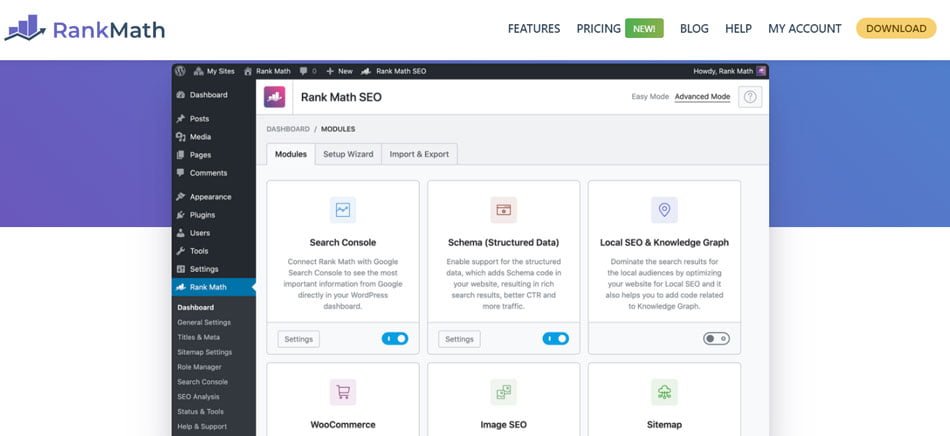
Rank Math is one of the most feature-rich WordPress SEO plugins available, and it can be a particularly good fit for food bloggers who want to manage most of their SEO from one dashboard.
The plugin includes tools for SEO titles and meta descriptions, XML sitemaps, schema markup, redirects, canonical URLs, image SEO, social sharing settings, and on-page optimization.
One of Rank Math’s biggest advantages is how much functionality it combines into a single plugin. That can be useful for food bloggers who would rather avoid installing several separate plugins just to handle basic SEO tasks.
Rank Math is often included among the best WordPress SEO plugins for food bloggers because it combines many technical and on-page SEO features in one plugin.
When editing a recipe post, Rank Math can help you review elements such as:
- SEO title and meta description
- Focus keywords
- Internal and external links
- Heading structure
- Image alt text
- URL structure
- Schema settings
Its content analysis can be helpful, especially when you are learning SEO, but the score should not become the goal.
The score is useful as a quick check, but it should not dictate how you write. If a recommendation makes the recipe sound awkward, skip it. Chasing plugin scores is also one of the SEO mistakes food bloggers should avoid, especially when optimization starts making the writing sound unnatural.
Rank Math and Recipe Schema
Food bloggers should pay particular attention to schema settings.
If you already use a dedicated recipe plugin such as WP Recipe Maker, that plugin may already generate the Recipe schema for your posts.
In that situation, you generally do not want Rank Math creating a second set of Recipe schema for the same page.
The goal is for your plugins to work together, not compete with each other.
What We Like About Rank Math
Rank Math gives food bloggers a lot of control without requiring extensive technical knowledge.
The free version is already quite powerful, while the premium versions add features such as keyword tracking, additional schema options, more advanced analytics, and other tools aimed at larger websites.
For a growing recipe site with dozens or hundreds of posts, having redirects, sitemap controls, schema settings, and on-page SEO tools in one place can make ongoing maintenance easier.
Best for: Food bloggers who want an all-in-one SEO plugin with plenty of advanced controls.
Potential downside: The number of settings can feel overwhelming if you are completely new to WordPress SEO.
2. Yoast SEO
Yoast SEO is one of the longest-established and most widely used WordPress SEO plugins.
It gives food bloggers straightforward control over important SEO settings such as titles, meta descriptions, canonical URLs, XML sitemaps, indexation settings, schema markup, and social sharing metadata.
One of Yoast’s most recognizable features is its traffic-light style content analysis. While writing a recipe or blog post, the plugin checks elements such as:
- Keyword usage
- SEO title and meta description
- Internal and external links
- Heading structure
- Readability
- Image usage
- Paragraph and sentence length
This can be especially helpful for newer bloggers who are still learning the basics of on-page SEO.
Treat Yoast’s traffic-light system as a reminder rather than a rulebook.
A green score does not guarantee rankings, and an orange one does not automatically mean the page is poorly optimized. If a recommendation makes your recipe harder to read, the reader should win.
Why Yoast Can Work Well for Food Bloggers
Yoast’s biggest advantage is simplicity and familiarity.
The interface is relatively easy to understand, and because the plugin has been around for so long, there is a huge amount of documentation, tutorials, and troubleshooting information available online.
That makes Yoast a practical choice for food bloggers who want a dependable SEO setup without spending much time learning advanced technical settings.
Yoast remains one of the best WordPress SEO plugins for food bloggers who prefer a familiar interface and straightforward optimization guidance.
It also works well alongside dedicated recipe plugins, provided you avoid creating duplicate Recipe schema.
What We Like About Yoast
Yoast does not try to overwhelm beginners with every possible SEO feature at once.
Its core tools cover the essentials most food bloggers need, while its content analysis can serve as a useful reminder system during the writing process.
For bloggers who value a familiar interface and strong documentation, Yoast remains a solid option.
Best for: Beginners and food bloggers who want a straightforward, well-established SEO plugin.
Potential downside: Some advanced features that competing plugins include in their free versions may require Yoast Premium or separate Yoast add-ons.
3. All in One SEO
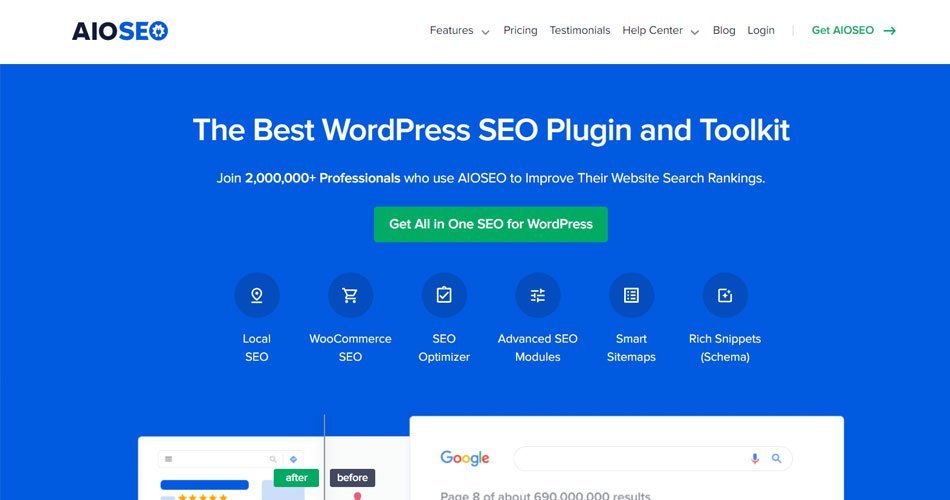
All in One SEO, usually shortened to AIOSEO, is another full-featured WordPress SEO plugin built to handle both on-page and technical SEO.
It includes tools for SEO titles and meta descriptions, XML sitemaps, schema markup, redirects, breadcrumbs, canonical URLs, image SEO, social metadata, and other site-wide optimization settings.
For food bloggers, one of the more useful features is its internal-linking functionality.
Why Internal Linking Matters for Food Blogs
Internal linking becomes much harder as a recipe site grows.
When you have 30 or 40 posts, it is fairly easy to remember which recipes are related. Once you have hundreds of recipes, tutorials, ingredient guides, seasonal roundups, and kitchen tips, those connections become much easier to miss.
AIOSEO’s internal-linking tools can help uncover opportunities to connect related content.
For example, a chicken pasta recipe might naturally link to:
- A homemade Alfredo sauce recipe
- A guide to cooking chicken breast
- A collection of easy weeknight dinners
- A pasta cooking guide
- A similar one-pot recipe
Those links help readers discover more useful content and can also make it easier for search engines to understand how your pages relate to one another. Internal linking is also one of the practical strategies we cover in our guide to 30 ways to get traffic to your food blog.
AIOSEO and Recipe Schema
AIOSEO includes schema features, including support for Recipe schema.
However, if your recipe card plugin already generates Recipe schema, you should avoid creating a second version through AIOSEO.
Duplicate or conflicting structured data can make your setup unnecessarily complicated.
For most recipe sites, it makes more sense to let the dedicated recipe plugin handle recipe-specific structured data while AIOSEO manages the broader SEO settings across the site.
What We Like About AIOSEO
AIOSEO offers a broad toolkit without requiring food bloggers to piece together several different SEO plugins.
It can be especially useful for sites that have grown beyond basic keyword optimization and now need better control over redirects, internal links, schema, and technical SEO settings. For larger recipe sites, those features can make AIOSEO one of the best WordPress SEO plugins for food bloggers who need more control as their content library grows.
Its interface is also relatively approachable, which makes it suitable for bloggers who want advanced functionality without working directly with code.
Best for: Growing food blogs that want stronger site-wide SEO management and internal-linking tools.
Potential downside: Some of AIOSEO’s more useful advanced features are reserved for paid plans.

4. SEOPress
SEOPress is a powerful WordPress SEO plugin that may appeal to food bloggers who want strong SEO controls without an overly busy dashboard.
Like the other major SEO plugins, it can handle important tasks such as SEO titles and meta descriptions, XML sitemaps, canonical URLs, social metadata, schema settings, redirects, and on-page content analysis.
Where SEOPress stands out is its relatively clean, modular approach.
Instead of forcing every available feature into your workflow, SEOPress allows you to enable or disable modules depending on what your site actually needs.
That can be useful for food bloggers who want to keep WordPress as streamlined as possible.
Why a Cleaner SEO Setup Can Matter
Food blogs can accumulate plugins quickly—recipe cards, caching, image optimization, email tools, ads, analytics, and more.
SEOPress appeals to bloggers who would rather keep their SEO setup relatively clean and modular instead of adding another complicated dashboard full of features they may never use.
Useful SEOPress Features for Food Bloggers
Depending on your setup, SEOPress can help manage:
- SEO titles and meta descriptions
- XML and image sitemaps
- Canonical URLs
- Indexation settings
- Redirects
- Social sharing metadata
- Schema markup
- Content analysis
- Breadcrumbs
- Integration with popular WordPress page builders
Its image sitemap support can also be relevant for food bloggers because recipe sites often rely heavily on original photography.
That does not guarantee better rankings in Google Images, but making your important images easier for search engines to discover is still part of a solid technical SEO setup.
What We Like About SEOPress
SEOPress offers a good balance between control and simplicity. That balance makes SEOPress another strong option when comparing the best WordPress SEO plugins for food bloggers, especially if you prefer a cleaner dashboard.
It includes enough advanced functionality for established websites while still keeping the interface relatively organized.
It can also be appealing to bloggers who manage several websites and want a consistent SEO setup across multiple WordPress installations.
Best for: Food bloggers who want a flexible, streamlined SEO plugin with plenty of advanced controls.
Potential downside: SEOPress has a smaller user community than Yoast or Rank Math, so beginners may find fewer third-party tutorials when troubleshooting specific issues.
5. WP Recipe Maker
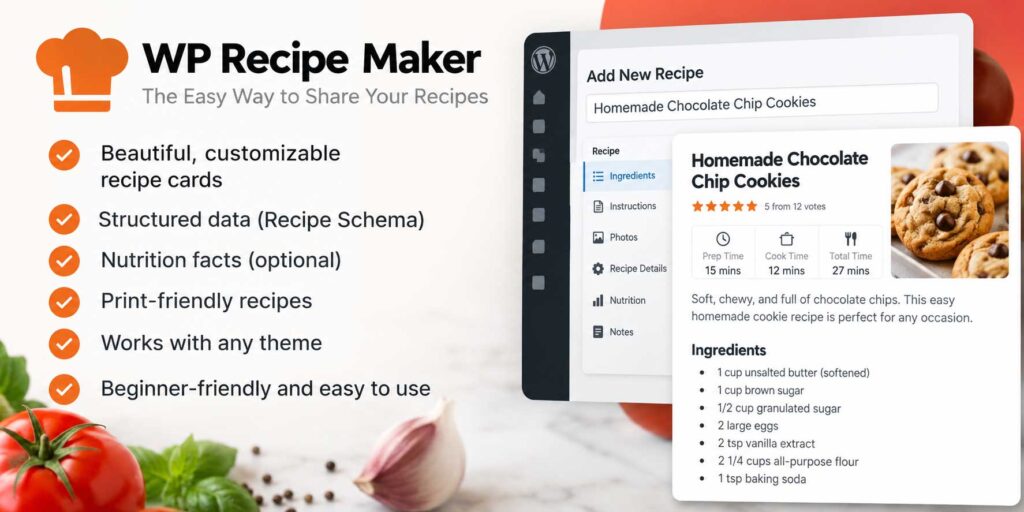
WP Recipe Maker is a little different from the plugins above.
It is primarily a recipe plugin rather than a general SEO plugin, but for food bloggers it can be one of the most important SEO-related tools on the site.
That is because recipe posts need more than ordinary article markup.
Search engines need structured information about details such as:
- Ingredients
- Cooking instructions
- Prep time
- Cook time
- Total time
- Servings
- Nutrition information
- Recipe images
- Recipe videos
- Ratings
WP Recipe Maker can generate Recipe JSON-LD structured data using the information entered into your recipe card.
That structured data helps search engines understand that the page contains a recipe rather than just a general blog post. Google provides specific requirements for recipe structured data, so it is worth checking its official documentation when configuring or troubleshooting recipe schema.
Why Recipe Schema Matters
A normal SEO plugin can handle things like titles, meta descriptions, sitemaps, canonical URLs, and basic schema.
A dedicated recipe plugin goes much deeper. If you are still building your WordPress setup, it is also worth reviewing these WordPress mistakes new food bloggers should avoid before adding more plugins to your site.
It organizes the actual recipe information into a format search engines can understand and use when determining whether a page is eligible for recipe-related search features.
That distinction matters for food blogs.
Your article may include a long introduction, cooking tips, ingredient substitutions, storage instructions, and FAQs, but the recipe card identifies the specific recipe itself.
WP Recipe Maker and Other SEO Plugins
WP Recipe Maker is designed to work alongside major SEO plugins such as Yoast SEO and Rank Math.
That means you can let your primary SEO plugin manage the overall SEO settings while WP Recipe Maker handles the recipe-specific structured data.
This is generally a cleaner setup than trying to force a general SEO plugin to handle every part of your recipe markup.
You should still check your schema setup carefully, because you do not want several plugins generating competing Recipe schema for the same page.
More Than Just Schema
WP Recipe Maker also includes features that improve the reader experience, including:
- Printable recipe cards
- Customizable recipe templates
- Ingredient groups
- Recipe videos
- Adjustable serving sizes
- Nutrition information
- Recipe metadata checks
- Jump-to-recipe functionality
These features are useful because recipe SEO is not only about technical markup.
Making recipes easier to read, follow, print, and use can improve the overall quality of the page for visitors.
What We Like About WP Recipe Maker
WP Recipe Maker solves a problem that general SEO plugins do not fully address. Although it is not a traditional SEO plugin, WP Recipe Maker complements the best WordPress SEO plugins for food bloggers by handling recipe-specific structured data and recipe cards.
It gives food bloggers a structured way to present recipes to both readers and search engines while still working alongside a separate SEO plugin.
For recipe-heavy websites, it is less of an optional extra and more of a core publishing tool.
Best for: Recipe bloggers who want dedicated recipe cards and properly structured Recipe schema.
Potential downside: It does not replace a full SEO plugin, so you will still need something like Rank Math, Yoast, AIOSEO, or SEOPress for broader site-wide SEO.
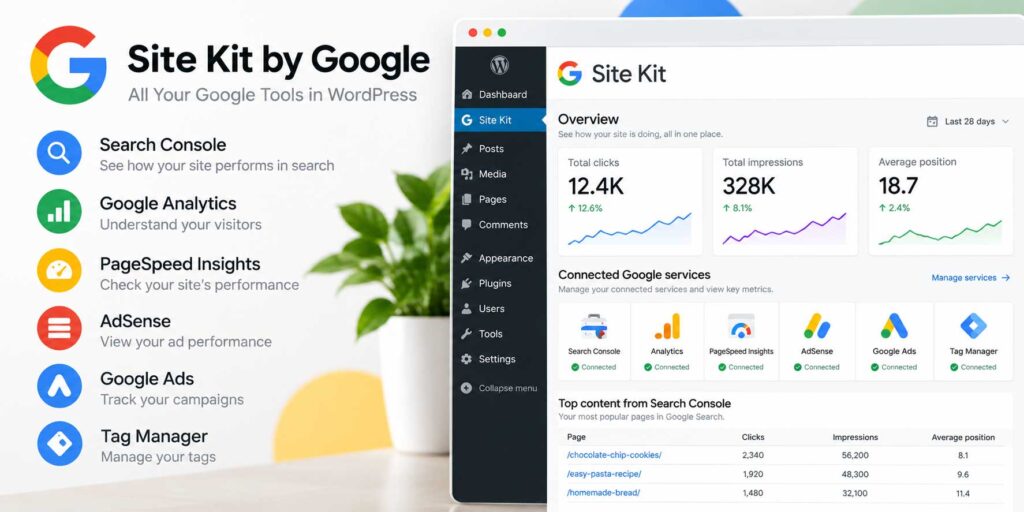
6. Site Kit by Google
Site Kit by Google is not a traditional SEO optimization plugin, but it can be extremely useful for food bloggers who want to understand whether their SEO efforts are actually producing results.
It is Google’s official WordPress plugin and can connect your website with several Google services, including:
- Google Search Console
- Google Analytics
- PageSpeed Insights
- Google AdSense
Instead of helping you optimize titles or keywords, Site Kit brings important performance data directly into your WordPress dashboard.
See What Is Actually Bringing Traffic
For SEO, the Search Console integration is particularly valuable. Google’s Site Kit documentation explains that Search Console data can include clicks, impressions, click-through rate, search queries, and average position.
You can review information such as:
- Search impressions
- Clicks from Google
- Click-through rate
- Search queries
- Average search positions
- Top-performing pages
This kind of data can reveal opportunities that an SEO plugin score cannot.
Maybe an older recipe is showing up in search thousands of times but earning surprisingly few clicks.
That could be a sign that the recipe is already appearing in search results but needs a stronger SEO title, better meta description, improved featured image, or a more compelling angle.
In that situation, updating an existing recipe may produce better results than publishing another similar article.
Useful for Finding Older Recipes to Update
Site Kit can also help you identify recipes that previously performed well but have started losing traffic.
The benefit becomes much clearer once your archive grows and you can no longer remember how every older recipe is performing.
Instead of guessing which recipes need attention, you can use real search and traffic data to decide where your time is most likely to make a difference.
For example, you might discover:
- A seasonal recipe that is beginning to gain impressions again
- An older post that has steadily lost Google traffic
- A recipe ranking near the bottom of page one
- A post receiving impressions for keywords you never intentionally targeted
- A high-traffic recipe that could benefit from better internal links
Those insights can help guide your content updates and internal-linking strategy. Updating existing content is only one growth strategy. You can find more ideas in our guide to getting more traffic to your food blog.
Google Analytics Inside WordPress
Site Kit can also display Google Analytics data within the WordPress dashboard.
This allows you to quickly see which recipes and articles attract visitors and how overall traffic is changing without opening several separate Google tools every time you want a quick overview.
For more detailed SEO research, you will still want to use Google Search Console and Google Analytics directly.
Site Kit is best viewed as a convenient dashboard rather than a replacement for those platforms.
What We Like About Site Kit
Site Kit connects your WordPress site with data coming directly from Google.
That makes it a useful companion to your main SEO plugin. Site Kit works well alongside the best WordPress SEO plugins for food bloggers because it focuses on reporting and performance data rather than replacing your primary SEO plugin.
Your SEO plugin helps you configure and optimize the website, while Site Kit helps you see what happens afterward.
Best for: Food bloggers who want Google Search Console and Analytics insights available directly inside WordPress.
Potential downside: Site Kit is primarily a reporting and integration tool. It does not replace a full SEO plugin such as Rank Math, Yoast, AIOSEO, or SEOPress.

7. GEO Plugin by Squirrly SEO
GEO Plugin by Squirrly SEO combines traditional WordPress SEO tools with newer features aimed at AI search, answer engines, and generative search visibility.
Along with familiar SEO features such as keyword research, on-page optimization, technical SEO checks, rank tracking, and internal linking, the plugin now includes tools designed for AEO and GEO.
These include AI-readiness audits, AI crawler controls, structured data tools, and support for emerging features such as llms.txt. You can review the current GEO and AEO features on the official GEO Plugin by Squirrly SEO page.
For food bloggers, that makes Squirrly particularly interesting if you want one plugin that looks beyond traditional Google rankings and also helps prepare content for newer AI-driven search experiences.
Why Food Bloggers May Like GEO Plugin by Squirrly SEO
Food bloggers often publish a large amount of content over time.
That can include recipes, ingredient guides, seasonal roundups, kitchen tutorials, product reviews, and informational articles.
Squirrly can help identify optimization opportunities across that content and provide recommendations without requiring the user to be an SEO expert.
If you prefer an SEO tool that actively points out what to work on next, Squirrly’s guided approach may feel more useful than a plugin that mainly gives you settings and leaves the strategy to you.
Can Squirrly Work With Other SEO Plugins?
One interesting difference is that Squirrly can be used alongside some existing SEO setups rather than always requiring you to immediately replace your current plugin.
That can be useful if you already use Yoast, Rank Math, or another primary SEO plugin but want additional content optimization or auditing tools.
Even so, you should review overlapping features carefully.
Running several plugins that generate the same metadata, schema, or sitemap functionality can create unnecessary duplication.
What We Like About GEO Plugin by Squirrly SEO
Squirrly stands out because it combines traditional WordPress SEO tools with more active optimization guidance. That combination gives GEO Plugin by Squirrly SEO a different place among the best WordPress SEO plugins for food bloggers, particularly for publishers interested in AI search, AEO, and GEO.
For food bloggers who want help deciding what to improve rather than simply seeing a list of technical settings, that approach can be useful.
It also makes Squirrly different enough from Rank Math, Yoast, AIOSEO, and SEOPress to justify including it in this list.
Best for: Food bloggers who want AI-assisted SEO guidance, content optimization, and keyword research inside WordPress.
Potential downside: Squirrly includes a large number of tools and recommendations, which may feel overwhelming if you only want a simple plugin for titles, sitemaps, and basic technical SEO.

8. WordLift
WordLift is a more advanced SEO plugin that focuses on semantic SEO, structured data, entities, and knowledge graphs.
That makes it quite different from traditional WordPress SEO plugins such as Yoast or Rank Math.
Instead of concentrating mainly on titles, meta descriptions, and sitemaps, WordLift helps search engines better understand the meaning and relationships behind your content.
For a food blog, that could include connections between:
- Recipes
- Ingredients
- Cuisines
- Cooking methods
- Authors
- Locations
- Nutrition topics
- Related food concepts
Why Semantic SEO Matters
Modern search relies heavily on context. A chicken tikka masala recipe is not just a page containing a keyword—it connects to ingredients, Indian cuisine, cooking techniques, related dishes, and other entities across your site. WordLift is designed to make those relationships more explicit through structured data and a knowledge graph.
For larger food websites with hundreds or thousands of pages, that can create a more organized content structure that search engines may find easier to interpret.
Knowledge Graphs for Food Blogs
One of WordLift’s more distinctive features is its ability to help create a knowledge graph for your website.
A knowledge graph connects important entities across your content instead of treating every article as an isolated page. WordLift’s documentation explains how entity-based metadata and semantic relationships can be used to organize and connect content.
For example, your site might connect tomatoes with tomato-based recipes, Italian cuisine, pasta dishes, sauce guides, and related ingredients. Instead of treating those pages as isolated posts, a knowledge graph helps describe how they are connected.
This kind of structure can be useful for websites with large, interconnected content libraries.
Is WordLift Necessary for Every Food Blogger?
Probably not.
For a new food blog with 20 or 30 recipes, WordLift may be more advanced than necessary.
A simpler setup using one primary SEO plugin plus a dedicated recipe plugin will usually cover the essentials.
WordLift starts to make more sense once your site has a substantial content library and you want to organize relationships between recipes, ingredients, cuisines, authors, and other entities more deliberately.
What We Like About WordLift
WordLift brings a different type of SEO functionality to this list. It is one of the more specialized options among the best WordPress SEO plugins for food bloggers, with a stronger focus on semantic SEO, entities, and knowledge graphs.
Instead of duplicating the same features found in Yoast, Rank Math, or AIOSEO, it focuses on helping search engines understand the meaning and structure of your content.
That makes it particularly interesting for larger publishing sites and food blogs building extensive topic clusters.
Best for: Established food bloggers and publishers interested in semantic SEO, structured data, and knowledge graphs.
Potential downside: It is more advanced than most food bloggers need and can add complexity and cost compared with a standard SEO setup.
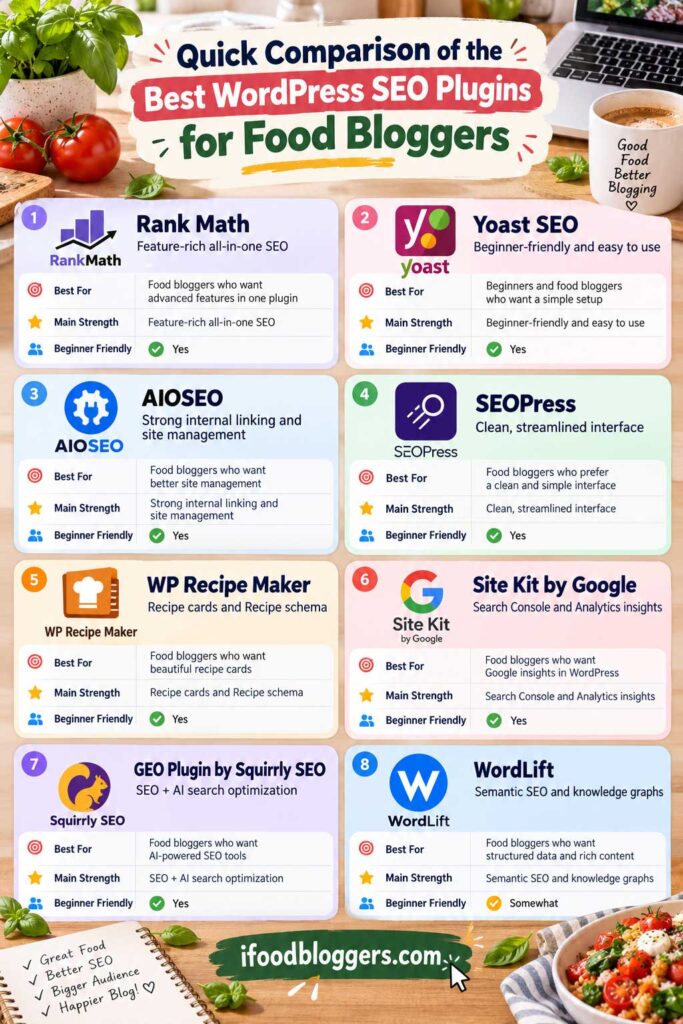
Quick Comparison of the Best WordPress SEO Plugins for Food Bloggers
The best WordPress SEO plugins for food bloggers serve different purposes. Some handle site-wide SEO, while others focus on recipe schema, reporting, AI search visibility, or semantic SEO.
| Plugin | Best For | Main Strength | Good for Beginners? |
|---|---|---|---|
| Rank Math | Feature-rich all-in-one SEO | Advanced controls, schema, redirects, content analysis | Yes |
| Yoast SEO | Beginners | Simple interface and strong documentation | Yes |
| AIOSEO | Growing food blogs | Internal linking and site-wide SEO management | Yes |
| SEOPress | Streamlined SEO setup | Clean interface and flexible modules | Yes |
| WP Recipe Maker | Recipe-focused websites | Recipe cards and Recipe schema | Yes |
| Site Kit by Google | Performance monitoring | Search Console, Analytics, PageSpeed, and AdSense data | Yes |
| GEO Plugin by Squirrly SEO | SEO + AI search optimization | SEO, AEO/GEO tools, content optimization, and AI-search features | Yes |
| WordLift | Advanced semantic SEO | Structured data, entities, and knowledge graphs | More advanced |
The right choice depends mostly on how hands-on you want to be.
Yoast and SEOPress keep things relatively straightforward. Rank Math and AIOSEO give you more built-in tools. GEO Plugin by Squirrly SEO adds more guided optimization and AI-search features, while WordLift is aimed at publishers who want to go deeper into structured data and semantic SEO.
WP Recipe Maker and Site Kit serve different purposes, so they can be used alongside your main SEO plugin rather than replacing it. The best WordPress SEO plugins for food bloggers approach optimization in different ways, so the right choice depends on your site size, experience level, and the features you actually plan to use.
Which SEO Plugin Should a Food Blogger Use?
Choosing among the best WordPress SEO plugins for food bloggers does not have to be complicated. For most food blogs, the best setup is actually pretty simple.
You do not need Rank Math, Yoast, AIOSEO, SEOPress, GEO Plugin by Squirrly SEO, and WordLift installed at the same time.
Choose one primary SEO plugin and let it handle your core site-wide SEO settings.
Here is the easiest way to think about the main options:
- Rank Math — best for bloggers who want lots of built-in features and advanced controls
- Yoast SEO — best for beginners who want a familiar and straightforward setup
- AIOSEO — best for growing sites that want stronger internal-linking and site-management tools
- SEOPress — best for bloggers who prefer a cleaner, more streamlined dashboard
- GEO Plugin by Squirrly SEO — best for bloggers who want traditional SEO tools plus guidance for AI search, AEO, and GEO
- WordLift — best for larger or more advanced sites interested in semantic SEO and knowledge graphs
Then add specialized plugins only when they perform a different job.
A practical food blog setup might look like this:
- One primary SEO plugin: Rank Math, Yoast, AIOSEO, SEOPress, or GEO Plugin by Squirrly SEO
- One recipe plugin: such as WP Recipe Maker for recipe cards and Recipe schema
- Site Kit by Google: optional, for quick access to Search Console, Analytics, PageSpeed Insights, and AdSense data
- WordLift: optional, mainly for advanced semantic SEO and knowledge graph work
For most food bloggers, you can keep things even simpler:
One SEO plugin + one recipe plugin + Google Search Console access
That is usually enough to cover the essentials without creating unnecessary overlap.
The goal is not to install as many SEO plugins as possible. It is to build a clean setup where every plugin has a clear purpose and does not duplicate what another plugin is already doing.
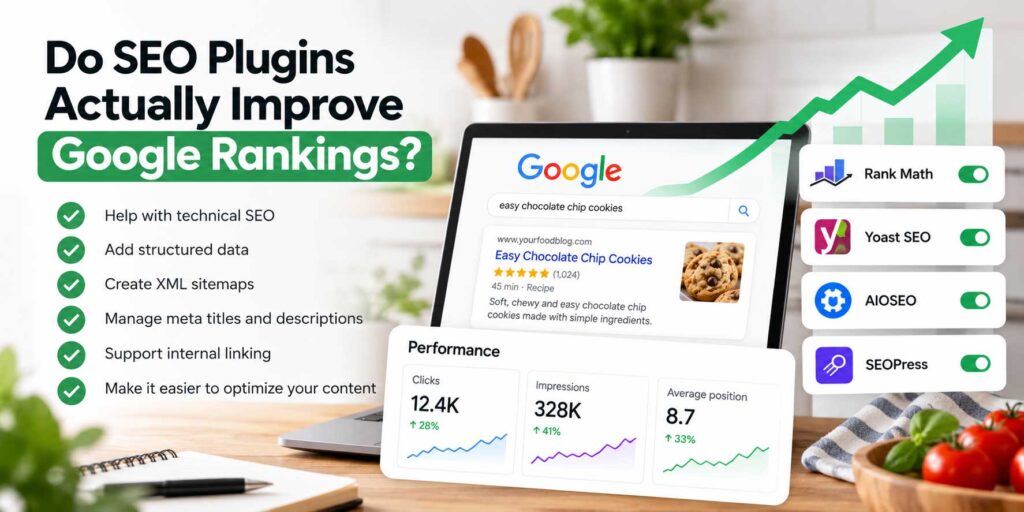
Do SEO Plugins Actually Improve Google Rankings?
SEO plugins can make it easier to optimize a WordPress site, but simply installing one will not automatically improve your Google rankings.
A good SEO plugin helps you manage important technical elements such as:
- SEO titles and meta descriptions
- XML sitemaps
- Canonical URLs
- Indexation settings
- Schema markup
- Redirects
- Social metadata
- On-page SEO checks
These features can make it easier for search engines to crawl and understand your site correctly.
But the plugin itself is not what makes a recipe rank.
Google still evaluates the quality and usefulness of the page.
For a food blog, that means things like:
- A recipe that actually works
- Clear cooking instructions
- Helpful ingredient notes
- Original photos
- Useful substitutions and storage tips
- Strong internal linking
- Good page speed
- Mobile-friendly design
- Content that matches what the searcher is looking for
An SEO plugin can help you organize and present that content properly, but it cannot replace it. For a broader look at keyword research, competitor analysis, and optimization platforms, see our guide to the best SEO tools for food bloggers.
Do You Need a Perfect SEO Score?
No. The score inside your SEO plugin is not a Google ranking score.
Rank Math, Yoast, AIOSEO, GEO Plugin by Squirrly SEO, and similar tools use their own checks to evaluate a page. Those checks can be useful reminders, but Google does not rank a recipe because your WordPress dashboard shows a green light or a score of 100.
You should not make a recipe awkward just to satisfy every recommendation.
For example, forcing the same keyword into several headings or repeating it throughout a recipe can make the writing sound unnatural without providing any real benefit to the reader.
Use plugin recommendations as guidance, then make the final decision based on what creates the clearest and most useful page.
Think of Your SEO Plugin as Infrastructure
A better way to think about an SEO plugin is as part of your website’s infrastructure.
It helps keep technical SEO organized and reduces the amount of work you would otherwise need to do manually.
Your rankings still depend much more on the quality of your recipes, the usefulness of your content, your site’s overall authority, and how well each page satisfies search intent.
The plugin supports your SEO strategy.
It is not the strategy itself.
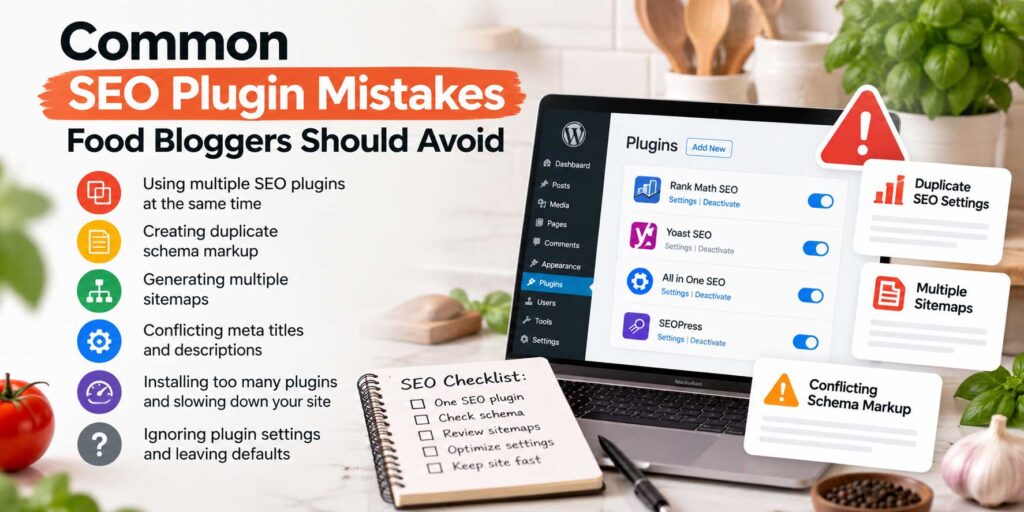
Common SEO Plugin Mistakes Food Bloggers Should Avoid
SEO plugins can simplify a lot of technical work, but they can also create problems when they are configured poorly or when too many overlapping plugins are installed.
Here are some of the most common mistakes food bloggers should avoid.
Installing More Than One Primary SEO Plugin
You generally do not need Rank Math, Yoast, AIOSEO, SEOPress, and GEO Plugin by Squirrly SEO all active at the same time.
Using several full SEO plugins can create conflicts involving:
- Meta titles and descriptions
- Canonical URLs
- XML sitemaps
- Schema markup
- Open Graph data
- Indexation settings
Choose one primary SEO plugin and let it handle the core site-wide settings.
Creating Duplicate Recipe Schema
Recipe blogs need structured data, but more schema is not necessarily better.
If WP Recipe Maker already generates Recipe schema for a post, you usually do not need another plugin generating a second Recipe schema block for the same page.
Duplicate or conflicting structured data can make your setup harder to manage and troubleshoot.
Chasing a Perfect SEO Score
Plugin scores are useful checks, not goals.
Do not force keywords into headings or rewrite natural sentences simply to move an SEO indicator from orange to green.
Forgetting to Configure the Plugin
Installing an SEO plugin is only the first step.
You should still review important settings such as:
- XML sitemaps
- Category and tag archives
- Author archives
- Search result pages
- Canonical URLs
- Schema settings
- Social sharing settings
- Noindex rules
Default settings may work well in many cases, but every food blog is structured differently.
Ignoring Old Redirects
Food bloggers often update URLs as their site grows.
You may change a recipe slug, merge several posts, remove outdated content, or reorganize categories.
When that happens, make sure old URLs redirect to the most relevant new page whenever appropriate.
Otherwise, visitors and search engines may land on 404 pages.
Letting Plugins Handle Everything Automatically
Automation is useful, but you should still review important SEO elements manually.
For example, automatically generated meta descriptions are not always the most compelling option, and default schema settings may not fit every type of page.
The plugin should save time—not remove all human judgment from your SEO process.
Keeping Old SEO Plugins Installed After Switching
If you move from one SEO plugin to another, make sure the old plugin is properly deactivated once the migration is complete.
Leaving unused SEO plugins active can create unnecessary duplication, clutter, and maintenance.
Before switching, also confirm that important settings such as titles, descriptions, redirects, and schema have been transferred correctly.
A clean SEO setup is usually easier to maintain than a complicated one. Installing too many unnecessary plugins is also one of the WordPress mistakes new food bloggers should avoid.
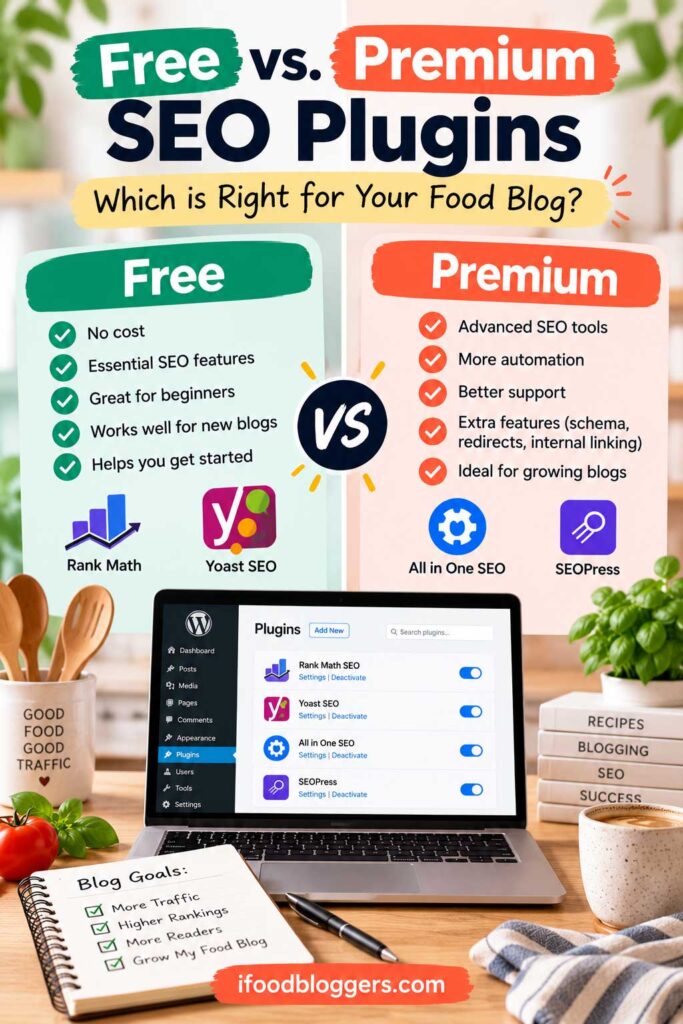
Free vs. Premium SEO Plugins
Many of the best WordPress SEO plugins for food bloggers offer free versions, which means you do not necessarily need to pay for an SEO plugin when you are just getting started.
The free versions of major plugins such as Rank Math, Yoast SEO, AIOSEO, and SEOPress already cover many of the essentials, including:
- SEO titles and meta descriptions
- XML sitemaps
- Canonical URLs
- Basic schema markup
- Indexation controls
- Social sharing metadata
- On-page SEO analysis
For a newer food blog, that is usually enough.
In fact, several of the best WordPress SEO plugins for food bloggers provide enough functionality in their free versions to support a new or growing recipe site.
When a Premium SEO Plugin May Be Worth It
Paid features become more useful as your site grows and the amount of content becomes harder to manage manually.
A premium version may be worth considering if you need features such as:
- Advanced redirect management
- Internal-link suggestions
- Rank tracking
- More detailed schema controls
- Advanced WooCommerce SEO
- Local SEO tools
- Video SEO features
- More detailed analytics
- Multiple keyword tracking
- Advanced content audits
For example, if you have 500 recipes, manually finding internal-link opportunities or checking old redirects can become time-consuming.
At that point, paying for features that save hours of work may make sense.
Do Premium Plugins Help You Rank Better?
Not automatically.
Paying for Rank Math Pro, Yoast Premium, AIOSEO Pro, or another premium SEO plugin does not give your site a direct ranking advantage.
The value comes from the additional tools.
If those tools help you fix technical problems, improve internal linking, update older content, or manage a large site more efficiently, they can support better SEO work.
But simply upgrading from a free plan to a paid plan will not make your recipes jump higher in Google.
Start Free and Upgrade When You Need It
For most new food bloggers, the smartest approach is to start with the free version of a reputable SEO plugin.
Learn how the plugin works, make sure your technical setup is solid, and focus on publishing useful content.
Upgrade only when a paid feature solves a specific problem or saves enough time to justify the cost.
That keeps your WordPress setup lean and prevents you from paying for features you may never use.
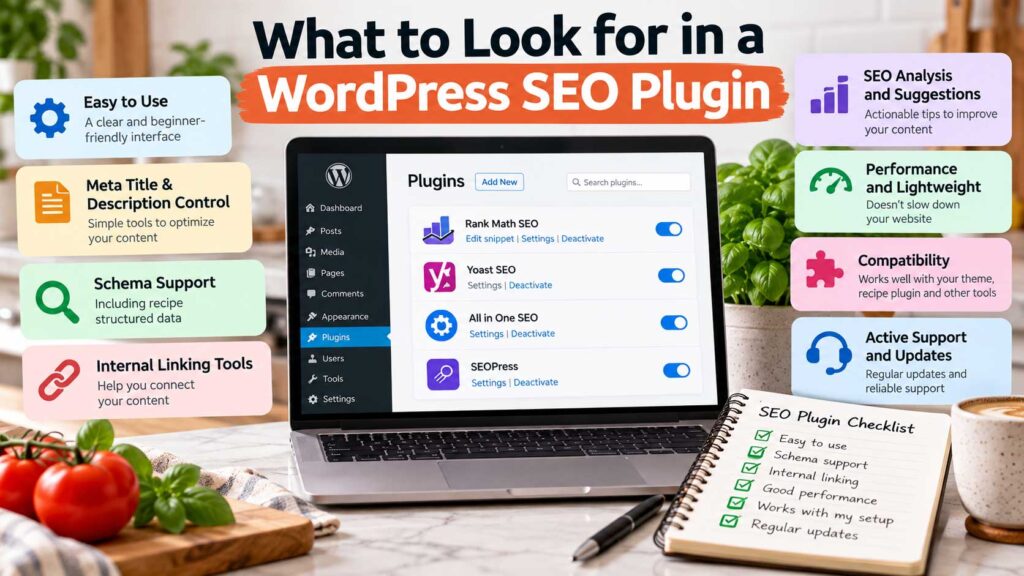
What to Look for in a WordPress SEO Plugin
The best WordPress SEO plugins for food bloggers are not necessarily the ones with the longest feature lists. What matters more is whether the plugin covers the essentials and works well with the rest of your WordPress setup.
For most food bloggers, the better choice is the plugin that covers the essentials, works well with the rest of your WordPress setup, and is easy enough to use consistently.
Here are the features worth paying attention to. When comparing the best WordPress SEO plugins for food bloggers, these are the features that matter most in day-to-day use.
Easy Control Over Titles and Meta Descriptions
You should be able to customize the SEO title and meta description for individual recipes, guides, category pages, and other important content.
This gives you more control over how your pages may appear in search results and lets you write snippets that better match search intent.
XML Sitemap Support
A good SEO plugin should generate and manage XML sitemaps automatically.
These sitemaps help search engines discover important pages across your site.
Most modern SEO plugins already include this feature, so you generally do not need a separate sitemap plugin.
Canonical URL Controls
Canonical tags help search engines understand which version of a page should be treated as the primary version.
This is particularly useful when similar URLs, archives, filtered pages, or duplicate content could otherwise create confusion.
Indexation Controls
You should be able to control whether certain parts of your site appear in search results.
For example, you may want to noindex thin archive pages, internal search pages, or other sections that provide little value on their own.
These settings need to be handled carefully because accidentally applying noindex to important recipe pages can seriously hurt search visibility.
Schema Compatibility
Structured data is especially important for food blogs.
Your primary SEO plugin should work well with your recipe plugin rather than creating conflicting schema.
If you use WP Recipe Maker or another dedicated recipe plugin, make sure both plugins have clear roles in your setup.
Redirect Management
Redirects become more important as your site gets older.
If you change the URL of a recipe, remove an outdated article, or merge several posts together, a 301 redirect can send visitors and search engines to the most relevant replacement page.
Having redirect tools built into your SEO plugin can save time, although a dedicated redirect plugin can also handle this job.
Internal-Linking Help
Internal linking becomes increasingly difficult as your site grows.
A good SEO plugin may help you identify related posts, orphaned pages, or opportunities to connect older recipes with newer content.
This can be especially useful for large recipe sites with hundreds of posts.
Compatibility With Your WordPress Setup
Your SEO plugin should work reliably with your:
- WordPress theme
- Recipe plugin
- Page builder
- Caching plugin
- Image optimization plugin
- WooCommerce setup, if applicable
Compatibility matters more than having every possible SEO feature.
A Dashboard You Actually Understand
This is easy to overlook.
If an SEO plugin has hundreds of settings but you do not understand how to use them, those extra features are not very valuable.
Choose a plugin with an interface and workflow that makes sense to you.
A simpler plugin configured correctly is usually better than a more advanced plugin configured poorly.
Regular Updates and Good Support
SEO and WordPress both change constantly.
Choose plugins that are actively maintained, updated regularly, and supported by developers who respond when compatibility or security issues arise.
That is especially important for plugins responsible for critical site-wide settings.
The best SEO plugin for your food blog is the one that gives you the control you need without making your site unnecessarily complicated.
Other Useful SEO Plugins for Food Bloggers
Your main SEO plugin should handle most of the core work, but a few specialized plugins can still be useful when you need a specific feature.
These are not replacements for Rank Math, Yoast, AIOSEO, SEOPress, or another primary SEO plugin. Think of them as supporting tools. They work best as companions to the best WordPress SEO plugins for food bloggers, filling specific gaps such as redirects, broken links, image optimization, or caching. For a broader collection of tools for content creation, SEO, marketing, productivity, and website management, see our guide to the best tools for food bloggers.
Redirection
Redirection is useful if you want more control over 301 redirects and 404 errors.
This can be helpful when you:
- Change a recipe URL
- Merge two similar posts
- Remove outdated content
- Update category structures
- Move an old article to a new URL
A proper redirect helps send visitors and search engines to the most relevant replacement page instead of leaving them on a broken URL.
Broken Link Checker
A broken-link plugin can help identify links that no longer work.
That can matter on older food blogs with hundreds of posts, especially when external websites change URLs or products disappear.
However, you do not necessarily need to leave a resource-heavy checker running continuously. On larger sites, it may be better to use it periodically or rely on an external site-audit tool.
Image Optimization Plugins
Images are a major part of most food blogs, so image optimization can indirectly support SEO by improving page speed and user experience.
Plugins such as ShortPixel, Imagify, or Smush can help compress large images and, depending on the plugin and setup, convert them to modern formats such as WebP or AVIF.
These tools are primarily performance plugins rather than SEO plugins, so they are better treated as supporting tools.
Caching and Performance Plugins
Page speed is another area where specialized plugins can help.
A caching or performance plugin can reduce load times by handling tasks such as page caching, CSS and JavaScript optimization, and other performance improvements.
The right choice depends heavily on your hosting provider and existing setup, so avoid installing several caching plugins at the same time.
Do You Need These Extra Plugins?
Not necessarily.
A food blog can have excellent SEO without installing every plugin mentioned in this article.
Start with the essentials:
One primary SEO plugin + one recipe plugin + reliable analytics and Search Console access.
Then add specialized plugins only when you have a specific problem to solve.
That approach keeps WordPress easier to maintain and reduces the risk of plugin conflicts. The best WordPress SEO plugins for food bloggers should simplify your workflow, not turn your WordPress dashboard into a collection of overlapping tools.
FAQs About Best WordPress SEO Plugins for Food Bloggers
What is the best WordPress SEO plugin for food bloggers?
There is no single winner among the best WordPress SEO plugins for food bloggers because different sites need different features.
Rank Math, Yoast SEO, AIOSEO, and SEOPress can all handle the core SEO needs of a WordPress site. The better choice depends on how much control you want, how comfortable you are with SEO settings, and which interface you prefer.
For recipe-heavy websites, pairing one of these plugins with a dedicated recipe plugin such as WP Recipe Maker can create a more complete setup.
Can I use Yoast and Rank Math at the same time?
In most cases, no.
Both plugins perform many of the same jobs, including generating metadata, XML sitemaps, canonical tags, and schema.
Running both at the same time can create unnecessary duplication and potential conflicts.
If you switch from one SEO plugin to another, migrate your settings first and then deactivate the old plugin.
Do food bloggers need a recipe SEO plugin?
If you publish recipes, a dedicated recipe plugin is highly recommended.
Plugins such as WP Recipe Maker can generate structured Recipe schema and organize details such as ingredients, cooking times, instructions, servings, nutrition information, and ratings.
A general SEO plugin usually does not replace all of the functionality provided by a dedicated recipe plugin.
Is Rank Math better than Yoast for food blogs?
Both can work well.
Rank Math generally offers more built-in tools and advanced settings, while Yoast is known for its straightforward interface and extensive documentation.
The better option is the one you are comfortable configuring and maintaining correctly.
Do SEO plugins make a food blog rank higher?
Not by themselves.
SEO plugins help manage technical elements such as metadata, sitemaps, schema, redirects, and indexation settings.
Rankings still depend heavily on the usefulness and quality of your content, search intent, internal linking, site performance, competition, and other factors.
Is WP Recipe Maker an SEO plugin?
Not in the traditional sense.
WP Recipe Maker is primarily a recipe-card plugin, but it has important SEO-related functionality because it generates structured data specifically for recipes.
That is why it can be an important part of a food blog’s overall SEO setup.
Do I need Google Site Kit if I already use an SEO plugin?
No, but it can be useful.
Site Kit does not replace your SEO plugin. Instead, it connects WordPress with Google services such as Search Console, Analytics, PageSpeed Insights, and AdSense.
It is mainly a reporting and monitoring tool.
Are free SEO plugins good enough for a new food blog?
Yes, in most cases. Many of the best WordPress SEO plugins for food bloggers offer free versions that already include the essential features a new site needs.
The free versions of major SEO plugins already provide the essential tools needed for titles, meta descriptions, XML sitemaps, canonical URLs, indexation controls, and basic schema.
Premium versions become more useful when your site grows and you need advanced features or want to save time managing a larger content library.
How many SEO plugins should I install on WordPress?
Usually one primary SEO plugin is enough.
You can add specialized plugins for different purposes, such as a recipe plugin, redirect manager, or image optimization plugin, but avoid installing several full SEO plugins that perform the same tasks.
Can changing SEO plugins hurt my rankings?
It can create problems if the migration is handled poorly.
Before switching, make sure important settings such as SEO titles, meta descriptions, canonical URLs, redirects, schema, and sitemap configurations transfer correctly.
After the migration, check your important pages and monitor Google Search Console for any unexpected indexing issues.
Final Thoughts: Choosing the Right SEO Plugin for Your Food Blog
The best WordPress SEO plugins for food bloggers are the ones that provide the tools you actually need without making your WordPress setup unnecessarily complicated.
For most bloggers, that means choosing one primary SEO plugin such as Rank Math, Yoast SEO, AIOSEO, SEOPress, or GEO Plugin by Squirrly SEO, then adding specialized tools only when they serve a different purpose.
The best WordPress SEO plugins for food bloggers are ultimately the ones that make those essential tasks easier without adding unnecessary complexity.
If you publish recipes, a dedicated recipe plugin such as WP Recipe Maker can handle recipe cards and structured data. Site Kit can help you monitor performance, while tools such as WordLift, Redirection, or image optimization plugins may become useful as your site grows.
What matters most is not how many SEO plugins you install.
In the end, plugins only handle part of the job. Your recipes still need to be useful, easy to follow, well organized, fast to load, and connected to the rest of your site in a way that makes sense.
Use SEO plugins to support that work, not replace it.
Keep your setup simple, review your settings regularly, and choose tools that help you spend more time creating content your readers actually want. That is a better way to choose among the best WordPress SEO plugins for food bloggers than chasing the plugin with the longest feature list.
Read More: SEO and Growth Guides for Food Bloggers
Want to keep improving your food blog? These guides can help you build a stronger SEO strategy, avoid common mistakes, and bring more visitors to your content.
- Best SEO Tools for Food Bloggers — Compare keyword research, competitive analysis, and SEO platforms that can help you plan and improve your content.
- SEO Mistakes Food Bloggers Should Avoid — Learn which common SEO problems can hurt visibility and how to fix them.
- 30 Ways to Get Traffic to Your Food Blog — Explore practical ways to grow traffic from search, Pinterest, email, social media, and other channels.
- Best WordPress Security Plugins for Food Bloggers — Protect your site with tools that help reduce security risks and keep WordPress running safely.
- WordPress Mistakes New Food Bloggers Should Avoid — Avoid common setup, performance, plugin, and content-management mistakes.
- Best Tools for Food Bloggers — Discover useful tools for SEO, content creation, photography, email marketing, productivity, and site management.