
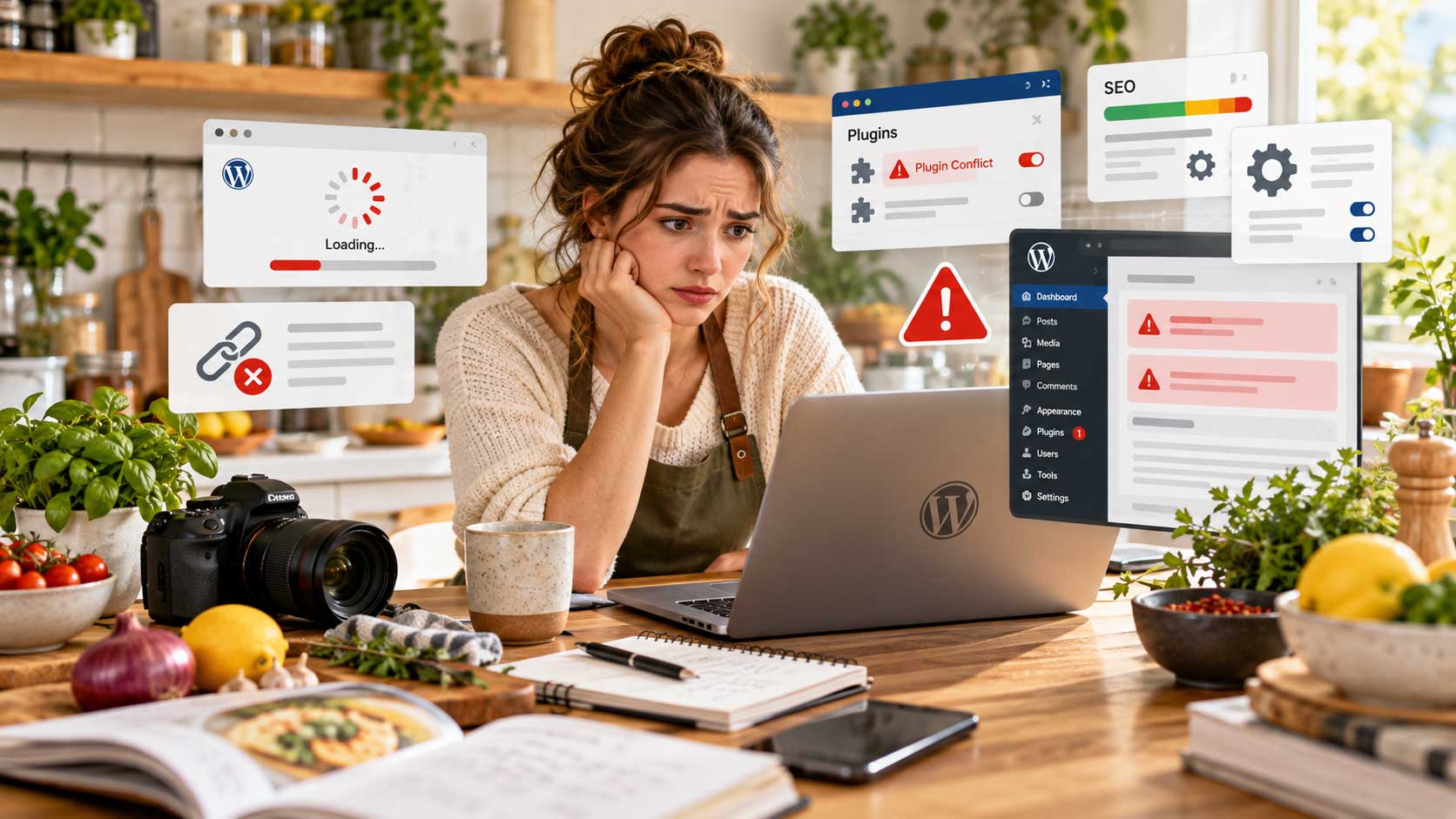
Starting a food blog with WordPress gives you a lot of flexibility, but the decisions you make early on can affect your website for years.
Most new food bloggers naturally focus on recipes, photography, social media, and getting traffic. Those things matter, but your WordPress setup matters just as much. A few small mistakes in the beginning can lead to slower performance, security issues, broken features, or extra work later.
The good news is that most WordPress mistakes new food bloggers make are easy to avoid once you know what to look for.
In this guide, we’ll cover the most common WordPress mistakes for food bloggers, from choosing the wrong hosting and installing too many plugins to ignoring backups, site speed, SEO, and security.
WordPress remains the most widely used content management system on the web, giving food bloggers access to thousands of themes, plugins, recipe tools, SEO solutions, and monetization options.
That flexibility is one of WordPress’s biggest advantages, but it can also make things confusing when you’re just getting started.
Here are the WordPress mistakes to avoid if you want to build a faster, safer, and easier-to-grow food blog.
1. Choosing Cheap Hosting Without Considering Performance
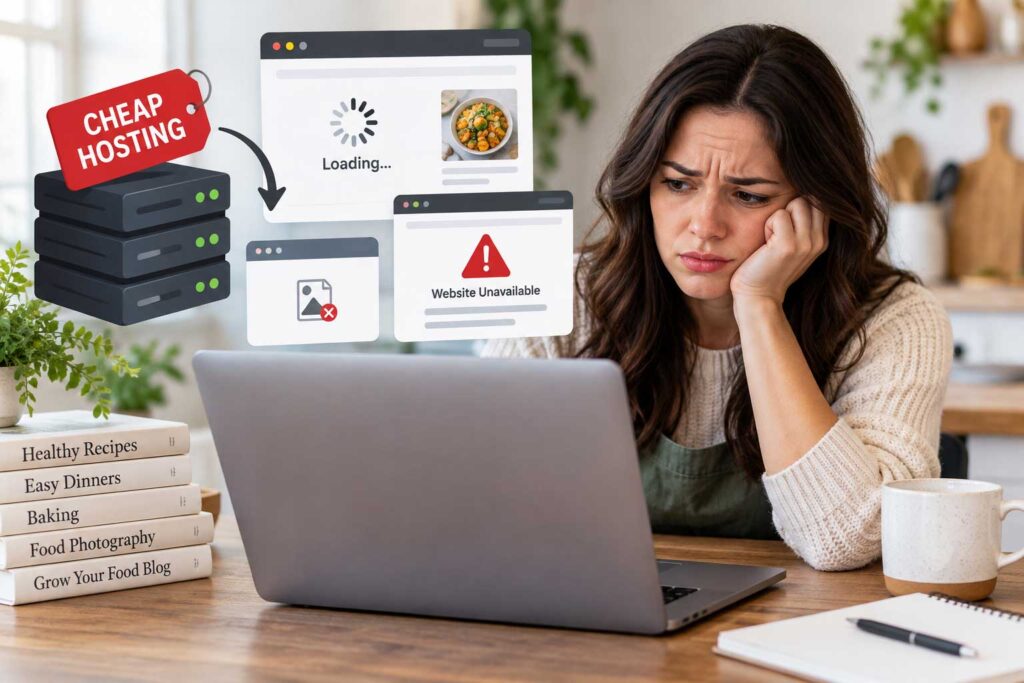
One of the first decisions you’ll make when starting a food blog is choosing a hosting provider.
It’s tempting to go with the cheapest option, especially when your blog is brand new and not making money yet. But choosing hosting based only on price can become one of the most frustrating food blog setup mistakes later.
Food blogs can be more demanding than simple text-based websites because they often include large recipe images, recipe card plugins, advertising scripts, analytics tools, Pinterest integrations, email signup forms, affiliate links, and optimization tools. As your traffic grows, all of these elements place more demand on your server.
Budget hosting can work perfectly well when you’re starting out, but plans with very limited resources may lead to slower performance, downtime, or restrictions as your site grows.
When comparing hosting providers, focus on practical features such as reliable performance, automatic backups, SSL certificates, current PHP support, caching, CDN compatibility, malware protection, and responsive customer support.
You do not need expensive managed WordPress hosting when you are just starting out. What matters more is choosing a reliable provider that performs well now and gives your website room to grow.
For new bloggers, this is one of the most important WordPress mistakes to avoid because migrating a large food blog later can be much more complicated than starting with a solid foundation.
2. Installing WordPress Incorrectly
WordPress is much easier to install than it used to be because most hosting providers now offer one-click setup tools. Even so, beginners can still make important configuration mistakes during installation.
One of the most common is setting up the site with the wrong URL version.
Your main website should use HTTPS, not HTTP. HTTPS encrypts the connection between your website and its visitors and is now a basic requirement for a professional website.
Your preferred URL might look like:
https://yourfoodblog.comYou should also decide whether you want to use the www or non-www version of your domain. Either option can work, but your website should consistently use one preferred version.
For example, choose either:
https://www.example.comor:
https://example.comand make sure the other version redirects properly.
Your hosting provider will usually provide an SSL certificate and may configure HTTPS automatically, but it is still worth checking your WordPress settings after installation.
Changing your preferred URL structure after publishing dozens or hundreds of posts can create redirect work, broken links, and unnecessary SEO complications.
Getting these basic settings right from the beginning is one of the easiest ways to avoid future WordPress mistakes for food bloggers.
3. Forgetting to Change Your Permalink Structure
Your permalink structure controls how WordPress creates the URLs for your posts and pages, and it is one of the easiest settings to overlook when setting up a new food blog.
A default or poorly configured URL might look like:
yourfoodblog.com/?p=742A cleaner version would be:
yourfoodblog.com/chicken-pasta-recipe/Clear, descriptive URLs are easier for visitors to understand and give search engines more context about the page.
For most food blogs, a simple structure that includes the post name is usually the best choice.
You can review this setting under:
WordPress Dashboard → Settings → Permalinks
It is best to configure your permalink structure before publishing a large amount of content. Changing URLs later can create broken links, lost backlinks, and extra redirect work if the old URLs are not handled correctly.
It takes only a minute to configure this when you launch your site and can save you a lot of redirect work later.

4. Choosing the Wrong WordPress Theme
Your WordPress theme controls much more than the appearance of your food blog. It can affect site speed, mobile usability, navigation, accessibility, recipe layouts, advertising placement, Core Web Vitals, and compatibility with important plugins.
Many beginners choose a theme mainly because the demo looks impressive. That is understandable, but appearance should not be the only factor.
A theme packed with sliders, animations, bundled plugins, heavy page builders, and unnecessary visual effects can look beautiful while making your site slower and harder to maintain.
For a food blog, focus on a theme that loads quickly, works well on mobile devices, uses clean code, supports Gutenberg, displays recipes clearly, and receives regular updates from the developer. Good typography and simple navigation are just as important because readers need to find recipes quickly and read them comfortably.
You should also make sure the theme works well with your recipe plugin, SEO plugin, ad setup, and other tools you plan to use.
You can always improve colors, fonts, and layouts later. Changing themes after you’ve published hundreds of recipes can mean fixing layouts, widgets, menus, custom styling, and plugin compatibility across the site.
Choosing the wrong theme is one of the most common food blog WordPress mistakes, so it is worth spending a little more time on this decision at the beginning.
5. Installing Too Many WordPress Plugins
Plugins are one of WordPress’s biggest advantages because they let you add features without custom development. But installing too many unnecessary plugins can quickly make a food blog harder to manage.
There is no perfect plugin limit. A site with 30 lightweight, well-maintained plugins may perform better than one with 10 poorly coded plugins.
What matters more is plugin quality, overlap, and whether each plugin serves a real purpose.
Before installing anything, ask yourself:
Do I actually need this feature?
Food bloggers commonly use plugins for recipe cards, SEO, security, backups, caching, image optimization, spam prevention, analytics, and email marketing. Those can all be useful, but problems begin when several plugins are trying to do the same job.
For example, you usually do not need multiple SEO plugins, several caching plugins, or overlapping security tools running at the same time.
Too many plugins can increase maintenance, add unnecessary scripts, create database clutter, cause compatibility issues, and introduce more potential security problems.
A better approach is to keep your plugin stack focused. Choose reliable tools, remove anything you no longer use, and avoid installing plugins simply because they look interesting.
This is one of the most common WordPress plugin mistakes new food bloggers make, and keeping things simple usually leads to a more stable website.
6. Using Outdated or Unsupported Plugins
Plugin quality matters just as much as plugin quantity.
Before installing a plugin, check whether it is actively maintained, compatible with current WordPress versions, and supported by a reliable developer. Recent updates, active support discussions, user reviews, and a healthy number of installations can all help you judge whether a plugin is still being maintained.
Plugins that have not been updated for a long time can eventually create compatibility problems, break after WordPress updates, or introduce security risks.
WordPress regularly releases updates to improve security, fix bugs, and maintain compatibility, so your plugins and themes should be kept current as well.
It is also a good idea to review your plugin list from time to time. If you no longer use a plugin, remove it completely instead of leaving it deactivated indefinitely.
A quick plugin review every few months can prevent old or abandoned plugins from becoming a problem later.
7. Skipping WordPress Updates
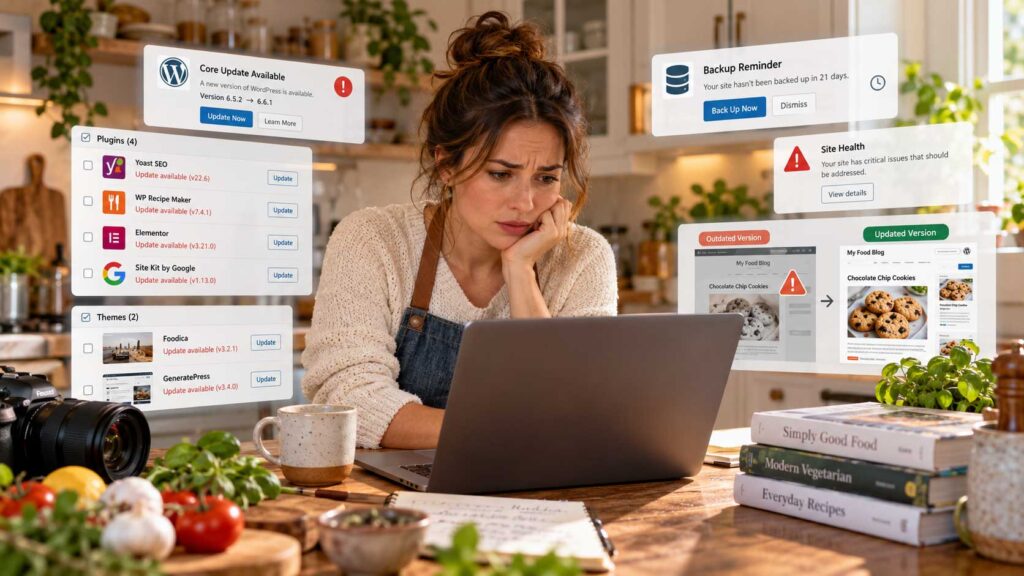
Ignoring updates is another common mistake that can create problems over time.
Your food blog depends on several moving parts, including WordPress core, your theme, plugins, PHP, and your hosting environment. All of them need periodic maintenance to stay secure and compatible.
Keeping WordPress, themes, and plugins updated helps reduce security risks, fix bugs, and prevent compatibility problems. But that does not mean you should blindly click Update Everything every time a new version appears.
A safer approach is to create a backup first, then review any major updates before installing them. After updating, check important parts of the site such as your homepage, recipe cards, menus, forms, mobile layout, and other key features.
If you run a larger food blog, a staging site can be especially useful for testing major WordPress, theme, or plugin updates before applying them to the live website.
Regular maintenance may not be exciting, but skipping it can turn a small issue into a much bigger one later.
8. Not Creating Automatic Backups
Imagine spending years publishing recipes, building traffic, and growing your food blog only to lose part of the site because of a failed update, malware infection, server problem, database error, or simple human mistake.
That is why backups are essential.
A complete WordPress backup should protect both your database and your website files. Your database contains content such as posts, pages, comments, settings, and many plugin configurations, while your files include uploads, themes, plugins, and other site assets.
Many hosting providers include automatic backups, but you should still understand how often those backups are created, how long they are stored, and how easily you can restore your site.
You can also use dedicated WordPress backup tools such as UpdraftPlus, Duplicator, BlogVault, or Jetpack VaultPress Backup.
For an established food blog, it is smart to keep at least one backup copy outside your main hosting account. That way, you are not relying on a single provider if something goes wrong.
Most importantly, make sure you know how to restore the site before you actually need to. A backup you cannot restore isn’t much help during an emergency. Know where your backups are stored and how you would restore the site if needed.
Skipping backups is one of the most avoidable WordPress mistakes for food bloggers, and a reliable automatic backup system can save you from losing years of work.

9. Uploading Huge Food Photography Files
Food photography is one of the most important parts of a recipe blog, but uploading full-resolution images directly from your camera or phone can make your pages unnecessarily heavy.
A single photo can easily be several megabytes. Add eight or ten large images to one recipe post and the page can become much slower than it needs to be, especially on mobile connections.
A better approach is to prepare your images for the web before uploading them to WordPress. Edit and crop the photo, resize it to the dimensions your site actually needs, compress the file, and export it in an efficient format such as WebP when appropriate.
Image optimization plugins can also help automate part of this process. Popular options include ShortPixel, Imagify, EWWW Image Optimizer, and Smush.
You do not need to sacrifice image quality to improve performance. The goal is simply to avoid making visitors download far more image data than they actually need.
For food bloggers, this is especially important because recipe posts are often image-heavy. Properly optimized photos can improve page speed while still keeping your food photography sharp and appealing.
10. Ignoring Mobile Visitors
Your food blog might look great on a laptop and still be frustrating to use on a phone.
That matters because many readers search for recipes while grocery shopping, meal planning, cooking, or standing in the kitchen trying to check an ingredient or instruction.
Your mobile experience should therefore receive just as much attention as your desktop design.
Check how your site behaves on smaller screens. Pay attention to font size, menu usability, recipe card readability, image widths, button sizes, popups, ads, ingredient lists, and jump-to-recipe buttons.
The most important question is simple: Can someone comfortably use this recipe with one hand while cooking?
A responsive theme is a good starting point, but it does not automatically guarantee a good mobile experience. Plugins, ads, popups, custom styling, and large images can still create problems.
Test your food blog on a real phone regularly, especially after theme changes, plugin updates, or major design edits.
Ignoring mobile usability is one of the food blog website mistakes that can hurt both reader experience and overall site performance.
11. Ignoring Website Speed
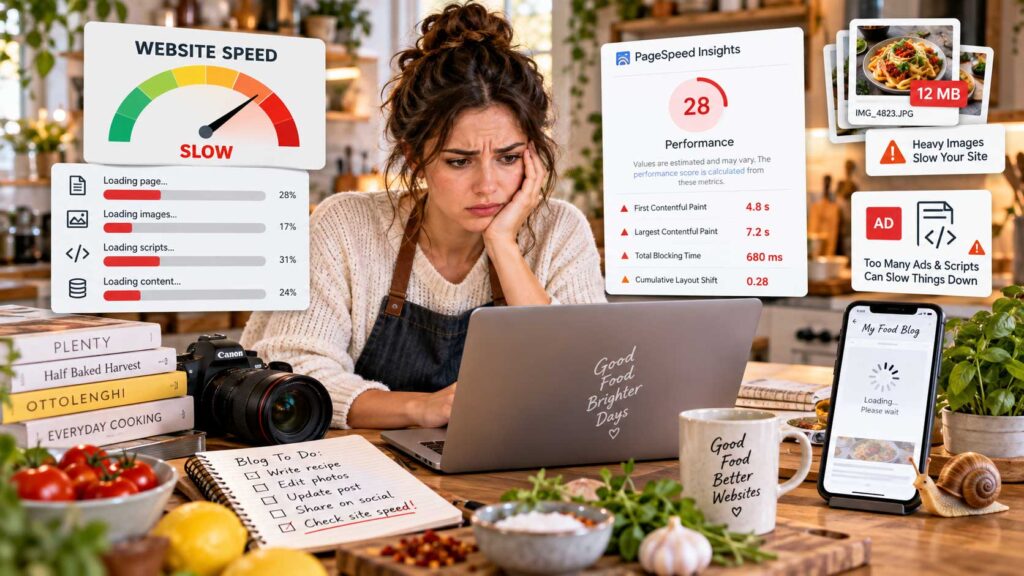
A beautiful food blog is much less effective if visitors have to wait too long for pages to load.
Recipe websites can become especially heavy because they often combine large food photography, video embeds, advertising scripts, social sharing tools, affiliate scripts, custom fonts, analytics, and recipe plugins on the same page.
That is why performance should be something you check regularly rather than only when the site starts feeling slow.
Tools such as Google PageSpeed Insights, Chrome Lighthouse, GTmetrix, WebPageTest, and reports inside Google Search Console can help you identify performance problems. If you want to go deeper into keyword research, rankings, technical issues, and optimization, see our guide to the best SEO tools for food bloggers.
You do not need to chase a perfect score. Instead, focus on the issues that have a real impact on visitors, such as oversized images, excessive JavaScript, weak caching, slow hosting, or too many third-party scripts loading at once.
For food bloggers, speed becomes even more important as you add more recipes, ads, affiliate content, and media. Keeping the site lean from the beginning is much easier than trying to fix years of performance problems later.
12. Installing Multiple Optimization Plugins That Conflict
Trying to make your site faster can sometimes have the opposite effect when too many optimization tools are doing the same job.
A food blogger might install a caching plugin, add a separate speed plugin, enable lazy loading through an image optimizer, turn on another optimization layer through a CDN, and then activate similar performance features inside the theme.
At that point, several different systems may be trying to modify the same CSS, JavaScript, images, or caching rules.
That can lead to broken layouts, missing images, JavaScript errors, outdated cached pages, recipe card problems, or strange behavior on mobile devices.
The better approach is to keep your optimization setup simple and understand what each tool is actually doing.
If your caching plugin already handles minification, lazy loading, or script optimization, you may not need another plugin performing the same tasks. The same applies to CDN and hosting-level performance features.
This is one of the easiest WordPress plugin mistakes to make because every optimization tool promises better speed. Usually, one properly configured optimization setup is easier to troubleshoot than three plugins all trying to optimize the same thing.
13. Not Installing an SEO Plugin
WordPress gives you a solid technical foundation for SEO, but an SEO plugin makes important settings much easier to control.
Popular options include Rank Math, Yoast SEO, and All in One SEO. We compare these types of tools in more detail in our guide to the best WordPress SEO plugins for food bloggers. These tools can help you manage SEO titles, meta descriptions, XML sitemaps, canonical URLs, indexing settings, schema options, and social sharing previews.
You only need one SEO plugin. Running multiple SEO plugins at the same time can create conflicts, duplicate settings, and unnecessary complexity.
It is also important to remember that an SEO plugin does not automatically improve your rankings. It gives you the tools to optimize your content and technical settings, but you still need strong recipes, useful content, good site structure, internal links, and a solid user experience.
For new food bloggers, choosing one reliable SEO plugin and configuring it properly is far better than installing several tools and hoping they will do the work for you.
14. Ignoring Recipe Schema
Food bloggers have an SEO consideration that many other websites do not: recipe structured data.
Google’s recipe structured data documentation explains how recipe markup can give Google information such as ingredients, instructions, cooking times, images, ratings, and nutrition details.
This is one reason a dedicated WordPress recipe plugin can be so valuable. Popular options include WP Recipe Maker, Tasty Recipes, and Create by Mediavine.
A proper recipe card can organize your content more clearly for readers while also adding structured data behind the scenes.
That does not mean schema guarantees better rankings or rich results, but it gives search engines clearer information about the recipe and makes your content technically easier to interpret.
Avoid formatting every recipe as plain text when a well-supported recipe plugin can handle the recipe card and structured data more consistently.
For a food blog, ignoring recipe schema is one of the more important WordPress SEO mistakes to avoid because recipe content can use recipe-specific structured data that ordinary blog posts typically do not need.
15. Not Connecting Google Search Console
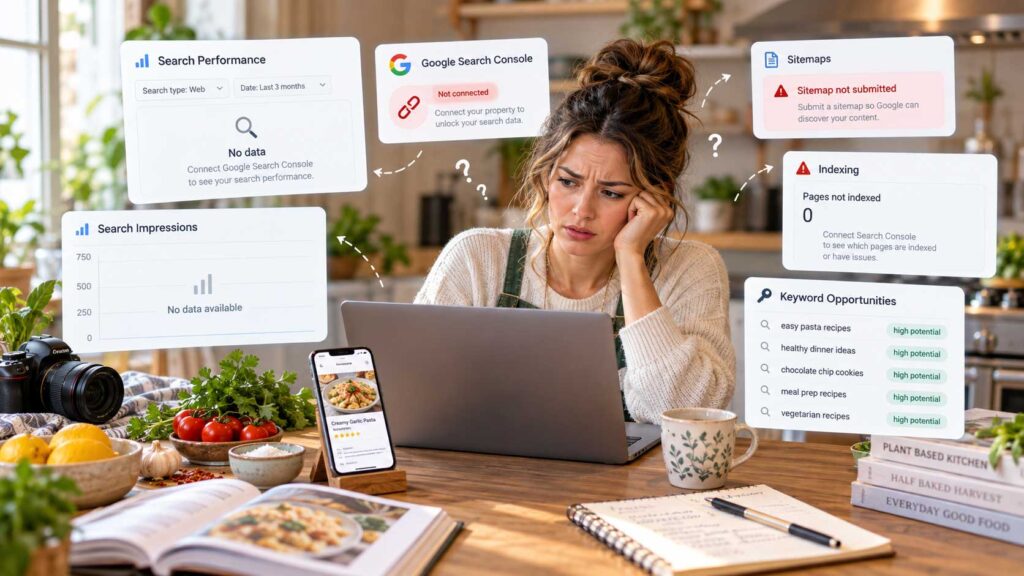
Google Analytics helps you understand what visitors do after they reach your website. Google Search Console shows you how your food blog is performing in Google Search.
For a new food blog, Google Search Console is worth connecting as early as possible so you can start collecting search performance data from the beginning.
You can use it to see which search queries are bringing impressions and clicks to your recipes, which pages Google has indexed, whether your sitemap is being processed correctly, and whether Google has detected crawling, indexing, Core Web Vitals, or manual action issues.
One of its most useful features for food bloggers is discovering keywords you are already appearing for but may not be targeting strongly enough. Those insights can also help you spot broader SEO mistakes that may be holding your food blog back.
For example, a recipe might be receiving impressions for a related search phrase that you barely mention in the article. That can reveal opportunities to improve the title, headings, supporting content, internal links, or FAQs without creating an entirely new post.
Search Console will not improve rankings by itself, but it gives you valuable information about how Google sees your site and where your existing content may have room to grow.
Connecting Search Console early gives you a history of search data you can use later when deciding which recipes and guides are worth updating.
16. Not Setting Up Analytics
Once people begin finding your recipes, you’ll want to know what happens after they arrive. That’s where analytics becomes useful.
Analytics helps you understand how people find your food blog, which recipes attract the most traffic, which pages keep readers engaged, and which traffic sources are actually helping your site grow.
It can also show whether most visitors are using mobile or desktop devices, which content is gaining momentum, and whether traffic changes after you update or promote a post.
Google Analytics 4 is one of the most common options, but there are also simpler or more privacy-focused analytics tools if you prefer a lighter setup.
The important thing is to install analytics early rather than waiting until your blog has significant traffic.
Historical data becomes much more valuable over time because it allows you to compare months, seasons, campaigns, and content updates. Once you know which pages perform best, you can use that data to decide where to focus your food blog traffic strategy.
Skipping analytics is one of those beginner food blogging mistakes that may not seem important at first, but six months later you may wish you had the data from day one.
17. Creating Too Many Categories and Tags
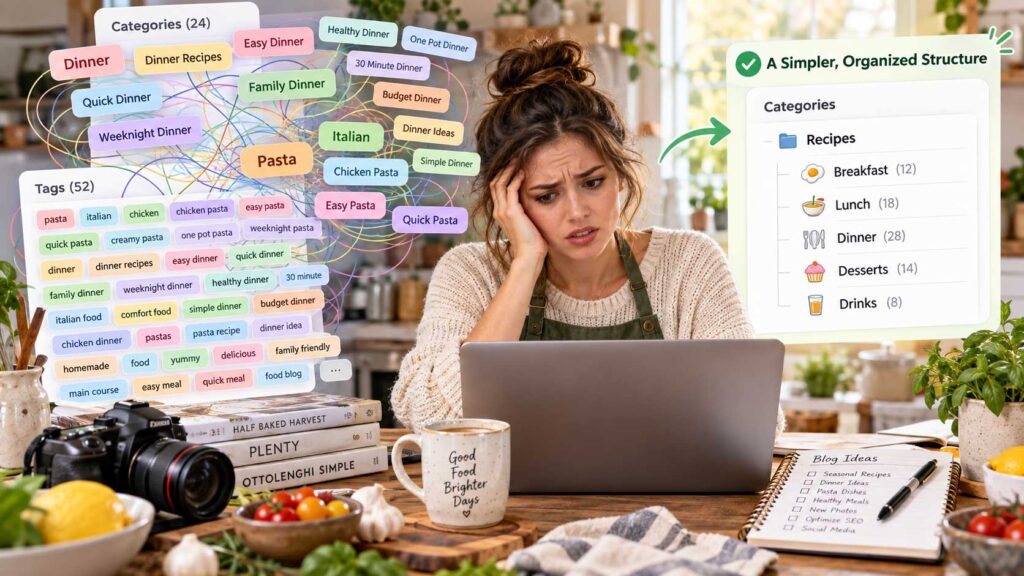
WordPress makes it very easy to create new categories and tags, which is exactly why many beginner food blogs end up with far too many of them.
The problem is usually not the number alone, but the amount of overlap.
For example, categories such as Dinner, Dinner Recipes, Easy Dinner, Quick Dinner, Family Dinner, and Weeknight Dinner may all cover nearly the same type of content.
That can make your site structure confusing for readers and harder to manage as the blog grows.
A better approach is to create a clear hierarchy from the beginning. A general Recipes section might include broader categories such as Breakfast, Lunch, Dinner, Desserts, and Drinks, while other parts of the site could organize content by cuisine, cooking method, dietary preference, season, or main ingredient when those categories are genuinely useful.
The exact structure will depend on your niche, but each category should have a clear purpose.
Avoid creating a new category or tag simply because one new recipe happens to fit it. Think about whether you are likely to publish enough related content to make that archive useful.
Planning your taxonomy carefully can make navigation, internal linking, and future SEO much easier while preventing one of the most common food blog website mistakes.
18. Ignoring Internal Linking
Every recipe on your site should connect naturally to other useful content instead of existing as an isolated page.
If you publish a chicken pasta recipe, for example, you might link to a homemade pasta sauce, garlic bread, an Italian salad, similar pasta recipes, or a meal-planning guide.
Those links help readers continue exploring your site and can make it easier for search engines to understand how your content is related.
Internal linking becomes more valuable as your food blog grows because it helps create clear topic clusters rather than a collection of disconnected posts.
Two hundred recipes become far more useful when readers can naturally move from a main dish to a sauce, side, dessert, or related recipe instead of reaching a dead end after every post.
When adding internal links, focus on relevance. Link to pages that genuinely help the reader rather than forcing links into every paragraph.
Ignoring internal linking is one of the easiest WordPress SEO mistakes to fix, and it can strengthen both user experience and your overall site structure.
19. Forgetting About Website Security
Website security is easy to ignore when your food blog is small, but it becomes much more important as you add content, traffic, email subscribers, affiliate links, and advertising.
WordPress maintains a dedicated security process for WordPress core and coordinates vulnerability reporting across plugins and themes.
Good security usually comes from several simple habits working together: using strong passwords, enabling two-factor authentication where possible, keeping WordPress, themes, and plugins updated, maintaining regular backups, choosing reliable hosting, limiting administrator access, and monitoring the site for suspicious activity.
A WordPress security plugin can add another layer of protection. Popular options include Wordfence, Solid Security, Shield Security, and Sucuri Security.
You do not need to install several security plugins or enable every feature available. In fact, overlapping tools can sometimes create unnecessary complexity.
A better approach is to build a simple security routine and keep it consistent.
For new bloggers, forgetting about security is one of the more serious WordPress mistakes for food bloggers because a preventable problem can quickly turn into lost content, downtime, or hours of cleanup work.
20. Not Starting an Email List Early
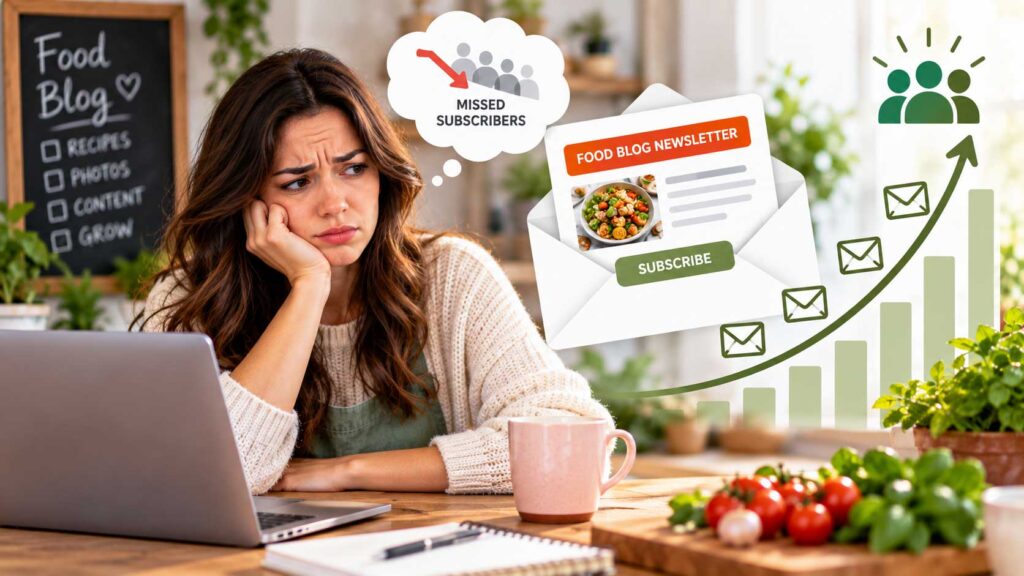
Many food bloggers wait until they have significant traffic before starting an email list, but there is usually no reason to delay.
Even if only a few people subscribe each week, those subscribers can add up over time and become one of your most valuable audiences.
Unlike social media followers, your email list gives you a more direct way to reach readers without relying entirely on changing platform algorithms.
You can use email to share new recipes, seasonal roundups, meal plans, cooking tips, free downloads, product recommendations, and occasional affiliate offers.
Popular email marketing platforms for bloggers include Kit (formerly ConvertKit), Mailchimp, MailerLite, and Brevo. If you’re deciding between them, our guide to the best email marketing platforms for food bloggers compares the options in more detail.
The key is to give readers a good reason to subscribe.
A specific free resource such as “Free 7-Day Dinner Meal Plan” or “20 Easy Weeknight Recipes PDF” is usually much more appealing than a generic “Subscribe to our newsletter” message.
Starting early gives you more time to learn what your readers respond to and build a relationship with them as your food blog grows.
Waiting too long to build an email list is one of the most common beginner food blogging mistakes because you may miss years of opportunities to turn occasional visitors into returning readers.
21. Installing Too Many Popups
Email signup forms can help grow your audience, but aggressive popups can quickly make a food blog frustrating to use.
The problem usually starts when several different elements compete for attention at the same time. A visitor may see a cookie notice, newsletter popup, push notification request, ad overlay, and video before they have even reached the recipe.
That is especially annoying on mobile devices, where screen space is limited.
Imagine opening a recipe while cooking and having to close several overlays before you can even see the ingredient list. That creates friction at exactly the moment when the reader wants quick access to the content.
Use signup forms strategically instead. Give visitors time to engage with the page, avoid overlapping prompts, and test your site on a real phone to make sure important recipe content remains easy to access.
You can still build an email list without interrupting the reader every few seconds.
Too many popups are one of those food blog website mistakes that can hurt the user experience even when each individual tool seems useful on its own.
22. Ignoring Your WordPress Database
Your WordPress database quietly stores a huge amount of information behind the scenes, and over time it can accumulate data that your website no longer needs.
Old post revisions, expired transients, spam comments, leftover plugin settings, and temporary data can remain in the database long after they have stopped being useful.
You do not need to clean your database every week, and aggressive database optimization can sometimes cause more problems than it solves.
For an established food blog, however, it is worth reviewing database health occasionally, especially if you have installed and removed many plugins over the years or noticed that the WordPress dashboard has become unusually slow.
Some caching and optimization plugins include database cleanup features, but use them carefully and understand what will be removed before running them.
Most importantly, create a complete backup before making database changes. If something goes wrong, you should be able to restore the site quickly.
Database maintenance is not something new bloggers need to obsess over, but ignoring it indefinitely can contribute to unnecessary clutter as your food blog grows.
If you’re not comfortable working with the database, let your host or an experienced WordPress developer handle deeper cleanup.
23. Making Major Changes Directly on Your Live Website
Making major changes directly on your live food blog is one of the fastest ways to create unnecessary problems.
You install a plugin and the homepage breaks. You change some CSS and the mobile menu disappears. You update the theme and suddenly the recipe layout looks different.
Small edits are usually fine, but significant changes should be tested more carefully.
If your hosting provider offers a staging environment, use it for things such as theme updates, plugin changes, PHP upgrades, custom code, layout modifications, and major redesigns before applying them to the live site.
A staging site gives you a safe place to test changes without disrupting visitors or risking your working website.
If staging is not available, create a full backup before making important changes so you have a reliable way to restore the site if something goes wrong.
Editing a live website without a backup is one of the most avoidable WordPress mistakes for food bloggers, especially once the site starts generating traffic or income.
24. Ignoring Broken Links
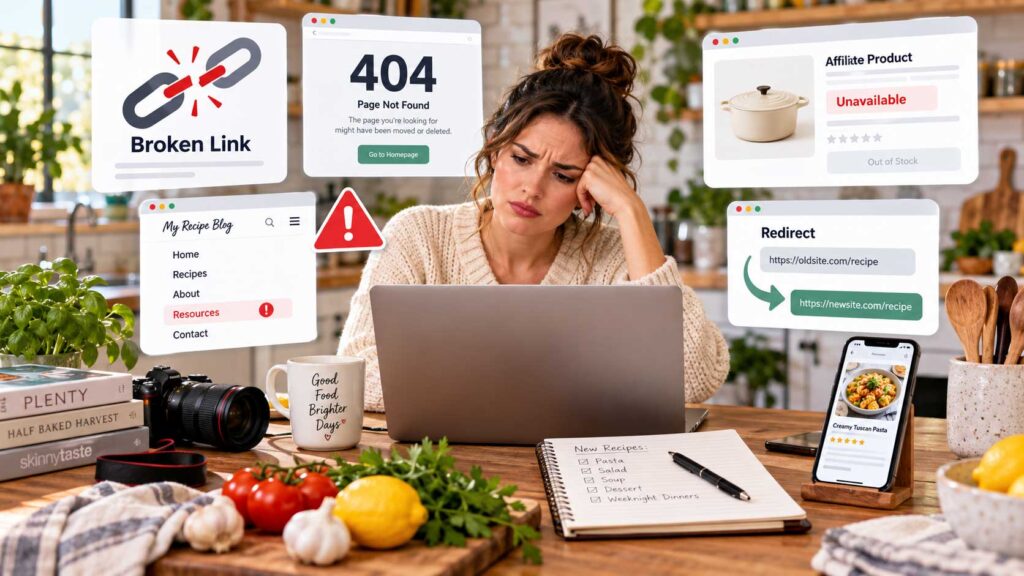
Broken links are easy to accumulate as a food blog gets older.
Affiliate products disappear, brands shut down, websites change their URLs, and older articles are sometimes removed. Internal links can break too, especially after you rename, move, or delete posts.
A few broken links may not seem like a big deal, but over time they can create a frustrating experience for readers and make older content feel neglected.
Periodically check important parts of your site, especially affiliate links, internal recipe links, resource pages, external references, and navigation menus.
If you change the URL of one of your own posts or pages, set up an appropriate redirect from the old address to the new one instead of leaving visitors with a 404 error.
This is especially important for pages that already have backlinks, search traffic, Pinterest pins, or social shares pointing to the old URL.
You don’t need to scan every link every week, but checking older posts periodically is worth the effort.
25. Publishing Without a Content Structure
WordPress makes it incredibly easy to publish new content, but that convenience can also lead to a scattered website.
A new food blogger may publish whatever sounds interesting that week. After a couple of years, the site can end up with a mix of unrelated recipes, thin categories, and topic areas that were never fully developed.
A better approach is to plan your content in clusters.
For example, if smoothies are an important topic on your blog, you might create a broader guide to smoothies and support it with individual posts about strawberry smoothies, banana smoothies, green smoothies, protein smoothies, smoothie bowls, the best blenders, freezing fruit, and choosing smoothie ingredients.
Now those posts can link to one another and support a clear topic instead of existing as isolated pieces.
You do not need to map out hundreds of posts before you begin, but having a simple content structure makes it easier to decide what to publish next, where each post belongs, and how your internal links should work.
Planning your site this way can strengthen navigation, improve topical organization, and make future SEO work much easier. A clear structure is only one part of the bigger picture; new bloggers should also watch for other food blogging mistakes that can slow early growth.
Publishing without a clear structure is one of the most common food blog website mistakes, especially when a site grows quickly without a long-term content plan.
Build Your Food Blog on a Strong WordPress Foundation
WordPress is a powerful platform for building a food blog, but getting the foundation right matters just as much as publishing great recipes.
Most WordPress mistakes for food bloggers aren’t dramatic. They usually start with small decisions: installing one plugin too many, putting off backups, ignoring a slow page, or publishing content without thinking about how it fits into the rest of the site.
You don’t need to build the perfect food blog on day one.
Start with reliable hosting, a lightweight theme, a few well-chosen plugins, regular backups, and a simple content structure. You also don’t need dozens of services to get started; our guide to the essential tools for food bloggers can help you build a simpler toolkit. As your recipes, traffic, and income grow, you can improve the site gradually.
The goal isn’t to spend all your time managing WordPress. It’s to build a fast, secure, dependable site that stays out of your way and lets you focus on recipes, content, and your readers.
Fixing these basics early can save you a surprising amount of work later.
More WordPress and Food Blogging Guides
Keep building your food blog with these related iFoodBloggers guides
- Best WordPress SEO Plugins for Food Bloggers
- Best WordPress Security Plugins for Food Bloggers
- SEO Mistakes Food Bloggers Should Avoid
- Best SEO Tools for Food Bloggers
- 30 Ways to Get Traffic to Your Food Blog
- Best Email Marketing Platforms for Food Bloggers in 2026
- Best Tools for Food Bloggers: 25+ Essential Blogging Tools
- 15 Food Blogging Mistakes Beginners Should Avoid