
WordPress makes it relatively easy to start a food blog. You can choose a theme, install a recipe plugin, upload your photographs, and publish your first recipe without knowing much about web development.
The tricky part comes later.
Your recipe collection grows, you install more plugins, and your website starts attracting visitors. Suddenly, things that seemed unimportant at the beginning—hosting performance, image sizes, backups, and search engine settings—become much harder to ignore.
I’ve seen how small WordPress configuration problems can turn into frustrating projects, especially when a website has hundreds of published articles.
A plugin update might break a recipe card. An oversized photograph might slow down a popular post. Or a forgotten SEO setting might keep important pages out of Google’s index.
These are some of the common WordPress mistakes that food bloggers can avoid with a little planning.
In this guide, we’ll walk through 25 mistakes involving WordPress setup, SEO, security, performance, and content management. More importantly, we’ll look at practical ways to fix them without turning website maintenance into a full-time job.
WordPress Setup and Configuration Mistakes
Before you start publishing recipes, it’s important to make sure your WordPress website has a solid foundation.
Many food bloggers spend weeks choosing the perfect theme, designing their homepage, and organizing recipe categories. But some of the most important decisions happen behind the scenes, long before your first recipe appears in Google Search.
Your hosting provider, WordPress theme, plugins, and basic website settings all influence how well your food blog performs.
Getting these things wrong doesn’t necessarily cause immediate problems. Your website might look beautiful and work perfectly when you first launch it. However, as you publish more recipes, upload hundreds of food photos, and attract more visitors, small configuration mistakes can become increasingly noticeable.
Affiliate Disclosure: Some links in this article may be affiliate links. If you make a purchase or sign up through one of these links, iFoodBloggers may earn a commission at no extra cost to you.
1. Choosing the Wrong WordPress Hosting Provider
Not all WordPress hosting services are created equal, and choosing the cheapest available plan isn’t always the best decision for a growing food blog.
When you’re just starting, an inexpensive shared hosting plan might seem perfectly reasonable. After all, your website probably doesn’t have much traffic yet, and you’re trying to keep expenses under control.
There’s nothing wrong with starting small. The mistake is choosing a hosting provider based entirely on price without considering reliability, performance, security, and the ability to upgrade later.
Food blogs can be particularly demanding because recipe posts often contain multiple high-resolution images, recipe cards, embedded videos, and advertising scripts.
As your recipe collection grows, your hosting environment needs to handle those additional resources efficiently.
Why This Mistake Matters
Poor hosting can contribute to slow page loading, unexpected downtime, server errors, and an inconsistent experience for visitors.
Imagine someone finding your homemade lasagna recipe on Google. They click through, but the page takes too long to load. Instead of waiting, they return to the search results and choose another recipe.
You’ve potentially lost a reader before they even see your ingredients.
While hosting is only one factor affecting website speed, an unreliable server can undermine many of your other optimization efforts.
How to Avoid This Mistake
Look for a WordPress hosting provider that offers reliable uptime, modern server technology, automatic backups, SSL certificates, and responsive technical support.
Pay attention to how easily you can upgrade your hosting plan as your traffic increases. A small food blog receiving a few hundred monthly visitors has different hosting requirements from an established recipe website attracting hundreds of thousands of visits.
It’s also worth checking whether your hosting provider supports current WordPress requirements, offers server-level caching, and provides a staging environment where you can safely test changes.
You don’t necessarily need expensive managed WordPress hosting when you’re starting out. A reputable, affordable provider can work well, especially when paired with a lightweight theme, properly optimized images, and sensible caching.
The goal is to choose hosting that fits your current needs without limiting your website’s future growth.
Food Blogger Tip: Before paying for a long-term hosting plan, check renewal prices, backup restoration options, storage limits, and available support. Introductory discounts can look attractive, but the ongoing cost and quality of service matter much more over time.
2. Using a Poorly Coded or Outdated WordPress Theme
Your WordPress theme does much more than determine how your food blog looks. It also affects website speed, mobile usability, accessibility, and how easily readers can navigate your recipes.
One of the most common mistakes new food bloggers make is choosing a theme based entirely on its appearance.
It’s easy to understand why. You find a beautiful food blogging theme with large recipe photos, elegant typography, animated sliders, and impressive homepage layouts. The demo looks fantastic, so you install it without checking how well it performs.
Unfortunately, some themes rely on excessive scripts, outdated page builders, or bundled plugins that add unnecessary complexity to your website.
Others may look great on a desktop computer but provide a frustrating experience for readers using smartphones.
And because many people discover recipes while browsing on their phones, mobile usability should never be an afterthought.
Why This Mistake Matters
A poorly optimized WordPress theme can make your food blog harder to maintain and slower to load.
For example, imagine publishing a detailed chocolate cake recipe with step-by-step photos, a printable recipe card, and helpful baking tips.
If your theme loads unnecessary JavaScript, oversized fonts, animations, and multiple external resources, visitors may experience delays before they can interact with the page.
An outdated theme can create additional problems.
Themes that no longer receive updates may become incompatible with newer WordPress or PHP versions. They can also introduce security risks if known vulnerabilities remain unpatched.
Another issue is theme dependency.
Some themes include custom shortcodes, proprietary recipe layouts, or page-builder elements that stop working correctly when you switch to a different design. This can make redesigning your food blog much more complicated than expected.
How to Avoid This Mistake
Choose a WordPress theme that prioritizes performance, mobile responsiveness, accessibility, and long-term maintenance.
Look for a theme that receives regular updates, works with current WordPress versions, and supports the block editor.
Popular lightweight options include GeneratePress, Kadence, and Astra. Each offers customization options that can work well for food blogs without requiring an overly complicated design.
However, no theme is automatically fast simply because it’s marketed as lightweight. Performance also depends on your plugins, images, hosting, fonts, and website configuration.
If you’re still deciding how to build your website, our guide to the best blogging platforms explains the differences between popular blogging solutions and what food bloggers should consider before choosing one.
Before committing to a theme, test its demo on both desktop and mobile devices. Pay attention to navigation, readability, image layouts, and how easily visitors can find important content.
You can also use Google PageSpeed Insights to examine potential performance issues.
For food bloggers, it’s especially important to confirm that the theme works well with your preferred recipe card plugin.
Your recipe cards should remain readable, accessible, and functional regardless of the theme you choose.
Should You Change Your Existing WordPress Theme?
If your current theme is working well, you don’t need to replace it simply because another option is newer or more popular.
Changing themes can affect menus, widgets, page layouts, custom styling, and other website elements.
Before making a major change, create a complete backup and test the replacement theme on a staging website.
If your existing theme is outdated, unsupported, or causing significant performance problems, switching may be worthwhile. Just make sure the transition is planned carefully.
Food Blogger Tip: Choose a theme that makes your recipes the main attraction. Clear navigation, readable ingredients, attractive food photography, and an easy-to-find Jump to Recipe button are generally more valuable than elaborate animations or complicated homepage effects.
3. Installing Too Many Unnecessary WordPress Plugins
One of the biggest advantages of WordPress is its enormous collection of plugins. Whether you want to add recipe cards, improve SEO, create contact forms, optimize images, or connect your food blog to Pinterest, there’s probably a plugin that can help.
But having thousands of plugins available doesn’t mean you should install every interesting tool you discover.
Many beginner food bloggers make the mistake of adding plugins whenever they need a new feature, without checking whether their existing tools already provide the same functionality.
Over time, this can leave a website filled with plugins that overlap, consume server resources, or are no longer needed.
For example, you might install one plugin for image compression, another for lazy loading, a third for caching, and a fourth that also includes image optimization and lazy loading.
Individually, these plugins may work perfectly well. Together, however, their overlapping features can create conflicts or unnecessary complexity.
The problem isn’t necessarily the number of plugins installed. It’s whether those plugins are reliable, necessary, compatible, and properly configured.
Before installing another plugin, take a look at our guide to essential food blogging tools. It can help you choose the features you actually need without making your WordPress setup unnecessarily complicated.
Why This Mistake Matters
Every active WordPress plugin adds code to your website, but not every plugin affects performance in the same way.
Some lightweight plugins have almost no noticeable impact on page loading. Others load additional JavaScript, CSS files, database queries, or background processes that can slow down your website.
Poorly maintained plugins may also introduce security vulnerabilities or compatibility problems after WordPress updates.
For food bloggers, plugin conflicts can be especially frustrating.
Imagine updating a plugin and discovering that your printable recipe cards no longer display correctly. Or perhaps a caching plugin interferes with your recipe ratings, search functionality, or advertising scripts.
These problems can affect the experience of visitors who rely on your website for cooking instructions.
Another common issue is keeping plugins installed long after you’ve stopped using them.
An inactive plugin generally doesn’t load its normal front-end functionality, but its files remain on your server and may still require security updates. If you no longer need it, removing it is usually better than leaving it installed indefinitely.
How to Avoid This Mistake
Start by reviewing the plugins currently installed on your food blog.
In your WordPress dashboard, navigate to Plugins → Installed Plugins and examine what each one actually does.
Ask yourself whether you still use its features, whether another plugin already performs the same task, and whether the developer continues to release updates.
You should also check compatibility with your current WordPress and PHP versions.
Before installing a new plugin, look at its update history, support activity, user reviews, and reputation. A plugin with thousands of installations isn’t automatically the best choice, but an established maintenance history is generally reassuring.
Try to avoid installing multiple plugins that handle the same functionality unless there’s a specific reason to do so.
For example, using two caching plugins with overlapping page-cache features can cause unexpected behavior. Similarly, running multiple SEO plugins may create duplicate metadata or conflicting settings.
When removing a plugin, check whether it stores important content or settings. Some recipe, gallery, and page-builder plugins may leave behind shortcodes or remove functionality that existing posts depend on.
Always create a backup before making significant changes.
Which Plugins Does a Food Blog Actually Need?
Most food blogs benefit from a relatively small collection of carefully selected tools.
A typical setup might include a reliable recipe card plugin, an SEO plugin, a backup solution, security protection, image optimization, and caching where appropriate.
You may also need tools for email marketing, analytics, affiliate links, or advertising as your blog grows.
However, not every feature requires a separate plugin. Some hosting providers already include backups, caching, or security monitoring, while certain WordPress themes offer built-in design functionality.
For recipe cards, established options such as WP Recipe Maker and Create are worth evaluating based on your publishing needs and compatibility requirements.
The important thing is to build a collection of tools that work well together rather than installing plugins simply because they’re popular.
Food Blogger Tip: Review your installed plugins every few months. Remove tools you no longer use, check for abandoned plugins, and test major updates on a staging website when possible. A well-maintained collection of plugins is much more valuable than an arbitrary goal of keeping your plugin count below a certain number.
4. Ignoring Essential WordPress Settings
When you install WordPress, it’s tempting to jump straight into choosing a theme, uploading food photos, and publishing your first recipe.
However, WordPress includes several important settings that deserve attention before your website goes live.
Many food bloggers leave these settings at their default values without realizing how they affect search engine visibility, website organization, reader interaction, and overall usability.
Some settings may seem insignificant at first, but correcting them later can become more complicated once your website has hundreds of published recipes.
Why This Mistake Matters
Incorrect WordPress settings can create unnecessary problems for both visitors and search engines.
For example, using the wrong website timezone can cause scheduled recipes to publish at unexpected times. Leaving comments completely unmoderated can attract spam, while incorrect website URLs may create redirect problems or mixed-content warnings.
Another common oversight is forgetting to configure the homepage and blog page properly.
If you’re building a food blog with a custom homepage featuring recipe categories, seasonal dishes, and popular recipes, you probably don’t want WordPress automatically displaying your latest posts in a basic chronological list.
These aren’t necessarily serious technical problems, but they can make your website feel unfinished and harder to manage.
How to Avoid This Mistake
Before publishing a large collection of recipes, spend some time reviewing the main WordPress settings.
General Settings
Navigate to Settings → General and check your website title, tagline, administration email address, timezone, and website URLs.
Your site title should accurately represent your food blog, while the tagline can briefly describe what readers will find.
For example, a blog specializing in traditional Balkan cooking might use a tagline such as “Authentic Balkan Recipes and Homemade Family Favorites.”
Make sure your WordPress Address and Site Address use the correct HTTPS version of your domain. Don’t change these URLs casually on an established website, as incorrect values can make the site inaccessible.
Reading Settings
Under Settings → Reading, decide whether your homepage should display your latest posts or a static page.
For many established food blogs, a custom homepage is a better option because it allows you to highlight popular recipes, seasonal collections, and important categories.
Also review the search engine visibility setting. We’ll discuss this in greater detail later because accidentally discouraging search engines from indexing your website can be a particularly damaging mistake.
Discussion Settings
Visit Settings → Discussion to control how readers interact with your recipes.
Comments can be valuable for food bloggers because readers often share substitutions, cooking questions, and feedback after trying a recipe.
However, allowing every comment to appear automatically can invite spam.
Consider enabling comment moderation, especially for first-time commenters, and using appropriate spam protection.
Media Settings
Under Settings → Media, review the default image dimensions WordPress uses when generating thumbnail, medium, and large image sizes.
These settings won’t automatically optimize your food photography, but understanding them can help you avoid confusion when different image sizes appear throughout your website.
Your theme and plugins may also register additional image sizes.
Privacy Settings
WordPress includes a privacy policy page setting under Settings → Privacy.
Make sure your website has an accurate, accessible privacy policy that reflects the services you actually use, such as analytics, advertising, email subscriptions, and affiliate marketing.
Depending on your audience and the technologies used, you may also need an appropriate cookie consent solution.
If you’re unfamiliar with the WordPress dashboard, the official WordPress documentation is a useful reference for understanding settings, content management, and website maintenance.
Review Your Settings After Major Website Changes
WordPress settings aren’t something you should configure once and completely forget.
If you change themes, migrate hosting providers, install major plugins, or redesign your homepage, revisit the relevant settings to make sure everything still works as expected.
For example, after a website migration, confirm that your HTTPS URLs are correct, your homepage displays properly, and scheduled posts use the intended timezone.
It’s also worth checking that your contact forms, recipe comments, and email notifications continue functioning.
Food Blogger Tip: Before launching a new food blog, create a simple checklist covering your website title, timezone, homepage, comments, privacy policy, HTTPS configuration, and search engine visibility. Spending a few minutes on these settings now can prevent frustrating problems later.
5. Choosing a Complicated WordPress Permalink Structure
Your WordPress permalink structure determines how the URLs of your recipes, blog posts, and other pages appear.
It’s a small detail that many beginner food bloggers overlook, but choosing a clear URL structure from the beginning makes your website easier to organize, share, and maintain.
By default, WordPress offers several permalink options, including URLs containing dates, post IDs, or post names.
For most food blogs, a simple, descriptive URL based on the recipe title is usually the best choice.
For example, imagine you’ve published a recipe for homemade Greek tzatziki.
A clean URL might look like this:
Compare that with a URL containing unnecessary dates or parameters:
Both URLs can be indexed by Google, and including a date doesn’t automatically harm your rankings. However, a shorter, descriptive URL is generally easier for readers to remember and share.
It also gives you more flexibility when updating older recipes.
Why This Mistake Matters
A complicated permalink structure can make your food blog harder to manage as your recipe collection grows.
Date-based URLs are a good example.
If you publish a pumpkin bread recipe in October and update it several years later, the original publication date may still appear in the URL.
That isn’t necessarily a technical problem, but it may make an otherwise updated recipe appear older than it is.
Another mistake is including too many categories or unnecessary words in your URLs.
For example:
This structure can become difficult to maintain, especially if you reorganize your recipe categories later.
Changing a category that’s included in the permalink may also change the URL, depending on your WordPress configuration.
The biggest problem occurs when food bloggers repeatedly change URLs after their recipes have already been published and indexed.
If you change a recipe’s URL without setting up a proper redirect, visitors following old links may encounter a 404 error.
You could also disrupt internal links, Pinterest traffic, and backlinks from other websites.
How to Avoid This Mistake
For a new food blog, navigate to Settings → Permalinks in your WordPress dashboard.
In most cases, I recommend selecting the Post name option.
This creates a straightforward structure:
You can then customize the URL slug for each recipe before publishing.
For example, instead of using a long title such as:
/the-best-easy-and-delicious-homemade-greek-tzatziki-sauce-recipe/
Choose something more focused:
/greek-tzatziki-recipe/
The shorter version clearly describes the recipe without including unnecessary words.
When writing recipe URLs, use lowercase letters, separate words with hyphens, and include the primary recipe keyword naturally.
Avoid adding years unless they’re genuinely important to the content.
It’s also a good idea to keep URLs relatively stable. Your recipe titles can evolve as you improve content, but that doesn’t mean you need to change the URL every time.
Should You Change Permalinks on an Existing Food Blog?
If your food blog already has dozens or hundreds of published recipes, don’t change your permalink structure simply because another format looks cleaner.
A sitewide permalink change can affect every existing post URL.
If your current URLs are working properly and receiving search traffic, keeping them may be the safer choice.
When a URL change is necessary, create a permanent 301 redirect from the old address to the new one.
For example:
/2024/05/greek-tzatziki-recipe/
should redirect to:
/greek-tzatziki-recipe/
You should also update your internal links, check your XML sitemap, and monitor Google Search Console for unexpected indexing or crawl issues.
A 301 redirect helps search engines understand that a page has moved permanently, but unnecessary URL changes still introduce avoidable risks.
For established food blogs, consistency is often more valuable than achieving a theoretically perfect URL structure.
Food Blogger Tip: Decide on your permalink structure before publishing your first recipes. Use short, descriptive URLs that reflect what people are searching for, and avoid changing them unless there’s a clear reason. A recipe URL that has been working well for years usually doesn’t need to be rewritten just because you’ve updated the recipe title.
WordPress SEO Mistakes That Can Hurt Your Food Blog’s Rankings
Publishing delicious recipes doesn’t automatically mean people will find them on Google.
You might spend hours testing a homemade bread recipe, photographing every step, and writing detailed cooking instructions, only to discover that your post receives very little organic traffic.
Sometimes the problem isn’t the recipe itself. It’s how your WordPress website is configured and how effectively your content communicates with search engines.
WordPress provides a solid foundation for search engine optimization, but it doesn’t automatically handle every SEO requirement for you.
Food bloggers still need to pay attention to search visibility, keyword research, recipe structured data, internal linking, image optimization, and content quality.
The following mistakes are particularly important because they can prevent otherwise helpful recipes from reaching the people searching for them.
6. Forgetting to Check WordPress Search Engine Visibility Settings
Imagine spending several months building your food blog, publishing dozens of recipes, and carefully optimizing every article, only to discover that your WordPress website has been discouraging search engines from indexing its content.
Unfortunately, this can happen when an important WordPress setting is overlooked.
WordPress includes an option called Discourage search engines from indexing this site, which is useful while developing a new website or working on a staging environment.
However, leaving this option enabled on a public food blog can create serious SEO problems.
Why This Mistake Matters
When this setting is enabled, WordPress asks search engines not to index your website.
Depending on your WordPress configuration, it may output a noindex directive that tells compliant search engines to exclude your pages from their search results.
That means your carefully written recipes may struggle to appear in Google, even if you’ve optimized their titles, descriptions, images, and structured data.
For example, you might publish a detailed recipe for traditional Bulgarian banitsa, complete with step-by-step instructions and original photography.
But if your website tells search engines not to index its pages, Google may exclude the recipe from search results regardless of how helpful the content is.
It’s important to understand that this setting is a request to search engines, not a guarantee that your website will remain private.
If you need to protect a development website, password protection or appropriate access restrictions are more reliable solutions.
How to Avoid This Mistake
Fortunately, checking this setting takes only a moment.
Log in to your WordPress dashboard and navigate to:
Settings → Reading → Search engine visibility
Look for the checkbox labeled:
Discourage search engines from indexing this site
For a public food blog that you want Google to index, this box should normally remain unchecked.
If it’s checked, uncheck it and save your changes.
However, don’t assume that fixing this setting will immediately restore your search visibility.
Search engines need time to recrawl your website and process updated indexing instructions.
You should also check whether an SEO plugin, server configuration, or individual page setting is applying additional noindex directives.
Google’s indexing documentation explains how search engines discover pages, interpret indexing instructions, and decide which URLs may appear in search results.
Check Your Website in Google Search Console
After reviewing your WordPress settings, open Google Search Console.
Use the URL Inspection tool to examine an important recipe page.
For example:
Google Search Console can show whether the URL is indexed and whether Google encountered indexing restrictions.
If the page is eligible for indexing but hasn’t been indexed yet, you can request indexing.
Keep in mind that requesting indexing doesn’t guarantee that Google will include the page in its search results.
It’s also worth checking your XML sitemap to make sure important recipe posts are included and accessible.
If your website uses an SEO plugin such as Rank Math or Yoast SEO, review its indexing settings as well.
Don’t Confuse Indexing Problems With Ranking Problems
One important distinction is that being indexed doesn’t guarantee strong Google rankings.
If Google can index your recipes but they still receive little traffic, the problem may involve keyword competition, search intent, content quality, internal linking, or other SEO factors.
On the other hand, if your recipes aren’t indexed at all, improving keyword density or rewriting meta descriptions probably won’t solve the underlying issue.
Always identify the actual problem before making major changes.
Food Blogger Tip: Whenever you launch a new food blog, migrate to another hosting provider, or move a staging website to production, check your search engine visibility settings. Then inspect several important recipe URLs in Google Search Console to confirm that Google can access and index your content.
7. Ignoring SEO Titles and Meta Descriptions
You can publish an amazing recipe with beautiful photography, clear instructions, and helpful cooking tips, but if your SEO title doesn’t explain what the page is about, you may miss opportunities to attract visitors from Google.
One of the most common WordPress SEO mistakes food bloggers make is publishing recipes without reviewing their SEO titles and meta descriptions.
WordPress automatically uses your post title in several places, but that doesn’t mean it’s always the best title for search results.
For example, you might publish a recipe with the title:
Grandma’s Favorite Sunday Breakfast
It’s a warm, personal title, but it doesn’t tell search engines or potential readers what you’re actually cooking.
If the recipe is for traditional Bulgarian mekitsi, a more descriptive SEO title would be:
Bulgarian Mekitsi Recipe – Traditional Fried Dough
This immediately tells readers what they’ll find and includes the recipe’s main search term naturally.
Why This Mistake Matters
Your SEO title helps communicate the subject of your recipe to search engines and potential visitors.
Google may use your HTML title element when generating a search result title, although it can also create a different title using headings or other page content.
A clear, descriptive title can make your recipe more relevant and appealing to someone searching for a specific dish.
Meta descriptions serve a slightly different purpose.
Although Google doesn’t use the meta description tag as a direct ranking factor, a well-written description can help readers understand what makes your recipe useful.
For example, compare these two descriptions.
Generic description:
“Learn how to make this delicious recipe at home. It’s easy, tasty, and perfect for everyone.”
More helpful description:
“Make traditional Bulgarian mekitsi with simple ingredients. Follow this easy fried dough recipe for a soft, fluffy breakfast the whole family can enjoy.”
The second description explains what the recipe is, what readers can expect, and why they might want to try it.
Google doesn’t always display the meta description you provide. It may generate a different snippet based on the user’s search query.
Still, writing useful descriptions gives search engines relevant information to consider.
How to Avoid This Mistake
Start by installing and configuring a reputable WordPress SEO plugin, such as Rank Math or Yoast SEO.
Both provide fields for customizing SEO titles and meta descriptions without editing your website’s code.
When creating a new recipe post, identify the primary keyword that best describes the dish.
Then write an SEO title that naturally includes that keyword while giving readers a reason to click.
For example:
| Recipe | Example SEO Title |
|---|---|
| Greek Tzatziki | Greek Tzatziki Recipe – Creamy Cucumber Yogurt Dip |
| Bulgarian Banitsa | Bulgarian Banitsa Recipe – Traditional Cheese Pastry |
| Chicken Souvlaki | Greek Chicken Souvlaki Recipe – Easy Grilled Skewers |
| Tarator | Bulgarian Tarator Recipe – Cold Cucumber Yogurt Soup |
Notice that each title clearly identifies the dish.
You don’t need to repeat the same keyword multiple times or add unnecessary phrases such as “best,” “amazing,” or “ultimate” unless they genuinely fit the content.
For meta descriptions, aim for a concise summary that explains what makes your recipe useful.
Mention relevant details such as cooking method, main ingredients, preparation time, or the occasion when the dish is typically served.
A description of approximately 140–160 characters can be a useful writing guideline, but Google doesn’t enforce a fixed character limit. Snippets are truncated based on available display space and other factors.
Don’t Confuse Your Recipe Title With Your SEO Title
Your visible recipe heading and SEO title don’t have to be identical.
For example, your H1 might be:
Traditional Bulgarian Banitsa Recipe
While your SEO title could be:
Bulgarian Banitsa Recipe – Easy Homemade Cheese Pastry
Both describe the same dish, but the SEO title provides additional context for people browsing search results.
However, avoid making them dramatically different. Readers should find exactly what the search result promises when they open your recipe.
For a more complete approach to optimizing recipe pages, read our Recipe SEO guide, which covers titles, content structure, images, structured data, and internal linking.
Review Older Recipe Titles Too
If your food blog already contains hundreds of recipes, you don’t need to rewrite every SEO title immediately.
Start with Google Search Console.
Look for recipe pages receiving substantial impressions but relatively few clicks. Some may benefit from clearer titles, although click-through rate also depends on search position, query intent, and the appearance of the search results.
Before changing a title, examine the searches bringing impressions to that page.
For example, if Google frequently displays your recipe for searches related to “easy homemade pita bread,” but your title only says “My Favorite Bread,” making the title more descriptive may help readers understand its relevance.
Track the results after making changes rather than assuming every title adjustment will improve performance.
Food Blogger Tip: Write your SEO title and meta description after finishing the recipe post. By that point, you’ll know exactly what makes the recipe useful, whether that’s a traditional cooking technique, a shorter preparation time, or a helpful ingredient substitution. Use those details to make your search listing more informative instead of simply repeating keywords.
8. Publishing Recipes Without Proper Keyword Research
You might have a fantastic family recipe that deserves to be shared. But when you publish it, hardly anyone finds it through Google.
Sometimes the problem is competition. Other times, the recipe title doesn’t match the words people actually type into search.
Take a dish like banitsa. Someone searching for “Bulgarian cheese pie” may be looking for the same recipe as someone searching for “traditional banitsa recipe.” Understanding those variations can help you write a clearer title and answer the questions readers are likely to have.
That’s where keyword research becomes useful. It doesn’t tell you what to cook. It helps you describe what you’ve made in a way people can find.
Publishing recipes without keyword research is one of the most common WordPress mistakes food bloggers make, especially when they’re just starting.
Keyword research doesn’t mean you should stop cooking the dishes you love or chase every popular food trend. It simply helps you understand how people search for recipes so you can describe your content in a way that matches their needs.
If you’re running a newer food blog, our guide to finding low-competition recipe keywords explains how to identify realistic search opportunities before spending hours developing and photographing a recipe.
Why This Mistake Matters
Not every recipe keyword offers the same opportunity.
For example, trying to rank a new food blog for a broad keyword like “chicken recipes” can be extremely difficult because you’re competing with established recipe websites, major publishers, and popular cooking brands.
A more specific search, such as “Greek chicken skewers with yogurt marinade,” may have a smaller audience but a clearer search intent.
Someone searching for that phrase already knows the type of dish they want to prepare.
There’s also a difference between what you call a recipe and what readers type into Google.
You might publish a family recipe titled “Grandma’s Sunday Cheese Pie,” but potential visitors could be searching for “Bulgarian banitsa recipe” or “Bulgarian cheese pastry.”
Both titles might describe the same dish, but one communicates the recipe more clearly to people who aren’t familiar with your family traditions.
Without keyword research, you risk targeting overly competitive phrases, overlooking useful long-tail keywords, or creating multiple articles that compete for the same searches.
How to Avoid This Mistake
Before writing a new recipe post, spend a few minutes researching how people search for that dish.
Start with Google Search.
Type your main recipe idea into the search bar and look at the autocomplete suggestions. These can reveal variations, ingredients, and cooking methods that people search for.
For example, searching for “banana bread” might help you discover more specific recipe ideas involving Greek yogurt, walnuts, or different preparation methods.
Next, examine the search results.
Are the top-ranking pages traditional recipes, quick versions, ingredient-specific variations, or detailed cooking tutorials?
This helps you understand what readers expect.
You can also use keyword research tools such as Semrush, Ahrefs, or Google Trends to explore related searches and compare interest over time.
If your food blog already receives search traffic, Google Search Console is especially useful because it shows the queries for which your existing recipes appear.
Focus on Specific Recipe Keywords
For newer food blogs, targeting specific recipe variations can be more practical than competing immediately for broad, highly competitive terms.
Consider these examples:
| Broad Keyword | More Specific Recipe Keyword |
|---|---|
| Chicken recipes | Greek chicken souvlaki recipe |
| Bread recipe | Bulgarian homemade pita bread |
| Cucumber soup | Bulgarian tarator cold cucumber soup |
| Potato salad | Greek potato salad with feta |
| Pancakes | Fluffy pancakes without buttermilk |
These examples illustrate more specific search intent, not verified low-competition opportunities. Always check the actual search results before deciding which keyword to target.
A specific keyword can also help you write a more focused recipe post.
Instead of trying to cover every possible variation of a dish, you can concentrate on helping readers successfully prepare the version they’re searching for.
Don’t Create Multiple Recipes Just to Target Similar Keywords
Another mistake is publishing several nearly identical recipes simply because keyword tools show slightly different search phrases.
For example, you probably don’t need separate articles targeting “easy Greek tzatziki,” “homemade Greek tzatziki,” and “traditional tzatziki recipe” if all three pages would contain essentially the same ingredients and instructions.
A single comprehensive recipe may satisfy those searches more effectively.
However, a genuinely different preparation method or ingredient variation might deserve its own article.
The key is to consider whether the new recipe offers something meaningfully different for readers.
Use Keywords Naturally in Your Recipe Posts
Once you’ve selected a primary keyword, include it where it helps readers and search engines understand the page.
Your recipe title, introduction, URL, relevant headings, and SEO metadata are good places to use descriptive language.
But avoid forcing the same phrase into every paragraph.
For example, if your primary keyword is “Greek chicken souvlaki recipe,” you don’t need to repeat those exact words twenty times.
You can naturally refer to the dish as chicken souvlaki, grilled Greek chicken skewers, or simply the skewers when the context is clear.
Google’s systems can understand many related terms and concepts, so helpful writing matters more than reaching an arbitrary keyword density score.
Most importantly, your content should accurately reflect the recipe you’re sharing.
If your article promises a traditional Bulgarian banitsa, readers should find a recipe that genuinely matches that description rather than an unrelated cheese pastry created just to target a keyword.
Build Your Recipe Content Around Search Intent
Keyword research becomes much more useful when you understand why someone is searching.
A person looking for “how to make homemade yogurt” probably needs detailed instructions, temperatures, fermentation times, and troubleshooting advice.
Someone searching for “quick cucumber salad” may prefer a short recipe with simple ingredients and minimal preparation.
Your article should provide the level of detail that best serves that particular search.
This doesn’t mean every recipe needs thousands of words. Sometimes a concise, clearly written recipe with useful tips is exactly what readers want.
For a deeper explanation of choosing realistic search terms, read our guide on finding low-competition recipe keywords.
Food Blogger Tip: Before publishing a new recipe, identify one primary keyword and a few closely related searches. Review the top Google results, understand what readers expect, and make sure your recipe offers genuine value. Good keyword research should guide your content, not dictate what you cook.
9. Neglecting Internal Linking Between Recipes and Blog Posts
Imagine someone discovers your homemade Greek tzatziki recipe through Google. They follow the instructions, enjoy the dip, and reach the end of the article.
What happens next?
If your recipe doesn’t link to any related content, that visitor may simply leave your website, even though you have dozens of other recipes they might enjoy.
This is why neglecting internal linking is one of the most overlooked WordPress SEO mistakes food bloggers make.
Internal links connect different pages on your own website. They help readers discover related recipes, navigate between cooking guides, and explore more of your content.
They also help search engines discover pages and understand how different topics on your website relate to one another.
For a food blog with hundreds of recipes, a thoughtful internal linking strategy can make a meaningful difference in how easily both readers and search engines navigate your content.
Why This Mistake Matters
Food bloggers often concentrate on publishing new recipes without revisiting older posts to connect them with relevant content.
Over time, this can create a collection of articles that function almost independently.
For example, you might have separate recipes for Greek chicken souvlaki, tzatziki, pita bread, and Greek salad.
These dishes naturally complement one another, but if the articles don’t link together, readers may never realize those recipes are available on your website.
Internal linking also helps Google discover content through crawlable links.
Although having more internal links doesn’t automatically guarantee better rankings, descriptive and relevant links provide useful context about the destination pages.
Another common problem is having important recipes that receive few or no internal links.
These are sometimes called orphan pages. If a recipe isn’t linked from other pages on your website, it may be harder for visitors and search engines to discover through normal navigation.
How to Avoid This Mistake
The easiest approach is to add relevant internal links naturally while writing your recipes.
Think about what someone cooking the dish might want to prepare alongside it.
For example, in a Greek chicken souvlaki recipe, you could write:
“Serve these juicy chicken skewers with homemade Greek tzatziki, warm pita bread, and a fresh Greek salad for a complete Mediterranean-inspired meal.”
Each related dish could link to its corresponding recipe on your website.
This approach is more helpful than adding random links simply to increase the number of internal links on the page.
You can also connect recipes through ingredient substitutions, cooking techniques, and related tutorials.
A homemade bread recipe might link to a guide explaining how to activate yeast, while a yogurt-based sauce could link to your homemade yogurt tutorial.
Use Descriptive Anchor Text
Anchor text is the clickable wording used in a link.
For example, instead of writing:
“Click here to see another recipe.”
You could write:
“Try our homemade Greek pita bread alongside these grilled chicken skewers.”
The second example gives readers and search engines a clearer idea of what the linked page contains.
You don’t need to use an exact-match keyword in every internal link. Natural variations are perfectly appropriate when they accurately describe the destination.
Avoid repeatedly forcing the same keyword-rich anchor text into unrelated paragraphs.
Create Helpful Recipe Collections
As your food blog grows, category pages and recipe collections can become valuable navigation resources.
For example, you might create collections for traditional Greek recipes, easy Balkan breakfasts, vegetarian Mediterranean dishes, or homemade bread recipes.
These pages can help readers discover several related dishes in one place.
They also provide opportunities to link to important recipes that might otherwise receive little attention.
However, a useful recipe collection should offer more than a long list of links. Include a brief introduction, meaningful organization, and helpful descriptions so visitors can quickly find what they’re looking for.
Update Older Recipes With Relevant Links
Internal linking shouldn’t stop when you publish a recipe.
Whenever you add new content, look for opportunities to connect it with older articles.
For example, if you publish a new homemade garlic sauce recipe, revisit your existing grilled chicken, roasted potato, and kebab recipes to see where that sauce would be a helpful recommendation.
You can also use Google Search Console to identify pages receiving search traffic and consider whether they can naturally direct readers toward related content.
WordPress SEO plugins and internal linking tools may help identify opportunities, but automated suggestions still require editorial judgment.
A link should make sense to someone reading the recipe.
Internal linking is also an important part of a broader traffic strategy. Our guide to getting more traffic to your food blog explores how SEO, content improvements, Pinterest, and other channels can work together.
Don’t Overdo Internal Links
More links aren’t always better.
Adding dozens of unrelated links to every recipe can make the article distracting and difficult to read.
Instead, focus on a manageable number of genuinely useful connections.
Some recipes may naturally support several internal links, while others need only a few.
You can also include a short “More Recipes to Try” section near the end of your article to help readers discover related dishes without interrupting the cooking instructions.
Food Blogger Tip: Whenever you publish a new recipe, link to a few relevant existing recipes and revisit older articles that could naturally link back to the new one. This simple habit helps build a connected recipe library instead of a collection of isolated posts.
10. Uploading Oversized or Poorly Optimized Recipe Images
Beautiful food photography is one of the most important parts of a successful recipe blog. A well-composed photo can make someone want to try your homemade pasta, freshly baked bread, or traditional family dessert before they even read the ingredients.
But those beautiful images can also become one of the biggest reasons your WordPress website loads slowly.
One of the most common WordPress mistakes food bloggers make is uploading full-resolution photos directly from their cameras or smartphones without preparing them for the web.
Modern cameras can produce images that are several thousand pixels wide and multiple megabytes in size. While that level of detail is useful for editing and printing, it’s often unnecessary for displaying a recipe on a website.
If a single recipe post contains fifteen or twenty oversized images, visitors may end up downloading far more data than they need.
Why This Mistake Matters
Large image files can increase page loading times, particularly for readers using mobile connections.
Imagine someone opening your homemade cinnamon rolls recipe while shopping for ingredients at the grocery store.
They want to quickly check the ingredient quantities, but the page is struggling to load several enormous food photographs.
Even if your recipe is excellent, a frustrating browsing experience can discourage visitors from continuing.
Poorly optimized images can also contribute to performance problems measured by Google’s Core Web Vitals, particularly Largest Contentful Paint (LCP) when a large image is the main visible element.
However, image size isn’t the only factor affecting performance. Hosting, caching, theme code, advertising scripts, and image delivery also play important roles.
How to Avoid This Mistake
The first step is resizing your images before uploading them to WordPress.
For many food blogs, an image width of approximately 1200–1600 pixels is sufficient for standard recipe content, although your theme’s layout and image display requirements should determine the final dimensions.
A featured image may need different dimensions from a smaller step-by-step cooking photograph.
For example, if your recipe content area displays images at 800 pixels wide, uploading a 6000-pixel-wide photograph usually provides little practical benefit.
WordPress can automatically generate smaller image versions, but preparing appropriately sized originals can still reduce storage requirements and processing overhead.
Choose the Right Image Format
JPEG remains a practical choice for food photography because it offers good visual quality at manageable file sizes.
WebP and AVIF can provide additional compression benefits when supported by your image optimization workflow and visitors’ browsers.
PNG is generally more appropriate for graphics requiring transparency or certain types of sharp-edged illustrations than for ordinary food photographs.
The goal isn’t to force every image into one format. It’s to balance file size, visual quality, and compatibility.
Food photography should still look appetizing after compression.
Avoid reducing image quality so aggressively that textures, colors, and fine details become noticeably distorted.
For additional guidance, Google’s image SEO best practices explain how descriptive text, image quality, and technical accessibility help search engines understand photographs.
Use an Image Optimization Plugin
If your food blog already contains hundreds of images, manually optimizing every file may be impractical.
WordPress plugins such as ShortPixel, Imagify, and EWWW Image Optimizer can help compress images and, depending on the service and configuration, convert them into modern formats.
Some hosting providers and content delivery networks also offer image optimization features.
Before installing another plugin, check whether your existing hosting or performance tools already provide this functionality.
Be careful about enabling multiple overlapping image optimization systems without understanding how they interact.
Always keep backups of original photographs, especially if you plan to use them later for social media, cookbooks, or other projects.
Don’t Forget Image Alt Text
Image optimization isn’t only about reducing file sizes.
Alternative text helps describe meaningful images for people using screen readers and can provide search engines with additional context.
For example, an image showing a finished bowl of Bulgarian tarator might use:
“Bulgarian tarator cold cucumber yogurt soup topped with fresh dill and walnuts.”
This is more useful than a generic filename such as IMG_4582.jpg or an alt attribute stuffed with repeated keywords.
For step-by-step recipe photos, describe the actual cooking action when the image adds meaningful information.
An image showing dough being folded might use:
“Folding thin pastry sheets over a mixture of eggs and feta cheese for homemade banitsa.”
If an image is purely decorative and adds no information, an empty alt attribute may be more appropriate.
Use Lazy Loading Carefully
Lazy loading delays the loading of images until they’re needed, helping reduce the amount of data downloaded when someone first opens a page.
WordPress includes native image lazy-loading support, and many performance plugins offer additional controls.
However, not every image should be lazy-loaded.
Your main featured image or another prominent image near the top of the page may need to load immediately, especially if it’s the page’s Largest Contentful Paint element.
Lazy-loading that image unnecessarily can delay its appearance.
For longer recipe posts containing many step-by-step photos, lazy loading images farther down the page can be particularly helpful.
Test Your Recipe Pages on Mobile Devices
After optimizing your images, test several representative recipe posts using Google PageSpeed Insights.
Pay attention to recommendations involving image sizing, modern formats, and image delivery.
Also open your recipes on an actual smartphone.
Check whether the photos appear sharp, whether they fit the screen correctly, and whether readers can scroll smoothly to the recipe card.
Remember that automated performance scores are diagnostic tools, not the ultimate measure of a good user experience.
Food Blogger Tip: Create a consistent image workflow before publishing new recipes: edit your photos, export them at appropriate dimensions, compress them without sacrificing visible quality, use descriptive filenames, and add meaningful alt text. This simple routine can save substantial cleanup work as your recipe library grows.
11. Ignoring Recipe Schema and Structured Data
One of the biggest differences between a regular WordPress blog and a food blog is how recipes need to be presented to both readers and search engines.
When someone visits your website, they can easily recognize a recipe’s ingredients, preparation time, cooking instructions, and finished dish.
Search engines, however, benefit from additional information that clearly identifies these elements.
That’s where recipe schema markup, also known as recipe structured data, becomes important.
Many beginner food bloggers publish recipes using ordinary paragraphs, headings, and ingredient lists without implementing structured data.
The recipe may look perfectly fine to visitors, but Google might not receive the structured information needed to make the page eligible for recipe-specific search features.
Google provides detailed recipe structured data documentation, including supported properties, implementation guidance, and eligibility requirements for recipe search features.
Why This Mistake Matters
Recipe structured data helps Google understand important details about your recipe, including its name, ingredients, cooking instructions, preparation time, and images.
When implemented correctly, it can make eligible recipe pages appear with enhanced features in Google Search, such as recipe images, cooking times, or ratings where supported.
However, adding recipe schema doesn’t guarantee rich results or higher rankings. Google determines which features to display based on its systems, eligibility requirements, and the search context.
For food bloggers, the mistake is often assuming that an attractive recipe layout automatically includes valid structured data.
You might create a beautiful ingredient list using WordPress blocks or a page builder, but that doesn’t necessarily mean the page contains properly formatted Recipe schema.
Another common issue is using multiple plugins that generate conflicting or duplicate recipe structured data.
This can make troubleshooting more difficult and may produce inconsistent information.
How to Avoid This Mistake
The easiest approach for most food bloggers is to use a dedicated WordPress recipe card plugin that supports structured data.
Options such as WP Recipe Maker and Create by Mediavine provide tools for organizing recipes and generating structured information.
Before choosing a plugin, check its current features, maintenance history, compatibility, and support for Google’s recipe structured data requirements.
A good recipe card should make it easy to enter accurate information, including the recipe name, ingredients, instructions, preparation and cooking times, servings, and appropriate recipe images.
Where relevant, you can also include recipe categories, cuisine types, nutrition information, and other supported properties.
Not every optional field needs to be filled in, but the information you provide should be accurate and consistent with what’s visible to readers.
Make Sure Your Recipe Schema Matches Your Content
One mistake to avoid is adding structured data that doesn’t accurately represent the recipe.
For example, if your recipe card says a dish takes 30 minutes to prepare, your structured data shouldn’t claim it takes only 10 minutes.
Similarly, don’t add ratings or reviews that aren’t genuinely collected and displayed on your website.
Google’s structured data policies require markup to accurately represent the content of the page.
You should also avoid marking up a general food article as a recipe if it doesn’t contain an actual recipe.
A post discussing the history of Bulgarian cuisine, for example, shouldn’t automatically receive Recipe structured data unless it includes a qualifying recipe.
Test Your Recipe Structured Data
After publishing a recipe, use Google’s Rich Results Test to check whether Google can detect eligible structured data.
Enter the URL of your published recipe and review the results.
The tool can identify certain errors and warnings that may affect eligibility for supported search features.
You can also use Schema Markup Validator to inspect structured data more generally.
Keep in mind that a technically valid schema implementation doesn’t guarantee that Google will display rich results.
It’s also worth checking Google Search Console for recipe-related enhancement reports when they’re available for your website.
These reports can help you identify structured data issues affecting multiple recipe pages.
Avoid Duplicate Recipe Schema
Some WordPress SEO plugins provide schema functionality, while dedicated recipe plugins generate their own structured data.
This isn’t automatically a problem, because a page can legitimately contain multiple types of structured data.
However, you should avoid having two different plugins output conflicting Recipe objects for the same dish.
For example, if your recipe plugin generates accurate cooking times and ingredient information, but another plugin outputs incomplete recipe markup, Google may encounter inconsistent data.
Review your schema settings and use the tools above to check the final page output.
For most food blogs, allowing a dedicated recipe plugin to manage recipe-specific structured data is a sensible approach.
Don’t Forget the Reader Experience
Recipe schema is important, but it shouldn’t become more important than the recipe itself.
Your recipe card still needs to be easy to read, especially on mobile devices.
Ingredients should be clearly listed, cooking instructions should follow a logical order, and preparation times should reflect what readers can realistically expect.
Helpful features such as adjustable servings, ingredient checkboxes, and printable instructions can improve usability when implemented properly.
Structured data supports search engine understanding, but accurate instructions and a dependable recipe are what make readers return.
Food Blogger Tip: Whenever you publish a new recipe, preview the recipe card on mobile and test the page with Google’s Rich Results Test. Make sure the structured data matches the visible recipe, and fix any important errors before moving on to your next post.
WordPress Security and Maintenance Mistakes
Running a food blog involves more than publishing recipes and attracting visitors. You also need to protect your website, keep its software working properly, and make sure your content remains accessible.
It’s easy to overlook website maintenance when you’re busy testing recipes, editing food photography, and planning new articles. WordPress updates and security notifications may not seem particularly urgent when everything appears to be working.
But ignoring routine maintenance can eventually lead to broken features, security vulnerabilities, unexpected downtime, or even the loss of valuable content.
The good news is that keeping a WordPress food blog secure doesn’t require advanced technical knowledge. A few consistent habits can prevent many common problems.
12. Failing to Update WordPress, Themes, and Plugins
One of the most common WordPress mistakes is postponing software updates because your website seems to be functioning normally.
You log in to your WordPress dashboard and notice several update notifications. Your recipe plugin needs a new version, your theme has an available update, and WordPress itself is requesting attention.
But you’re in the middle of publishing a new recipe, so you decide to deal with those updates later.
A few days turn into weeks, and eventually, your website is running several outdated components.
While delaying an update briefly to test compatibility can be reasonable, repeatedly ignoring updates can create unnecessary risks.
Why This Mistake Matters
WordPress core, themes, and plugins receive updates for several reasons.
Some introduce new features or improve compatibility with newer technologies. Others fix bugs, address performance problems, or patch security vulnerabilities.
When a vulnerability becomes publicly known, attackers may attempt to exploit websites that haven’t installed the available security fix.
For food bloggers, this can have serious consequences.
Imagine discovering that your recipe website has been compromised and visitors are being redirected to an unrelated website.
Or perhaps an outdated plugin causes your recipe cards to stop displaying correctly after a hosting provider upgrades PHP.
These situations can disrupt your traffic, damage reader trust, and create hours of unexpected troubleshooting.
However, installing every update immediately without preparation isn’t always the best approach either.
Major plugin or theme updates can occasionally introduce compatibility problems, especially on websites with customized layouts, older page builders, or multiple integrations.
The goal is to maintain an update process that’s both timely and careful.
How to Avoid This Mistake
Start by checking your available updates regularly.
In your WordPress dashboard, navigate to Dashboard → Updates to review updates for WordPress core, plugins, and themes.
Before installing significant updates, make sure you have a recent, restorable backup.
For routine updates, a reliable backup and a quick review of the release notes may be sufficient.
For major updates involving your theme, recipe plugin, page builder, or other essential functionality, consider testing the changes on a staging website first.
A staging environment is a separate copy of your website where you can safely test updates without affecting visitors.
After updating, check several important areas of your food blog.
Open a few recipe posts, test your recipe cards, confirm that images display correctly, and make sure your navigation and contact forms still work.
If your website uses advertising scripts or affiliate integrations, verify that those features haven’t been disrupted.
Should You Enable Automatic Updates?
WordPress supports automatic updates for core software and, when configured, individual plugins and themes.
Automatic updates can be useful, particularly for well-maintained plugins with a reliable history.
However, not every plugin or theme requires the same update strategy.
For example, you might enable automatic updates for smaller, low-risk plugins while manually reviewing major updates to your recipe card plugin or page builder.
Security fixes should receive prompt attention, especially when a vulnerability is known to be actively exploited.
Whatever approach you choose, make sure you have dependable backups and a way to identify problems quickly.
Remove Abandoned Themes and Plugins
Updating software isn’t enough if some of your installed tools are no longer maintained.
A plugin that hasn’t received updates for years isn’t necessarily unsafe, but it deserves closer examination.
Check whether it’s compatible with your WordPress version, whether its developer still provides support, and whether any known security issues have been reported.
If a plugin is no longer needed, remove it rather than keeping it installed indefinitely.
The same applies to unused WordPress themes. Keep your active theme and any necessary parent or backup theme, but remove unnecessary themes you don’t use.
Food Blogger Tip: Set aside a short maintenance session each week to review WordPress updates, backup status, and security notifications. A consistent routine is much easier than dealing with a major website problem after months of neglected maintenance.
13. Using Weak Passwords and Skipping Two-Factor Authentication
Your WordPress login is the gateway to your entire food blog. It gives you access to your recipes, website settings, plugins, themes, and potentially sensitive information about your subscribers or customers.
Yet many website owners spend more time choosing a WordPress theme than protecting their administrator accounts.
Using a simple password, reusing login credentials across websites, or failing to enable two-factor authentication can make your food blog unnecessarily vulnerable.
You might think a small recipe website wouldn’t attract much attention from attackers. Unfortunately, automated attacks don’t necessarily target websites based on their popularity.
Bots routinely scan WordPress websites looking for weak credentials, vulnerable plugins, and other opportunities to gain unauthorized access.
Why This Mistake Matters
If someone gains access to your WordPress administrator account, they may be able to modify your content, install malicious plugins, create unauthorized users, or redirect visitors to suspicious websites.
For a food blogger, that could mean discovering that your carefully written recipes have been altered or that readers are being sent to unrelated pages.
A compromised website can also damage reader trust and potentially affect your search visibility.
Password reuse creates another risk.
If you use the same password for WordPress, your hosting account, and other online services, a breach involving one service could put multiple accounts at risk.
Even a strong password provides less protection if it’s reused elsewhere.
How to Avoid This Mistake
Start by creating a long, unique password for every account associated with your food blog.
This includes your WordPress administrator login, hosting dashboard, domain registrar, email account, and any services connected to your website.
A reputable password manager can generate and securely store unique passwords so you don’t have to remember them all.
Next, enable two-factor authentication (2FA) wherever it’s available.
Two-factor authentication requires an additional verification step beyond your password.
Depending on the system, this may involve an authenticator app, a passkey or security key, or another supported verification method.
For WordPress, security plugins such as Wordfence can provide two-factor authentication features.
Authenticator apps and security keys are generally preferable to relying solely on SMS verification when stronger options are available.
The CISA guidance on multifactor authentication explains why adding another authentication factor can help protect accounts even when passwords are compromised.
Review WordPress User Accounts
Another common mistake is giving administrator access to people who don’t actually need it.
For example, if you hire someone to write recipe descriptions or upload food photographs, they probably don’t need permission to install plugins or change website settings.
WordPress includes several user roles, including Administrator, Editor, Author, and Contributor.
Assign each person the lowest level of access necessary to complete their work.
You can review existing accounts under Users → All Users in your WordPress dashboard.
Remove accounts that are no longer needed and review administrator privileges regularly.
If you work with freelancers, developers, or virtual assistants, avoid sharing your personal administrator credentials. Create separate accounts so access can be managed and revoked individually.
Protect Your Hosting and Email Accounts Too
Securing WordPress alone isn’t enough.
Someone who gains access to your hosting account may be able to modify website files or databases directly.
Likewise, access to your primary email account could allow an attacker to reset passwords for other services.
Enable strong authentication on your hosting provider, domain registrar, and email accounts, not just WordPress.
Keep recovery methods up to date and store backup authentication codes somewhere secure.
Food Blogger Tip: Use a unique password and two-factor authentication for every administrator account connected to your food blog. If you work with contributors or freelancers, give them individual WordPress accounts with only the permissions they need. This simple practice can prevent a minor credential problem from becoming a major website security incident.
14. Not Creating Regular WordPress Website Backups
Imagine logging in to WordPress and finding that your website isn’t working.
Maybe a plugin update caused a critical error. Maybe your hosting account has a problem. Or perhaps someone gained unauthorized access and changed important files.
Your first question will probably be: Can I restore everything?
If you have a recent, working backup, recovery may be relatively straightforward. Without one, you could lose recipes, photographs, comments, settings, and hours of website customization.
Backups aren’t the most exciting part of food blogging, but they’re one of the things you’ll be happiest to have when something goes wrong.
Why This Mistake Matters
WordPress websites contain more than the articles visitors see.
Your database stores recipe posts, pages, comments, settings, and other important information. Your website files contain themes, plugins, uploaded photographs, and additional resources.
If you lose access to either component, restoring your food blog may require more than simply reinstalling WordPress.
For example, imagine your hosting provider experiences a serious server failure.
You might be able to reinstall your theme and plugins, but what happens to the 300 recipes you’ve published over the years?
What about your original recipe photographs, reader comments, custom settings, and carefully organized categories?
Without a usable backup, recovering everything could be time-consuming, expensive, or impossible.
Another common mistake is assuming that a hosting provider’s backup system automatically covers every possible situation.
Many hosting companies offer backups, but retention periods, restoration options, and backup frequency vary considerably.
Some plans may only retain backups for a limited period, while others charge additional fees for certain restoration services.
How to Avoid This Mistake
Start by checking what backup features your hosting provider already offers.
Find out how frequently backups are created, how long they’re retained, and whether you can restore your website yourself.
Then consider maintaining an additional backup that isn’t stored solely on the same hosting account.
WordPress backup plugins such as UpdraftPlus and Duplicator can help create website backups and support restoration or migration workflows, depending on the version and configuration.
Some backup solutions can also store copies in external cloud storage.
Keeping backups separate from your main hosting environment provides additional protection if your hosting account becomes inaccessible.
How Often Should You Back Up a Food Blog?
The right backup schedule depends on how frequently your website changes.
If you publish several recipes each week, update older articles regularly, and receive reader comments, daily database backups may be appropriate.
A smaller food blog that changes only occasionally may not require the same schedule.
Websites accepting online payments, memberships, or frequent user submissions may need more frequent backups to minimize potential data loss.
Whatever schedule you choose, make sure it reflects how much content you could reasonably afford to lose.
You should also create a fresh backup before major changes, including WordPress updates, theme replacements, hosting migrations, or substantial plugin modifications.
Don’t Forget Your Recipe Images
Food photography is often one of the most valuable assets on a recipe website.
While you may have copies of your original photographs on your computer, your WordPress media library can contain resized versions, edited images, and files associated with specific recipes.
Make sure your backup system includes the uploads directory and any other locations where important media files are stored.
It’s also worth maintaining a separate archive of your original high-resolution photographs.
That way, you’ll still have access to them if you decide to redesign your website, create a cookbook, or repurpose images for social media.
Test Your Backups Before You Need Them
Creating backups is only part of the process.
A backup isn’t particularly useful if you can’t restore it successfully.
Periodically test your restoration process in a staging environment or another safe location.
Confirm that your recipe posts, images, plugins, theme settings, and important website features are restored correctly.
Avoid testing a full restoration directly on your live website unless it’s necessary and you’ve planned the process carefully.
Also make sure you know how to access your backups if your WordPress dashboard or hosting account becomes unavailable.
Food Blogger Tip: Use a backup strategy that includes automated backups, off-site storage, and occasional restoration tests. Before making major website changes, create an additional backup you can access independently. Your recipes and original food photography represent years of work, so protecting them should be a routine part of running your blog.
15. Installing WordPress Plugins and Themes From Untrusted Sources
When you’re building a food blog on a budget, premium WordPress themes and plugins can seem expensive. You might find a recipe plugin with advanced features, a beautiful food blogging theme, or a page builder that costs more than you originally planned to spend.
Then you discover a website offering the same premium software for free.
It can be tempting to download it, especially when the website claims the files are safe, unlocked, or identical to the official version.
Unfortunately, installing WordPress themes and plugins from untrusted sources can expose your food blog to serious security risks.
Some unofficial downloads may contain modified code, hidden backdoors, malicious redirects, or other unwanted functionality.
And because WordPress plugins and themes can execute code on your server, a compromised installation can potentially affect much more than your website’s appearance.
Why This Mistake Matters
Imagine downloading a premium food blogging theme from an unfamiliar website because it includes beautiful recipe layouts and customization options.
Everything appears to work correctly at first.
But weeks later, visitors begin reporting suspicious redirects, unfamiliar advertisements, or strange links appearing in your recipe posts.
The problem could be malicious code introduced through the unofficial theme.
In some cases, compromised plugins can create unauthorized administrator accounts, modify website files, or expose sensitive information.
Even when an unofficial download contains no malicious code, it may not receive reliable security updates or technical support.
That can become a problem when WordPress or PHP releases introduce compatibility changes.
For food bloggers who depend on organic search traffic, affiliate partnerships, and advertising revenue, a compromised website can create both technical and financial consequences.
How to Avoid This Mistake
Download free WordPress plugins and themes from the official WordPress Plugin Directory and WordPress Theme Directory whenever possible.
For premium products, purchase directly from the developer or an established, authorized marketplace.
Before installing software, review the developer’s reputation, update history, support documentation, and compatibility information.
The official WordPress directory provides a useful starting point, but inclusion in the directory doesn’t guarantee that a plugin is free from vulnerabilities.
You should still keep installed software updated and monitor security notices.
Be Careful With Nulled WordPress Themes and Plugins
You may encounter websites offering “nulled” versions of premium WordPress products.
These are typically modified or redistributed copies of paid software.
Although WordPress software licensing can allow redistribution of GPL-covered code, an unfamiliar third-party download isn’t necessarily trustworthy or equivalent to obtaining the product from its original developer.
The important distinction is the source and integrity of the files.
Unofficial packages may have been altered, may lack current updates, or may not include the support and services provided with a legitimate purchase.
For a food blog you hope to grow into a long-term business, the potential risks usually outweigh the savings.
Remove Software You No Longer Trust
If you’ve previously installed a plugin or theme from an unfamiliar source, review it carefully.
Check whether the developer is legitimate, whether updates are available, and whether the installed files match a trusted release.
If you suspect malicious modifications, simply deactivating the plugin may not remove everything an attacker has changed.
A proper security review may be necessary, including checking administrator accounts, scanning website files, and replacing affected software with clean copies.
If there’s evidence of a compromise, change relevant credentials and investigate the incident before assuming the website is secure.
Food Blogger Tip: Treat WordPress plugins and themes as software that has access to your business, not just design accessories. Download from trusted sources, keep your licenses and updates current, and avoid installing unfamiliar packages simply to save a few dollars.
16. Ignoring WordPress Security Monitoring
Installing a security plugin is a good first step toward protecting your food blog, but it doesn’t mean you can forget about website security entirely.
One of the most common WordPress mistakes is assuming that because your website looks normal, everything behind the scenes must be secure.
Unfortunately, security problems aren’t always immediately visible.
Your homepage might load perfectly, your recipe cards may work normally, and your visitors might not report anything unusual. Meanwhile, automated bots could be attempting to access your login page, exploit an outdated plugin, or probe vulnerable files.
That’s why regular security monitoring is an important part of maintaining a WordPress food blog.
Why This Mistake Matters
WordPress is widely used, making it a frequent target for automated attacks.
These attacks don’t necessarily mean someone is personally targeting your food blog. Many are performed by bots scanning large numbers of websites for known vulnerabilities or weak login credentials.
Some attempts are blocked automatically, while others may reveal weaknesses that need attention.
For example, you might notice repeated failed login attempts, unexpected changes to website files, or unfamiliar administrator accounts.
In more serious situations, a compromised website may begin redirecting visitors, displaying unwanted advertisements, or injecting spam links into existing pages.
For food bloggers, these problems can damage reader trust and interfere with organic traffic or monetization.
If Google detects certain security issues, affected pages may also receive warnings in search results or browsers.
How to Avoid This Mistake
Start by using a reputable WordPress security solution appropriate for your website.
Plugins such as Wordfence and Sucuri Security offer security-related features, although their capabilities differ by product and plan.
Depending on the tool, these features may include malware scanning, login protection, firewall functionality, file change detection, and security alerts.
You don’t necessarily need multiple security plugins running simultaneously.
Overlapping security features can create unnecessary complexity, so choose a solution that works well with your hosting environment.
Review Security Alerts Instead of Ignoring Them
Security monitoring is only useful if you pay attention to meaningful warnings.
For example, a notification about an outdated plugin with a known vulnerability deserves investigation.
Likewise, an alert indicating an unexpected administrator account or unauthorized file modification should be taken seriously.
However, not every blocked login attempt represents a successful attack or an emergency.
Automated login attempts are common across publicly accessible websites.
The important thing is to distinguish routine background activity from events that suggest a genuine security problem.
Configure your security plugin to send important alerts to an email address you monitor regularly.
Avoid enabling so many low-priority notifications that you eventually stop reading them.
Check Google Search Console for Security Issues
Google Search Console provides a Security Issues report that can identify certain problems Google detects on your website.
These may include hacked content, malware, or other security-related concerns.
You can access Search Console at search.google.com/search-console.
If Google reports a security issue, investigate the affected pages and follow the recommended recovery process.
Keep in mind that an empty Security Issues report doesn’t guarantee your website is completely secure.
It simply means Google hasn’t reported a detected issue through that feature.
Monitor Unexpected Website Changes
Beyond security plugin alerts, pay attention to unusual website behavior.
For example, investigate if your food blog suddenly redirects visitors to unfamiliar domains, displays content you didn’t publish, or develops unexpected administrator accounts.
You should also review unexplained changes to important website files, especially when they’re accompanied by other suspicious activity.
If you suspect a compromise, avoid randomly deleting files or restoring backups without understanding what happened.
A backup may contain the same vulnerability or malicious code if it was created after the compromise.
Instead, identify the likely entry point, remove malicious changes, update vulnerable software, and reset affected credentials.
For serious incidents, professional assistance may be necessary.
Make Security Monitoring Part of Your Routine
You don’t need to spend hours reviewing security logs every day.
For many food bloggers, a short weekly check is a reasonable starting point.
Review important alerts, confirm that security scans are running, check for vulnerable plugins, and verify that your backup system is working.
If your website generates significant revenue or handles customer information, more comprehensive monitoring may be appropriate.
Food Blogger Tip: Configure your WordPress security tools to notify you about important vulnerabilities, suspicious account changes, and potential compromises. Review those alerts regularly, but don’t panic over every blocked bot request. Focus on keeping your software updated, protecting administrator access, and responding promptly to genuine security concerns.
WordPress Performance and User Experience Mistakes
A beautiful food blog isn’t very helpful if visitors struggle to use it.
People searching for recipes often want quick answers. They may be checking ingredients while grocery shopping, following cooking instructions on their phones, or looking for a dinner idea after a busy day.
If your website loads slowly, displays poorly on mobile devices, or makes recipes difficult to find, even excellent content can become frustrating.
WordPress offers plenty of tools for improving performance and usability, but it’s also easy to introduce unnecessary complexity through plugins, themes, advertising scripts, and design choices.
The following mistakes can affect how comfortably readers browse your food blog and whether they decide to return.
17. Using WordPress Plugins That Slow Down Your Food Blog
We’ve already discussed the problems associated with installing unnecessary WordPress plugins. But there’s another issue worth examining: using plugins that significantly affect website performance, even when those plugins provide useful features.
Not every WordPress plugin has the same impact on loading speed.
Some perform simple background tasks and have little effect on the pages visitors see. Others add JavaScript, CSS, database queries, external requests, or resource-intensive processes.
For food bloggers, performance problems can become particularly noticeable because recipe pages often contain large photographs, interactive recipe cards, embedded videos, and advertising scripts.
Adding several resource-heavy plugins to an already demanding page can make the experience worse.
A simpler setup starts with choosing the right tools. Our food blogging tech stack guide explains how to build a practical workflow without relying on too many overlapping plugins and services.
Why This Mistake Matters
Imagine someone opens your homemade chocolate cake recipe on their smartphone.
The page needs to load food photographs, fonts, a recipe card, advertising scripts, and several plugin-generated features.
If some of those resources are poorly optimized, the visitor may experience slow loading, delayed interactions, or content shifting while the page renders.
These problems can make it harder to read ingredients, use the Jump to Recipe button, or follow cooking instructions.
Plugins that perform expensive database queries can also increase server response times, especially when your website receives more traffic.
However, it’s important not to blame plugins automatically.
A slow food blog may also suffer from limited hosting resources, oversized images, inefficient theme code, or third-party advertising scripts.
The goal is to identify the actual source of the slowdown before removing useful functionality.
How to Avoid This Mistake
Start by testing a few representative recipe pages with Google PageSpeed Insights.
Look for recurring issues involving JavaScript execution, render-blocking resources, server response times, and layout shifts.
You can also use your browser’s developer tools to investigate which resources take the longest to load.
For WordPress-specific troubleshooting, tools such as Query Monitor can help developers and technically comfortable website owners investigate database queries, PHP errors, and other performance-related activity.
Remember that a plugin loading several files isn’t automatically a problem. What matters is the actual impact on the user experience.
If you suspect a particular plugin, test changes on a staging website.
Deactivate the plugin temporarily, compare performance, and check whether important functionality is affected.
Avoid disabling plugins randomly on a live food blog, especially if they control recipe cards, advertising, caching, or security.
Pay Attention to Third-Party Features
Some performance problems come from external services connected through WordPress plugins.
Examples include social sharing widgets, embedded videos, advertising networks, analytics tools, and marketing scripts.
These features can be valuable, but each should justify its impact on your website.
For instance, an elaborate social sharing widget may add less value than a simple, accessible sharing option.
Likewise, automatically loading several embedded videos on every recipe page may be unnecessary if visitors rarely use them.
Consider loading nonessential features only when needed, provided doing so doesn’t break functionality or accessibility.
Keep the Features That Actually Help Readers
Performance optimization shouldn’t mean stripping away everything useful.
A dependable recipe card, accessible navigation, and a functioning search feature may be essential to your food blog.
The goal isn’t to achieve a perfect speed score at the expense of usability.
Instead, prioritize improvements that make your recipes easier to access and interact with.
Food Blogger Tip: Whenever you install a new plugin, test a representative recipe page before and after activation. If the plugin noticeably increases loading time or causes layout problems, investigate whether its benefits justify the additional resources. A useful plugin is worth keeping when it’s properly configured and performs well.
18. Ignoring Mobile Usability on Your Food Blog
Think about the last time you followed a recipe on your phone.
You probably scrolled between the ingredients and instructions, checked a cooking time, or tapped the screen with flour-covered fingers.
Now imagine doing that on a website with tiny text, overlapping buttons, and a recipe card that doesn’t fit the screen.
That’s why mobile usability matters so much for food blogs. Your website needs to work in a real kitchen, not just look attractive on a desktop monitor.
Why This Mistake Matters
Food blogs have unique usability requirements.
Unlike someone casually reading a news article, a person following a recipe may repeatedly scroll between the ingredients and cooking instructions.
They may have flour on their hands, limited counter space, or only a few seconds to check the next step.
If your recipe requires constant zooming, horizontal scrolling, or navigating around advertisements, cooking becomes unnecessarily difficult.
For example, imagine a reader preparing homemade Bulgarian banitsa.
They need to check the quantity of yogurt, eggs, and cheese while assembling the pastry.
If your ingredient list uses tiny text or an awkward two-column layout that doesn’t adapt to mobile screens, the recipe becomes harder to follow.
Even small design problems can add up when someone is actively cooking.
How to Avoid This Mistake
Start by testing your food blog on an actual smartphone rather than relying exclusively on your desktop browser.
Open several recipe posts and try using them as a real visitor would.
Can you easily read the introduction and ingredients without zooming? Does the navigation menu work correctly? Are the recipe card buttons large enough to tap comfortably?
Pay particular attention to the Jump to Recipe button.
Many readers appreciate being able to move directly to the ingredients and instructions, especially when they’re returning to a recipe they’ve already read.
Make sure this button works reliably and doesn’t become hidden behind sticky navigation bars or other interface elements.
Make Recipe Cards Easy to Use
Your recipe card is one of the most important elements on a food blog.
On mobile devices, ingredients should be clearly separated from instructions, and text should remain readable without horizontal scrolling.
If your recipe plugin supports ingredient checkboxes or adjustable serving sizes, test those features on a phone.
They should be easy to tap and should not interfere with the surrounding content.
Also check the print function. While printing may be less common on smartphones, visitors should still be able to access a clean, usable version of the recipe when needed.
Avoid placing unnecessary visual elements inside the recipe card that distract from the cooking process.
Use Readable Fonts and Comfortable Spacing
Small typography can make recipe instructions difficult to follow.
For most food blogs, body text around 16–18 pixels is a reasonable starting point, although the ideal size depends on the font, line height, and layout.
Use sufficient contrast between text and background colors.
Avoid placing important instructions over busy food photographs, and give paragraphs and recipe steps enough spacing to remain easy to scan.
Buttons and links should also have adequate touch targets so visitors don’t accidentally tap the wrong element.
Google’s mobile usability guidance and accessibility best practices can help you identify areas for improvement.
Watch Out for Mobile Popups and Sticky Elements
Email signup forms, social sharing bars, and advertisements can be useful, but they shouldn’t dominate the mobile screen.
A popup that covers most of a recipe immediately after someone opens the page can create a frustrating experience.
Likewise, multiple sticky elements may leave very little room for the actual recipe.
Review how these features behave on smaller screens.
If a signup form or promotional banner interferes with reading or navigation, consider using a less intrusive placement.
Test More Than Your Homepage
A common mistake is checking the homepage on mobile and assuming the rest of the website works equally well.
Food blogs often use different layouts for recipe posts, category pages, search results, and informational articles.
Test several examples of each.
You should also check recipes containing long ingredient lists, step-by-step photos, tables, and embedded videos.
If you use a page builder, verify that its responsive settings don’t accidentally hide important content on mobile devices.
Food Blogger Tip: Open one of your recipes on your phone and actually try cooking from it. Follow the ingredient list, scroll through the instructions, and use the recipe card features. You’ll often discover usability problems that aren’t obvious when you’re simply reviewing the design on a desktop computer.
19. Not Optimizing Caching and Core Web Vitals
You can choose reliable hosting, install a lightweight WordPress theme, and carefully optimize your recipe photos, yet still end up with a food blog that feels slower than it should.
One reason is that your website may not be using caching and other performance optimizations effectively.
Every time someone visits a WordPress recipe page, the server may need to process PHP code, retrieve information from the database, and generate the page before sending it to the visitor.
Caching can reduce some of that repeated work by storing reusable versions of pages or other resources.
However, simply installing a caching plugin doesn’t automatically guarantee a fast website.
Poor configuration, overlapping caching systems, and unoptimized page elements can still create performance problems.
Why This Mistake Matters
Food blogs often contain more resources than simple text-based websites.
A single recipe post might include a featured image, step-by-step photographs, a recipe card, related recipes, fonts, advertising scripts, and interactive elements.
When these resources aren’t delivered efficiently, readers may experience slow loading or delayed interactions.
Google’s Core Web Vitals provide useful measurements of important aspects of the user experience.
The three current metrics are:
- Largest Contentful Paint (LCP): Measures how quickly the largest visible content element loads. A good target is 2.5 seconds or less.
- Interaction to Next Paint (INP): Measures responsiveness to user interactions. A good target is 200 milliseconds or less.
- Cumulative Layout Shift (CLS): Measures unexpected visual movement. A good target is 0.1 or less.
These thresholds are evaluated at the 75th percentile of real-user experiences.
For a food blog, layout shifts can be especially annoying.
Imagine trying to tap the Jump to Recipe button, only for an advertisement or image to load and push the button farther down the page.
Or perhaps you’re reading the ingredients when a late-loading element suddenly moves the text.
These issues can make an otherwise useful recipe frustrating to follow.
How to Avoid This Mistake
Start by checking whether your hosting provider already offers server-level caching.
Some WordPress hosting plans include built-in page caching, object caching, or content delivery network integrations.
If those features are available, you may not need a separate plugin to perform exactly the same tasks.
Popular WordPress performance tools include WP Rocket, LiteSpeed Cache, and W3 Total Cache.
Each has different features and hosting requirements. For example, some LiteSpeed Cache functionality depends on compatible server technology.
Choose a solution that works with your hosting environment rather than installing multiple caching plugins and hoping they improve performance.
Understand What Caching Actually Does
Page caching stores reusable versions of your website’s pages so the server doesn’t need to rebuild them for every eligible visitor.
Browser caching allows certain resources, such as images and stylesheets, to be reused during subsequent visits.
Object caching can reduce repeated database work in some WordPress configurations.
A content delivery network, or CDN, can serve supported resources from locations closer to visitors.
These technologies solve different problems, and their benefits depend on how your website is configured.
For example, page caching may significantly improve server response times, but it won’t automatically fix oversized images or excessive JavaScript.
Similarly, a CDN can help deliver images efficiently without correcting a poorly designed mobile layout.
To understand these measurements, review the official Core Web Vitals guide, which explains loading performance, responsiveness, and visual stability.
Be Careful With JavaScript Optimization
Many performance plugins offer features such as JavaScript deferral, delayed execution, CSS optimization, and file minification.
These can improve performance, but aggressive settings may occasionally break interactive website features.
For food bloggers, it’s especially important to test recipe card functionality after changing JavaScript settings.
Check whether ingredient checkboxes, serving adjustments, star ratings, Jump to Recipe buttons, and print functions still work correctly.
Also test navigation menus, search forms, and advertising integrations.
Make one significant change at a time whenever possible so you can identify which setting caused a problem.
Monitor Real-World Performance
Use Google PageSpeed Insights to review both laboratory diagnostics and available real-user performance data.
Google Search Console also provides a Core Web Vitals report that groups URLs based on field data when sufficient information is available.
Don’t focus exclusively on achieving a perfect Lighthouse score.
A recipe page can receive a less-than-perfect laboratory score while still providing a good experience for real visitors.
Instead, prioritize meaningful problems, especially those affecting mobile users and important recipe pages.
If your website contains display advertising, remember that third-party scripts and ad placements may influence performance.
Work with your advertising provider where possible to reduce unnecessary layout shifts and avoid blocking important content.
Food Blogger Tip: Test your homepage, a typical recipe post, and a longer recipe containing several photographs and advertisements. These pages may perform differently. Focus on improving actual loading speed, responsiveness, and layout stability rather than chasing a perfect performance score.
20. Using Too Many Popups and Intrusive Advertisements
Display advertising and email marketing can help turn a food blog into a profitable business. As your audience grows, you may want to introduce newsletter signup forms, affiliate promotions, sponsored content, and advertisements.
There’s nothing wrong with monetizing your recipes. Creating helpful content, testing dishes, and producing original food photography takes considerable time and effort.
However, overloading your WordPress website with popups and advertisements can make your recipes difficult to use.
For food bloggers, this is particularly important because visitors often need to move back and forth between ingredients and cooking instructions.
If advertisements repeatedly interrupt that process, readers may become frustrated before they finish preparing the dish.
Why This Mistake Matters
Imagine someone opens your homemade chicken soup recipe while preparing dinner.
Before they can read the ingredients, a newsletter popup covers most of the screen. After closing it, a sticky advertisement occupies the bottom of their phone.
As they scroll toward the recipe card, additional advertisements load and shift the content.
The recipe itself might be excellent, but the overall experience feels unnecessarily complicated.
Intrusive elements can also contribute to performance problems, especially when they introduce additional scripts or unexpected layout shifts.
Google has guidance concerning intrusive interstitials that make content difficult to access, particularly on mobile devices.
Not every popup or advertisement is a problem. The issue is whether these elements interfere with the content visitors came to see.
How to Avoid This Mistake
Start by reviewing your food blog as a regular visitor rather than as its owner.
Open a recipe in a private browsing window on your smartphone and pay attention to what appears before you reach the ingredients.
Can you easily close any promotional popup? Does the page remain readable when sticky advertisements are displayed? Do advertisements interfere with recipe card controls?
If visitors need to dismiss several elements before they can start cooking, your monetization setup probably needs adjustment.
Consider placing email signup forms within the content, after a recipe, or in another location that doesn’t immediately obstruct the page.
If you use popups, make sure they’re easy to dismiss and don’t appear excessively.
Balance Advertising Revenue With Reader Experience
Advertisements can provide valuable income, but increasing the number of ad placements doesn’t automatically mean you’ll earn more in the long run.
An overloaded page may discourage repeat visits or make readers less likely to explore additional recipes.
If you work with an advertising network, review its available settings for ad density, mobile placements, and user experience.
Pay particular attention to advertisements that appear near recipe instructions or interactive controls.
Reserve appropriate space for advertisements when possible to reduce unexpected layout shifts.
You should also ensure that advertisements are distinguishable from your editorial content and comply with the policies of your advertising partners.
Keep Affiliate Promotions Relevant
Affiliate marketing can work well on food blogs when recommendations genuinely help readers.
For example, a bread recipe might naturally mention a stand mixer, kitchen scale, or baking pan used during preparation.
However, filling every recipe with unrelated product promotions can distract from the cooking instructions.
Focus on tools and ingredients that are relevant to the dish, and clearly disclose affiliate relationships where required.
Readers should feel that your recommendations are there to help them cook, not simply to generate commissions.
Keep Newsletter Promotions Useful
A newsletter invitation shouldn’t get in the way of the recipe. Consider placing a simple signup form after the instructions or near the end of the article, and explain what readers will receive.
If you’re offering a weekly recipe newsletter or a free meal planner, make that benefit clear without repeatedly interrupting visitors.
Food Blogger Tip: Review your website’s advertising and popup experience on a smartphone at least once every few months. Try following a complete recipe without using your WordPress administrator account. If promotions make the cooking process frustrating, adjust their placement, frequency, or behavior before adding more.
21. Neglecting Website Accessibility
When designing a food blog, it’s easy to focus on attractive photographs, beautiful colors, and creative layouts. But an important question often gets overlooked: Can everyone comfortably use your recipes?
Website accessibility means designing and maintaining your WordPress website so people with different abilities can navigate, understand, and interact with its content.
For food bloggers, this matters because readers may rely on screen readers, keyboard navigation, magnification tools, or other assistive technologies while searching for recipes and following cooking instructions.
A recipe that’s easy to use for one visitor may be difficult or impossible for another if important accessibility features are missing.
Unfortunately, accessibility problems can be introduced through WordPress themes, page builders, plugins, and everyday content formatting.
Why This Mistake Matters
Imagine someone using a screen reader to follow your homemade bread recipe.
If your ingredient quantities are displayed in an inaccessible interactive element, the reader may struggle to understand what they need.
Or perhaps your cooking instructions rely entirely on photographs without explaining the steps in text.
A person who cannot see those images may miss essential information.
Other visitors may have difficulty reading low-contrast text, navigating complicated menus with a keyboard, or selecting tiny buttons on a mobile screen.
Accessibility improvements often benefit everyone, not only people using assistive technology.
Clear headings, readable text, descriptive links, and well-organized instructions make recipes easier to follow for all readers.
How to Avoid This Mistake
Start by choosing a WordPress theme that follows recognized accessibility practices.
Look for clear navigation, readable typography, visible keyboard focus indicators, and appropriate color contrast.
The Web Content Accessibility Guidelines (WCAG) provide a widely recognized framework for making websites more accessible.
You don’t need to become an accessibility specialist overnight, but understanding the basics can help you avoid many common problems.
Write Helpful Alternative Text for Food Photography
Food blogs rely heavily on images, so alternative text deserves particular attention.
Alt text should communicate the meaningful information conveyed by an image.
For example, a photograph of a finished dish might use:
“Homemade Greek spanakopita cut into squares, showing layers of golden phyllo pastry and spinach filling.”
For a step-by-step photograph, describe the action when it adds useful information.
An image showing dough being kneaded might use:
“Kneading bread dough on a lightly floured wooden surface until smooth.”
Avoid stuffing alt text with repeated keywords or adding unnecessary phrases such as “image of” when the context is already clear.
Decorative images that don’t convey useful information may be better served by empty alt attributes.
Most importantly, don’t rely on images alone to explain essential cooking instructions.
Use Headings in a Logical Order
Headings help readers scan your recipe and understand its structure.
They also allow people using assistive technologies to navigate between sections more efficiently.
For example, a recipe post might use an H1 for the recipe title, H2 headings for major sections such as Ingredients and Instructions, and H3 headings for relevant subsections.
Avoid choosing heading levels solely because you prefer their visual appearance.
If an H3 looks better than an H2, adjust the styling rather than disrupting the document’s logical structure.
Make Recipe Cards and Buttons Accessible
Interactive recipe features should work with both a mouse and a keyboard.
Test ingredient checkboxes, serving-size controls, star ratings, print buttons, and navigation elements.
Make sure visitors can identify which control is currently selected and understand what each button does.
A Jump to Recipe button should move readers to the correct section without creating confusing navigation behavior.
If your recipe card plugin provides accessibility documentation, review it before committing to the tool.
Check Text Contrast and Readability
Light gray text on a white background may look elegant, but it can be difficult to read.
Use sufficient contrast between text and background colors, especially for ingredient quantities, cooking times, and instructions.
Avoid placing important recipe information directly over busy photographs unless the design provides adequate contrast.
Keep paragraphs readable, allow text to resize, and make sure content doesn’t become unusable when visitors zoom in.
The Web Content Accessibility Guidelines (WCAG) provide a widely recognized framework for making websites more accessible to people with different abilities.
Test Accessibility Regularly
Automated tools can help identify certain accessibility problems.
For example, WAVE and axe DevTools can highlight issues involving missing labels, contrast, and document structure.
However, automated tests cannot detect every accessibility problem.
Manual testing is also important.
Try navigating a recipe using only your keyboard. Increase your browser’s zoom level, inspect the mobile layout, and verify that essential instructions remain accessible.
For more comprehensive evaluation, testing with assistive technologies and experienced accessibility reviewers may be necessary.
Food Blogger Tip: Accessibility should be part of your normal recipe publishing workflow, not something you address only during a major redesign. Use descriptive headings, meaningful alt text, readable typography, and accessible recipe cards from the beginning. Small, consistent improvements can make your food blog more useful to a much wider audience.
WordPress Content and Blogging Mistakes
A well-configured WordPress website is important, but technical improvements alone won’t make a food blog successful.
You can have fast hosting, a lightweight theme, optimized images, and perfectly configured SEO settings. Yet if your recipes aren’t genuinely helpful, clearly written, or regularly maintained, attracting and retaining readers can still be difficult.
Food blogging requires a balance between creating delicious recipes, understanding what readers need, and building a website that remains useful over time.
The following mistakes focus on the content and publishing habits that can limit your food blog’s growth, even when the technical foundation is strong.
22. Publishing Thin or Unhelpful Recipe Content
One of the most common mistakes food bloggers make is assuming that publishing more recipes automatically leads to more Google traffic.
It’s easy to fall into this pattern, especially when you’re trying to grow a new website.
You might set a goal of publishing five or ten recipes every week, believing that a larger recipe collection will naturally attract more visitors.
But publishing frequently doesn’t guarantee that your content will perform well.
A food blog with 50 genuinely helpful, carefully prepared recipes may provide more value than a website containing hundreds of rushed articles with little original information.
The problem isn’t necessarily short content. It’s publishing recipes that don’t give readers enough useful information to successfully prepare the dish.
Why This Mistake Matters
When someone searches for a recipe, they’re usually looking for a practical solution.
They want to know which ingredients to use, how to prepare them, how long the process takes, and what the finished dish should look and taste like.
If your article provides vague instructions, missing quantities, or untested substitutions, readers may struggle to reproduce the results.
For example, imagine publishing a traditional Bulgarian banitsa recipe that simply tells readers to combine cheese and eggs, layer everything with phyllo dough, and bake until golden.
That might make sense to someone who’s prepared banitsa dozens of times.
But a beginner will probably have questions.
How many eggs should they use? What kind of cheese works best? Should the phyllo sheets be brushed with butter or oil? What oven temperature is appropriate? How can they tell when the pastry is fully baked?
A useful recipe anticipates these questions and provides clear answers.
Google’s guidance also emphasizes creating helpful, reliable, people-first content rather than publishing pages primarily to manipulate search rankings.
That doesn’t mean every recipe needs to be extremely long. It means the content should satisfy the reader’s needs.
How to Avoid This Mistake
Start by making sure your recipe is complete and practical.
Include accurate ingredient quantities, clear cooking instructions, realistic preparation times, and useful information about the finished dish.
When appropriate, explain important techniques that might not be obvious to beginners.
For example, a homemade bread recipe may benefit from guidance about kneading, proofing, and recognizing when the dough has risen sufficiently.
A simple cucumber salad, on the other hand, probably doesn’t need several thousand words of background information.
The level of detail should match the complexity of the recipe.
Add Original Cooking Experience
One of the best ways to make your food blog more useful is to share observations from actually preparing the dish.
For example, you might explain that a particular dough becomes easier to handle after resting for 15 minutes, or that a sauce thickens noticeably as it cools.
These details can help readers avoid common mistakes.
Original food photography is also valuable because it shows what the ingredients, cooking process, and finished dish should look like.
If you’re adapting a traditional family recipe, you can explain which ingredients or techniques you changed and why.
You don’t need to include a lengthy personal story in every article. A few relevant observations can be more helpful than several paragraphs of unrelated background.
Avoid Unnecessary Filler
Another mistake is making recipe posts longer simply because you believe Google prefers lengthy articles.
There is no universal word count that guarantees better rankings.
A straightforward recipe might need a short introduction, ingredient notes, clear instructions, and a few practical tips.
A more complicated dish may require additional explanations, step-by-step photographs, troubleshooting advice, and storage instructions.
The important thing is to include information that helps someone prepare the recipe successfully.
Avoid repeating the same instructions across multiple sections or adding generic paragraphs that don’t provide new value.
For example, you don’t need five separate sections explaining that a recipe is delicious, easy, flavorful, and perfect for family dinners.
Readers benefit more from specific information about ingredients, techniques, substitutions, and serving suggestions.
Be Careful With AI-Generated Recipe Content
AI writing tools can help organize articles, improve readability, and suggest useful questions to address.
However, they shouldn’t replace actual recipe testing or reliable culinary knowledge.
An AI-generated recipe may contain incorrect ingredient ratios, unrealistic cooking times, or instructions that haven’t been tested.
If you use AI to help draft food blog content, verify every important detail before publishing.
Don’t claim to have personally tested a recipe, photographed a dish, or discovered a cooking technique unless that actually happened.
For food bloggers, accuracy matters because readers may follow your instructions directly in their kitchens.
Focus on Quality Before Quantity
Publishing consistently can help you build a useful recipe library, but consistency shouldn’t come at the expense of quality.
Before publishing, ask whether your article genuinely helps someone prepare the dish.
Are the instructions clear? Are ingredient quantities accurate? Have you explained any difficult steps? Does the recipe provide something useful beyond what readers can find elsewhere?
If the answer is yes, you’re building a stronger foundation for long-term growth.
Food Blogger Tip: Before publishing a recipe, imagine someone making it for the first time without being able to ask you questions. Would they understand the ingredients, techniques, cooking times, and expected results? If not, improve the instructions before worrying about word count or keyword density.
23. Forgetting to Update Older Recipe Posts
Publishing a new recipe is exciting. You get to share something fresh, promote it on Pinterest, and hopefully attract new visitors from Google.
But what happens to the recipes you published two or three years ago?
For many food bloggers, older articles gradually disappear from their publishing routine. They remain online, but nobody checks whether the instructions are still accurate, the images load properly, or the content could be more helpful.
This is a missed opportunity.
Forgetting to update older recipes is one of the common WordPress mistakes that can limit a food blog’s long-term growth.
Your existing recipe collection is an asset. Some older articles may already have backlinks, search impressions, Pinterest traffic, or loyal readers returning to prepare the same dish.
Improving those posts can sometimes be more productive than constantly publishing new recipes.
Why This Mistake Matters
Recipes are often evergreen, but the pages containing them still need occasional attention.
An older recipe might have low-quality photographs, unclear instructions, broken links, or outdated information about ingredients and equipment.
Perhaps you originally published a homemade bread recipe with only a finished-dish photograph. Since then, you’ve learned that readers would benefit from seeing how the dough should look before and after proofing.
Or maybe your recipe for Greek chicken skewers doesn’t explain the safe internal cooking temperature.
Adding that information could make the article more useful without changing the recipe itself.
Older posts may also contain outdated affiliate links, missing recipe structured data, or formatting that no longer works well with your current WordPress theme.
These problems can accumulate as your website grows.
How to Avoid This Mistake
Create a simple routine for reviewing older recipes.
You don’t need to rewrite every article every year. Instead, prioritize posts that have clear opportunities for improvement.
Google Search Console is a useful place to start.
Look for recipes that previously received organic traffic but have experienced a sustained decline in clicks or impressions.
Also examine pages that receive impressions but may not fully satisfy the searches bringing visitors to them.
Keep in mind that traffic changes can result from seasonality, increased competition, changing search behavior, or Google updates. A decline doesn’t automatically mean your content is outdated.
Before editing a recipe, identify what actually needs improvement.
Improve the Recipe, Not Just the Word Count
A useful content update might involve clarifying cooking instructions, adding tested ingredient substitutions, replacing poor-quality photographs, or answering common reader questions.
For example, an older Bulgarian tarator recipe might benefit from explaining how to adjust the consistency, whether walnuts are optional, and how long the soup can be refrigerated safely.
These additions provide practical value.
Simply adding several hundred words of generic background information isn’t necessarily an improvement.
If your existing recipe already answers readers’ questions clearly, there may be little reason to expand it.
When refreshing older content, revisit the principles in our Recipe SEO guide to make sure your updated recipes have clear instructions, helpful headings, optimized images, and relevant internal links.
Check Images, Links, and Recipe Cards
When reviewing older posts, inspect the entire page rather than focusing only on the text.
Make sure photographs display correctly on desktop and mobile devices.
Check internal links, external resources, and affiliate product recommendations.
Open the recipe card and verify that ingredient quantities, preparation times, cooking instructions, and serving information remain accurate.
If you’ve changed recipe plugins or WordPress themes, pay particular attention to older posts that may use outdated shortcodes or formatting.
You should also confirm that your recipe structured data matches the visible content.
Preserve URLs That Already Work
One mistake to avoid during content updates is changing the URL simply because you’ve rewritten the title.
If an existing recipe has an established URL, internal links, backlinks, or search traffic, keeping that URL is usually the safest approach.
For example, you can improve a recipe titled “Easy Homemade Tzatziki” without changing its existing /greek-tzatziki-recipe/ address.
If a URL change is genuinely necessary, implement a proper permanent redirect and update relevant internal links.
Should You Change the Publication Date?
Updating a recipe doesn’t automatically mean you should change its original publication date.
If you’ve made meaningful improvements, displaying an accurate last-updated date can help readers understand when the content was reviewed.
However, avoid changing dates solely to make old content appear newly published.
Google recommends using dates that accurately reflect publication and substantial updates.
A minor spelling correction or small formatting adjustment generally doesn’t justify presenting an article as completely refreshed.
Build an Ongoing Recipe Update Schedule
As your food blog grows, reviewing older content should become part of your publishing workflow.
For example, you might dedicate part of each month to improving recipes that need attention.
Seasonal recipes are especially worth reviewing before their busiest periods.
A pumpkin dessert recipe may benefit from updates before autumn, while grilling recipes might deserve attention ahead of summer.
This gives search engines time to recrawl updated pages and helps ensure readers find useful information when interest increases.
Food Blogger Tip: Don’t measure your food blog’s progress only by the number of new recipes published. Track how many existing recipes you’ve improved, too. Updating a well-performing article with clearer instructions, better photographs, and relevant internal links can be just as valuable as creating something new.
24. Not Building an Email Subscriber List
Many food bloggers spend most of their time trying to attract visitors from Google, Pinterest, and social media.
Those traffic sources can be valuable, but there’s an important problem with relying on them exclusively: you don’t control how their algorithms work.
A Google ranking change can reduce organic traffic. Pinterest may adjust how it distributes content, and social media platforms can change which posts appear in people’s feeds.
That’s why not building an email subscriber list is one of the most overlooked mistakes food bloggers make.
An email list gives you a way to communicate directly with readers who have chosen to hear from you.
Instead of hoping someone discovers your latest recipe through a search engine or social media feed, you can share it with subscribers who already enjoy your content.
Why This Mistake Matters
Imagine someone visits your food blog to prepare a traditional Greek chicken souvlaki recipe.
They enjoy the dish, appreciate your instructions, and decide they’d like to try more of your recipes.
But after leaving your website, they forget its name.
Unless they discover another recipe through Google or Pinterest, they may never return.
An email newsletter creates an opportunity to maintain that relationship.
You can share new recipes, seasonal cooking ideas, ingredient tips, and helpful collections directly with interested readers.
For food bloggers hoping to earn income through advertising, affiliate marketing, digital products, or cookbooks, an engaged email audience can also become an important long-term asset.
However, subscribers aren’t guaranteed visitors or customers. The value of your list depends on whether people genuinely want to receive your emails and find them useful.
How to Avoid This Mistake
Start collecting email subscribers early, even if your food blog is still small.
You don’t need thousands of visitors or an elaborate marketing system to begin.
Choose a reputable email marketing platform that supports signup forms, subscriber management, and the email compliance features relevant to your audience.
Services such as MailerLite, Kit, and Mailchimp offer tools for creating newsletters and managing subscribers.
Compare their current pricing, automation features, integrations, and subscriber limits before choosing one.
You can connect your signup forms to WordPress through a supported plugin, embedded form, or another integration offered by your provider.
For a closer comparison of newsletter services, explore our guide to email marketing platforms for food bloggers before deciding which provider fits your audience, budget, and publishing workflow.
Give Readers a Good Reason to Subscribe
A generic message saying “Subscribe to my newsletter” may not be particularly compelling.
Instead, explain what readers will receive.
For example, a food blog specializing in Balkan cuisine might invite visitors to receive a weekly traditional recipe, seasonal cooking inspiration, or a collection of favorite family dishes.
You could also offer a free resource, such as a printable meal planner, beginner’s guide to Balkan cooking, or small collection of popular recipes.
The resource should be genuinely useful and closely related to the content readers already enjoy.
If someone subscribes after reading a homemade bread recipe, they may be especially interested in more baking tips and bread recipes.
Place Signup Forms Where They Make Sense
Email signup forms should be easy to find without interfering with the cooking experience.
You might place a form near the end of a recipe, on your homepage, or within a dedicated newsletter page.
A carefully designed inline form can work well because it allows readers to subscribe without interrupting the article.
Avoid displaying aggressive popups that cover ingredients or cooking instructions, particularly on mobile devices.
Your goal is to build a relationship with readers, not pressure them into subscribing.
Send Emails That Readers Actually Want
Building an email list is only the beginning.
Once people subscribe, give them a reason to remain interested.
For example, a weekly newsletter might feature one new recipe, a seasonal favorite, and a helpful cooking tip.
You don’t need to send an email every day.
A consistent, manageable schedule is often better than publishing frequent messages that provide little value.
Pay attention to which recipes subscribers enjoy, but avoid treating every email as a sales opportunity.
Over time, useful newsletters can encourage readers to return to your website and share your content with others.
Respect Subscriber Privacy and Consent
Email marketing comes with responsibilities.
Make sure readers understand what they’re signing up for and how their information will be used.
Use an appropriate consent process, provide a clear unsubscribe option, and follow applicable email marketing and privacy requirements.
Don’t add people to your newsletter simply because they commented on a recipe, contacted you, or entered a giveaway unless you have an appropriate basis for sending marketing emails.
Your email list should consist of people who genuinely want to hear from you.
Food Blogger Tip: Start with a simple weekly recipe newsletter instead of building complicated email automations immediately. Focus on attracting interested subscribers and consistently sending useful content. A smaller, engaged email list can be more valuable than a large audience that rarely opens your messages.
25. Failing to Monitor Google Search Console and Website Analytics
Publishing recipes without checking your website’s performance is a little like cooking without ever tasting the food.
You might be doing everything correctly, but without feedback, it’s difficult to know what’s working and what needs improvement.
Many beginner food bloggers focus entirely on writing new recipes, creating Pinterest pins, and sharing content on social media without paying much attention to their website data.
They may know how many recipes they’ve published, but not which articles attract visitors, which search terms bring people to their website, or whether important pages have indexing problems.
Failing to monitor Google Search Console and website analytics is one of the most important WordPress mistakes to avoid if you want to grow your food blog strategically.
The good news is that you don’t need to become a professional data analyst to understand the basics.
A few useful reports can reveal valuable opportunities for improving your recipes and attracting more readers.
Why This Mistake Matters
Imagine you’ve published 150 recipes over the past two years.
Some receive consistent Google traffic, others perform well on Pinterest, and many attract only occasional visitors.
Without reviewing your data, you might assume that your newest recipes are your most successful.
But Google Search Console could reveal that an older homemade pita bread recipe receives thousands of search impressions every month.
Perhaps the recipe ranks reasonably well for several relevant searches but receives fewer clicks than you expected.
That could be an opportunity to review its SEO title, improve its introduction, or add more helpful information.
You might also discover that certain recipes aren’t indexed or that a technical issue is affecting multiple pages.
Without monitoring, these problems can go unnoticed for months.
How to Avoid This Mistake
Start by connecting your food blog to two free Google tools:
Google Search Console helps you understand how your website appears in Google Search.
Google Analytics helps you understand how visitors find and interact with your website.
These tools answer different questions, so using them together provides a more complete picture.
You can also use the official Site Kit by Google plugin to connect supported Google services to WordPress and view selected reports from your dashboard.
However, you don’t need Site Kit if you’ve already configured these services through another reliable method.
Avoid installing duplicate analytics tracking scripts, as this can distort your data.
What to Check in Google Search Console
The Performance report is particularly useful for food bloggers.
It shows information such as search clicks, impressions, average click-through rate, and average position.
You can examine which recipes appear in Google Search and which queries trigger those appearances.
For example, your traditional Bulgarian banitsa recipe might receive impressions for several variations of the dish’s name.
That information can help you understand how people search for the recipe and whether your article addresses their needs.
You should also review indexing reports to identify important URLs that Google hasn’t indexed.
Not every excluded URL represents a problem. WordPress websites naturally contain pages that may not need to appear in search results, including certain archives, duplicates, and utility pages.
Focus on whether your important recipe posts and useful category pages are accessible and eligible for indexing.
What to Check in Google Analytics
Google Analytics 4, commonly called GA4, provides information about website visitors and their activity.
For food bloggers, useful reports include traffic acquisition, landing pages, engagement, and device categories.
You might discover that Pinterest brings visitors to your dessert recipes while Google Search drives more traffic to traditional dinner recipes.
Or perhaps mobile visitors account for most of your audience, reinforcing the importance of a fast, easy-to-use mobile layout.
Analytics can also help you understand which pages attract visitors and how people navigate your website.
However, don’t assume that every short visit indicates a problem.
Someone might open a recipe, quickly check an ingredient quantity, and leave because they found exactly what they needed.
Interpret engagement metrics in the context of how people actually use recipes.
Use Data to Improve Existing Recipes
One of the best ways to use analytics is to identify opportunities rather than simply watching traffic numbers rise and fall.
For example, if a recipe receives many search impressions but relatively few clicks, review the queries, ranking positions, and search result appearance before deciding whether its title needs improvement.
If an older recipe has lost traffic, investigate whether search demand has changed, competitors have improved their content, or your page has developed technical problems.
If Pinterest visitors frequently land on a particular recipe, consider whether related recipes could benefit from additional internal links or Pinterest content.
These insights can help you prioritize improvements instead of updating articles randomly.
Don’t Obsess Over Daily Traffic Changes
Website traffic naturally fluctuates.
Recipe searches are often seasonal, and interest in certain dishes can change throughout the year.
For example, searches for pumpkin desserts may increase during autumn, while cold soups and grilling recipes may attract more attention during warmer months.
A single day of lower traffic doesn’t necessarily indicate an SEO problem.
Look for meaningful trends over several weeks or months, and compare similar periods when seasonality matters.
Also remember that Google Search Console and Google Analytics measure different things, so their numbers won’t match exactly.
Search Console reports Google Search performance, while GA4 measures website activity based on its own collection methods, settings, and consent conditions.
Search performance data can also help you discover new recipe ideas. Our content discovery tools guide explains how to combine search data with other research sources to plan more useful content.
Create a Simple Monthly Reporting Routine
You don’t need a complicated dashboard to start making better decisions.
Once a month, review your most important recipe pages, search queries, traffic sources, and technical issues.
Identify which recipes are growing, which need attention, and which topics appear to offer opportunities for future content.
Keep a record of major website changes so you can compare performance before and after updates.
For example, if you improve ten older recipes in October, track their search impressions and clicks over the following months.
This won’t prove that every traffic change was caused by your edits, but it can help you evaluate whether your improvements are moving in the right direction.
Food Blogger Tip: Make Google Search Console and GA4 part of your regular publishing workflow. Instead of checking only how many visitors your food blog receives, look for patterns that help you decide what to publish, which older recipes to improve, and where technical problems may be limiting growth. The goal isn’t to collect more data—it’s to make better decisions with the information you already have.
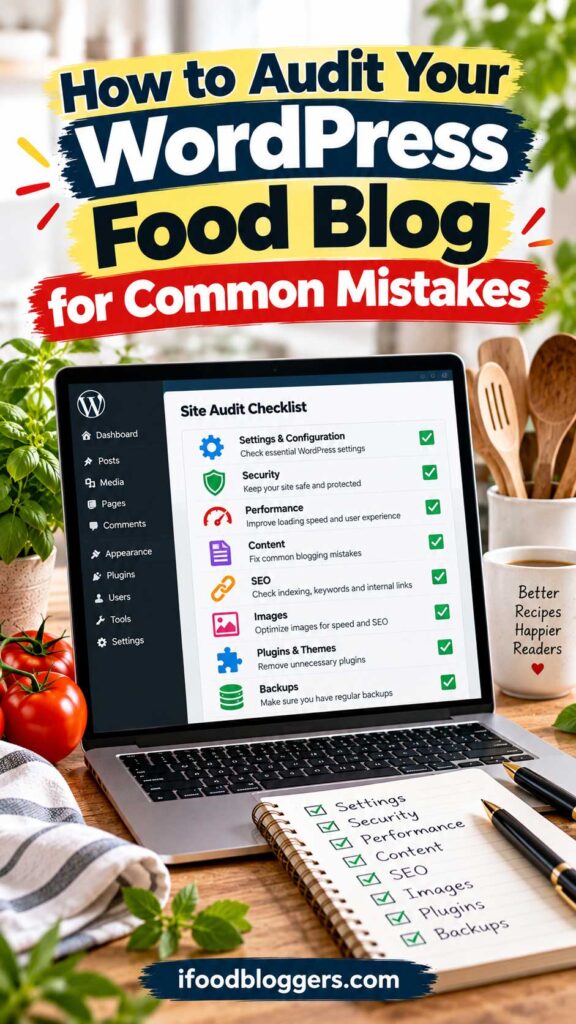
How to Audit Your WordPress Food Blog for Common Mistakes
Not sure which of these WordPress mistakes might be affecting your food blog? A quick website audit can help you identify technical problems, review your most important recipes, and decide what to fix first.
You don’t need to inspect every page or buy expensive auditing software. Start with the essentials and work through the issues that could have the biggest impact.
Start With Your WordPress Setup
Begin by reviewing the technical foundation of your website.
Log in to your WordPress dashboard and check whether WordPress core, your active theme, and installed plugins are up to date.
Look for plugins you no longer use, overlapping features, and software that hasn’t received maintenance updates.
Next, review your basic WordPress settings, including your website URLs, permalink structure, timezone, and search engine visibility.
If your food blog is already established, avoid changing permalink settings without planning the necessary redirects.
Finally, confirm that your hosting environment is reliable and that you have a recent, restorable website backup.
Review Your Most Important Recipe Pages
You don’t need to inspect every recipe individually during your first audit.
Start with a small selection of representative posts.
Choose one popular recipe, one recently published recipe, one older article, and a longer recipe containing several step-by-step photographs.
Open each page on both desktop and mobile devices.
Check whether the ingredients and instructions are easy to read, the recipe card functions correctly, and the photographs load without unnecessary delays.
Also review the SEO title, meta description, internal links, and recipe structured data.
For schema testing, use Google’s Rich Results Test.
Check Website Speed and Mobile Usability
Run your homepage and several recipe URLs through Google PageSpeed Insights.
Pay attention to major issues involving image delivery, loading performance, responsiveness, and layout stability.
Don’t assume that every recommendation requires immediate action.
Prioritize problems that noticeably affect visitors, particularly those using smartphones.
If your website displays advertisements, check whether they cause unexpected content movement or interfere with the recipe card.
Review Search Performance and Indexing
Open Google Search Console and examine your website’s indexing and performance reports.
Confirm that important recipes are eligible for indexing and investigate any significant technical errors.
Then look for older recipes with declining traffic or opportunities to improve content that already receives search impressions.
Avoid making large numbers of changes based on a few days of data. Recipe traffic can fluctuate because of seasonality and changing search demand.
Check Security and Backups
Review your security plugin’s important alerts, confirm that administrator accounts use strong authentication, and remove user accounts that are no longer necessary.
Verify that automated backups are running and that you know how to restore your website if something goes wrong.
If you haven’t tested your backup restoration process recently, schedule a test in a safe staging environment.
Create a WordPress Improvement Checklist
Use the following checklist as a starting point for your audit.
| Area | What to Check | Priority |
|---|---|---|
| Security | Vulnerable plugins, administrator access, suspicious activity | High |
| Backups | Recent backups, off-site copies, restoration process | High |
| Indexing | Important recipes can be crawled and indexed | High |
| Recipe Cards | Ingredients, instructions, and interactive features work | High |
| Mobile Usability | Readability, navigation, and recipe accessibility | High |
| Performance | Major loading delays and layout shifts | High |
| Recipe Schema | Accurate structured data and important validation errors | Medium |
| Images | File sizes, dimensions, and meaningful alt text | Medium |
| Internal Links | Relevant links between recipes and collections | Medium |
| Content Quality | Accurate instructions and helpful cooking information | Medium |
| SEO Metadata | Descriptive titles and useful meta descriptions | Medium |
| Email Marketing | Signup forms, consent, and newsletter functionality | Medium |
These priorities are a general guide. A problem affecting an important recipe or preventing visitors from using your website should take precedence regardless of its category.
You don’t need to complete the entire audit in one afternoon. Work through the most important issues first, document the changes you make, and revisit the checklist as your food blog grows.
Food Blogger Tip: Perform a basic WordPress audit every few months and a more detailed review after major theme changes, hosting migrations, or significant plugin updates. Regular maintenance is much easier than trying to troubleshoot years of accumulated problems all at once.
Which WordPress Mistakes Should Food Bloggers Fix First?
After reviewing 25 common WordPress mistakes, it’s easy to feel like your website needs a complete overhaul.
But not every issue deserves the same level of attention.
A missing meta description, for example, is generally less urgent than a vulnerable plugin, a broken recipe card, or an important page accidentally marked noindex.
The smartest approach is to prioritize problems based on their potential impact on security, accessibility, search visibility, and the reader experience.
First, Fix Security and Website Reliability Problems
Start with anything that could put your website or content at risk.
Known security vulnerabilities, suspicious administrator accounts, missing backups, and critical software compatibility problems should receive immediate attention.
Make sure you have a reliable backup before performing major updates or troubleshooting.
If your website has already been compromised, investigate the incident and address the underlying vulnerability rather than simply restoring an old backup and assuming the problem is solved.
Next, Fix Problems That Prevent Readers From Using Your Recipes
Your recipes are the reason people visit your food blog.
If visitors can’t read the ingredients, follow the instructions, or use the recipe card on mobile devices, those problems deserve attention before cosmetic design improvements.
Check your most popular recipes first.
A broken Jump to Recipe button or unreadable ingredient list on a page receiving thousands of visits may affect far more readers than a minor design issue on an older article with little traffic.
Also address serious accessibility barriers that prevent people from navigating or understanding your content.
Then, Investigate Search Indexing and Technical SEO Issues
Once your website is secure and functioning properly, check whether Google can access your important recipe pages.
Review WordPress search visibility settings, page-level indexing directives, canonical URLs, and relevant Google Search Console reports.
If a valuable recipe is unintentionally excluded from indexing, investigate that issue before spending time adjusting keyword density or rewriting its meta description.
For pages that are already indexed, focus on meaningful SEO improvements such as clearer titles, better internal links, accurate recipe structured data, and content that matches search intent.
Improve Speed and Mobile Performance
Next, examine the performance of your most important pages.
Large recipe photographs, unnecessary scripts, inefficient caching, and poorly configured advertising elements can all affect the experience.
Use real-user performance data when available and test recipes on actual mobile devices.
Prioritize problems that cause substantial delays, unexpected layout shifts, or difficulty interacting with the page.
You don’t need a perfect PageSpeed Insights score to run a successful food blog, but readers should be able to access and use your recipes comfortably.
Finally, Improve Content and Long-Term Growth
Once major technical issues are under control, spend more time improving your recipe collection.
Review older posts with unclear instructions, outdated photographs, broken links, or missing information.
Strengthen internal linking between related recipes and build helpful collections that make your website easier to explore.
You can also develop your email newsletter, improve your publishing workflow, and use Google Search Console to identify realistic content opportunities.
These improvements may not feel as urgent as fixing a security vulnerability, but they contribute to the long-term value of your food blog.
A Practical Order for Fixing WordPress Mistakes
| Priority | What to Fix | Why It Matters |
|---|---|---|
| 1 — Critical | Security vulnerabilities, missing backups, compromised accounts | Protects your website and content |
| 2 — Critical | Broken recipe cards, inaccessible instructions, major mobile issues | Allows readers to use your recipes |
| 3 — High | Accidental noindex directives and serious indexing problems | Helps important recipes become eligible for search visibility |
| 4 — High | Major loading delays, layout shifts, and performance problems | Improves the browsing and cooking experience |
| 5 — Medium | Recipe schema errors, weak internal links, unclear SEO titles | Improves search engine understanding and content discovery |
| 6 — Ongoing | Older recipe updates, content quality, newsletters, and analytics | Supports sustainable audience growth |
Remember that these priorities can change depending on your website.
If your food blog is brand new, configuring WordPress correctly and establishing a reliable backup system may be your first tasks.
If you already have hundreds of published recipes and steady search traffic, improving older content and resolving technical issues may provide greater value than publishing more articles.
The goal isn’t to fix all 25 mistakes in a single weekend. It’s to develop a manageable process that keeps your website secure, useful, and ready to grow.
Food Blogger Tip: Choose three improvements to work on first: one that protects your website, one that improves the reader experience, and one that supports search visibility or content quality. Complete those changes, measure the results where possible, and then move to the next priorities. Consistent improvements are usually more sustainable than trying to rebuild everything at once.
Frequently Asked Questions About Common WordPress Mistakes
What are the most common WordPress mistakes beginners make?
Some of the most common WordPress mistakes include choosing unreliable hosting, installing too many plugins, ignoring software updates, using weak passwords, forgetting website backups, and failing to configure essential SEO settings.
For food bloggers, additional mistakes include publishing recipes without proper recipe cards, uploading oversized food photographs, and neglecting mobile usability.
The best approach is to establish a secure, reliable WordPress setup before focusing heavily on publishing new content.
Can WordPress mistakes hurt my Google rankings?
Yes. Certain WordPress mistakes can negatively affect search visibility.
For example, accidentally enabling a noindex directive can prevent an important recipe from appearing in Google Search. Broken internal links, inaccessible content, and serious website performance problems can also create difficulties.
However, not every WordPress issue directly affects rankings. A missing meta description or a less-than-perfect performance score doesn’t automatically mean Google will rank your recipes poorly.
Focus on technical accessibility, helpful content, and a good user experience rather than trying to achieve perfect scores in every SEO tool.
How many WordPress plugins are too many?
There isn’t a universal maximum number of WordPress plugins.
A website with 30 well-maintained plugins may perform better than one with ten poorly coded plugins.
What matters is the quality, compatibility, security, and resource usage of each plugin.
Food bloggers should periodically review their plugins and remove unnecessary tools, particularly those that duplicate existing functionality.
What is the biggest WordPress SEO mistake?
One of the most serious WordPress SEO mistakes is unintentionally preventing search engines from indexing important pages.
This can happen through WordPress visibility settings, SEO plugin configurations, or incorrectly applied indexing directives.
Another significant mistake is publishing content without understanding what readers are searching for or what information they need.
For food bloggers, technical SEO and genuinely useful, tested recipes should work together.
Do food blogs need recipe schema markup?
Recipe structured data is strongly recommended for eligible recipe pages because it helps Google understand information such as ingredients, cooking times, instructions, and other recipe details.
Correctly implemented structured data can make a recipe eligible for certain enhanced search appearances, although eligibility doesn’t guarantee that Google will display a rich result.
Using a reliable recipe card plugin can simplify implementation.
Always make sure your structured data accurately represents the recipe visible on the page.
Both free and premium WordPress themes can work well for food blogs.
A free theme from a reputable developer may provide everything you need, particularly when you’re starting out.
A premium theme may offer additional layouts, customization options, and support, but paying more doesn’t automatically guarantee better performance or SEO.
Choose a theme that is regularly maintained, mobile-friendly, accessible, and compatible with your recipe plugin.
How often should I update WordPress plugins and themes?
Check for updates regularly and prioritize security releases.
Before making significant changes, ensure that you have a recent backup.
Major updates may also benefit from testing in a staging environment, especially if your food blog relies on several plugins for recipe cards, advertising, caching, or page design.
Avoid leaving outdated software installed for months without reviewing potential security and compatibility risks.
Can too many advertisements slow down a food blog?
Yes. Advertisements can introduce additional scripts, network requests, and page elements that affect loading performance and layout stability.
Poorly placed advertisements may also interrupt the reading experience, especially on mobile devices.
Food bloggers should balance advertising revenue with usability, monitor performance, and avoid placements that make recipe instructions difficult to follow.
Should I delete old recipes that aren’t getting traffic?
Not automatically.
A recipe with little organic traffic may still be useful to readers, receive Pinterest visits, or support your website’s internal linking structure.
Before deleting a post, review its content quality, search performance, relevance, and any existing backlinks.
In many cases, improving an older recipe or consolidating genuinely overlapping content is more appropriate than removing it.
If you decide to remove a page, handle redirects carefully and only redirect visitors to a genuinely relevant replacement.
Is WordPress good for beginner food bloggers?
Yes. WordPress is a flexible platform for building a food blog, with extensive options for recipe cards, search optimization, email marketing, and website monetization.
However, self-hosted WordPress requires ongoing maintenance, including updates, backups, security monitoring, and performance optimization.
Beginners who are willing to learn these basics can build a website that grows alongside their content and business goals.
How do I know whether my WordPress website has problems?
Start by reviewing your WordPress dashboard for update notices and security alerts.
Then test your website on mobile devices, inspect several recipe cards, and use Google Search Console to check indexing and search performance.
Tools such as Google PageSpeed Insights and Google’s Rich Results Test can help identify additional technical issues.
You don’t need to use every auditing tool available. Begin with the problems that could affect your readers, website security, and most important recipes.
How often should I audit my WordPress food blog?
A brief monthly review is a practical starting point for many food bloggers.
Check for updates, backup failures, broken features, indexing issues, and significant traffic changes.
Every few months, conduct a more detailed review of website performance, recipe content, internal links, and user experience.
Larger websites or blogs that undergo frequent technical changes may need more regular monitoring.
The most important thing is to make maintenance an ongoing habit rather than waiting until something breaks.
Final Thoughts: Avoid Common WordPress Mistakes and Build a Better Food Blog
You don’t need a perfect WordPress website to run a successful food blog. But you do need one that works reliably for both you and your readers.
Start with the problems that could cause the most damage: outdated software, missing backups, broken recipe cards, and indexing mistakes. Then work on performance, internal linking, and improving older recipes.
Don’t feel pressured to install every new plugin or redesign your website whenever a new theme becomes popular. If something already works well, there’s no reason to change it without a clear benefit.
Most importantly, remember why people visit your website. They want recipes they can trust, instructions they can follow, and a pleasant experience while cooking.
Fixing these common WordPress mistakes will help you spend less time troubleshooting and more time creating the content that brought you into food blogging in the first place.
Read Next: More Helpful Food Blogging Guides
Avoiding common WordPress mistakes is just the beginning. These guides will help you improve your website, attract more readers, and grow your food blog.
- Food Blogging Tech Stack: Essential Tools You Need – Choose the right tools without unnecessary plugins or expenses.
- Recipe SEO: How to Rank Recipes on Google – Optimize your recipes for better search visibility.
- How to Find Low-Competition Recipe Keywords – Discover realistic keyword opportunities for your next recipes.
- How to Get More Traffic to Your Food Blog – Explore practical strategies for growing your audience.
- Pinterest SEO for Food Bloggers – Help more people discover your recipes on Pinterest.
Start with the guide that addresses your biggest challenge and keep improving your food blog one step at a time.