
How many Pins should food bloggers create? If you’ve ever published a new recipe, designed a couple of Pinterest graphics, and then read advice suggesting you should post ten times a day, you’ve probably wondered whether you’re doing enough.
The truth is, you don’t need an aggressive publishing schedule to get started. A food blog with 20 recipes has different opportunities and limitations than a website with 500 articles.
What matters is finding a realistic number of original Pins you can create consistently—and making sure those Pins give people a reason to visit your recipes.
Unlike traditional social media platforms, Pinterest functions as a visual discovery and search platform. A well-designed Pin featuring homemade lasagna, a quick dinner, or a seasonal dessert can continue attracting visitors long after publication.
However, creating more Pins doesn’t automatically mean getting more traffic. Publishing repetitive designs or following an unrealistic schedule can waste time without improving your results.
The goal is to create enough original, high-quality Pins to help the right audience discover your recipes.
In this guide, we’ll explore how many Pinterest Pins to create per recipe, how often to publish them, and how to develop a realistic posting schedule. We’ll also cover fresh Pins, common mistakes, and ways to measure whether your Pinterest strategy is bringing visitors to your food blog.
How Many Pins Should Food Bloggers Create? The Short Answer
For most beginner food bloggers, I’d start with two original Pinterest Pins per new recipe and three to five fresh Pins per week. If a recipe has excellent photography or strong seasonal appeal, consider creating a third design. As your recipe collection grows, you can experiment with publishing more frequently.
These are suggested starting points, not official Pinterest requirements.
According to Pinterest’s official guidance, creators should publish original content regularly, ideally at least once a week. Pinterest emphasizes consistency and quality rather than a specific daily posting quota.
A blogger publishing two recipes per month doesn’t need the same strategy as someone managing 500 recipes. The best posting frequency is one you can maintain without sacrificing content quality.
Recommended Pinterest Pin Frequency by Blog Size
The following table provides practical starting points based on your recipe collection.
| Food Blog Stage | Fresh Pins per Week | Pins per New Recipe |
|---|---|---|
| Beginner (1–25 recipes) | 3–5 | 1–2 |
| Growing Blog (25–100 recipes) | 5–15 | 2–3 |
| Established Blog (100–300 recipes) | 10–20 | 2–4 |
| Large Food Blog (300+ recipes) | 15–30 | 3–5 for priority recipes |
These are flexible planning recommendations, not guaranteed traffic benchmarks.
You can also create fresh Pins for older recipes. For example, a blogger with 100 published recipes could promote one new recipe alongside several existing dishes each week, generating new Pinterest content without constantly publishing additional articles.
Affiliate Disclosure: Some links in this article may be affiliate links. If you make a purchase or sign up through one of these links, iFoodBloggers may earn a commission at no extra cost to you.
Start With a Schedule You Can Actually Maintain
Trying to match the publishing volume of established food bloggers is a common beginner mistake.
Publishing ten original Pins daily means producing approximately 300 designs per month. That’s a significant workload when you’re also developing recipes, taking photographs, and managing your website.
Instead, consider starting with five Pins per week: two promoting a new recipe and three featuring existing content.
That’s approximately 20 original Pins over four weeks, giving you a steady publishing routine without overwhelming your schedule.
As your workflow improves, you can experiment with creating more.
Let’s say you have 25 recipes and only an hour or two available for Pinterest each week. Choose one recently published recipe and create two original Pins. Then pick three older dishes with strong photographs and make one Pin for each.
That’s your five-Pin schedule for the week. You don’t need a new recipe every day, an expensive scheduler, or dozens of graphic templates. Once you’re comfortable with that routine, you can decide whether creating more Pins is worth your time.
Focus on Quality Before Increasing Quantity
An effective Pinterest Pin combines appealing food photography, a clear headline, relevant keywords, and a direct link to the recipe.
For example, a bright photograph of homemade strawberry cheesecake with the headline “Easy No-Bake Strawberry Cheesecake” immediately tells readers what to expect, provided the recipe genuinely requires no baking.
Compare that with a generic image titled “You’ll Love This Dessert.”
The more descriptive design gives readers a clearer reason to click.
Five carefully designed Pins may bring more relevant visitors than 30 repetitive graphics. Focus on originality and usefulness before increasing your publishing volume.
There’s No Universal Perfect Number
Your ideal Pinterest posting frequency will change as your food blog grows.
Beginners may benefit from creating fewer, better-designed Pins, while established bloggers with hundreds of recipes can experiment with larger publishing schedules.
Seasonal food bloggers might also increase their activity before holidays, while websites focused on everyday meals may prefer a consistent year-round approach.
Ultimately, what matters isn’t how many Pins you publish, but whether they’re helping interested readers discover your recipes.
Start with a manageable schedule, monitor outbound clicks in Pinterest Analytics, and adjust your publishing frequency based on your results.
How Many Pinterest Pins Should You Create Per Recipe?
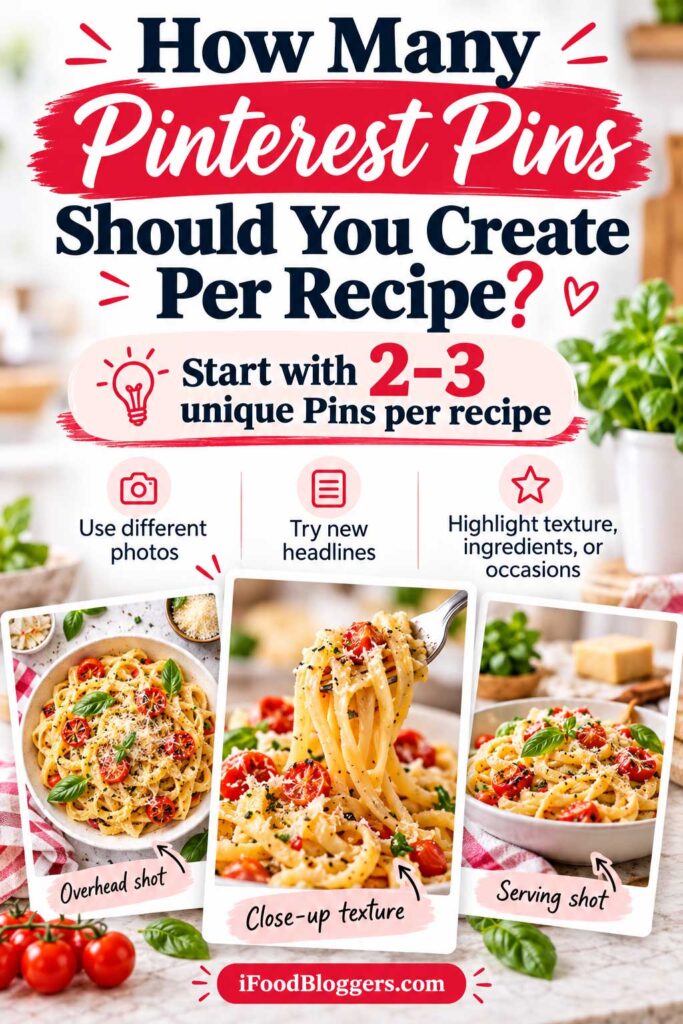
Creating 2–3 unique Pinterest Pins per recipe is a practical starting point for most food bloggers. It allows you to test different photographs, headlines, and layouts without spending too much time promoting one article.
However, not every recipe needs the same number of Pins. A simple cucumber salad might only need one or two designs, while a homemade pizza recipe with detailed photography could support four or five.
The right number depends on your available images, the recipe’s search potential, and how well your existing Pins perform.
Start With Two or Three Different Pin Designs
Imagine you’ve published a recipe for creamy garlic chicken pasta. Instead of uploading three similar graphics, create Pins that highlight different features of the dish.
| Pin Type | Example Headline | Visual Approach |
|---|---|---|
| Main Recipe Pin | Creamy Garlic Chicken Pasta Recipe | Best photograph of the finished dish |
| Convenience-Focused Pin | Easy Creamy Chicken Pasta in 30 Minutes | Close-up or serving photograph |
| Occasion-Focused Pin | Creamy Chicken Pasta for Busy Weeknights | Complete meal on the dinner table |
Each design targets a slightly different interest while linking to the same recipe. Just make sure claims about preparation time and convenience accurately reflect your instructions.
This approach offers more value than simply changing the background color or font of an existing graphic.
Should Every Recipe Have the Same Number of Pins?
Not necessarily. Some recipes offer more Pinterest opportunities than others.
For example, Christmas cookies might appeal to people searching for holiday baking, homemade gifts, and festive desserts. If you have enough original photography, creating several distinctive Pins could make sense.
Meanwhile, a simple recipe with limited photography may only need one or two designs.
Treat the number of Pins per recipe as a flexible guideline, not a publishing requirement. You can always create additional graphics when a recipe shows promising results.
Use Different Photos Instead of Repeating the Same Image
One of the easiest ways to create distinctive Pinterest Pins is to use different photographs from the same recipe.
For example, a homemade chocolate cake could provide several visual options: an overhead photograph of the entire cake, a close-up showing its texture, and an image of chocolate frosting being spread across the top.
Each photograph highlights something different while promoting the same recipe.
Pinterest’s Pin performance and distribution guidance encourages original content and warns against repetitive uploads.
You don’t need a separate photoshoot for every Pin. However, changing only the font, border, or background color of the same graphic may not provide meaningful variation.
Focus on photographs and designs that give readers a different perspective on your recipe.
Can Multiple Pinterest Pins Link to the Same Recipe?
Yes. Multiple original Pinterest Pins can link directly to the same recipe URL.
For example, one banana bread Pin might feature the headline “Classic Homemade Banana Bread,” while another highlights “Easy Banana Bread With Ripe Bananas.”
A third could focus on the loaf’s texture or preparation method.
You don’t need separate blog posts or different URLs for each design. Just make sure every Pin accurately describes the recipe and links directly to the correct article.
Avoid repeatedly uploading nearly identical graphics simply to increase your publishing count.
Create More Pins for Recipes That Show Potential
After publishing your initial designs, give them time to collect performance data.
Pinterest Pins can continue gaining impressions and engagement after publication, so don’t judge their success after only a few days.
Review impressions, saves, and especially outbound clicks, which show how often people click through to your website.
Suppose one of your strawberry cheesecake Pins consistently generates more outbound clicks than the others.
That could be a reason to test another original design using a different photograph or headline.
However, creating additional Pins isn’t always necessary. If your current designs aren’t attracting visitors, consider improving their photography, keyword relevance, or overall presentation before increasing production.
My Recommended Approach for Food Bloggers
For a new food blog, I’d begin with two original Pins per recipe.
The first should feature your strongest photograph and primary recipe keyword. The second can highlight another appealing characteristic, such as ingredients, texture, cooking method, or serving occasion.
As your website grows, consider creating a third Pin for recipes with strong photography, seasonal relevance, or promising performance.
Established bloggers with hundreds of recipes can prioritize articles already attracting attention through Pinterest or Google Search while gradually introducing other recipes.
The goal isn’t to create as many Pins as possible for every recipe. It’s to create useful, original designs that give interested readers more opportunities to discover your content.
How Many Pins Should Food Bloggers Post Per Day?
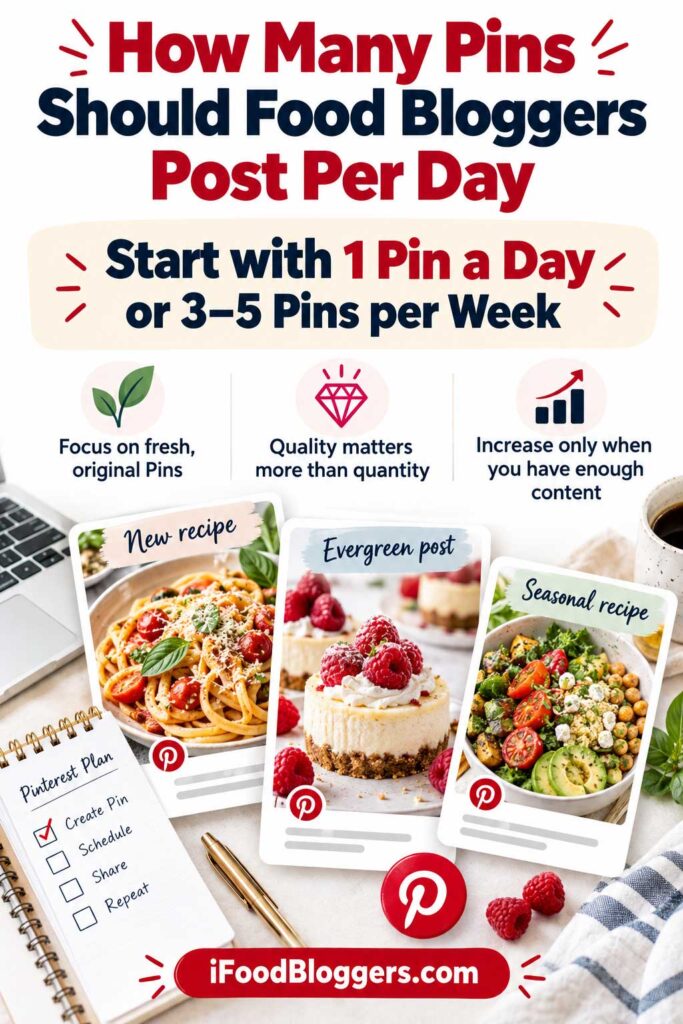
Most food bloggers don’t need to publish 10 or 20 Pinterest Pins daily to grow their traffic. Beginners can start with three to five fresh Pins per week, while established bloggers with larger recipe collections may experiment with two to four original Pins daily.
According to Pinterest’s official publishing guidance, creators should share original content regularly, ideally at least once a week. There’s no mandatory daily posting quota.
The best Pinterest posting frequency depends on your available recipes, photography, and time. Creating a few high-quality Pins consistently is generally a better starting point than following an unrealistic daily schedule.
Is One Pinterest Pin Per Day Enough?
Yes, publishing one original Pinterest Pin per day is a reasonable strategy for many food bloggers.
That’s approximately 30 fresh Pins per month, giving you opportunities to promote new recipes, seasonal dishes, and older content.
For example, a blogger with 40 recipes could feature blueberry pancakes on Monday, homemade vegetable soup on Tuesday, and a quick chicken dinner on Wednesday.
Using reusable templates and preparing graphics in advance can make this schedule easier to manage.
However, daily publishing isn’t required. If five quality Pins per week fit your schedule better, there’s no reason to force yourself to publish seven.
Should Food Bloggers Post 5–10 Pins Every Day?
Publishing five to ten original Pins daily may be manageable for large food blogs, but it’s unnecessary for most beginners.
Five Pins per day means approximately 150 designs monthly, while ten daily Pins add up to around 300.
That requires substantial original photography, planning, and design work.
Established bloggers with hundreds of recipes may have enough content to support this volume. However, each Pin should offer meaningful creative value rather than simply rearranging the same photograph and headline.
Publishing ten Pins daily doesn’t guarantee more website traffic than publishing two or three well-targeted designs.
Before increasing your output, make sure your existing Pins are attracting impressions and outbound clicks.
Is Posting Too Many Pins Bad for Pinterest?
Publishing frequently isn’t automatically a problem, but repetitive activity can cause issues.
Pinterest’s Pin performance and distribution guidance advises creators to avoid repeatedly uploading duplicate Pins or excessively saving the same content.
For example, publishing ten nearly identical graphics for one chocolate cake recipe offers little additional value.
Instead, create a few distinctive designs using different photographs and relevant headlines. You can also promote other recipes to introduce more variety into your Pinterest content.
Focus on originality rather than filling your publishing calendar with repetitive graphics.
Should You Publish Pinterest Pins Every Day?
You can publish daily, but consistency doesn’t require posting seven days a week.
A blogger publishing five original Pins every week for several months may develop a more sustainable routine than someone posting 15 daily for two weeks before giving up.
Consider preparing your Pinterest graphics in batches.
For example, you could create five to ten Pins during one weekly design session and schedule them across several days.
This leaves more time for recipe development, photography, and website maintenance.
Your older Pins can also continue generating impressions, saves, and outbound clicks on days when you publish nothing new.
Does Posting at Different Times of Day Matter?
There isn’t one perfect Pinterest posting time for every food blog.
Audience location, recipe categories, and seasonal browsing habits can influence when people interact with your content.
For example, people searching for quick dinner recipes may browse differently from those planning holiday desserts.
However, Pinterest Pins can continue gaining visibility long after publication, so the exact posting time is generally less important than content quality and relevance.
You can experiment with different times and review Pinterest Analytics to identify useful patterns.
Otherwise, choose a convenient publishing schedule and concentrate on creating appealing, helpful Pins.
My Recommended Daily Pinterest Posting Strategy
For beginners, I’d start with three to five original Pins per week. Once you have more recipes and an efficient workflow, consider publishing one Pin daily.
Growing food blogs can experiment with one or two fresh Pins on most days, while established websites with extensive recipe collections may test two to four daily.
These are suggested starting points, not official Pinterest requirements.
If your existing Pins generate consistent outbound clicks, increasing production gradually may be worthwhile.
However, if impressions are rising while website traffic remains flat, focus on improving your photography, headlines, and keyword targeting before creating additional designs.
The best daily Pinterest posting schedule is one you can maintain while producing original content that brings interested readers to your food blog.
How Many Pins Should You Publish Per Week?
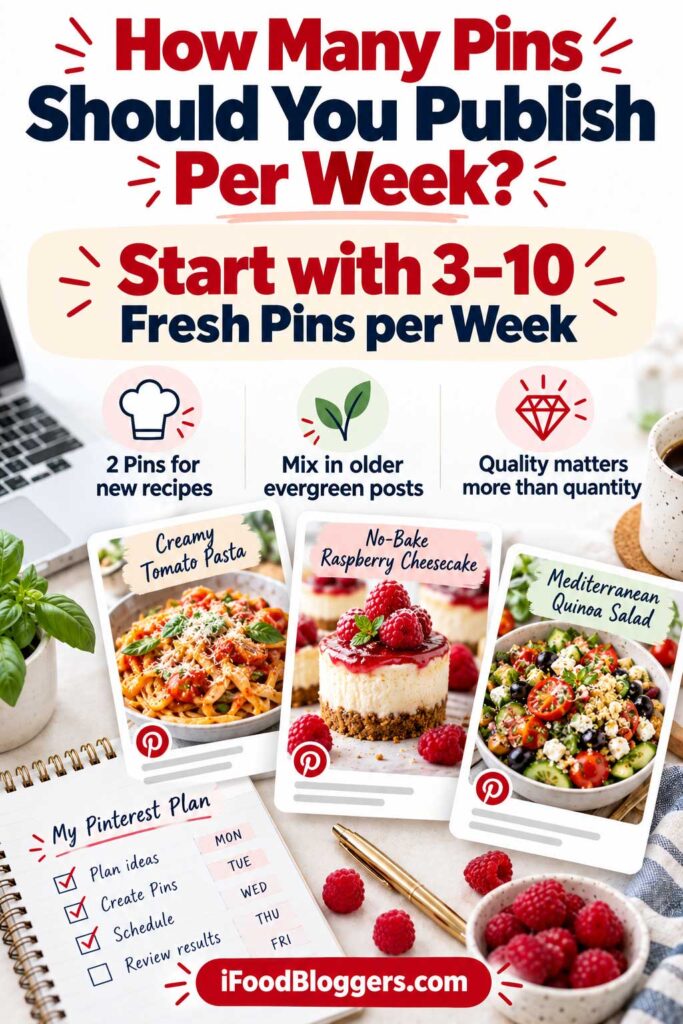
For most beginner and growing food blogs, publishing 3–15 fresh Pinterest Pins per week is a reasonable starting range, depending on your recipe collection and available time.
There’s no universal weekly target that guarantees more impressions or website traffic.
According to Pinterest’s official recommendations, creators should publish original content consistently, ideally at least once a week, rather than focus on a specific number of Pins.
Someone publishing one recipe weekly will naturally have a different Pinterest strategy from a blogger creating five new recipes and updating older content.
The goal is to develop a manageable schedule that keeps your recipes visible without turning Pinterest into another full-time responsibility.
Recommended Weekly Pinterest Posting Schedule
The following table offers practical starting points based on how frequently you publish new recipes.
| New Recipes Weekly | Fresh Pins per Week | New Recipe Pins | Existing Recipe Pins |
|---|---|---|---|
| 1 recipe | 3–5 | 2 | 1–3 |
| 2 recipes | 5–8 | 4 | 1–4 |
| 5 recipes | 10–15 | 10 | 0–5 |
These are suggested publishing schedules, not official Pinterest requirements.
Notice that each approach includes opportunities to promote older recipes. A homemade soup or pasta dish published months ago may still attract readers through a fresh, original Pinterest graphic.
You don’t need to publish a new blog post every time you want to create another Pin.
Weekly Pinterest Schedule for Food Bloggers Publishing One Recipe
If you publish one new recipe per week, start with two unique Pins for that recipe and one to three additional designs promoting older content.
For example, suppose your newest article features homemade chicken noodle soup.
You could publish the main recipe Pin on Monday, promote an older pasta recipe on Wednesday, and share a second original soup Pin on Thursday.
On Saturday, you might introduce a fresh graphic for an existing breakfast recipe.
That’s four original Pins promoting three different recipes.
You can create all four graphics during one design session and schedule them throughout the week.
Over four weeks, this approach produces approximately 16 Pins while leaving plenty of time for recipe development and photography.
Weekly Pinterest Schedule for Food Bloggers Publishing Two Recipes
Publishing two recipes weekly gives you more opportunities to create Pinterest content.
Start with two original Pins for each new recipe, giving you four designs.
Then add one to four Pins promoting existing articles.
For example, if you’re publishing homemade banana muffins and a Greek chicken salad, you could create two distinctive graphics for each dish.
Your additional Pins might feature homemade hummus, vegetable soup, or baked salmon.
This gives you approximately five to eight fresh Pins per week.
You don’t need to publish everything immediately. Distribute the designs throughout your schedule, using different photographs and relevant headlines.
Weekly Pinterest Schedule for Food Bloggers Publishing Five Recipes
If you publish five new recipes every week, creating two original Pins per recipe gives you ten designs.
For example, your weekly lineup might include overnight oats, tomato soup, chicken Alfredo pasta, cucumber salad, and chocolate brownies.
You could also create three to five additional Pins highlighting older or seasonal recipes.
That brings your weekly total to approximately 13–15 Pins.
However, you don’t need to publish every design during the same week.
Scheduling some graphics for later creates a useful backlog and reduces the pressure to produce new Pinterest content daily.
For established food bloggers, maintaining a collection of ready-to-publish designs can make Pinterest management considerably easier.
Should You Spread Your Pinterest Pins Throughout the Week?
Spreading your Pinterest Pins across several days can help maintain a consistent publishing routine.
Instead of uploading ten graphics every Monday, you could schedule them throughout the week.
However, Pinterest doesn’t require a specific number of hours or days between different original Pins.
Spacing your content is primarily an organizational strategy, not a guaranteed algorithm advantage.
More importantly, avoid repeatedly uploading identical or nearly identical graphics.
If you’re promoting the same recipe with multiple Pins, use meaningful differences in photography, headlines, and presentation.
A varied schedule featuring several recipes can also help you reach readers interested in different types of food.
How to Balance New Recipes and Older Content
One advantage of Pinterest is that you can continue promoting recipes long after publication.
Imagine your food blog contains 150 recipes. Even if you’re publishing only one new article weekly, you still have plenty of existing content worth sharing.
Seasonal recipes are particularly useful.
Pumpkin bread, apple desserts, and comforting soups may attract interest during autumn, while fresh salads, grilled vegetables, and refreshing drinks may be more relevant during summer.
Creating original Pins for these articles allows you to introduce older recipes to new audiences.
However, prioritize posts with appealing photography, accurate instructions, and useful information.
If an older recipe contains poor photographs or outdated content, improving the article before promoting it may be more valuable than creating additional Pins.
Build Your Weekly Schedule Around Available Time
Your Pinterest strategy should support your food blog without consuming all your available time.
If you have two hours weekly for Pinterest marketing, use part of that time to select recipes and review performance.
Then create your graphics, prepare titles and descriptions, and schedule the finished Pins.
Reusable templates can make this process faster.
For example, you might develop separate Pinterest layouts for desserts, breakfast recipes, family dinners, and seasonal dishes.
You can reuse the general design while changing photographs, headlines, and other elements to create meaningful variations.
If you’re struggling to balance Pinterest with recipe development, photography, and publishing, explore our guide to the best productivity tools for food bloggers for practical ways to organize your workflow.
As your workflow improves, producing ten Pins may eventually take less time than creating five did when you started.
That’s a reasonable opportunity to test a higher publishing frequency, provided your content quality remains consistent.
How Long Should You Follow Your Weekly Pinterest Schedule?
Instead of changing your publishing frequency every few days, follow a consistent schedule long enough to collect useful performance data.
A practical starting point is six to eight weeks.
During that period, track how many original Pins you publish and which recipes you’re promoting.
Then review Pinterest Analytics, paying particular attention to impressions, saves, and outbound clicks.
For food bloggers focused on website traffic, outbound clicks are especially important.
Remember that newer Pins may need time to gain visibility. Avoid comparing a graphic published yesterday with one that’s been circulating for several months.
If your current strategy generates promising results and you have more original content available, consider increasing your output gradually.
For example, you could move from five Pins per week to seven or eight.
If you’re struggling to create five quality designs, reducing your schedule is perfectly reasonable.
Three useful, original Pins published consistently are better than an ambitious schedule that forces you to sacrifice quality.
As your food blog grows, you’ll have more opportunities to experiment with different recipes, photographs, and publishing frequencies. Let your available content and actual performance guide those decisions.
How Many Pins Should You Create Per Month?
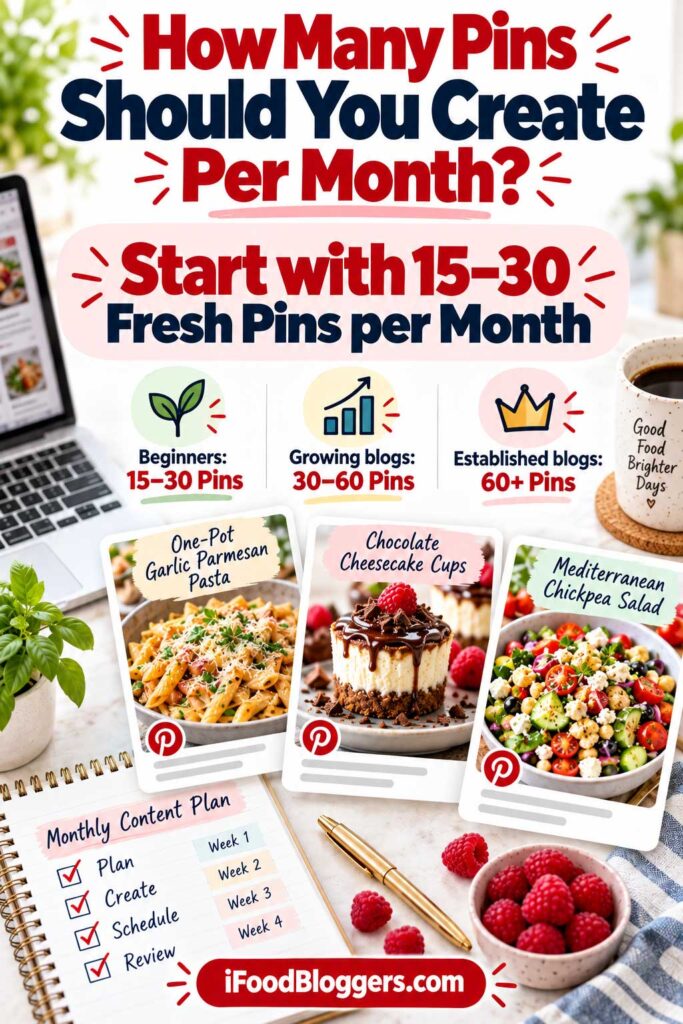
Creating 15–30 fresh Pinterest Pins per month is a practical starting point for beginner food bloggers. Growing websites may experiment with 30–60 Pins, while established blogs with extensive recipe collections can test higher publishing volumes.
These are suggested targets, not official Pinterest requirements.
According to Pinterest’s official guidance, creators should publish original content regularly and avoid repetitive uploads.
Your ideal monthly Pin count depends on your recipe collection, available photography, and time. A website with 20 recipes won’t have the same promotional opportunities as one with 300.
Start with a manageable schedule and adjust it as your food blog grows.
Recommended Monthly Pinterest Pin Targets
The following table provides practical publishing targets based on your website’s size and available content.
| Monthly Pin Target | Weekly Frequency | Best For |
|---|---|---|
| 15 Fresh Pins | 3–4 per week | Beginners and smaller food blogs |
| 30 Fresh Pins | 7–8 per week | Growing recipe websites |
| 60 Fresh Pins | 14–15 per week | Established food blogs |
| 100+ Fresh Pins | 23+ per week | Large blogs with efficient workflows |
These are planning guidelines, not proven traffic benchmarks.
A blogger publishing 15 carefully designed Pins might attract more website visitors than someone creating 100 poorly targeted graphics.
What matters is whether your content reaches interested audiences and encourages them to visit your recipes.
Creating 15 Pinterest Pins Per Month
For beginners, 15 original Pins per month provides a manageable starting point without requiring an extensive recipe collection.
Imagine your food blog contains 25 recipes, and you’re publishing two new recipes monthly.
You could create two Pins for each new recipe, giving you four designs. Then select 11 older recipes to promote with fresh graphics.
These might include homemade pancakes, chicken soup, banana bread, or chocolate muffins.
By the end of the month, you’ll have 15 original Pins featuring a mixture of new and existing content.
The biggest advantage of this schedule is consistency without unnecessary pressure. You can experiment with photography and headlines while continuing to develop your food blog.
Creating 30 Pinterest Pins Per Month
Publishing approximately 30 original Pins monthly is a reasonable next step for growing food blogs.
That’s roughly one Pin per day, although you don’t need to publish daily.
Suppose your website contains 75 recipes, and you add four new recipes during the month.
Your Pinterest plan could include eight Pins promoting the new articles, 14 featuring older recipes, and eight highlighting seasonal or popular content.
This gives you 30 original Pins promoting different areas of your website.
It’s also a useful opportunity to experiment with creative approaches and discover which recipe categories attract attention.
However, don’t assume that publishing 30 Pins automatically produces more traffic. Monitor your results before increasing production.
Creating 60 Pinterest Pins Per Month
For established food blogs with larger recipe libraries, creating 60 original Pins monthly may be manageable.
That’s approximately two Pins per day.
Imagine managing a website with 200 recipes covering breakfast, family dinners, desserts, and seasonal dishes.
You could promote newly published articles while creating fresh designs for older recipes.
For example, a homemade apple pie Pin might highlight its golden crust, while another design features a comforting vegetable soup.
You can also prioritize seasonal recipes as relevant search interest increases.
However, avoid creating multiple nearly identical graphics simply to reach 60 Pins.
If your photography is limited, improving existing images or developing new recipes may be more valuable than producing repetitive designs.
At this stage, batching and scheduling Pinterest content can make your workflow considerably easier.
Creating 100 or More Pinterest Pins Per Month
Some large food blogs have enough content and resources to produce 100 or more original Pins monthly.
However, this publishing volume isn’t necessary for every website.
Creating 100 Pins means preparing approximately 23 designs each week, including photographs, headlines, descriptions, and destination links.
That’s a substantial workload.
Before committing to this schedule, review your current results.
Are your Pins generating outbound clicks? Which recipes perform best? Do you have enough original photography to create meaningful variations?
If you’re publishing 30 Pins monthly but receiving very little traffic, increasing production to 100 may simply create more work.
Instead, improve your photography, keyword targeting, and Pin designs before experimenting with higher publishing volumes.
How to Divide Your Monthly Pins Between New and Existing Recipes
A balanced Pinterest strategy can include newly published recipes, evergreen content, and seasonal dishes.
New recipes deserve promotion because you’ve recently invested time developing and photographing them.
Evergreen recipes, such as homemade pancakes or chicken soup, may remain relevant throughout the year.
Seasonal content helps you reach readers planning holiday meals or looking for recipes associated with particular seasons.
For example, a 30-Pin monthly schedule might look like this:
| Content Category | Monthly Pins | Percentage |
|---|---|---|
| Newly Published Recipes | 10 | 33% |
| Existing Evergreen Recipes | 12 | 40% |
| Seasonal and Holiday Recipes | 8 | 27% |
| Total | 30 | 100% |
This is only an example.
A food blog specializing in Christmas desserts may dedicate more Pins to seasonal content during autumn, while a website focused on family dinners might prioritize evergreen recipes.
Adjust the balance according to your audience and available content.
Plan Seasonal Pinterest Content in Advance
Seasonal recipes deserve special attention when preparing your Pinterest calendar.
People often use Pinterest to plan holiday meals, celebrations, and seasonal activities well before the actual event.
For example, if you publish Christmas cookie recipes, waiting until December to create your first holiday Pins may cause you to miss earlier planning activity.
Instead, consider preparing Christmas-related content during October and November.
The same approach applies to Thanksgiving side dishes, Easter desserts, summer grilling recipes, and back-to-school lunches.
As a starting point, prepare seasonal Pins approximately six to eight weeks before a major occasion.
Use Pinterest Trends and your historical analytics to adjust your timing.
Remember that older Pins may continue attracting visitors during future seasons, so you don’t necessarily need to recreate every seasonal design each year.
Should You Create All Your Monthly Pins at Once?
Yes, you can prepare Pinterest graphics in batches to make production more efficient.
For example, if your target is 30 Pins monthly, you could create approximately eight designs during each of four weekly sessions.
You could also prepare the entire month’s graphics during several longer work sessions.
However, creating 30 Pins in advance doesn’t mean you need to publish all 30 immediately.
Schedule your designs throughout the month according to your content calendar.
This gives you time to check headlines, review photography, and verify destination URLs before publication.
Batching is particularly useful for food bloggers managing Pinterest alongside recipe development, photography, and website maintenance.
How to Decide When to Increase Your Monthly Pin Count
Don’t increase your Pinterest publishing frequency simply because you’ve reached your previous target.
Instead, review your performance.
Suppose you’ve been publishing 30 original Pins monthly and several recipe categories consistently generate outbound clicks.
If you have additional original photography and enough time, increasing your schedule to 40 or 45 Pins could be worth testing.
Make changes gradually so you can evaluate whether the additional work produces worthwhile results.
Also, consider seasonal demand.
For example, increased traffic to Christmas desserts during November doesn’t necessarily mean your higher publishing frequency caused the improvement.
Compare similar periods, review individual Pins, and pay attention to outbound clicks and website visits.
If additional publishing produces little improvement, maintain your previous schedule while refining your creative strategy.
Quality Matters More Than Your Monthly Pin Count
It’s easy to focus on reaching 30, 60, or 100 Pins every month.
However, Pinterest marketing isn’t a competition to publish the most graphics.
A blogger creating 20 original Pins with excellent food photography, accurate headlines, and relevant keywords may achieve better results than someone publishing 100 rushed designs.
Every Pin should give readers a useful reason to discover your recipe.
For most food bloggers, I’d recommend starting with 15–30 original Pins monthly, developing a consistent workflow, and increasing production only when your content and performance justify it.
The goal isn’t to reach the highest possible publishing number. It’s to create Pinterest content that attracts relevant visitors without taking time away from developing and improving your recipes.
Does Posting More Pins Increase Pinterest Traffic?
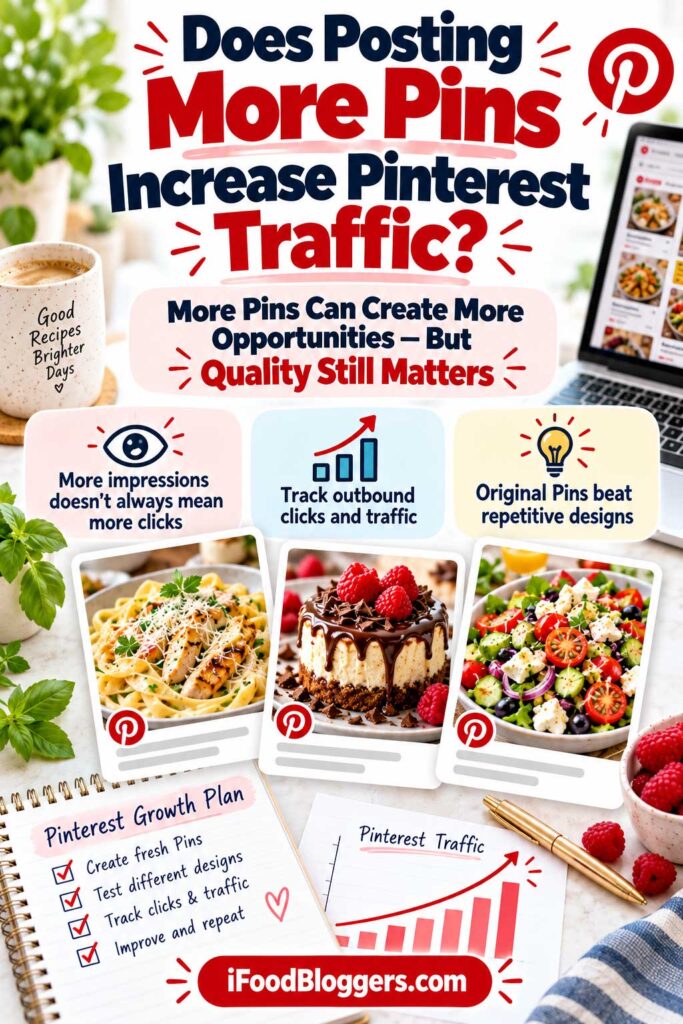
Publishing more Pinterest Pins can create additional opportunities to reach new audiences, but it doesn’t automatically increase website traffic.
A food blogger publishing 60 Pins monthly might receive more impressions than someone creating 20, yet attract fewer visitors.
That’s because Pinterest traffic depends on photography, keyword relevance, recipe popularity, and how effectively your designs encourage people to click.
The goal isn’t simply to publish more graphics. It’s to create original Pins that attract interested readers to your recipes.
Pinterest works best as part of a broader audience growth strategy. Our guide to how to get more traffic to your food blog explains how Pinterest, Google Search, content updates, and other marketing channels can work together.
More Pinterest Pins Can Create More Opportunities for Discovery
Every original Pinterest Pin provides another opportunity for someone to discover your food blog.
Imagine you’ve published a homemade blueberry muffin recipe.
Your first Pin might feature an overhead photograph with the headline “Easy Homemade Blueberry Muffins.”
A second could highlight the muffins’ texture using a close-up photograph and the headline “Soft and Fluffy Blueberry Muffins.”
Both designs promote the same recipe but offer different visual approaches.
Applying this strategy across dozens of recipes can gradually expand your Pinterest presence and create additional entry points to your website.
However, publishing 100 poorly targeted Pins won’t necessarily outperform 20 designs that closely match what people want to cook.
Pinterest Impressions Are Not the Same as Website Traffic
One common Pinterest mistake is assuming that higher impressions automatically mean more visitors.
Impressions measure how often your Pins appear on screen, while outbound clicks represent actions that take users to an external destination, such as your recipe website.
Saves and Pin clicks provide additional engagement information, but they don’t necessarily represent website visits.
Pinterest explains these metrics in its official Pinterest Analytics documentation.
Consider this hypothetical comparison:
| Pinterest Performance | Blogger A | Blogger B |
|---|---|---|
| Fresh Pins Published | 30 | 60 |
| Impressions | 10,000 | 18,000 |
| Outbound Clicks | 80 | 75 |
| Outbound Click Rate | 0.80% | 0.42% |
Blogger B published twice as many Pins and received more impressions, but Blogger A generated more outbound clicks.
Perhaps Blogger A used stronger photography, clearer headlines, or recipes that better matched audience interests.
More Pinterest visibility doesn’t always translate into more food blog traffic.
For bloggers earning money through display advertising, affiliate links, or other monetization methods, attracting relevant website visitors is generally more valuable than impressions alone.
Why Publishing More Pins Sometimes Stops Working
Increasing your Pinterest publishing frequency can become less productive when you don’t have enough original content to support it.
Imagine managing a food blog with 20 recipes while trying to create 150 Pinterest graphics every month.
Eventually, you might start reusing the same photographs, headlines, and layouts, producing designs that offer little additional value.
Weak keyword targeting can also limit results.
For example, a beautiful homemade spinach pie Pin titled “Delicious Homemade Food” doesn’t clearly describe the dish.
A more specific headline, such as “Traditional Greek Spinach Pie Recipe,” gives readers a better understanding of what they’ll find.
Sometimes, improving your existing Pinterest Pins is more valuable than creating additional ones.
Pin Quality Can Matter More Than Publishing Frequency
Food photography plays an important role in attracting attention on Pinterest.
Imagine two Pins promoting the same homemade chocolate cake.
One features a poorly lit photograph with small, difficult-to-read text. The other uses a bright close-up showing the cake’s texture, paired with a clear recipe headline.
The second design may encourage more people to explore the recipe, although performance will also depend on the audience and placement.
When creating Pinterest Pins, prioritize original photography, readable text, descriptive headlines, and relevant destination pages.
If your existing Pins receive little engagement, experiment with these elements before doubling your publishing frequency.
How to Measure Whether More Pins Are Bringing More Visitors
Before increasing your monthly Pin count, establish a performance baseline.
Review Pinterest Analytics and record your impressions, outbound clicks, outbound click rate, and best-performing recipes.
Then gradually increase your publishing activity while maintaining similar standards for photography and design.
For example, you might move from 20 Pins monthly to 30, then 40.
Here’s how your results could look:
| Metric | Month 1 | Month 2 | Month 3 |
|---|---|---|---|
| Fresh Pins Published | 20 | 30 | 40 |
| Impressions | 8,000 | 11,500 | 15,000 |
| Outbound Clicks | 60 | 95 | 135 |
| Outbound Click Rate | 0.75% | 0.83% | 0.90% |
These hypothetical results show improvements in both visibility and outbound clicks.
However, they don’t prove that posting more Pins caused the increase.
Seasonal demand, stronger designs, and traffic from previously published Pins may also contribute.
Use Pinterest Analytics to identify promising trends rather than assuming that higher publishing volume always produces better results.
Use Google Analytics to Verify Your Pinterest Traffic
Pinterest Analytics shows how people interact with your Pins, but Google Analytics 4 helps you understand what happens after visitors reach your website.
In GA4, open your Traffic acquisition report and examine Pinterest-related referral sources, such as pinterest.com.
You can also review landing pages to discover which recipes attract visitors from Pinterest.
For example, perhaps your dessert recipes receive considerably more Pinterest traffic than your breakfast articles.
That information can help you decide which content categories deserve additional promotion.
Keep in mind that Pinterest outbound clicks and GA4 sessions won’t always match because the platforms use different measurement methods.
Focus on overall traffic trends rather than expecting identical numbers.
Don’t Judge New Pinterest Pins Too Quickly
Pinterest Pins don’t always generate traffic immediately.
A homemade apple pie Pin published during summer might receive more attention when people begin searching for autumn desserts.
Similarly, Christmas cookie Pins may become more relevant as the holiday season approaches.
Instead of judging a Pin after only a few days, allow time for meaningful performance data to accumulate.
A practical approach is to review initial results after approximately 30 days and examine longer-term trends over 60–90 days.
These are suggested evaluation periods, not official Pinterest ranking timelines.
Also, compare Pins of similar ages whenever possible. A graphic published last week hasn’t had the same opportunity to attract engagement as one published several months ago.
When Should You Increase Your Pinterest Posting Frequency?
Increasing your publishing frequency may make sense when your current Pins are generating worthwhile traffic and you have additional original content available.
For example, suppose you’re publishing 30 fresh Pins monthly.
Several recipe categories consistently attract outbound clicks, and you have plenty of unused photography and older recipes worth promoting.
Testing 40–45 original Pins per month could be a reasonable next step.
However, if your Pins receive impressions but very few outbound clicks, concentrate on improving photography and headlines.
If visibility is weak, review your Pinterest keywords and recipe topics.
And if visitors reach your website but leave because pages load slowly or recipes are difficult to follow, improving the website itself may be more valuable than creating additional Pins.
Increase your publishing frequency when you have meaningful content opportunities, not simply because you want a higher Pin count.
Test Your Pinterest Publishing Frequency Before Committing
Rather than permanently adopting an aggressive posting schedule, experiment with gradual changes.
For example, publish five original Pins weekly for six to eight weeks.
Then increase your schedule to eight Pins per week for another six to eight weeks.
During both periods, record publishing volume, outbound clicks, website traffic, and production time.
Try to maintain similar content quality so you can better evaluate the additional effort.
Remember that seasonal trends and older Pins may influence your results, so this won’t be a perfectly controlled experiment.
If publishing more Pins appears to bring worthwhile additional traffic, continue testing.
If your results remain similar despite considerably more work, return to a smaller schedule and improve your existing strategy.
The Best Pinterest Strategy Balances Quality and Quantity
Publishing more Pins isn’t inherently good or bad. What matters is whether the additional content helps interested readers discover your recipes.
For a beginner with 15 published recipes, five original Pins per week may be enough to establish a consistent presence.
An established blogger managing 400 recipes might comfortably publish 15–20 Pins weekly.
Neither approach is automatically better.
Your ideal publishing frequency depends on your content library, available photography, audience interests, and performance data.
The best Pinterest strategy combines original, relevant Pins with a sustainable posting schedule that generates worthwhile website traffic.
Before increasing your Pin count, make sure your designs offer meaningful differences. Creating ten graphics doesn’t necessarily mean you’ve created ten genuinely fresh Pins.
What Counts as a Fresh Pin on Pinterest?
On Pinterest, fresh content generally means original Pins that bring something new to the platform. For food bloggers, that could be a different photograph, a helpful cooking video, or a distinctive design highlighting another feature of a recipe.
Pinterest doesn’t publish an exact formula for how different two graphics must be. My approach would be simple: if you’re creating another Pin for the same recipe, give readers a genuinely different reason to notice it.
For example, creating three graphics for homemade Greek salad can make sense if each highlights a different photograph or feature of the dish. However, uploading the same image repeatedly with minor color changes offers little additional value.
According to Pinterest’s Pin performance and distribution guidelines, repeatedly saving identical Pins or uploading duplicate content can lead to spam-related restrictions.
You don’t need to publish a new recipe for every Pin. The goal is to create distinctive graphics that help people discover your existing content.
What Makes a Pinterest Pin Genuinely Fresh?
Imagine you’ve published a traditional Greek salad recipe.
Your first Pin features an overhead photograph with the headline “Traditional Greek Salad Recipe.”
A second design uses a close-up showing tomatoes, cucumbers, feta cheese, and olives, with the headline “Authentic Greek Horiatiki Salad.”
A third might feature the salad alongside grilled meat, highlighting a relevant serving occasion.
All three promote the same recipe but offer different photographs and creative approaches.
Now imagine creating another five graphics using the exact same image and headline, changing only the font or background color.
Those designs may look slightly different, but they offer little meaningful variation.
A new image file doesn’t automatically make a Pinterest Pin genuinely fresh.
Pinterest doesn’t publish an exact formula for how much a design must change. Focus on creating useful visual differences rather than relying on minor adjustments.
Fresh Pinterest Pins vs. Duplicate Pins
The following table illustrates which changes can help you create more distinctive Pinterest content.
| Design Change | Recommended Approach |
|---|---|
| Different original recipe photograph | Strong opportunity for a fresh Pin |
| New headline highlighting another recipe feature | Useful when paired with visual changes |
| Original cooking video | Good alternative format |
| Close-up instead of an overhead photograph | Meaningful visual variation |
| Background color change only | Usually insufficient |
| Font change only | Usually insufficient |
| Uploading the identical graphic repeatedly | Avoid |
| Repeatedly saving the same Pin to numerous boards | Avoid |
| Same recipe URL with a distinctive new design | Generally appropriate |
These are practical recommendations, not official Pinterest classifications.
The important distinction is whether your new Pin communicates something useful or simply repeats content that’s already available.
Can You Use the Same Recipe URL for Multiple Fresh Pins?
Yes. Multiple original Pinterest Pins can link to the same recipe URL.
For example, a homemade banana bread recipe could have one Pin featuring the complete loaf, another showing individual slices, and a third highlighting its soft texture.
All three can direct visitors to the same article.
However, each Pin should accurately represent the recipe.
If your banana bread contains eggs and dairy, don’t advertise it as vegan. Similarly, avoid claiming that a recipe is gluten-free or ready in 15 minutes unless those statements are accurate.
You don’t need different URLs for every Pinterest Pin, but every design should give readers a clear and accurate reason to click.
Does Changing the Title Make a Pin Fresh?
Changing a Pinterest headline can help emphasize different recipe characteristics, but changing the title alone isn’t necessarily enough.
Consider a homemade tomato soup recipe.
One Pin might feature “Homemade Tomato Soup Recipe,” while another highlights “Creamy Tomato Soup With Fresh Basil.”
A third could emphasize “Easy Tomato Soup for Cold Winter Days.”
These headlines communicate different features, assuming they accurately describe your recipe.
For stronger variation, pair them with different photographs.
You might show the finished soup in a bowl, a close-up with fresh basil, or the soup served alongside grilled cheese sandwiches.
This creates more distinctive graphics than repeatedly changing the text on one photograph.
Can You Reuse the Same Food Photograph?
Yes, you can reuse original food photography, but repeatedly publishing similar graphics isn’t an ideal long-term strategy.
Most food bloggers already capture several photographs during a recipe photoshoot.
You might have an overhead image, a close-up showing texture, and photographs documenting preparation steps.
Use those different perspectives whenever possible.
If you only have one excellent photograph, consider creating one strong Pin rather than forcing several nearly identical designs.
You can always return to the recipe later with additional photography or a new creative idea.
Different original photographs generally provide a stronger foundation for fresh Pinterest content than repeatedly modifying the same image.
Are Different Pinterest Templates Considered Fresh Pins?
Using different templates can help create distinctive graphics, but templates alone don’t determine whether a Pin is fresh.
For example, you might use one Canva template for desserts, another for family dinners, and a third for seasonal recipes.
Each layout can feature different photography, typography, and image placement.
However, putting the same photograph and headline into five templates doesn’t automatically produce five meaningful Pins.
Use templates to simplify production while allowing the photographs and creative concepts to provide the variation.
A dessert Pin might emphasize a close-up of the finished dish, while another design highlights an important preparation step.
The template should support the content rather than become the only difference.
What About Video Pins?
Video Pins offer another way to create original Pinterest content for your recipes.
For example, a homemade pizza recipe could have an image Pin showing the finished pizza and a video Pin demonstrating dough preparation, topping placement, or baking.
Both formats promote the same dish but provide different experiences.
If you’re already recording cooking footage, you can adapt useful clips for Pinterest without filming an entirely new recipe.
However, make sure your videos accurately represent the cooking process and avoid repeatedly uploading nearly identical clips.
Combining original photographs with occasional helpful cooking videos can make your Pinterest content more varied.
Are Repins the Same as Fresh Pins?
No. Saving an existing Pinterest Pin isn’t the same as creating a new original design.
For example, saving your previously published chocolate cake Pin to another relevant board doesn’t mean you’ve created a fresh Pin.
You’re organizing content that already exists.
Similarly, repeatedly saving the same graphic across numerous boards shouldn’t be treated as a fresh-content strategy.
For food bloggers, it’s more useful to track how many original Pins you’ve published rather than counting every save or repin.
You can still organize your boards and save relevant content, but those activities shouldn’t replace creating new Pinterest graphics.
How Many Fresh Pins Can You Create From One Recipe?
There’s no universal limit to how many original Pinterest Pins you can create for one recipe.
However, two or three unique designs per recipe are a practical starting point for most food bloggers.
A detailed homemade lasagna recipe might provide several opportunities through photographs of the finished dish, individual layers, and preparation process.
Meanwhile, a simple three-ingredient smoothie with only one strong photograph may need fewer designs.
If a recipe performs well or offers additional creative opportunities, consider creating more Pins.
But avoid producing extra graphics simply to reach a particular number.
Three compelling Pins are generally a better use of your time than ten nearly identical designs.
Can You Create Fresh Pins for Old Blog Posts?
Absolutely. An older recipe can still attract Pinterest visitors if the content remains useful and relevant.
For example, a homemade pumpkin bread recipe published two years ago might still interest people searching for autumn baking ideas.
You could create another original Pin using a different photograph or highlighting an appealing feature of the recipe.
Before promoting older content, review the article.
Make sure the ingredients and instructions are accurate, the photographs look appealing, and the recipe page works properly on mobile devices.
If the article needs significant improvements, update it before creating additional Pins.
You don’t need to republish the recipe or change its URL simply to promote it again.
How to Avoid Creating Duplicate Pinterest Pins
As your recipe collection grows, keeping track of previously published graphics becomes increasingly important.
A simple spreadsheet can help you record each Pin’s recipe, creative concept, destination URL, and publication status.
For example:
| Recipe | Creative Angle | Status |
|---|---|---|
| Greek Salad | Traditional recipe | Published |
| Greek Salad | Ingredient close-up | Published |
| Greek Salad | Serving suggestion | Planned |
| Banana Bread | Classic homemade recipe | Published |
| Banana Bread | Soft texture and sliced loaf | Scheduled |
| Chicken Soup | Easy homemade soup | Published |
This makes it easier to see which recipes you’ve promoted and which visual approaches you’ve already used.
You can also identify opportunities for additional original Pins without accidentally recreating existing designs.
For established food bloggers managing hundreds of recipes, a Pinterest content calendar can save considerable time.
Quality and Originality Should Guide Your Pinterest Strategy
Creating fresh Pinterest content doesn’t mean constantly reinventing your entire design process.
You can use familiar templates, consistent branding, and photographs from the same recipe photoshoot.
What matters is giving Pinterest users a useful reason to discover your recipes.
Start with appealing original photography, then identify what makes each dish interesting.
Perhaps it’s a traditional cooking method, an unusual ingredient, a convenient preparation process, or an attractive finished presentation.
Use those characteristics to develop meaningful visual variations and accurate headlines.
Don’t worry about creating five Pins when your available photography only supports two strong designs.
And don’t assume that changing a font or background color automatically creates something new.
The best fresh Pinterest Pins aren’t simply different image files. They’re original, useful graphics that help interested readers discover recipes they’ll genuinely want to make.
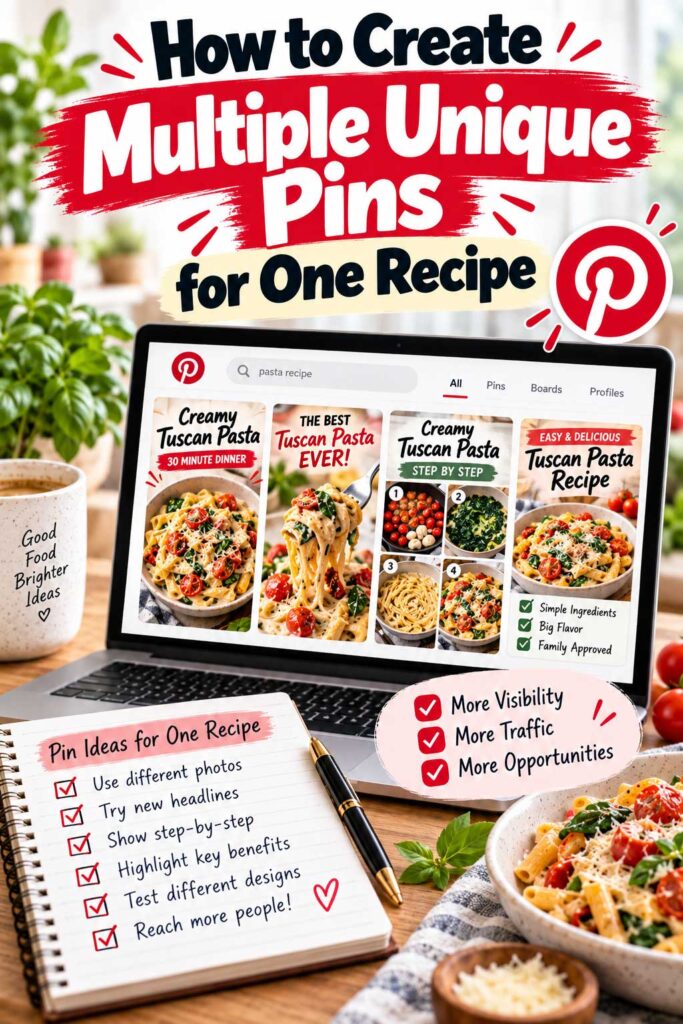
How to Create Multiple Unique Pins for One Recipe
One well-photographed recipe can provide enough material for three to five unique Pinterest Pins, without requiring multiple photoshoots or hours of graphic design.
The key is highlighting different aspects of the dish rather than simply changing fonts, colors, or backgrounds.
For example, homemade cinnamon rolls might appeal to people searching for classic breakfast recipes, soft pastries, weekend brunch ideas, or baking tutorials.
Each angle could inspire a different Pin, provided the headline and imagery accurately represent your recipe.
Here’s how to create those variations efficiently.
Start With Your Best Recipe Photographs
Before opening Canva, review the photographs you’ve already taken.
Ideally, your recipe photoshoot includes several perspectives: an overhead image, a close-up showing texture, a serving photograph, and a few preparation steps.
For homemade cinnamon rolls, you might use an overhead photograph of the baking dish, a close-up showing the soft interior, and an image of cream cheese frosting being spread over the rolls.
Each photograph communicates something different.
You don’t need dozens of images, but having several strong options makes creating original Pins easier.
Choose photographs that support each Pin’s message, not simply images you haven’t used before.
Create Your First Pin Around the Main Recipe Keyword
Your first Pinterest Pin should clearly introduce the recipe.
For homemade cinnamon rolls, a straightforward headline would be:
“Homemade Cinnamon Rolls Recipe”
Pair it with your strongest photograph of the finished dish.
Avoid vague headlines such as “The Most Delicious Breakfast Ever.” They may sound appealing but don’t clearly explain what the recipe is.
You can also use a more descriptive Pinterest title, such as “Homemade Cinnamon Rolls With Cream Cheese Frosting.”
Include the primary keyword naturally in the title and description without unnecessary repetition.
Create a Second Pin That Highlights Texture or Ingredients
Your second Pin can emphasize another appealing characteristic of the recipe.
For example:
“Soft and Fluffy Homemade Cinnamon Rolls”
Use a close-up photograph showing the rolls’ soft interior.
Alternatively, you could highlight the frosting with a headline such as “Cinnamon Rolls With Cream Cheese Frosting.”
The photograph should support the message.
If you’re emphasizing texture, show it clearly. If an ingredient makes the recipe special, choose an image where that ingredient is visible.
This creates a more meaningful variation than simply changing the background of your first design.
Create a Third Pin Around a Relevant Occasion
Recipes often appeal to people planning particular meals or celebrations.
Homemade cinnamon rolls, for example, might be suitable for weekend breakfast, holiday brunch, or family gatherings.
A third Pin could feature:
“Homemade Cinnamon Rolls for Weekend Brunch”
Use a photograph showing the rolls arranged on a serving plate or breakfast table.
However, don’t force seasonal keywords into your designs simply because they’re popular.
A recipe doesn’t automatically become a Christmas recipe because you’ve added holiday decorations.
Choose occasions that genuinely match the dish and its intended use.
Create a Fourth Pin That Highlights the Cooking Process
If your recipe includes preparation photographs, consider creating a Pin focused on the cooking process.
For cinnamon rolls, you could show the dough being rolled, filled, or shaped before baking.
A headline such as “How to Make Homemade Cinnamon Rolls” tells readers they’ll find instructions for preparing the dish.
You could use one strong preparation photograph or a simple collage showing important steps.
Keep the layout clean and easy to understand on mobile devices.
This approach works particularly well for recipes involving distinctive cooking techniques, baking methods, or helpful step-by-step instructions.
Create a Fifth Pin Using Original Cooking Video
Cooking videos offer another opportunity to promote your recipe.
For example, a short cinnamon roll video could show the dough being prepared, the filling being added, and the finished rolls coming out of the oven.
You might end with a close-up of the frosting.
The video doesn’t need to demonstrate every instruction. It should introduce the recipe and give interested viewers a reason to explore the complete article.
Make sure the footage accurately represents the dish and avoid using unrelated cooking clips.
If you don’t have original video material, there’s no need to create a fifth Pin simply to reach a particular number.
Three excellent image Pins may be more than enough.
Example: Five Pinterest Pins From One Recipe
Here’s how you could turn one homemade cinnamon roll recipe into five distinctive Pinterest Pins.
| Pin | Main Headline | Visual Approach |
|---|---|---|
| Pin 1 | Homemade Cinnamon Rolls Recipe | Overhead photograph |
| Pin 2 | Soft and Fluffy Cinnamon Rolls | Close-up showing texture |
| Pin 3 | Cinnamon Rolls for Weekend Brunch | Breakfast table presentation |
| Pin 4 | How to Make Homemade Cinnamon Rolls | Preparation photographs |
| Pin 5 | Homemade Cinnamon Rolls Step by Step | Original cooking video |
All five Pins can link directly to the same recipe.
However, you don’t need to create them all immediately.
Start with your strongest two or three designs, review their performance, and develop additional variations when you have useful creative opportunities.
Use Canva Templates to Make Pin Creation Easier
Canva makes creating Pinterest graphics easier with reusable templates, image editing, and typography tools.
If you’re comparing design software, schedulers, and analytics platforms, our guide to the best Pinterest tools for food bloggers covers free and paid options to help you create better Pins and manage your publishing workflow.
For standard vertical Pins, Pinterest recommends a 2:3 aspect ratio, commonly 1000 × 1500 pixels.
Start with a blank design and add your strongest food photograph.
Include a short, readable headline and avoid placing excessive text over detailed areas of the image.
You can also add your website name near the bottom for consistent branding.
Once your first design is complete, save the layout as a reusable template.
Consider developing several templates for different photography styles, such as full-image Pins, split photographs, and preparation collages.
Templates save time, but your photographs and creative concepts should still provide meaningful variation.
Match Each Pin to a Relevant Pinterest Keyword
Different Pinterest Pins can target closely related searches without requiring separate blog posts.
For example, a cinnamon roll recipe might naturally match searches such as “homemade cinnamon rolls,” “cinnamon rolls with cream cheese frosting,” and “how to make cinnamon rolls from scratch.”
You can create designs emphasizing these different characteristics while linking to the same recipe.
However, every keyword should accurately describe the content.
Don’t advertise cinnamon rolls as gluten-free if they contain regular wheat flour, or call them a 20-minute breakfast when preparation takes several hours.
Also, avoid creating separate Pins for nearly identical keyword variations that offer no meaningful difference.
Focus on ingredients, preparation methods, textures, and occasions that make the recipe relevant to different searches.
Write a Unique Pin Title and Description
Once your graphics are ready, prepare descriptive Pinterest titles and descriptions.
For example, your first cinnamon roll Pin could use:
Pinterest Title: Homemade Cinnamon Rolls Recipe With Cream Cheese Frosting
Pinterest Description: Make soft homemade cinnamon rolls with a cinnamon-sugar filling and creamy frosting. Find the complete ingredients and step-by-step baking instructions in this recipe.
A second Pin could emphasize texture with the title “Soft and Fluffy Cinnamon Rolls From Scratch.”
Descriptions don’t need to be completely different, but avoid copying identical text across dozens of Pins.
Use relevant keywords naturally and describe what readers can expect from the recipe.
Link Every Pin to the Correct Recipe
Every Pinterest Pin should direct readers to a relevant destination.
If you’re promoting homemade cinnamon rolls, link directly to the cinnamon roll recipe rather than your homepage or a general breakfast category.
The image, headline, description, and destination page should all match.
Before scheduling, verify that the URL works and that the recipe includes accurate instructions and photographs.
A beautiful Pinterest graphic won’t help much if readers encounter a broken page or content that doesn’t match what they expected.
Don’t Publish Every Variation Immediately
Creating several Pins during one design session doesn’t mean you need to publish them all at once.
You might publish your main recipe Pin when the article goes live and introduce additional designs during subsequent weeks.
For example, your second cinnamon roll Pin could appear later in your publishing calendar, alongside Pins featuring other breakfast recipes.
There’s no official Pinterest rule requiring a specific number of days between different original Pins promoting the same URL.
Spacing your graphics simply helps maintain a varied, manageable publishing schedule.
Track Which Pin Designs Actually Work
Creating multiple Pins gives you an opportunity to discover which photographs and headlines appeal to your audience.
Perhaps overhead images receive more impressions, while close-up food photography generates more outbound clicks.
Or maybe Pins highlighting preparation time perform better than general recipe titles.
Use Pinterest Analytics to monitor impressions, saves, and outbound clicks.
Compare Pins over similar periods, remembering that seasonal demand and publication age can influence results.
If certain creative approaches consistently attract visitors, use those insights when designing future Pins.
You don’t need five variations for every recipe. Focus on the formats and topics that appear most valuable for your audience.
My Recommended Workflow for Creating Multiple Pins
For most food bloggers, I’d recommend starting with a simple three-design workflow.
During your recipe photoshoot, capture several appealing photographs of the finished dish and at least one alternative perspective.
After publishing the recipe, create your first Pin using the primary keyword and strongest image.
For the second design, highlight another accurate feature, such as texture, ingredients, or preparation method.
Use the third Pin to emphasize a relevant occasion or another useful aspect of the recipe.
Prepare your Pinterest titles and descriptions, verify the destination links, and schedule the graphics throughout your publishing calendar.
Once you’ve collected meaningful performance data, decide whether the recipe deserves additional variations.
Creating multiple Pinterest Pins should help you get more value from your recipes and photography—not create unnecessary design work.
With organized photographs, reusable templates, and a clear content strategy, you can promote each recipe effectively without spending hours creating repetitive graphics.
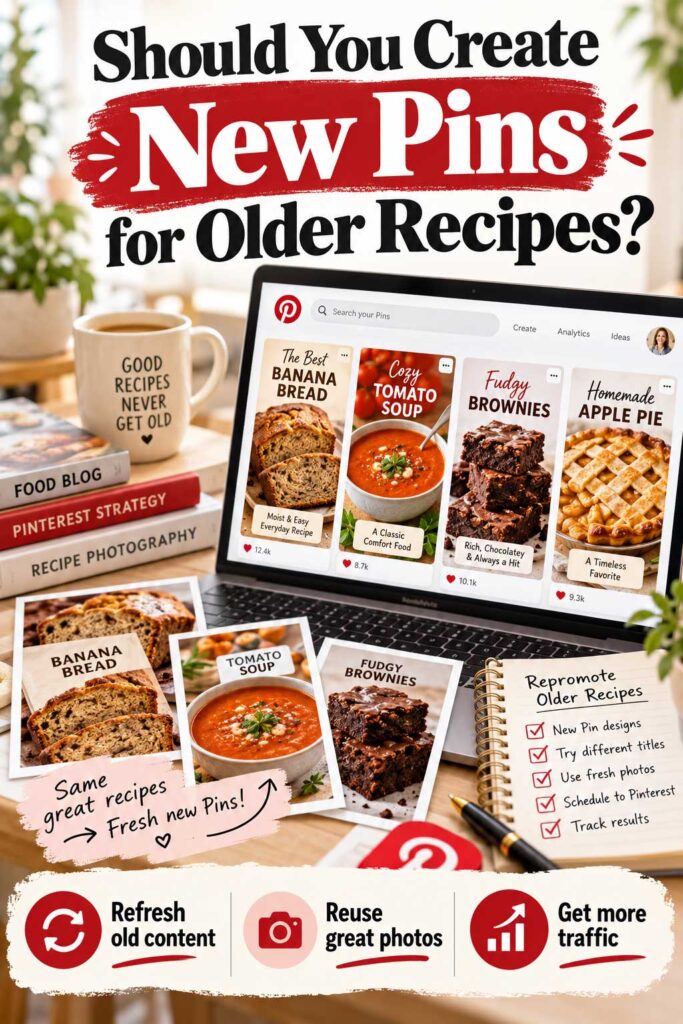
Should You Create New Pins for Older Recipes?
Yes, creating fresh Pinterest Pins for older recipes can help attract new visitors without publishing additional blog posts. Some of your best Pinterest opportunities may already be in your recipe archives.
Imagine you published a homemade apple pie recipe three years ago. The instructions are still accurate, the photographs look appealing, and people continue searching for traditional desserts.
There’s no reason to stop promoting it simply because the article isn’t new.
You could create another original Pin using a different photograph, highlight a relevant feature, and link directly to the existing recipe.
Pinterest content can continue attracting engagement months or even years after publication, making older recipes valuable promotional opportunities.
However, you don’t need five new Pins for every article. Focus on recipes with strong photography, seasonal relevance, or promising traffic potential.
Why Older Recipes Deserve Pinterest Attention
Developing recipes, taking photographs, and writing helpful instructions require considerable effort. Once published, those articles become part of your website’s long-term content library.
Unfortunately, many food bloggers promote recipes when they’re new and rarely revisit them.
That can mean missing opportunities.
Homemade chicken soup may remain relevant every winter, while potato salad might attract interest during summer gatherings. Banana bread and other everyday recipes can appeal to readers throughout the year.
Creating a fresh Pinterest Pin gives those articles another opportunity to reach interested audiences without requiring you to develop an entirely new recipe.
For established blogs with hundreds of posts, this can be particularly valuable.
Which Older Recipes Should You Promote First?
Not every older recipe deserves the same promotional effort.
If your website contains 200 or 300 recipes, start with articles that have strong photography, useful instructions, existing traffic, or seasonal relevance.
Here’s a practical way to prioritize them.
| Recipe Type | Pinterest Priority | Recommended Action |
|---|---|---|
| Popular recipes generating traffic | High | Test additional original Pins |
| Upcoming seasonal recipes | High | Prepare timely designs |
| Evergreen recipes with strong photography | High | Create fresh visual variations |
| Older recipes with few existing Pins | Medium–High | Test 1–2 new designs |
| Recipes with outdated photographs | Medium | Improve images first |
| Recipes with incomplete instructions | Low until updated | Improve the article |
| Recipes with technical problems | Fix first | Resolve errors before promoting |
This is a suggested prioritization system, not an official Pinterest ranking method.
For example, a well-photographed homemade lasagna recipe that already attracts Google visitors might deserve additional Pinterest promotion.
Meanwhile, a recipe with blurry photographs or incomplete instructions should be improved before sending more visitors to it.
Prioritize content that’s worth discovering, not simply articles that haven’t received Pinterest attention recently.
Use Pinterest Analytics to Find Older Recipes Worth Promoting
Pinterest Analytics can help identify older recipes that already attract interest.
Review your existing Pins and look for impressions, saves, and especially outbound clicks.
Suppose an older strawberry cheesecake recipe continues generating website visits.
Instead of immediately creating ten additional Pins, try one distinctive design featuring a different photograph.
Perhaps your original Pin showed the entire cheesecake. A new close-up highlighting an individual slice could provide another appealing perspective.
You can also identify recipe categories that perform well.
If homemade bread consistently generates outbound clicks, consider promoting other bread recipes from your collection.
However, don’t completely ignore underperforming articles. Some may simply need better photography, clearer headlines, or more relevant keywords.
Use Google Search Console to Discover Hidden Opportunities
Google Search Console can reveal older recipes that already attract search interest but haven’t received much Pinterest promotion.
For example, your traditional Greek lemon chicken recipe might receive Google impressions for searches involving Greek chicken, roasted potatoes, or Mediterranean dinners.
Those queries can suggest different ways to present your recipe on Pinterest.
One design could emphasize the traditional dish, while another highlights its lemon flavor or roasted potatoes, assuming those ingredients appear in the recipe.
However, Google and Pinterest don’t necessarily have identical search patterns.
Use Search Console to discover promising topics, then check their relevance through Pinterest search or Pinterest Trends.
If you’re also looking for new recipe ideas with realistic opportunities to attract Google traffic, our guide to finding low-competition recipe keywords explains how to identify specific searches and evaluate the competition.
Most importantly, make sure every Pin headline accurately represents the recipe.
Refresh Seasonal Recipes Before Interest Peaks
Seasonal recipes are excellent candidates for renewed Pinterest promotion.
Pumpkin bread, Christmas cookies, Thanksgiving side dishes, Easter desserts, and summer salads may attract interest during particular times of the year.
For example, a pumpkin dessert published several years ago could still appeal to readers every autumn.
Instead of developing another pumpkin recipe, consider creating a new Pin using a different photograph or seasonal headline.
Timing matters, too.
People often use Pinterest to plan holidays and celebrations in advance, so waiting until the actual holiday may mean missing earlier search activity.
As a starting point, consider preparing seasonal Pins six to eight weeks before an occasion, adjusting the schedule based on historical trends.
For major holidays, beginning even earlier may make sense.
Use Pinterest Trends to Plan Older Recipe Promotions
Pinterest Trends can help you identify when interest in particular recipes begins increasing.
For example, you could compare searches related to pumpkin bread, apple pie, and Christmas cookies.
If interest in pumpkin bread begins rising before autumn, you can prepare original Pins for your existing recipe ahead of that increase.
You can also explore trends involving quick dinners, meal preparation, homemade bread, and refreshing summer drinks.
This information can help you decide which older articles deserve attention during different months.
However, Pinterest Trends doesn’t guarantee traffic. Use it to identify opportunities and combine those insights with your website’s historical performance.
Should You Update the Recipe Before Creating New Pins?
Sometimes, but not every older article needs rewriting.
Before promoting a recipe again, review its photographs, ingredients, instructions, recipe card, and mobile presentation.
You might discover outdated images, broken links, confusing preparation steps, or missing information.
If those issues affect the reader experience, address them before creating additional Pins.
However, a recipe with accurate instructions, attractive photography, and a functioning recipe card may not need any changes.
Update older recipes when there’s a genuine opportunity to improve them, not simply because you’re creating another Pinterest Pin.
If an older recipe needs more than updated photography, our recipe SEO guide explains how to improve recipe titles, content structure, internal links, and structured data to help your articles perform better in Google Search.
Also, avoid changing established recipe URLs without a good reason. If a URL must change, use an appropriate permanent redirect to preserve existing links.
How to Create a New Pin for an Older Recipe
Imagine you published homemade blueberry muffins two years ago.
Your original Pinterest Pin featured an overhead photograph with the headline:
“Homemade Blueberry Muffins Recipe”
Now you want to promote the recipe again.
Instead of reusing the same graphic, choose another original photograph, perhaps showing a muffin broken in half with blueberries visible inside.
Your new headline could be:
“Soft and Fluffy Blueberry Muffins From Scratch”
This emphasizes the muffins’ texture while giving readers a different visual perspective.
Create a distinctive layout, write an accurate Pinterest description, and link directly to the existing recipe.
There’s no need to change the URL, duplicate the article, or republish the entire post.
Example: Refreshing Pinterest Promotion for Five Older Recipes
Suppose your food blog contains 100 recipes, and you want to create ten additional Pinterest Pins this month.
You could select five older articles with strong photography and create two original designs for each.
| Older Recipe | New Pin Idea | New Pins |
|---|---|---|
| Homemade Banana Bread | Soft Banana Bread With Ripe Bananas | 2 |
| Greek Chicken Souvlaki | Traditional Greek Chicken Skewers | 2 |
| Chocolate Brownies | Fudgy Homemade Chocolate Brownies | 2 |
| Homemade Tomato Soup | Creamy Tomato Soup With Fresh Basil | 2 |
| Apple Pie | Classic Homemade Apple Pie | 2 |
| Total | 10 |
Each headline should accurately describe the recipe, and the two designs for each article should feature meaningful differences.
You can schedule these Pins throughout the month alongside graphics promoting newly published content.
This gives you ten original Pinterest designs without requiring ten new blog posts.
Should You Delete Older Pins When Creating New Ones?
Generally, no.
Publishing a new Pinterest graphic doesn’t mean the original Pin has become useless.
An older Pin may continue generating impressions, saves, and outbound clicks long after publication.
For example, a Christmas cookie Pin from several years ago might still attract visitors during the holiday season.
Deleting it simply because you’ve created a newer design could remove a useful source of traffic.
However, review Pins containing incorrect information, misleading headlines, or broken destination links.
Correct those issues when possible. If a Pin seriously misrepresents the content and cannot be fixed, removing it may be appropriate.
Don’t delete functioning older Pins simply to replace them with new designs.
How Many New Pins Should You Create for Older Recipes?
For most food bloggers, I’d recommend starting with one or two additional original Pins for selected older recipes.
You don’t need a fixed number for every article.
A detailed homemade lasagna recipe with extensive photography might support several distinctive designs.
Meanwhile, a simple cucumber salad with limited images may only need one additional Pin.
Consider creating more when you’ve updated the photography, identified a useful new creative angle, or discovered promising search interest.
Avoid repeatedly uploading nearly identical graphics simply to reach a monthly publishing target.
How Often Should You Return to Older Recipes?
You don’t need to revisit every recipe each month.
Instead, review your content library periodically and identify articles worth promoting.
During your monthly Pinterest planning session, look for older recipes attracting traffic, upcoming seasonal opportunities, and posts that haven’t received much Pinterest attention.
You might select three recipes one month and eight the next.
That’s perfectly reasonable.
For seasonal recipes, review your promotional plans before expected interest increases.
For evergreen content, use performance data to determine whether additional designs are worthwhile.
The goal is to discover useful promotional opportunities, not continuously refresh every article on a rigid schedule.
Don’t Let Older Recipes Take Over Your Entire Pinterest Strategy
Although promoting older recipes can be valuable, new content still deserves attention.
A balanced Pinterest strategy usually includes newly published recipes, established evergreen articles, and seasonal dishes.
For example, a food blogger creating 30 Pins monthly might dedicate ten to new recipes, twelve to evergreen content, and eight to seasonal dishes.
However, this distribution isn’t mandatory.
A newer blog may concentrate more heavily on recent articles, while an established website with 500 recipes might have more older content worth promoting.
Choose a balance that reflects your available photography, publishing schedule, and audience interests.
Remember that Pinterest should help visitors discover your recipes, not replace the work required to keep those articles helpful and accurate.
Track Whether Your New Pins Are Helping Older Recipes
After publishing new graphics for older recipes, monitor their performance.
Use Pinterest Analytics to review impressions, saves, and outbound clicks. Google Analytics 4 can also help identify which recipe pages attract Pinterest visitors.
For example, suppose your older banana bread recipe previously received very little Pinterest traffic.
After publishing two fresh designs, you notice additional outbound clicks.
That’s encouraging, although the increase may also reflect seasonal interest or activity from previously published Pins.
Compare results over meaningful periods and account for the age of each design.
If your new Pins generate consistent traffic, consider testing similar approaches with related recipes.
If they receive impressions but few outbound clicks, review your photography and headlines before creating more.
My Recommended Strategy for Reviving Older Recipes
If I were managing a food blog with several hundred recipes, I’d begin by reviewing Pinterest Analytics and Google Search Console.
I’d identify successful articles, upcoming seasonal opportunities, and older recipes with strong photography but limited Pinterest exposure.
Next, I’d choose a manageable selection of articles and create one or two original Pins for each.
I’d use different photographs, accurate headlines, and direct links to the existing recipes.
Then I’d schedule those designs alongside Pins promoting newly published content.
Finally, I’d monitor outbound clicks and website traffic to see which approaches appear worthwhile.
An older recipe doesn’t need to be rewritten or republished to deserve another opportunity on Pinterest. It simply needs to remain useful, relevant, and worth discovering.
For established food bloggers, promoting existing recipes effectively can be just as valuable as creating Pinterest graphics for every new article.
How Often Should You Pin the Same Recipe?
Food bloggers can publish multiple original Pinterest Pins linking to the same recipe, and there’s no official rule requiring a 7-, 14-, or 30-day waiting period between different designs.
What matters is whether your Pins offer meaningful differences or simply repeat existing content.
For example, a homemade chocolate cake recipe could have one Pin showing the entire cake and another featuring a close-up of an individual slice.
Both can link to the same recipe while highlighting different visual features.
However, repeatedly uploading an identical graphic isn’t a recommended strategy. Pinterest’s official guidance discourages duplicate uploads and repetitive saving activity that may trigger spam-related restrictions.
The best approach is to create distinctive Pins and introduce them naturally throughout your publishing calendar.
Do You Need to Wait Between Pinterest Pins for the Same Recipe?
No official Pinterest guideline requires a specific waiting period between different original Pins promoting the same recipe.
Recommendations to wait seven days, two weeks, or a month are scheduling suggestions rather than mandatory rules.
However, spreading your designs across several weeks can make your Pinterest calendar easier to manage.
For example, you might publish your main chocolate cake Pin when the recipe goes live, introduce another design the following week, and share a third variation later in the month.
This gives you time to promote other recipes and observe which designs attract interest.
Spacing Pins is a practical organizational strategy, not a guaranteed way to improve Pinterest rankings.
Can You Publish Two Pins for the Same Recipe in One Week?
Yes, you can publish two original Pins for the same recipe during one week.
Suppose you’ve just published traditional Greek chicken souvlaki.
Your first Pin might feature grilled chicken skewers with the headline “Traditional Greek Chicken Souvlaki Recipe.”
A second design could show the finished souvlaki served with pita bread and tzatziki.
Both promote the same article but use different photographs and emphasize different aspects of the dish.
However, if you only have one strong photograph, there’s no need to force multiple designs.
One excellent Pin may be more useful than several nearly identical graphics.
Should You Publish All Your Recipe Pins on the Same Day?
You can create several Pinterest graphics during one design session without publishing them all immediately.
For example, if you’ve prepared five original banana bread Pins, consider scheduling them across different weeks.
Between those uploads, you could feature homemade blueberry muffins, breakfast recipes, or seasonal baked goods.
This creates variety and keeps your publishing calendar organized.
However, there’s no evidence that waiting exactly seven or 14 days guarantees better performance.
Choose a schedule that fits your available content rather than following arbitrary spacing rules.
Example: Scheduling Three Pins for One Recipe
Imagine you’ve created three original Pinterest Pins for homemade lasagna.
The first features the complete dish, the second highlights its cheesy layers, and the third shows lasagna served as a family dinner.
Here’s one possible publishing schedule.
| Publishing Period | Pinterest Content | Creative Focus |
|---|---|---|
| Week 1 | Homemade Lasagna Recipe | Main recipe keyword |
| Week 2 | Other recipe Pins | Content variety |
| Week 3 | Cheesy Homemade Lasagna | Texture and ingredients |
| Week 4 | Other recipe Pins | Different recipes |
| Week 5 | Homemade Lasagna for Family Dinner | Serving occasion |
This introduces three distinctive lasagna Pins over five weeks while promoting other recipes in between.
The timing is flexible. You could publish the designs closer together or spread them over a longer period.
What matters is that each Pin offers a useful visual presentation and accurately represents the recipe.
How Often Should You Repin the Exact Same Image?
Saving an existing Pinterest Pin isn’t the same as creating a fresh one.
For example, saving your strawberry cheesecake Pin to another relevant board doesn’t produce a new original design.
Repeatedly saving that graphic across numerous boards simply to increase activity isn’t a recommended growth strategy.
Pinterest warns against excessive repetitive saving and duplicate uploads.
Instead, organize your existing Pins into relevant boards and concentrate on creating new, useful content.
A homemade chocolate cookie Pin might fit a cookie recipes board or a chocolate desserts board, but it doesn’t need to be repeatedly saved across numerous loosely related categories.
Relevant organization is more valuable than excessive repetition.
How Many Times Should You Promote the Same Recipe Each Month?
There’s no universal monthly limit for creating original Pins for one recipe.
However, two or three distinctive designs per new recipe are a sensible starting point for most food bloggers.
A popular Christmas cookie recipe with extensive photography might justify additional Pins highlighting decorating techniques, finished cookies, or gift ideas.
Meanwhile, a simple cucumber salad with limited photographs may only need one or two designs.
Start with your strongest creative ideas, review their performance, and create additional Pins when the recipe offers meaningful opportunities.
Avoid producing ten or twenty similar graphics simply to reach a monthly publishing target.
Avoid Promoting Only One or Two Recipes
Some food bloggers concentrate too much of their Pinterest activity on a handful of successful recipes.
Imagine your website contains 100 recipes, but most of your Pins promote the same five desserts.
Those articles may perform well, but you could be overlooking opportunities to introduce readers to breakfast dishes, soups, salads, and family dinners.
Creating original Pins for different recipe categories can help diversify your Pinterest content.
You may even discover that recipes you previously overlooked attract strong engagement and outbound clicks.
This doesn’t mean every article deserves equal promotion.
Popular and seasonal recipes may justify additional attention, but your overall strategy should represent more than a few successful posts.
Should You Pin Popular Recipes More Frequently?
Recipes already generating Pinterest traffic may deserve additional original designs.
Suppose your homemade banana bread consistently receives more outbound clicks than other articles.
You could test another Pin using a different photograph or highlighting its texture.
However, publishing additional banana bread graphics every week won’t necessarily multiply your traffic.
Existing Pins may already be performing well without further promotion.
You could also apply what you’ve learned to similar recipes, such as banana muffins or zucchini bread.
This helps expand your Pinterest strategy without relying entirely on one successful article.
How Often Should You Promote Seasonal Recipes?
Seasonal recipes deserve special consideration because audience interest changes throughout the year.
A homemade pumpkin pie recipe, for example, may attract more attention during autumn and the weeks leading up to Thanksgiving.
You could prepare original Pins before seasonal searches peak and introduce additional designs when appropriate.
However, there’s no need to repeatedly upload identical graphics.
Pinterest Pins can continue receiving engagement months or even years after publication.
That means a successful pumpkin pie Pin from last autumn may attract renewed interest the following year.
Create new designs when you have something useful to add, rather than assuming every holiday requires replacing your existing Pins.
How to Track When You Last Promoted a Recipe
As your food blog grows, keeping track of Pinterest designs becomes increasingly important.
If you manage 200 recipes and publish dozens of Pins monthly, remembering which photographs and headlines you’ve already used can be difficult.
A simple spreadsheet can help.
Record the recipe name, destination URL, creative angle, publication date, and current status.
For example, your spreadsheet might show that you published two original Greek salad Pins in August and another in September.
This helps prevent accidental duplicates and makes future planning easier.
You can also identify older recipes that haven’t received much Pinterest attention or seasonal articles worth promoting again.
You don’t need complicated software. A basic Google Sheets or Excel content calendar is sufficient.
Don’t Confuse Consistency With Repetition
Publishing consistently doesn’t mean repeatedly promoting the same recipe.
A consistent Pinterest strategy might involve creating five original Pins each week featuring different dishes, seasonal ideas, and creative formats.
Repetition occurs when you continually upload identical or nearly identical content without offering meaningful variation.
Pinterest encourages regular original publishing but doesn’t require creators to post a specific number of Pins daily.
For food bloggers, that means creating a schedule you can maintain without sacrificing originality.
You don’t need to promote the same recipe simply because there’s an empty slot in your Pinterest calendar.
Choose useful content first, then organize your publishing schedule around it.
What Should You Do if a Pin Isn’t Performing?
If a Pinterest Pin receives very few impressions or outbound clicks, don’t immediately upload another version.
First, give it enough time to collect meaningful performance data.
Then review the photograph, headline, keywords, and destination page.
For example, a homemade lemon chicken Pin might use a poorly lit image and a vague title.
Creating a substantially improved design with brighter original photography and a clear recipe headline could be worthwhile.
However, repeatedly uploading minor variations every few days isn’t a reliable way to improve performance.
Focus on making the new design genuinely better rather than simply different.
My Recommended Pinterest Spacing Strategy
For beginner and growing food blogs, I’d recommend creating two or three original Pins per recipe and distributing them naturally throughout your publishing calendar.
Publish your main recipe Pin when the article goes live, then introduce additional designs during subsequent weeks.
Meanwhile, continue promoting other recipes to maintain variety.
For established food blogs, build a balanced schedule featuring newly published content, evergreen recipes, and seasonal opportunities.
Review Pinterest Analytics regularly to identify which recipes deserve additional creative attention.
Remember, there’s no mandatory seven-day, 14-day, or 30-day spacing rule for different original Pins promoting the same recipe.
Instead, concentrate on creating distinctive graphics, maintaining a manageable publishing routine, and tracking whether your Pins bring interested readers to your website.
The goal isn’t to find the perfect number of days between uploads. It’s to publish original, useful content that helps people discover recipes they’ll want to make.
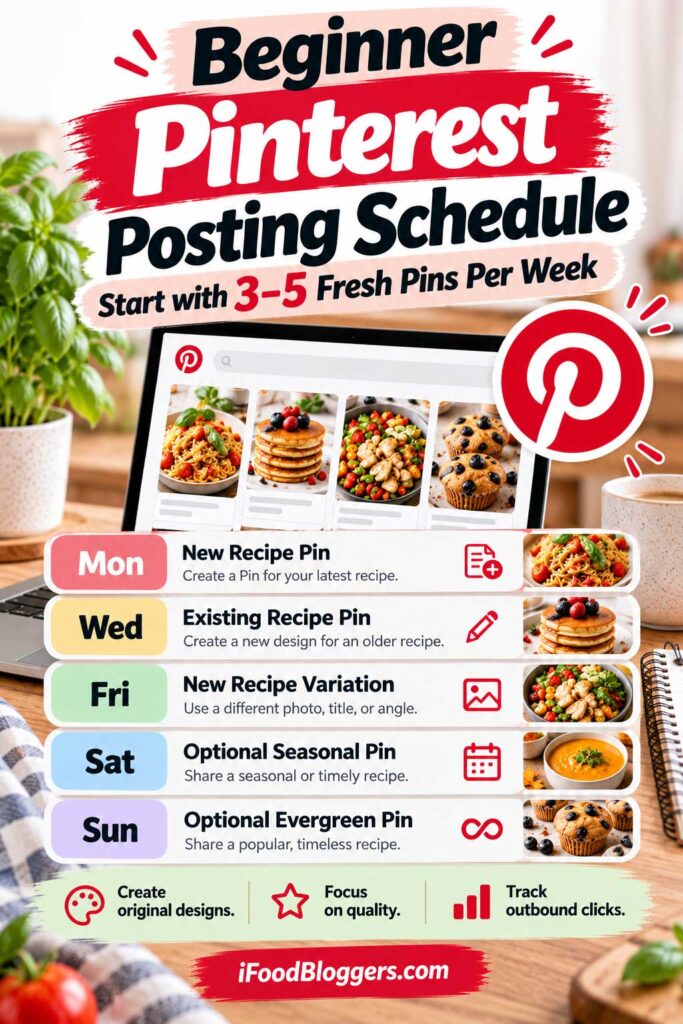
Best Pinterest Posting Schedule for Beginner Food Bloggers
Starting Pinterest marketing can feel overwhelming when you’re also developing recipes, taking photographs, and managing your food blog.
You might see established bloggers publishing several Pins daily and wonder whether you need to do the same.
Fortunately, you don’t.
For beginner food bloggers with approximately 10–25 recipes, creating three to five original Pinterest Pins per week is a practical starting point.
At five Pins weekly, you’ll publish around 20 original designs over four weeks. That’s enough to establish a routine, experiment with photography, and begin learning what interests your audience.
According to Pinterest’s official guidance, creators should publish original content regularly rather than repeatedly uploading duplicate Pins.
Here’s a beginner-friendly 30-day plan that keeps Pinterest manageable.
Start With 10–25 Recipes You Can Promote
You don’t need hundreds of published recipes to start using Pinterest.
Even a collection of 10–25 articles can provide useful content, particularly when it includes different meals, ingredients, and cooking methods.
For example, your blog might feature homemade pancakes, banana bread, Greek salad, chicken soup, baked salmon, and several desserts.
Start by choosing recipes with your strongest original photography and clear, helpful instructions.
Also consider seasonal relevance. Homemade soups and apple desserts may be worth promoting during autumn, while salads and refreshing drinks may appeal to summer audiences.
Include evergreen recipes that remain useful throughout the year.
Your goal is to identify a manageable collection of articles you’re confident promoting.
Set Up Your Pinterest Account Before Publishing
Before creating Pins, make sure your account is properly configured.
Start with a free Pinterest business account, which provides access to Pinterest Analytics.
Next, claim your food blog’s domain. This helps connect your website content to your Pinterest account and provides additional insights.
Pinterest explains the process in its official website claiming guide.
Organize your profile with a few relevant boards.
For example, a Mediterranean food blog might create boards for Greek Recipes, Mediterranean Dinners, Homemade Desserts, and Easy Breakfast Ideas.
You don’t need dozens of boards immediately. A few well-organized categories are better than numerous empty or overlapping boards.
Finally, write a clear profile description explaining what readers can expect from your food blog.
Your First 30-Day Pinterest Posting Plan
For your first month, aim for approximately 20 original Pinterest Pins.
This example assumes you’re publishing one new recipe weekly and creating two unique Pins for each one.
| Week | New Recipe Pins | Existing Recipe Pins | Total |
|---|---|---|---|
| Week 1 | 2 | 3 | 5 |
| Week 2 | 2 | 3 | 5 |
| Week 3 | 2 | 3 | 5 |
| Week 4 | 2 | 3 | 5 |
| Days 29–30 | — | — | Review results |
| Total | 8 | 12 | 20 |
If you’re not publishing a new recipe every week, simply create original Pins for existing articles.
You don’t need to produce additional blog posts just to fill your Pinterest calendar.
The purpose of this plan is to build a sustainable publishing habit while gradually expanding your Pinterest content library.
Week 1: Create Your First Five Pinterest Pins
During your first week, concentrate on establishing a simple design workflow.
Choose one newly published recipe and three existing articles.
Create two distinctive Pins for the new recipe, using different original photographs or highlighting separate features.
For example, if you’ve published homemade blueberry pancakes, your first Pin might feature the headline “Homemade Blueberry Pancakes Recipe.”
The second could use a close-up showing their fluffy texture.
Then create one Pin each for three older recipes, such as tomato soup, Greek chicken skewers, and chocolate brownies.
Write descriptive titles, choose relevant boards, and link each graphic directly to the corresponding recipe.
Your first week’s goal isn’t to generate hundreds of visitors. It’s to establish a Pinterest workflow you can repeat.
Week 2: Experiment With Different Food Photography
Continue publishing approximately five original Pins, but pay closer attention to your photographs.
Suppose your newest recipe is homemade chicken Alfredo pasta.
Your first Pin could feature an overhead photograph of the complete dish. The second might use a close-up highlighting the creamy sauce.
For your remaining three Pins, choose older recipes you haven’t promoted recently.
Experiment with different compositions, including single photographs and simple two-image layouts.
Pinterest recommends a 2:3 aspect ratio for standard vertical Pins, with 1000 × 1500 pixels being a common design size.
Keep your headlines readable on mobile devices and avoid cluttered layouts.
By the end of Week 2, you’ll have approximately ten original Pins and a better understanding of which designs are easiest to create.
Week 3: Test Different Pinterest Headlines
During Week 3, experiment with headlines that highlight different aspects of your recipes.
For example, suppose you’ve published homemade strawberry cheesecake.
Your first Pin might feature:
“Homemade Strawberry Cheesecake Recipe”
A second could emphasize:
“Creamy Strawberry Cheesecake With Fresh Strawberries”
Both accurately describe the dessert while communicating slightly different features.
You can also test headlines highlighting ingredients, preparation methods, or serving occasions.
However, avoid misleading claims. Don’t describe a cheesecake as no-bake unless the recipe actually requires no baking.
For your three additional Pins, promote different recipes from your existing collection.
By the end of the week, you’ll have approximately 15 original Pins.
Continue observing performance without expecting every design to attract traffic immediately.
Week 4: Maintain Your Schedule and Review Performance
During the fourth week, follow the same routine: two original Pins for your newest recipe and three featuring existing content.
This brings your monthly total to approximately 20 fresh Pins.
You should now have a better idea of how much time Pinterest content creation requires.
Perhaps you’ve developed reusable templates or discovered that preparing photographs and headlines in advance makes designing easier.
Begin reviewing Pinterest Analytics to see which Pins receive impressions, saves, and outbound clicks.
However, don’t draw major conclusions from a handful of early results.
A chocolate cake Pin might outperform vegetable soup because of its photography, keywords, seasonal demand, or publication date.
Use your first month’s results to identify possible patterns rather than immediately changing your entire strategy.
Example: A Simple Five-Pin Weekly Schedule
Once you’re comfortable with your workflow, you can follow a simple weekly publishing calendar.
| Day | Pinterest Activity |
|---|---|
| Monday | Publish Pin 1 for a new banana bread recipe |
| Tuesday | Prepare future Pinterest content |
| Wednesday | Publish a fresh Pin for Greek salad |
| Thursday | Create or schedule upcoming designs |
| Friday | Publish a fresh Pin for chicken soup |
| Saturday | Publish Pin 2 for banana bread |
| Sunday | Publish a fresh Pin for chocolate brownies |
This gives you five original Pins promoting four different recipes.
The days are flexible. You can adjust your schedule around recipe development, photography, and other blogging responsibilities.
There’s no official Pinterest requirement to publish on particular weekdays.
Batch Create Your Pins Instead of Designing Every Day
One of the easiest ways to save time is to prepare several Pinterest graphics during a single work session.
For example, dedicate part of Sunday afternoon to creating the following week’s five Pins.
Choose your recipes, gather photographs, and prepare the headlines before opening your design tool.
Then create the graphics using several reusable Canva templates.
Once your designs are ready, write the Pinterest titles and descriptions, verify the destination links, and schedule publication.
Pinterest offers native scheduling options for business accounts, so beginners don’t necessarily need a paid scheduling service.
Batching allows you to maintain a consistent presence without designing and uploading graphics every day.
How Much Time Should Beginners Spend on Pinterest?
Pinterest shouldn’t consume all the time you could spend developing recipes or improving your website.
As a starting point, consider dedicating approximately 90 minutes to two hours each week to Pinterest marketing.
That time could cover selecting recipes, creating five designs, writing descriptions, and scheduling content.
You may need longer while learning Canva or organizing your photography.
Once you’ve developed templates and a repeatable workflow, the process should become easier.
Focus on activities that support your content strategy rather than checking analytics constantly or browsing Pinterest without a clear purpose.
Should Beginners Create Pins for Every Recipe?
Eventually, creating at least one strong Pinterest Pin for most of your visually appealing recipes can be a useful goal.
However, you don’t need to promote your entire recipe library immediately.
Start with recipes featuring excellent photography, relevant topics, and clear instructions.
Cakes, colorful salads, homemade bread, and family dinners can provide attractive Pinterest content.
But don’t overlook less visually dramatic dishes. Soups, stews, and traditional homemade meals can also attract attention with thoughtful photography.
Gradually expand the variety of recipes you’re promoting instead of relying on only a few popular articles.
What if You Only Have Ten Published Recipes?
If your food blog contains just ten recipes, maintaining five fresh Pins weekly may become difficult.
That’s perfectly fine.
Start with one strong graphic for each recipe, then identify a few articles with enough original photography to support additional designs.
For example, a homemade chocolate cake might provide several appealing visual angles, while a simple smoothie with one photograph may only need one Pin.
You could begin with three fresh Pins weekly, producing approximately 12 original designs over four weeks.
As you publish additional recipes, you’ll naturally have more content to promote.
A smaller schedule featuring original, useful Pins is better than forcing yourself to create repetitive graphics.
What Should You Track During Your First 30 Days?
During your first month, concentrate on publishing consistently and establishing baseline performance data.
Record how many original Pins you create, which recipes you promote, and the different creative approaches you test.
Then review your Pinterest Analytics.
Pay attention to impressions, saves, outbound clicks, and outbound click rate.
For food bloggers focused on website traffic, outbound clicks are especially valuable because they indicate that people are visiting external destinations from Pinterest.
However, a new account may not have enough data to reveal reliable patterns after only 30 days.
Use your first month’s results as a starting point and continue monitoring performance as your content library grows.
What Should You Do After the First 30 Days?
Before increasing your Pinterest publishing frequency, review how manageable the first month felt.
Did you have enough original photography? Could you create five Pins weekly without interfering with recipe development? Did certain photographs or headlines appear more effective?
If the routine felt comfortable and you have additional content available, consider increasing your schedule from five to seven original Pins per week.
That’s approximately 28 Pins over four weeks.
However, there’s no need to increase production simply because you’ve completed your first month.
If five Pins already require considerable effort, continue with that schedule while improving your designs.
You can also use early analytics to identify promising recipe categories, but avoid making major decisions based on limited data.
My Recommended Pinterest Strategy for Beginners
If I were starting a food blog with approximately 15 recipes, I’d begin with five original Pinterest Pins weekly.
I’d create two distinctive graphics for each new recipe and use the remaining publishing opportunities to promote older content.
I’d also develop several reusable Canva templates, organize my food photography, and prepare Pins in weekly batches.
At the end of the month, I’d review Pinterest Analytics and identify which recipes and visual approaches showed promise.
I wouldn’t immediately jump from five Pins per week to 20. Instead, I’d gradually improve the workflow and expand production when the available content justified it.
For beginner food bloggers, Pinterest success starts with publishing useful original content consistently—not trying to match the output of established websites with hundreds of recipes.
A manageable schedule of three to five fresh Pins weekly can help you build experience, develop your Pinterest presence, and learn what interests your audience.
As your recipe collection grows, you can expand that strategy without turning Pinterest into an overwhelming responsibility.
Pinterest Posting Strategy for Established Food Blogs
Once your food blog has 100, 300, or even 500 published recipes, your Pinterest strategy should evolve beyond promoting your newest articles.
You already have something valuable: an established collection of recipes that can attract visitors without requiring you to publish new content every day.
However, having hundreds of recipes doesn’t mean you need to publish 10 or 20 Pinterest Pins daily.
For established food bloggers, the challenge is deciding which recipes deserve promotion, how many original designs to create, and how to manage everything efficiently.
According to Pinterest’s official guidance, creating relevant, original content consistently matters more than following a universal posting quota.
The goal is to develop a Pinterest strategy that uses your existing content library effectively while producing worthwhile website traffic.
How Many Pins Should Established Food Bloggers Publish?
For established food blogs, publishing approximately 30–100 original Pinterest Pins per month can be a useful range to experiment with.
The ideal number depends on your recipe collection, available photography, production resources, and existing Pinterest performance.
Here are some suggested starting points.
| Published Recipes | Fresh Pins per Month | Weekly Frequency |
|---|---|---|
| 100–200 recipes | 30–45 | 7–10 |
| 200–300 recipes | 40–60 | 9–14 |
| 300–500 recipes | 60–80 | 14–18 |
| 500+ recipes | 60–100+ | 14–23+ |
These are planning recommendations, not official Pinterest benchmarks.
A website with 500 recipes doesn’t automatically need five times as many Pins as one containing 100.
Some recipes may already attract consistent traffic, while others have limited potential because of weak photography or low audience interest.
Your recipe count determines how much content you can promote, not how frequently you must publish.
Build Your Pinterest Strategy Around Your Existing Recipe Library
One major advantage of an established food blog is having hundreds of articles available for Pinterest promotion.
Imagine your website contains 300 recipes covering breakfast, family dinners, soups, desserts, and appetizers.
Instead of concentrating on your five newest articles, you could develop a calendar featuring different categories each week.
One week might highlight homemade bread, pasta, and traditional soups. Another could feature vegetarian meals, desserts, and quick dinners.
You can also prioritize seasonal dishes as relevant searches increase.
However, not every recipe deserves equal attention.
Start with articles that have strong original photography, helpful instructions, and a realistic opportunity to attract interested readers.
Organize Your Recipes Into Pinterest Content Groups
Organizing your recipes into promotional groups makes monthly Pinterest planning much easier.
For most established food blogs, I’d use four categories.
Evergreen recipes include dishes such as homemade pancakes, banana bread, chicken soup, and chocolate cake that remain useful throughout the year.
Seasonal recipes include Christmas cookies, pumpkin desserts, Easter breads, and refreshing summer salads.
Newly published recipes deserve initial promotion because you’ve recently invested time developing and photographing them.
Proven Pinterest performers are recipes already generating outbound clicks that may benefit from additional original designs.
This organization helps you maintain variety without reviewing hundreds of articles every week.
It can also reveal gaps. Perhaps your dessert recipes have plenty of Pinterest graphics, but your soups and vegetarian dishes haven’t received much attention.
Example: A 60-Pin Monthly Strategy for an Established Food Blog
Suppose your food blog contains 250 recipes, and you want to publish 60 original Pinterest Pins monthly.
Rather than selecting recipes randomly, you could divide your content like this:
| Pinterest Content Category | Monthly Pins | Main Purpose |
|---|---|---|
| Newly Published Recipes | 12 | Promote recent articles |
| Existing Evergreen Recipes | 20 | Highlight useful older content |
| Seasonal and Holiday Recipes | 16 | Reach seasonal audiences |
| Proven Pinterest Performers | 12 | Test new designs for successful recipes |
| Total | 60 | Balanced Pinterest promotion |
For example, four new recipes could receive three original Pins each.
You could also promote 20 evergreen recipes with one Pin each, eight seasonal recipes with two Pins each, and six proven performers with two additional designs each.
That’s 60 original Pins without publishing 60 new articles.
The distribution is flexible. A holiday-focused website might devote more attention to seasonal recipes, while a blog publishing ten new recipes monthly may reserve more space for recent content.
How to Manage Pinterest With 500 or More Recipes
Managing 500 recipes creates opportunities, but it also introduces organizational challenges.
Some older articles may have excellent photography and strong traffic. Others might need improvements or have never received proper Pinterest promotion.
Trying to create new graphics for all 500 recipes immediately would be overwhelming.
Instead, identify the 50–100 articles with the strongest opportunities over the coming months.
Review Pinterest Analytics, Google Analytics 4, and upcoming seasonal demand.
Prioritize recipes with existing traffic, strong photographs, or limited previous Pinterest exposure.
You could then create 60–80 original Pins monthly featuring a combination of successful older articles, seasonal favorites, and new recipes.
There’s no need to promote every article at once.
Prioritize Recipes That Already Generate Traffic
Established food blogs have an important advantage: historical performance data.
Use Pinterest Analytics to identify recipes generating impressions, saves, and outbound clicks.
For example, suppose your Greek chicken souvlaki consistently attracts Pinterest visitors.
Your original Pin might show chicken skewers on a grill. A new design could feature the finished souvlaki served with pita bread and tzatziki.
Both promote the same recipe but offer different visual presentations.
However, don’t assume that creating ten additional souvlaki Pins will multiply your traffic.
Test one or two meaningful variations and evaluate whether they generate additional interest.
Don’t Ignore Recipes That Haven’t Performed Well
Not every underperforming recipe lacks Pinterest potential.
Sometimes, the problem is the original graphic.
Imagine a detailed homemade bread recipe promoted with a poorly cropped photograph and a vague headline such as “Delicious Homemade Bread.”
A fresh Pin featuring stronger photography and the bread’s actual name could give readers a clearer reason to click.
You might also highlight its ingredients, texture, or preparation method.
This approach is particularly useful for recipes published before you developed your current photography and Pinterest strategy.
However, prioritize articles with genuinely useful content rather than automatically redesigning every unsuccessful Pin.
Use Seasonal Planning to Get More Value From Older Content
Established food blogs often have extensive collections of holiday and seasonal recipes.
Instead of creating new articles for every occasion, promote relevant existing recipes with original Pinterest graphics.
For example, if your website contains 25 Christmas dessert recipes, begin reviewing them during September or October.
Identify articles with strong photography, limited previous promotion, or opportunities for distinctive new designs.
You might create fresh Pins for traditional Christmas cookies, gingerbread, or holiday cakes before seasonal interest peaks.
Use Pinterest Trends and your historical analytics to help plan the timing.
Remember that successful Pins from previous years may continue attracting visitors. You don’t need to replace every seasonal graphic annually.
Create a Pinterest Publishing Calendar for the Entire Month
Once you’re creating 30–100 Pins monthly, keeping track of your content becomes essential.
A simple Google Sheets or Excel calendar can help you organize recipes, headlines, creative concepts, and publication dates.
Here’s an example.
| Recipe | Pinterest Headline | Creative Approach | Publishing Week |
|---|---|---|---|
| Banana Bread | Soft Homemade Banana Bread | Texture close-up | Week 1 |
| Greek Chicken Souvlaki | Traditional Greek Chicken Skewers | Finished dish | Week 1 |
| Chocolate Brownies | Fudgy Chocolate Brownies | Close-up photograph | Week 2 |
| Tomato Soup | Creamy Homemade Tomato Soup | Serving presentation | Week 2 |
| Apple Pie | Classic Homemade Apple Pie | Seasonal baking | Week 3 |
| Greek Salad | Authentic Greek Salad Recipe | Overhead photograph | Week 4 |
Your complete calendar should also include destination URLs, scheduled dates, and publishing status.
This makes it easier to avoid accidental duplicate uploads and identify which recipes need additional promotion.
As your website grows, an organized record of previous designs can save considerable time.
Separate Pinterest Content Planning From Pin Creation
One simple way to improve efficiency is to separate planning from graphic design.
At the beginning of each month, review your recipe library, identify seasonal opportunities, and select the articles you want to promote.
Prepare your proposed headlines, photographs, and destination URLs before opening Canva.
Then dedicate separate work sessions to creating the graphics.
This reduces the time spent deciding what to promote while you’re trying to design.
You can also organize your images into folders by recipe category or publishing month.
For food bloggers producing dozens of Pins monthly, this makes the workflow easier to manage.
Use Reusable Templates Without Creating Repetitive Pins
Reusable templates are especially valuable when managing a larger Pinterest schedule.
You don’t need to design 60 completely different layouts every month.
Instead, develop several templates with consistent branding, typography, and image placement.
For example, you might have separate layouts for desserts, family dinners, and step-by-step cooking photographs.
A template featuring a large food photograph and a clear headline could work for lasagna, Greek salad, or chocolate cake.
When creating multiple Pins for the same recipe, vary the photography and message rather than relying only on template changes.
Templates should make Pinterest production faster without making your content repetitive.
Should Established Food Bloggers Create 100 Pins Every Month?
Publishing 100 original Pinterest Pins monthly may be realistic for established websites, but it shouldn’t automatically become your goal.
Suppose you’re currently publishing 50 Pins and receiving consistent outbound clicks.
You also have extensive unused photography and several recipe categories that haven’t received much attention.
Increasing production to 75 or 100 Pins could be worth testing.
However, if your existing graphics attract few website visitors, doubling production may not solve the underlying problem.
Consider the time involved, too.
If another 50 Pins require 15 hours of work monthly but produce little additional traffic, that time might be better invested in new recipes, improved photography, or email marketing.
The objective is to create a Pinterest strategy that produces a reasonable return on your effort.
Example: A 100-Pin Monthly Content Plan
For larger food blogs, a 100-Pin monthly schedule could distribute promotional activity across 65 recipes.
| Content Type | Recipes Promoted | Original Pins |
|---|---|---|
| Newly Published Recipes | 10 | 20 |
| Evergreen Recipes | 25 | 25 |
| Seasonal Recipes | 15 | 30 |
| Proven Pinterest Performers | 10 | 20 |
| Underpromoted Older Recipes | 5 | 5 |
| Total | 65 | 100 |
This plan gives some recipes one original Pin and others two.
Seasonal dishes and proven performers receive additional attention because they may offer stronger promotional opportunities.
However, this isn’t a guaranteed traffic formula.
Your website might achieve worthwhile results with only 60 Pins monthly.
Use the table as a planning example and adjust the numbers based on your content and available resources.
Use Pinterest Analytics to Improve Your Monthly Strategy
When you’re publishing dozens of Pins monthly, performance data should guide your decisions.
A Pin receiving 50,000 impressions might seem successful, but impressions don’t necessarily translate into website traffic.
For food bloggers, outbound clicks are generally more closely connected to the goal of attracting recipe readers.
Look for patterns across your content.
Perhaps traditional desserts perform particularly well during certain months, while quick dinners generate more consistent clicks throughout the year.
You might also discover that close-up food photography attracts more visitors than designs featuring ingredient lists.
Use those insights to guide future Pins.
However, remember that monthly traffic includes activity from older Pins and may be influenced by seasonal demand.
Don’t assume that every increase in traffic results directly from publishing more graphics.
Measure Pinterest Traffic in Google Analytics 4
Pinterest Analytics shows how people interact with your Pins. Google Analytics 4 helps you understand what happens after they reach your website.
In GA4, review your Traffic acquisition report to examine Pinterest referral traffic.
Then explore landing-page performance to identify which recipes attract visitors.
For example, Pinterest might send substantial traffic to your dessert recipes, while visitors to your homemade bread articles show stronger engagement or generate more newsletter signups.
Those differences can help you evaluate which content deserves additional promotion.
Remember that Pinterest outbound clicks and GA4 sessions won’t always match because the platforms use different measurement methods.
Focus on trends and the value of website visits rather than expecting identical totals.
How to Know When You’re Publishing Too Many Pins
There’s no universal publishing number that becomes excessive for every food blog.
However, your schedule may be too demanding if you’re struggling to produce distinctive designs, your photography or headlines are becoming rushed, or Pinterest is taking time away from improving your website.
Another warning sign is increasing your output without seeing worthwhile traffic improvements.
For example, suppose you move from 40 to 100 Pins monthly, but outbound clicks barely change after allowing time for results to develop.
That doesn’t prove the additional Pins were ineffective, but it does suggest reviewing whether the extra effort is justified.
You might achieve better results by improving existing designs, targeting more relevant searches, or promoting different recipes.
Publishing more Pins should create useful opportunities, not unnecessary work that limits your food blog’s growth.
Should Established Food Bloggers Hire Someone to Create Pinterest Pins?
As your Pinterest workflow becomes more organized, outsourcing certain tasks may become worthwhile.
A virtual assistant or graphic designer could prepare Pins using your approved templates, original photographs, headlines, and destination URLs.
This allows you to focus on recipe development and broader content strategy.
However, I’d recommend maintaining editorial control.
Someone unfamiliar with your recipes might accidentally use misleading headlines, such as describing a baked dessert as no-bake or a wheat-based recipe as gluten-free.
Provide clear instructions and review graphics before publication.
Outsourcing repetitive design or scheduling tasks can save time, but recipe accuracy and content priorities should remain under your control.
My Recommended Pinterest Strategy for Established Food Bloggers
If I were managing a food blog with 300–500 recipes, I’d begin by reviewing the site’s existing Pinterest performance.
I’d identify successful recipes, upcoming seasonal opportunities, and older articles with strong photography but limited Pinterest promotion.
Then I’d build a monthly calendar featuring approximately 60 original Pins.
I’d divide those designs between newly published recipes, evergreen content, seasonal dishes, and selected high-performing articles.
Rather than creating five Pins for every recipe, I’d usually begin with one or two distinctive designs and reserve additional variations for promising opportunities.
I’d use reusable Canva templates, organize the photography, and schedule content in batches.
After collecting meaningful performance data, I’d evaluate whether increasing production toward 80 or 100 Pins monthly would justify the additional work.
If the results were weak, I’d improve the photography, headlines, keyword targeting, and recipe selection before creating more graphics.
Most importantly, I’d remember that Pinterest is only one part of running a successful food blog. Recipe quality, Google SEO, internal linking, website performance, and email marketing also deserve attention.
For established food bloggers, Pinterest growth isn’t about promoting every recipe as often as possible. It’s about using your existing content library intelligently to attract relevant visitors with a manageable amount of work.
How to Batch Create and Schedule Pinterest Pins
Creating Pinterest graphics individually can quickly become time-consuming, especially when you’re managing dozens or hundreds of recipes.
Instead of opening Canva every day, finding photographs, writing headlines, and manually publishing graphics, batch creating Pinterest Pins allows you to prepare multiple original designs during dedicated work sessions.
For example, you could select ten recipes, organize their photographs, create 20 original Pinterest graphics, and schedule them throughout the month.
This approach reduces repetitive work and leaves more time for recipe development, photography, and website improvements.
The key is building an efficient process without sacrificing quality or originality.
Start With a Monthly Pinterest Content Plan
Before creating graphics, decide which recipes you want to promote.
Without a plan, you might spend more time searching through photographs and choosing articles than designing the Pins themselves.
Suppose your goal is 30 original Pinterest Pins this month.
You could select 15–20 recipes, creating one design for some articles and two or three for others.
Include newly published recipes, evergreen content, and seasonal dishes.
For example, an October calendar might feature pumpkin bread, apple desserts, comforting soups, and Thanksgiving side dishes alongside everyday recipes such as banana bread and homemade pasta.
Once you’ve selected your content, the design process becomes much more straightforward.
A reliable Pinterest workflow is easier to maintain when your other blogging tools work together. Our guide to essential food blogging tools covers the software and platforms that can support content creation, SEO, photography, and website management.
Organize Your Recipe Photography Before Designing
Finding the right photograph can take longer than creating the Pinterest graphic.
That’s why organizing your food photography is an important part of an efficient workflow.
Create folders for individual recipes and use descriptive filenames.
For example, your homemade banana bread folder might contain:
banana-bread-overhead.jpgbanana-bread-sliced.jpgbanana-bread-closeup.jpgbanana-bread-preparation.jpg
These different photographs can support distinctive Pinterest designs.
You can also keep a record of images you’ve already used to avoid accidentally recreating similar graphics.
The goal is to spend your design sessions creating Pinterest content rather than searching through hundreds of unorganized photographs.
Create Three or Four Reusable Canva Templates
You don’t need to design every Pinterest Pin from scratch.
Reusable templates save time while helping maintain consistent branding.
Canva is one option, although any design tool that supports vertical graphics can work.
Start with a canvas measuring 1000 × 1500 pixels, using the 2:3 aspect ratio recommended by Pinterest.
Then develop several layouts that complement different types of recipe photography.
| Template | Visual Layout | Best For |
|---|---|---|
| Full-Image Recipe Pin | Large photograph with a clear headline | Most recipes |
| Split-Image Pin | Two complementary photographs | Texture or serving ideas |
| Recipe Collage | Several original photographs | Preparation steps |
| Minimal Text Pin | Prominent food photograph with limited text | Visually appealing dishes |
You don’t need every template for every recipe.
A chocolate cake may look best with one close-up photograph, while homemade bread might benefit from a design showing both the complete loaf and its interior.
Templates should make production easier, but the photographs and creative concepts must still offer meaningful differences.
Prepare Your Pinterest Headlines in Batches
Writing headlines before designing can make your workflow more efficient.
Instead of choosing text while editing each graphic, prepare two or three accurate headline ideas for the recipes you’ve selected.
For example:
| Recipe | Headline 1 | Headline 2 |
|---|---|---|
| Banana Bread | Homemade Banana Bread Recipe | Soft Banana Bread With Ripe Bananas |
| Greek Salad | Traditional Greek Salad Recipe | Authentic Greek Horiatiki Salad |
| Chicken Soup | Easy Homemade Chicken Soup | Comforting Chicken Soup From Scratch |
| Chocolate Brownies | Fudgy Homemade Brownies | Rich Chocolate Brownies Recipe |
| Apple Pie | Classic Homemade Apple Pie | Traditional Apple Pie From Scratch |
Each headline should accurately represent its recipe.
Don’t describe brownies as fudgy unless they actually have that texture, or advertise a dish as quick when preparation requires several hours.
Once your headlines are ready, match them with photographs that support the message.
This separates writing from design and helps you work more efficiently.
Use Google Sheets to Manage Your Pinterest Production
A simple spreadsheet can make managing Pinterest content considerably easier.
You don’t need expensive project management software.
Google Sheets or Excel can help you track recipes, graphics, headlines, destination URLs, and publishing dates.
I’d recommend creating one row for every planned Pin.
Here’s a simplified example:
| Recipe | Pin Type | Headline | Status |
|---|---|---|---|
| Banana Bread | Main Recipe | Homemade Banana Bread Recipe | Published |
| Banana Bread | Close-Up | Soft Banana Bread With Ripe Bananas | Scheduled |
| Greek Salad | Main Recipe | Traditional Greek Salad Recipe | Ready |
| Chicken Soup | Ingredients | Homemade Chicken Soup From Scratch | Designing |
| Chocolate Brownies | Close-Up | Fudgy Chocolate Brownies | Planned |
Your complete spreadsheet should also include the destination URL, Pinterest board, scheduled date, and image filename.
As your strategy grows, you can add performance metrics such as impressions and outbound clicks.
For food bloggers producing dozens of Pins monthly, this system helps prevent duplicate work and keeps the publishing process organized.
How to Batch Create 30 Pinterest Pins
Let’s imagine your food blog contains 150 recipes, and you want to prepare 30 original Pins for the coming month.
Start by selecting approximately 15–20 recipes with strong photography and relevant promotional opportunities.
Next, gather the photographs you’ll use. Choose different perspectives for recipes receiving multiple Pins.
Then prepare your headlines, focusing on accurate recipe names, ingredients, textures, or preparation methods.
Once everything is organized, open your Canva templates and begin creating the graphics.
Because you’ve already chosen the content and prepared the text, you can focus on design rather than constantly switching between tasks.
Finally, review each image for readability, accuracy, and visual appeal before exporting it.
You’ll now have 30 Pinterest graphics ready to organize and schedule.
Batching doesn’t require you to create all 30 designs in one sitting. You can divide the work into several focused sessions and repeat the process each month.
How to Create 60 Pinterest Pins Without Starting From Scratch
Established food blogs with larger recipe collections may be able to produce 60 original Pins monthly.
Instead of designing everything at once, divide production into four weekly batches of approximately 15 Pins.
Here’s an example.
| Weekly Batch | New Recipe Pins | Older Recipe Pins | Seasonal Pins | Total |
|---|---|---|---|---|
| Week 1 | 4 | 7 | 4 | 15 |
| Week 2 | 4 | 7 | 4 | 15 |
| Week 3 | 4 | 7 | 4 | 15 |
| Week 4 | 4 | 7 | 4 | 15 |
| Total | 16 | 28 | 16 | 60 |
This is a production example, not an official Pinterest recommendation.
Notice that much of the content comes from older and seasonal recipes.
That’s one of the advantages of maintaining an established food blog: you can create original Pinterest graphics without constantly publishing new articles.
However, if you’re struggling to produce meaningful creative differences, reduce your Pin count rather than filling the schedule with repetitive designs.
Can You Automatically Create Pinterest Pins With Canva?
Yes. Canva offers a feature called Bulk Create that can generate multiple graphics using structured data.
Instead of manually replacing every headline and photograph, you can connect data fields to elements in a template.
For example, you might prepare a spreadsheet containing recipe names, Pin headlines, and corresponding images.
Canva can use that information to generate several designs from your prepared layout.
According to Canva’s Bulk Create documentation, the feature supports CSV and Excel files, Canva Sheets, and manually entered data.
It’s available on desktop through eligible plans, including Canva Pro.
However, there’s an important distinction:
Automatically generating 50 graphics doesn’t necessarily mean you’ve created 50 genuinely original Pinterest Pins.
Bulk Create can automate repetitive design work, but the photography, headlines, and creative concepts still need to provide meaningful variation.
Use Canva Bulk Create Without Sacrificing Quality
Suppose you’ve selected 20 recipes for Pinterest promotion.
You could prepare a spreadsheet with the recipe names, headlines, and corresponding images, then connect those fields to a Canva template.
Once the designs are generated, review them individually.
Long headlines may extend beyond the text area, photographs might be cropped awkwardly, or text may become difficult to read against certain backgrounds.
It’s also possible to accidentally match the wrong image with a recipe title.
Canva’s preview tools can help identify these problems before generating the full batch.
For food bloggers using automated design features, I’d treat Bulk Create as a production assistant rather than a fully automatic publishing system.
You still need to check recipe accuracy, image quality, and whether each design is genuinely useful.
How to Schedule Pinterest Pins Using Pinterest’s Native Scheduler
Pinterest business accounts can schedule standard Pins for future publication using the platform’s built-in tools.
According to Pinterest’s official scheduling documentation, standard Pins can currently be scheduled up to 30 days in advance, with up to 10 future Pins scheduled at one time.
To schedule a Pin, open your Pinterest business account and select the option to create a new Pin.
Upload your graphic, enter its title and description, choose a relevant board, and add the correct recipe URL.
Then select Publish at a later date, choose your preferred date and time, and schedule the Pin.
You can edit certain details after scheduling, including the title, description, board, link, and publication date.
However, Pinterest doesn’t allow you to replace the image or video content of an already scheduled Pin.
If the graphic contains a serious mistake, you may need to delete the scheduled Pin and create a corrected version.
What if You Want to Schedule 30–60 Pins?
You can prepare 30 or 60 Pinterest graphics in advance, but Pinterest’s native scheduling limits affect how many you can queue at once.
With a maximum of ten future Pins scheduled simultaneously, you may need to return periodically to add more content.
For example, if you’re publishing one Pin daily, you could prepare 30 designs at the beginning of the month and schedule the first ten.
As those Pins are published, add more from your prepared collection.
This approach is manageable for smaller accounts.
However, established food bloggers publishing several Pins daily may find third-party scheduling software more convenient.
Remember that scheduling tools improve workflow efficiency; they don’t automatically improve Pinterest traffic.
Should Food Bloggers Use Tailwind or Other Pinterest Scheduling Tools?
Third-party scheduling services may be useful when managing larger Pinterest publishing calendars.
For example, Tailwind offers Pinterest-related scheduling and workflow features.
These tools can help organize designs, prepare content calendars, and reduce repetitive publishing tasks.
However, they aren’t necessary for every food blogger.
If you’re creating three to five Pins weekly, Pinterest’s native scheduling tools may be sufficient.
If you’re managing multiple food blogs or producing 60–100 Pins monthly, additional features might justify the cost.
Before subscribing, compare current pricing, scheduling limits, supported features, and compatibility with Pinterest.
Choose scheduling software when it saves meaningful time, not because you expect the software itself to increase traffic.
Should You Schedule Pinterest Pins Every Day?
You can schedule Pinterest Pins daily, but there’s no requirement to do so.
A food blogger creating 15 Pins monthly might publish three or four times weekly.
Someone producing 30 Pins could schedule approximately one per day, while a larger website creating 60 Pins might average two daily.
These are organizational choices rather than mandatory publishing rules.
Pinterest encourages regular original content, but the best schedule is one that matches your available recipes and production capacity.
You can experiment with different publication times, although content quality and relevance remain more important than finding one supposedly perfect hour.
A Practical Weekly Pinterest Production Workflow
Once your photographs and templates are organized, establish a repeatable weekly production process.
Here’s an example for a food blogger preparing approximately 15 original Pins weekly.
| Production Stage | Main Task |
|---|---|
| Content Planning | Select 8–12 recipes |
| Photography Preparation | Gather original images |
| Headline Writing | Prepare accurate, relevant titles |
| Graphic Design | Create Pins using reusable templates |
| Quality Review | Check readability and recipe accuracy |
| Scheduling | Add Pins to the publishing calendar |
| Performance Review | Check impressions and outbound clicks |
You don’t need to complete these tasks on separate days.
Several stages can happen during one work session.
The advantage is having a consistent process rather than deciding what to do from scratch every time you create Pinterest content.
Don’t Forget Pinterest Titles, Descriptions, and Boards
Creating Pinterest graphics is only part of the publishing process.
Each Pin also needs an accurate title, relevant description, suitable board, and matching destination URL.
For example, a Greek chicken souvlaki Pin might use the title:
Traditional Greek Chicken Souvlaki Recipe
Its description could explain that the recipe features marinated chicken skewers prepared with Mediterranean ingredients and invite readers to explore the complete instructions.
A board dedicated to Greek recipes or Mediterranean dinners would be more appropriate than an unrelated dessert board.
Prepare titles and descriptions in your spreadsheet before scheduling.
Avoid excessive keyword repetition or using the same generic description for every Pin.
The text should help Pinterest users understand what the recipe offers.
Check Every Pinterest Destination URL Before Scheduling
When preparing dozens of Pins, attaching the wrong destination URL is an easy mistake.
Imagine accidentally linking a homemade lasagna graphic to your Greek salad recipe.
Someone clicking the Pin would arrive at a page that doesn’t match what they expected.
To prevent this, record each recipe’s URL beside its planned Pinterest graphics.
Before scheduling, confirm that the photograph, headline, description, and destination all refer to the same recipe.
Also, check that the page loads correctly and contains accurate instructions.
For older articles, make sure the recipe card, photographs, and mobile layout are still functioning properly.
Before sending additional Pinterest visitors to your website, make sure your WordPress setup isn’t creating unnecessary problems. Our guide to common WordPress mistakes covers performance, mobile usability, broken functionality, and other issues that can affect your food blog.
A well-organized Pinterest workflow should consistently send readers to the content they’re expecting.
Review Your Pins Before Publishing
Batch creation saves time, but it can also make mistakes easier to overlook.
A headline might contain a spelling error, text could be positioned too close to the image edge, or an automated design may crop out the most appealing part of the dish.
Before scheduling, review each graphic at approximately the size someone would see on a mobile phone.
Make sure the food is clearly visible and the headline is easy to read.
Check that any preparation-time claims and ingredient descriptions accurately represent the recipe.
Also, compare designs promoting the same article.
If several graphics look almost identical, reconsider whether all of them need to be published.
This final review helps maintain quality even when your workflow becomes more automated.
How to Track Batch-Created Pinterest Pins
After publishing, monitor which Pins attract attention and bring visitors to your website.
Your content spreadsheet can include publication dates, recipe URLs, creative approaches, impressions, and outbound clicks.
Over time, you might discover that close-up dessert photographs generate more website visits than graphics featuring several smaller images.
Or perhaps straightforward recipe headlines outperform designs emphasizing general meal ideas.
These observations can help improve future production batches.
However, don’t make major decisions based on one or two designs.
Seasonal demand, audience interests, and the age of each Pin can influence results.
It’s also useful to record both the creation date and publication date so you can compare designs fairly.
Common Mistakes When Batch Creating Pinterest Pins
Batching can save time, but focusing too heavily on production volume creates problems.
Some food bloggers generate dozens of graphics using the same photographs and nearly identical headlines.
Others rely on automated design tools without checking whether images and text match.
Incorrect destination URLs, unreadable headlines, and poorly timed seasonal content are also common issues.
For example, preparing Christmas dessert Pins is useful, but scheduling the entire collection for January may miss much of the holiday planning period.
Pinterest’s official Pin performance guidance also warns against repetitive uploads and duplicate content.
The purpose of batching isn’t to manufacture as many graphics as possible.
It’s to make creating original, relevant Pinterest content easier and more consistent.
My Recommended Pinterest Batching Strategy
If I were managing an established food blog with several hundred recipes, I’d begin with a monthly target of approximately 30 original Pins.
I’d choose a mixture of new recipes, evergreen content, seasonal dishes, and articles already generating Pinterest traffic.
Then I’d organize the photographs, prepare headlines, and record the planned designs in Google Sheets.
I’d use three or four Canva templates to create the graphics, making sure each Pin offers a useful visual presentation.
After reviewing the images and confirming destination links, I’d schedule them using Pinterest’s native tools or an appropriate third-party service.
I’d also keep the original design files available in case corrections were needed.
Finally, I’d monitor Pinterest Analytics, paying particular attention to outbound clicks.
If the workflow became efficient and the additional Pins generated worthwhile results, I’d consider increasing production toward 45 or 60 Pins monthly.
However, I wouldn’t publish more simply because creating graphics had become faster.
The biggest advantage of batching Pinterest Pins isn’t producing hundreds of designs. It’s making Pinterest marketing more organized, efficient, and sustainable.
With a clear content calendar, organized photography, reusable templates, and reliable scheduling, you can spend less time managing individual uploads and more time creating recipes worth discovering.
How to Know Whether You’re Creating Enough Pins
The best way to know whether you’re creating enough Pinterest Pins is to evaluate your traffic, available content, and the time you’re investing.
There’s no universal publishing number that guarantees growth.
A blogger with 30 recipes might attract meaningful traffic by creating five Pins weekly, while another managing 400 recipes could publish 20 Pins without seeing substantial improvement.
The difference may come down to photography, keyword relevance, recipe popularity, seasonal interest, or Pin quality.
Instead of focusing only on publishing volume, examine what your Pins actually accomplish.
Start by Identifying Your Pinterest Traffic Goals
Before increasing your publishing frequency, decide what you want Pinterest to accomplish.
For most food bloggers, the main objective is attracting readers to their recipes.
Those visitors may explore additional articles, subscribe to your newsletter, or interact with advertising and affiliate recommendations.
Consider two Pinterest Pins.
A homemade chocolate cake Pin receives 50,000 impressions but generates only 30 outbound clicks.
Meanwhile, a chicken soup Pin receives 8,000 impressions and produces 120 outbound clicks.
Although the cake Pin has greater visibility, the soup Pin attracts more website visitors.
Both metrics provide useful information, but your Pinterest strategy should ultimately support your food blog’s goals rather than simply increase impressions.
Understand the Pinterest Metrics That Actually Matter
Pinterest Analytics provides several measurements that can help you evaluate your content.
For food bloggers, I’d concentrate on these five metrics.
| Pinterest Metric | What It Measures | Why It Matters |
|---|---|---|
| Impressions | How often Pins appear on screen | Shows visibility |
| Saves | How often users save Pins | Indicates interest |
| Pin Clicks | Clicks to open or expand a Pin | Shows engagement with the Pin |
| Outbound Clicks | Clicks to external destinations | Measures traffic opportunities |
| Outbound Click Rate | Outbound clicks divided by impressions | Helps evaluate click-through effectiveness |
Each metric tells you something different.
Impressions show whether your content is appearing on Pinterest, while saves suggest that users may want to revisit it.
For food bloggers focused on website traffic, outbound clicks and outbound click rate are particularly important.
However, avoid judging every Pin by one metric alone. A graphic with many saves but few immediate clicks may still interest people planning future meals.
Look at several measurements together to understand how your content performs.
Pay Special Attention to Outbound Click Rate
Outbound click rate measures the percentage of Pin impressions that result in an outbound click.
The calculation is:
Outbound Click Rate = (Outbound Clicks ÷ Impressions) × 100
For example, suppose your banana bread Pin receives 20,000 impressions and 100 outbound clicks.
Its outbound click rate is 0.5%.
Another Pin promoting chocolate brownies receives 10,000 impressions and the same 100 outbound clicks.
Its outbound click rate is 1%.
Both generated the same number of clicks, but the brownie Pin converted a higher percentage of impressions into outbound clicks.
That might suggest stronger photography, a more appealing headline, or better alignment with audience interests.
However, different audiences, placements, and seasonal demand can influence these results.
There’s no universal outbound click rate every food blogger should achieve. Use this metric to compare your own content and identify opportunities for improvement.
Compare Pinterest Traffic With Your Publishing Volume
One way to evaluate your publishing strategy is to compare the number of Pins you create with the traffic your account generates.
Suppose you increase your monthly output from 20 to 30 and eventually 40 original Pins.
Your results might look like this:
| Metric | Month 1 | Month 2 | Month 3 |
|---|---|---|---|
| Original Pins Published | 20 | 30 | 40 |
| Impressions | 8,000 | 12,000 | 15,000 |
| Outbound Clicks | 60 | 95 | 110 |
| Outbound Click Rate | 0.75% | 0.79% | 0.73% |
These hypothetical results show increasing impressions and outbound clicks, although the click rate declines slightly in the third month.
That doesn’t necessarily mean the additional Pins performed poorly.
Some newer designs may still be gaining visibility, while older Pins could be contributing to the overall traffic.
Seasonal interest may also influence results.
Use these comparisons to identify trends, then examine individual Pins to understand which recipes and designs are attracting visitors.
Separate New Pin Performance From Existing Pinterest Traffic
Your monthly Pinterest traffic doesn’t come exclusively from recently published Pins.
Older graphics can continue receiving impressions and outbound clicks for months or years.
For example, imagine you publish 30 original Pins during October and your account traffic increases by 25%.
It’s tempting to attribute that growth to your new designs.
However, older pumpkin, apple, and Thanksgiving recipe Pins might also be receiving additional seasonal interest.
Whenever possible, compare the performance of newly published Pins separately from older content.
Review individual Pin statistics and group designs by publication period.
Also, compare Pins over similar observation windows.
A graphic published 90 days ago has had more time to attract engagement than one published yesterday.
Comparing Pins at similar ages gives you a more useful picture than comparing lifetime totals without context.
How Long Should You Test a Pinterest Posting Schedule?
Pinterest strategies need time to produce meaningful results.
Increasing your publishing frequency on Monday and checking Analytics two days later won’t tell you much.
For most food bloggers, I’d recommend following a consistent schedule for approximately six to eight weeks before making major adjustments.
During that period, record your publishing activity and monitor individual Pins.
You can also review performance at approximately 30, 60, and 90 days after publication.
These are practical evaluation windows, not official Pinterest ranking periods.
New accounts may need more time to collect meaningful data, while established food blogs can use historical results for comparison.
The goal is to avoid making decisions based on short-term fluctuations.
Signs You May Need to Create More Pinterest Pins
Increasing your publishing frequency may make sense when your existing Pins are performing well and you have additional original content available.
Perhaps you have dozens of recipes that haven’t received much Pinterest promotion.
Or maybe several recipe categories consistently generate outbound clicks, and you have enough unused photography to create distinctive designs.
Seasonal opportunities can also justify additional production.
For example, if you have 20 Thanksgiving side dishes with appealing photographs, preparing more original Pins before the holiday could be worthwhile.
However, increase gradually.
Instead of jumping from five Pins weekly to 20, consider testing seven or eight.
This makes it easier to maintain quality and evaluate whether the additional effort produces meaningful results.
Signs You May Be Creating Too Many Pins
A publishing schedule may be too demanding when creating additional Pins starts reducing their quality.
For example, trying to produce 100 original Pins monthly from only 30 recipes could lead to repetitive photographs, headlines, and layouts.
Another warning sign is spending so much time designing graphics that you neglect recipe development or website improvements.
Your traffic results matter, too.
If you substantially increase publishing volume but outbound clicks barely change over several months, examine whether the additional work is worthwhile.
You may benefit more from improving photography, keyword targeting, or existing recipes.
Creating more Pins only makes sense when the additional content provides worthwhile opportunities without compromising your food blog’s quality.
What Your Pinterest Analytics May Be Telling You
Different performance patterns can suggest different areas for improvement.
Use the following table as a starting point when reviewing your Pinterest strategy.
| Performance Pattern | Possible Explanation | What to Try |
|---|---|---|
| High impressions, low outbound clicks | Weak headlines or limited click appeal | Improve photography and titles |
| Low impressions, good click rate | Relevant content with limited visibility | Explore related keywords |
| High saves, low outbound clicks | Users may be collecting ideas | Test more informative headlines |
| Growing impressions and clicks | Content may be reaching more interested users | Maintain quality and test a modest increase |
| More Pins, little additional traffic | New designs may offer limited value | Review originality and recipe selection |
| Sudden seasonal traffic growth | Demand for certain recipes may be increasing | Check Pinterest Trends and historical data |
These are possible explanations, not definitive diagnoses.
For example, low impressions don’t automatically mean your Pinterest SEO is poor. The topic may have limited demand, or the Pin may still be relatively new.
Similarly, high saves don’t guarantee that users will eventually visit your website.
Use the data to guide experiments rather than assume you know exactly how Pinterest’s algorithm is evaluating your content.
Use Google Analytics 4 to Confirm Website Traffic
Pinterest Analytics shows activity on Pinterest, but Google Analytics 4 helps you understand what happens on your food blog.
According to Google’s Traffic acquisition documentation, the report helps identify where website sessions originate.
In GA4, open your Traffic acquisition report and examine Session source or Session source/medium.
Look for Pinterest-related referral traffic.
Then review which recipe pages attract those visitors.
For example, you might discover that Pinterest sends substantial traffic to homemade desserts but relatively little to traditional soups.
You can also evaluate engagement and identify which pages encourage readers to explore additional recipes.
Remember that Pinterest outbound clicks and GA4 sessions won’t always match because the platforms measure different actions.
Use both tools to understand overall trends rather than expecting identical figures.
Measure the Time You’re Spending Creating Pins
One metric food bloggers often overlook is production time.
Publishing more Pins isn’t necessarily valuable if the additional traffic doesn’t justify the work.
Suppose you currently create 30 Pins monthly in five hours.
You then increase production to 60 Pins, requiring ten hours.
Here’s a hypothetical comparison.
| Monthly Activity | Strategy A | Strategy B |
|---|---|---|
| Original Pins Created | 30 | 60 |
| Production Hours | 5 | 10 |
| Total Account Outbound Clicks | 150 | 180 |
| Recorded Clicks per Production Hour | 30 | 18 |
Strategy B generated more total outbound clicks but required twice the production time.
Strategy A had more recorded clicks relative to the hours invested.
However, this isn’t a precise measure of each strategy’s effectiveness because the totals may include traffic from older Pins.
For a better comparison, track clicks generated by each new group of Pins over similar periods.
Still, recording production time helps you evaluate whether increasing your workload makes business sense.
Consider the Value of Pinterest Traffic for Your Food Blog
Not every Pinterest visitor contributes the same value to your website.
For bloggers earning revenue through display advertising, pageviews, engagement, and advertising revenue may matter.
Others may prioritize newsletter subscriptions or affiliate conversions.
For example, two recipe categories might each attract 500 Pinterest visitors.
One encourages readers to explore additional recipes, while the other receives mostly brief visits.
Those audiences may contribute differently to your business.
If you’re building an email list, track newsletter signups from Pinterest visitors.
If you use affiliate links, review relevant conversion performance.
And if your website earns display advertising revenue, examine how Pinterest visitors contribute to those earnings when your reporting tools allow it.
Your publishing frequency should support meaningful website growth, not simply increase Pinterest activity.
Create a Simple Monthly Pinterest Performance Report
You don’t need an elaborate dashboard to evaluate Pinterest performance.
A spreadsheet updated monthly can provide enough information to identify useful trends.
Track your publishing volume, impressions, outbound clicks, production hours, and Pinterest sessions in GA4.
For example:
| Metric | July | August | September |
|---|---|---|---|
| Fresh Pins Published | 20 | 30 | 40 |
| Impressions | 8,500 | 12,300 | 15,800 |
| Outbound Clicks | 75 | 110 | 145 |
| Outbound Click Rate | 0.88% | 0.89% | 0.92% |
| Production Hours | 4 | 6 | 8 |
| Pinterest Sessions in GA4 | 62 | 94 | 122 |
These hypothetical results show increasing visibility, outbound clicks, and website sessions.
That’s encouraging, but it doesn’t prove that publishing more Pins caused every improvement.
Seasonal demand and older content may also contribute.
Use consistent reporting periods and filters. For example, avoid comparing a month containing paid Pinterest advertising with another month showing only organic activity.
Over time, this simple report can help you evaluate whether your strategy is moving in the right direction.
Review Which Recipes Generate the Most Pinterest Traffic
Beyond publishing frequency, examine which recipes attract visitors.
Suppose your food blog contains 150 articles, but ten recipes generate most of your Pinterest outbound clicks.
Those successful posts may deserve additional original designs.
However, don’t concentrate exclusively on them.
You might have older recipes with excellent photography that haven’t received effective Pinterest promotion.
A useful strategy combines proven performers with promising, underpromoted content.
For example, if homemade chocolate brownies consistently generate clicks, you could test another brownie design while also promoting chocolate muffins or a related dessert.
This helps you explore audience interests without depending entirely on a handful of articles.
Should You Increase Your Pins if Pinterest Traffic Is Declining?
Not automatically.
Pinterest traffic can decline because of seasonal changes, reduced visibility, changing audience interests, or weaker performance from recent designs.
Before increasing your publishing volume, investigate the pattern.
Compare recent performance with previous months and, when relevant, the same season in earlier years.
If impressions are falling but outbound click rates remain strong, the issue may involve visibility or search demand.
If impressions remain stable while outbound clicks decline, your designs may not be encouraging as many website visits.
You should also check for website problems, especially if you’ve recently changed your theme, recipe URLs, or page layouts.
Publishing more Pins won’t necessarily fix broken destinations or poor mobile performance.
Identify the likely issue before deciding what to change.
Use a Gradual Pinterest Publishing Experiment
If your Pinterest strategy is performing reasonably well, test a modest increase rather than committing to an aggressive schedule.
For example, start with five original Pins weekly for six to eight weeks.
Then increase to eight Pins for another similar period.
Maintain comparable photography standards and track your publishing volume, outbound clicks, and production time.
Pay particular attention to the performance of the newly published Pin groups.
Remember that this isn’t a perfectly controlled experiment. Older content and seasonal demand can influence your results.
Still, comparing Pins of similar ages can help you evaluate whether the additional production appears worthwhile.
If traffic improves enough to justify the work, continue testing.
If the results remain disappointing, return to your previous schedule and concentrate on improving your creative strategy.
A Simple Decision Guide for Pinterest Publishing Frequency
After reviewing your results, you should have a better idea of whether to increase, maintain, or reduce your publishing schedule.
| Your Situation | Recommended Action |
|---|---|
| Consistent outbound clicks and plenty of original content | Test a gradual increase |
| Limited performance data | Maintain your schedule |
| High impressions but weak outbound clicks | Improve photography and headlines |
| Repetitive images or messages | Reduce production and improve originality |
| Pinterest work interferes with recipe development | Simplify your workflow |
| Seasonal demand is approaching | Prioritize timely Pins |
| Good traffic with manageable effort | Maintain your current schedule |
This isn’t an official Pinterest formula. It’s a practical decision-making framework.
Your publishing frequency doesn’t need to increase constantly. Sometimes maintaining a successful schedule is the most productive choice.
My Recommended Approach to Measuring Pinterest Success
If I were managing a food blog with several hundred recipes, I’d begin with a manageable Pinterest publishing schedule, perhaps 30 original Pins monthly.
I’d track each Pin’s recipe URL, creative concept, publication date, and production time.
Then I’d review Pinterest Analytics to identify the designs generating outbound clicks.
I’d also use Google Analytics 4 to examine Pinterest referral traffic and visitor engagement.
After six to eight weeks, I’d review the early results while continuing to monitor longer-term performance.
If the strategy was attracting worthwhile traffic and I had more original content available, I’d consider testing 40–45 Pins monthly.
However, I wouldn’t increase production simply because creating additional graphics was possible.
If photography, headlines, or recipe selection needed improvement, I’d address those issues first.
Ultimately, you’re creating enough Pinterest Pins when your publishing schedule is sustainable, your content remains original and useful, and your results justify the time invested.
For some food bloggers, that may mean five Pins per week. For others, it could mean 60 or more monthly.
The number itself doesn’t determine success. What matters is whether your Pinterest strategy consistently helps interested readers discover your recipes and supports your food blog’s long-term growth.
Frequently Asked Questions About Pinterest Pin Frequency
Still wondering how many Pinterest Pins to create or how often to publish them? Here are answers to common questions about Pinterest posting frequency for food bloggers.
How Many Pins Should Food Bloggers Create Per Day?
Beginners can start with three to five original Pins per week rather than publishing daily. Growing food blogs may experiment with one or two fresh Pins per day as their recipe collections expand.
Pinterest doesn’t require a specific daily posting quota. Focus on appealing photography, relevant keywords, and original designs rather than publishing as many Pins as possible.
Is One Pin Per Day Enough on Pinterest?
Yes. Publishing one original Pin daily gives you approximately 30 fresh Pins per month, providing regular opportunities to promote new recipes, evergreen content, and seasonal dishes.
However, daily publishing doesn’t guarantee traffic growth. If three to five quality Pins per week better suit your schedule, that’s a reasonable alternative.
Is Posting 10 Pins a Day Too Much?
Not necessarily, but ten Pins daily means creating approximately 300 original designs monthly.
That may be manageable for established food blogs with extensive photography and efficient workflows, but it’s usually unnecessary for beginners.
If maintaining that schedule leads to repetitive graphics or takes time away from recipe development, reduce your publishing volume.
How Many Pinterest Pins Should I Create for One Recipe?
Creating two or three unique Pinterest Pins per recipe is a practical starting point.
Your first design might feature the finished dish, while another highlights its texture, ingredients, or preparation method using different photography.
Popular or seasonal recipes may justify additional designs, but every recipe doesn’t need five or ten Pins.
Can Multiple Pinterest Pins Link to the Same URL?
Yes. Multiple original Pins can link directly to the same recipe URL.
For example, three distinctive banana bread Pins could feature different photographs and headlines while directing visitors to the same article.
You don’t need separate blog posts or URLs for each design. Just make sure every Pin accurately represents the recipe.
Does Pinterest Penalize Duplicate Pins?
Pinterest discourages repeatedly uploading identical content or excessively saving the same Pins. Such activity may trigger spam-related restrictions.
However, creating multiple distinctive Pins for one recipe isn’t automatically considered duplicate publishing.
Focus on original photography, meaningful creative differences, and accurate headlines rather than minor font or color changes.
Should Food Bloggers Pin Every Day or Every Week?
You don’t need to publish Pinterest Pins daily.
Pinterest encourages regular original content, with at least weekly publishing as a general recommendation.
For beginners, three to five fresh Pins weekly can provide a sustainable routine. Established food bloggers may publish more frequently when they have enough quality content.
How Many Pinterest Pins Should Beginners Create Per Month?
Approximately 15–30 original Pinterest Pins per month is a reasonable starting target.
A newer blog with only ten recipes might begin with 12–15 Pins, while a growing website with more content could experiment with 20–30.
These are suggested planning ranges, not official Pinterest requirements.
How Many Fresh Pins Should I Create Every Week?
For beginner and growing food blogs, three to ten fresh Pins weekly is a practical range to test.
For example, you could publish two original Pins for a new recipe and three additional designs featuring older articles.
That gives you five fresh Pins without requiring five new blog posts.
Do More Pinterest Pins Mean More Followers?
Not necessarily. Publishing more original Pins creates additional opportunities for discovery, but it doesn’t guarantee follower growth.
Pinterest users can find and visit individual recipes without following your account.
For food bloggers, outbound clicks and website traffic are often more valuable measurements than follower counts alone.
Can Old Pinterest Pins Still Generate Traffic?
Yes. Pinterest Pins can continue receiving impressions, saves, and outbound clicks months or even years after publication.
For example, a pumpkin bread Pin published last autumn may attract renewed interest during the following year’s baking season.
Don’t delete successful older Pins simply because you’ve created newer designs.
How Long Does It Take for Pinterest Pins to Generate Traffic?
There’s no guaranteed timeline. Some Pins attract visitors quickly, while others may take weeks or months to gain meaningful visibility.
As a practical approach, review early performance after approximately 30 days and longer-term results over 60–90 days.
These aren’t official Pinterest ranking periods. Give your Pins time to collect data before deciding whether your strategy needs adjustments.
Final Thoughts: How Many Pinterest Pins Should You Really Create?
So, how many Pins should food bloggers create?
For most beginners, I’d recommend starting with two or three unique Pinterest Pins per recipe and publishing three to five fresh Pins per week.
As your food blog grows, you can gradually increase that number. Established websites with larger recipe collections might experiment with 30–60 original Pins monthly or more.
However, there’s no magic number that guarantees Pinterest traffic.
Creating 100 Pins might sound productive, but it means little if those graphics don’t encourage people to visit your recipes. A well-designed Pin with appealing food photography, a descriptive headline, and relevant keywords may be more valuable than several rushed variations.
Remember, you don’t need a new recipe for every Pin. Older articles, seasonal favorites, and evergreen dishes can provide plenty of opportunities for original Pinterest content.
Use Pinterest Analytics to monitor outbound clicks, then check Google Analytics 4 to see how much Pinterest traffic actually reaches your website. Both are useful, but they measure different things.
If publishing more Pins brings worthwhile traffic, consider increasing your output. If you’re creating twice as many graphics without meaningful improvement, focus on quality before increasing production again.
And don’t forget that Pinterest is only one part of growing a successful food blog. Excellent recipes, attractive photography, Google SEO, and a helpful website experience are equally important.
My advice is simple: Start small, publish original Pins consistently, track what works, and increase your publishing frequency when your results justify it.
Ultimately, the best Pinterest posting schedule isn’t the one with the most Pins. It’s the one you can maintain while creating useful content and attracting interested readers to your food blog.
Read Next: More Pinterest and Food Blog Traffic Guides
Knowing how many Pinterest Pins to create is a good starting point, but growing your food blog also requires the right keywords, engaging designs, and a consistent traffic strategy.
If you’re new to Pinterest, start with our Pinterest for Food Bloggers guide to learn how to build an effective presence and promote your recipes.
Next, explore Pinterest SEO for Food Bloggers to improve your Pin titles, descriptions, and keyword targeting.
Ready to attract more visitors? Our guide to How to Get Pinterest Traffic to a Food Blog covers practical ways to turn Pinterest visibility into website clicks.
For a broader approach, read How to Get More Traffic to Your Food Blog and discover how Pinterest, Google Search, and other traffic sources can work together.