
You can spend hours testing recipes, taking beautiful food photographs, and writing helpful blog posts, only to share them on Pinterest and get almost no visitors.
If you’re wondering how to get Pinterest traffic to a food blog, you’re not alone. Many food bloggers create attractive Pins and publish consistently, but struggle to turn Pinterest impressions into actual website visits.
Pinterest isn’t quite like traditional social media. People use it to discover dinner ideas, find new recipes, plan holiday meals, and save cooking inspiration for later.
That’s what makes it such an interesting opportunity for food bloggers.
But there’s an important difference between getting your Pins seen and getting people to click them. A Pin with thousands of impressions might send fewer visitors to your website than one reaching a smaller, more interested audience.
You can start with the recipes you already have, even if your Pinterest account is brand new.
You need appealing Pins, relevant keywords, a realistic publishing schedule, and recipes people actually want to make.
In this guide, you’ll learn how to choose recipes with Pinterest potential, create Pins that encourage website clicks, take advantage of seasonal trends, and track your results. We’ll also cover common mistakes that prevent food bloggers from getting traffic and how to fix them.
The goal isn’t just getting more Pinterest views. It’s bringing interested readers to your recipes and giving them a reason to come back.
How Does Pinterest Drive Traffic to a Food Blog?
Pinterest helps people discover recipes through search results, personalized feeds, and recommendations based on their interests.
Someone searching for an easy chicken dinner, homemade cinnamon rolls, or healthy breakfast ideas might discover one of your Pins, even if they’ve never heard of your food blog.
For example, a Pin showing your homemade blueberry pancakes can lead readers straight to the recipe, where they’ll find the ingredients and cooking instructions. When someone clicks that link, they arrive at your website to find the ingredients and cooking instructions.
But there’s a difference between getting your Pins seen and getting people to visit your blog.
Affiliate Disclosure: Some links in this article may be affiliate links. If you make a purchase or sign up through one of these links, iFoodBloggers may earn a commission at no extra cost to you.
Pinterest Impressions vs. Outbound Clicks
Pinterest Analytics tracks several metrics, but not all of them represent website traffic.
Impressions show how often your Pins appear on someone’s screen. Saves indicate that people want to keep your content, while Pin clicks measure interactions that open a closer view of your Pin.
Outbound clicks are especially important because they measure clicks that take users from Pinterest to your website or another external destination.
For example, imagine two recipe Pins:
| Metric | Pin A | Pin B |
|---|---|---|
| Impressions | 20,000 | 5,000 |
| Outbound Clicks | 40 | 150 |
| Outbound Click Rate | 0.2% | 3% |
These are hypothetical examples.
Although Pin A received four times as many impressions, Pin B generated considerably more website clicks.
That’s why food bloggers should pay attention to outbound clicks rather than judging success by impressions alone.
Keep in mind that Pinterest outbound clicks won’t always match Google Analytics sessions because the platforms measure different activities.
Why Pinterest Can Bring Traffic Long After Publishing
One of Pinterest’s advantages is that recipes can remain discoverable long after their original publication date.
Unlike social media posts that often receive most of their attention shortly after publishing, Pinterest Pins may continue appearing in searches and recommendations for months or even years.
Imagine publishing a pumpkin bread recipe in August. It might receive limited attention initially, then attract more interest as people begin searching for fall baking ideas.
Evergreen recipes, such as homemade pancakes, chicken dinners, or vegetable soups, may also attract visitors throughout the year.
Of course, Pinterest doesn’t guarantee ongoing traffic. Search demand, competition, and content distribution can change.
The important thing is creating useful Pins that accurately represent your recipes and link directly to the relevant articles.
When visitors arrive, make it easy for them to find the ingredients, follow the instructions, and discover related dishes.
Think of Pinterest as the place where people discover your recipes and your food blog as the place where they learn how to make them.
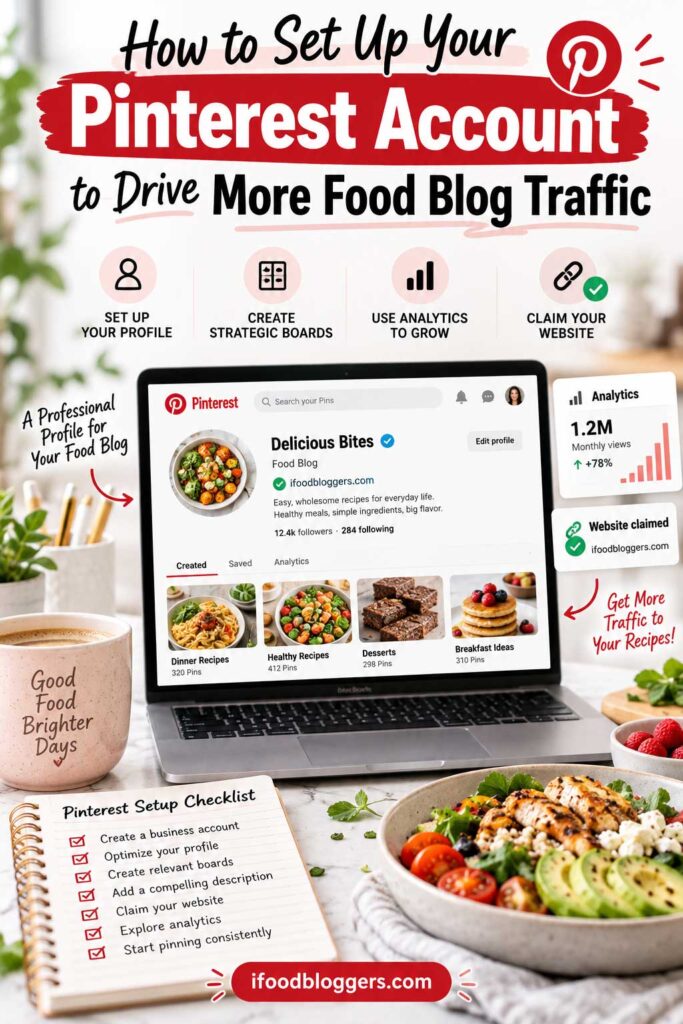
How to Set Up Your Pinterest Account to Drive More Food Blog Traffic
Before creating dozens of Pinterest Pins, make sure your account and website are properly connected.
You don’t need advanced technical skills or expensive tools. A few basic settings will help Pinterest recognize your content, give readers access to your recipes, and allow you to track your results.
Create a Pinterest Business Account and Claim Your Website
If you’re using Pinterest to promote your food blog, start with a free Pinterest Business account.
Unlike a personal account, a business account provides access to Pinterest Analytics, where you can see which Pins receive impressions, saves, and outbound clicks.
You don’t need to pay for Pinterest advertising to use these features.
Next, claim your food blog’s website. This helps Pinterest associate content saved from your domain with your account and provides additional analytics information.
Pinterest provides official instructions for claiming your website, including verification methods such as adding an HTML tag to your website or creating a DNS TXT record.
For WordPress users, adding the verification tag through an SEO plugin or a compatible header-code tool is often convenient.
Once verified, check your Pinterest settings to confirm that your website is successfully claimed.
Claiming your domain doesn’t guarantee more traffic, but it establishes a useful connection between Pinterest and your food blog.
Optimize Your Pinterest Profile and Boards
Your Pinterest profile should immediately tell visitors what kind of recipes you publish.
Use your food blog’s name, a recognizable logo or photograph, and a short description of your main topics.
For example, a Mediterranean food blog might use:
Profile Name: Mediterranean Table | Easy Mediterranean Recipes
Profile Description: Discover easy Mediterranean dinners, traditional Greek recipes, fresh salads, homemade bread, and delicious desserts. Find step-by-step recipes and cooking inspiration on our food blog.
Include your website address so visitors can easily find your recipes.
Next, organize your Pins into relevant boards.
Instead of saving everything to one collection, create boards around recognizable recipe categories such as Easy Chicken Dinners, Healthy Breakfast Recipes, Traditional Greek Recipes, and Homemade Desserts.
Choose descriptive names and write short, natural board descriptions.
You don’t need 20 or 30 boards when you’re starting. Begin with a handful that reflect your existing recipes and expand as your food blog grows.
Prepare Your Website for Pinterest Visitors
Every Pin should lead to the content it promises. A Pin promoting Greek chicken souvlaki should link directly to that recipe, while a Pin featuring 15 easy Mediterranean dinners should take readers to the corresponding recipe collection—not an unrelated page or your homepage.
If someone clicks a Pin featuring homemade Greek tzatziki, they should arrive at the complete tzatziki recipe—not your homepage or an unrelated category.
Check destination URLs before publishing and make sure older links redirect correctly if you’ve changed your recipe URLs.
Your website should also work well on mobile devices. Use properly sized images, readable text, and recipe cards that are easy to navigate. Avoid popups or advertisements that prevent visitors from reaching the cooking instructions.
If you use a WordPress recipe plugin, check whether it generates valid Recipe structured data. According to Pinterest’s Rich Pins documentation, supported recipe metadata can provide additional information such as ingredients, cooking time, and serving size directly on eligible Pins.
Finally, connect your website to Google Analytics 4 (GA4).
Pinterest Analytics shows how people interact with your Pins, while GA4 helps you understand the traffic arriving at your website and which recipes visitors explore.
You don’t need complicated tracking to get started. Having both analytics tools working correctly provides a useful foundation.
Once your account is configured, your boards are organized, and your recipe links work properly, you can focus on what matters most: creating Pins that attract interested readers.
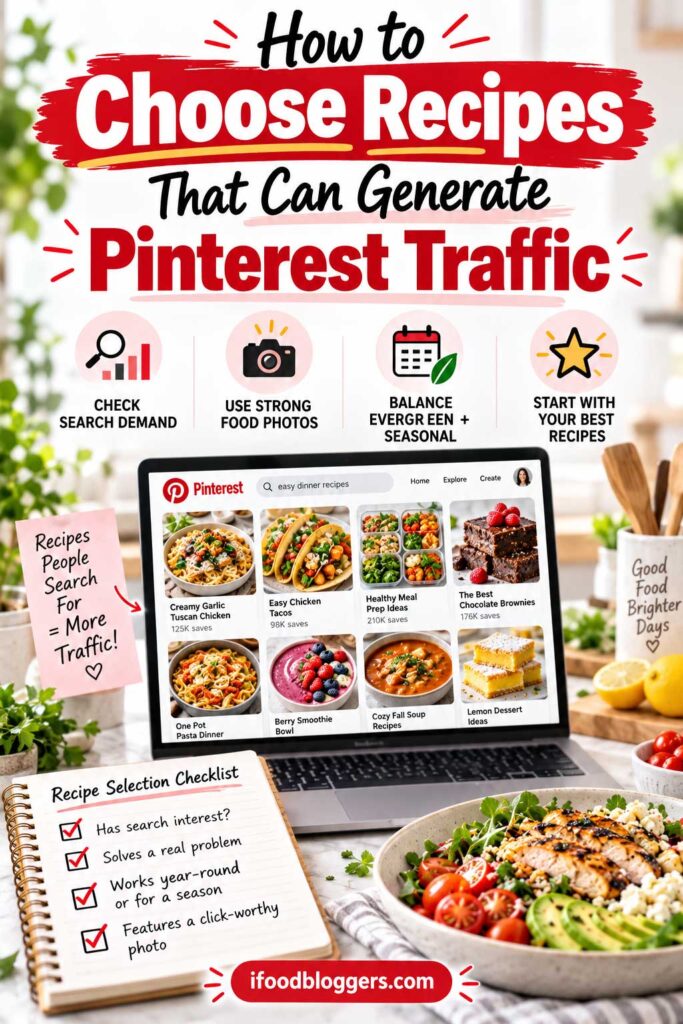
How to Choose Recipes That Can Generate Pinterest Traffic
Not every recipe has the same potential to attract visitors from Pinterest.
A beautifully photographed dish might receive little attention, while a simple weeknight dinner could generate consistent clicks because it matches what people are looking for.
That doesn’t mean you should stop promoting less popular recipes. It means being selective about where you spend your time.
The best recipes to promote combine search interest, appealing photography, and a clear reason for someone to visit your website.
Find Recipes People Are Searching For
Before creating Pinterest graphics, take a few minutes to research what people are looking for.
Start with Pinterest’s search bar. Enter a broad phrase such as “chicken recipes” and explore the suggested searches. You may discover more specific interests related to easy dinners, chicken and rice, or meal preparation.
These suggestions can help you understand how people describe the food they want to make.
For example, “Homemade Chicken Recipe” is fairly generic. “Easy Garlic Butter Chicken Skillet” tells readers much more about the dish.
You can also use Pinterest Trends to explore seasonal search patterns.
Some recipes, such as pancakes, pasta, and everyday chicken dinners, remain relevant throughout much of the year. Others, including pumpkin bread, Christmas cookies, and summer salads, experience stronger seasonal interest.
Understanding these patterns helps you decide which recipes to promote and when to prepare your Pins.
Pinterest Trends doesn’t provide guaranteed traffic predictions, but it can help you make more informed decisions.
Choose Recipes With Strong Photos and Clear Benefits
Pinterest is a visual platform, so your food photography matters.
A close-up of soft cinnamon rolls, a colorful Mediterranean salad, or a golden-brown homemade pie can capture attention before someone reads the headline.
You don’t need professional photography equipment, but your images should be sharp, well-lit, and easy to recognize on a smartphone.
Look for recipes that also offer a clear benefit.
For example, a one-pan chicken dinner might appeal to busy families, while a no-chill cookie recipe could interest someone who wants to bake without waiting for dough to refrigerate.
These details give readers a reason to explore the complete recipe.
Instead of using a vague title such as “Roasted Vegetables,” you might highlight a genuine feature:
Crispy Oven-Roasted Vegetables With Garlic and Herbs
Just make sure your Pin delivers what it promises. Don’t describe a recipe as quick, healthy, or beginner-friendly unless those claims are accurate.
Balance Evergreen, Seasonal, and Niche Recipes
A good Pinterest strategy includes more than whatever happens to be trending.
Evergreen recipes, such as homemade pancakes, vegetable soups, and easy pasta dinners, can attract interest throughout the year.
Seasonal recipes give you opportunities to reach people preparing for holidays, celebrations, and changes in the weather.
For example, a Mediterranean food blogger might regularly promote Greek chicken bowls, homemade tzatziki, and roasted vegetables. During summer, they could give additional attention to refreshing salads and grilled dishes.
Don’t overlook traditional or regional recipes, either.
A food blog specializing in Balkan cuisine might reach interested readers through dishes such as Bulgarian banitsa, Greek skordalia, or homemade cevapi.
These recipes may appeal to smaller audiences, but descriptive titles can help introduce unfamiliar dishes.
For example, Traditional Bulgarian Banitsa – Flaky Cheese Pastry explains what someone can expect without losing the dish’s authentic identity.
The goal is to maintain a mix of recipes that reflects your food blog while giving different audiences opportunities to discover your content.
Start With Your Best Existing Recipes
You don’t need to publish new recipes every time you want more Pinterest traffic.
If you’ve been blogging for a while, you probably already have articles worth promoting.
Start by reviewing recipes with strong photography, useful instructions, and topics that match Pinterest searches.
Google Search Console can help you identify recipes that already attract search interest, although Google performance doesn’t necessarily predict Pinterest success.
If you’ve been using Pinterest, check Pinterest Analytics to see which recipes generate outbound clicks rather than focusing only on impressions.
You might discover that your Greek chicken bowls attract more website visitors than your chocolate cake, even though the cake receives more impressions.
That information can help you decide which recipes deserve additional promotion.
For beginners, I’d recommend choosing five to ten recipes to start with. Include a few evergreen favorites, some relevant seasonal dishes, and recipes that represent your food blog’s specialty.
Create your initial Pins, monitor their performance, and use what you learn to select the next group.
You don’t need to promote your entire recipe library at once.
Start with recipes people want to make, present them clearly, and let your results guide what you promote next.
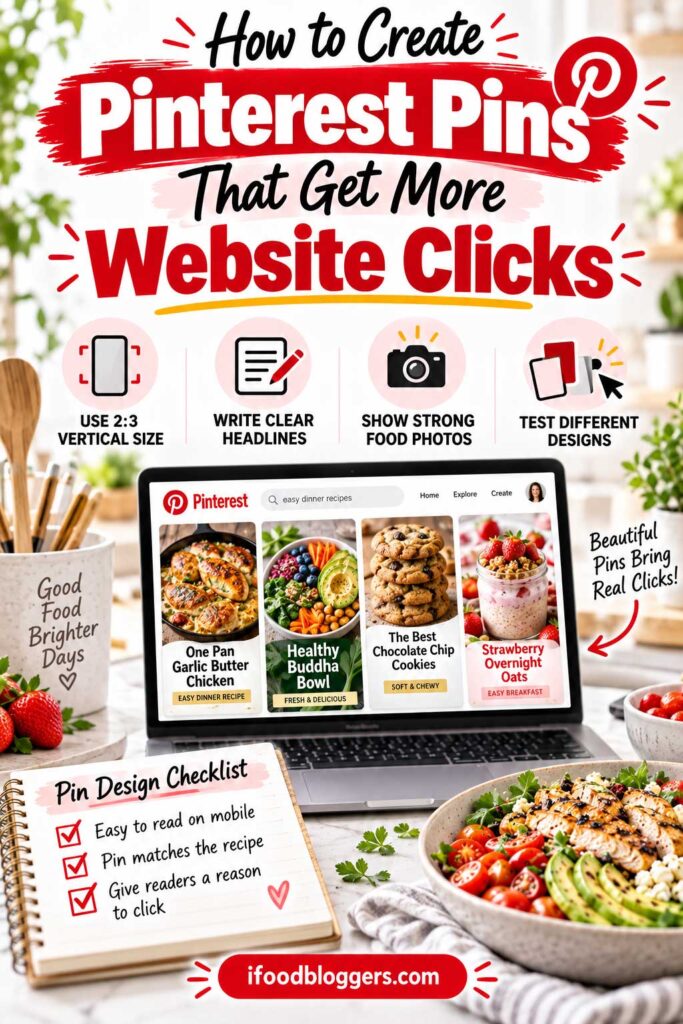
How to Create Pinterest Pins That Get More Website Clicks
A beautiful food photograph can make someone stop scrolling, but that doesn’t mean they’ll visit your website.
To turn Pinterest impressions into actual traffic, your Pins need to do more than look attractive. They should immediately tell people what the recipe is and why it’s worth making.
A good Pin shows people what they’ll be cooking and gives them a reason to open the recipe.
Use the Right Pinterest Dimensions and Food Photography
For standard image Pins, Pinterest recommends a 2:3 aspect ratio (1000 × 1500 pixels). This vertical format gives your photograph and headline enough room while reducing the risk of cropping in the feed.
Vertical images fit naturally into Pinterest’s feed and provide enough space for food photography, a short headline, and subtle branding. Taller images may be cropped in certain placements.
Your food should remain the main attraction.
Choose bright, sharp photographs that highlight the dish’s most appealing features. For example, a close-up of melted chocolate chip cookies or a slice of homemade bread showing its soft interior can communicate more than a photograph filled with decorative props.
Natural lighting and simple backgrounds often work particularly well.
Remember that your food blog’s horizontal featured image doesn’t need to double as your Pinterest graphic. You can create a separate vertical Pin using your original recipe photographs.
Write Headlines That Give People a Reason to Click
A Pinterest headline should explain what someone will find after clicking.
Compare these examples:
| Generic Headline | More Descriptive Headline |
|---|---|
| Delicious Pasta | Creamy Garlic Parmesan Pasta |
| Homemade Bread | Soft Homemade Flatbread Without Yeast |
| Easy Chicken | Greek Chicken Skewers With Lemon Garlic Marinade |
| Chocolate Cake | Moist Chocolate Cake With Ganache |
The more descriptive titles communicate something useful about the recipes.
You can highlight preparation time, ingredients, texture, cooking method, or a particular benefit, provided the recipe genuinely delivers it.
Keep text overlays short enough to read on a smartphone. Use clear fonts, strong contrast, and avoid covering the most appetizing part of your photograph.
Adding a small call to action, such as “Get the Full Recipe” or “See How to Make It,” may also encourage interested readers to visit your website.
You don’t need a call to action on every Pin. Sometimes, an appealing photograph and a strong recipe title are enough.
Most importantly, the Pin must match the linked article. If you promise a 20-minute dinner, visitors shouldn’t discover that the recipe actually takes an hour.
Create Different Pins for the Same Recipe
You don’t need to publish a new recipe every time you want to create a Pinterest Pin.
If you have several original photographs, you can design different Pins that highlight useful aspects of the same dish.
For example, a Mediterranean chicken bowl recipe might support three distinct designs:
Pin 1: Easy Mediterranean Chicken Bowls — featuring an overhead photograph of the finished dish.
Pin 2: Greek Chicken Rice Bowls With Tzatziki — using a close-up that highlights the ingredients and sauce.
Pin 3: Mediterranean Chicken Bowls for Meal Prep — emphasizing the recipe’s make-ahead convenience.
Each design can appeal to a slightly different interest while linking to the same recipe.
However, avoid creating dozens of nearly identical Pins by changing only the background color or moving the text.
Focus on meaningful differences in photography, composition, or message.
You can also experiment with short recipe videos showing preparation steps, such as pouring chocolate over a cake or slicing freshly baked bread. Just remember that video views don’t automatically translate into website visits.
Test Your Pin Designs and Track Outbound Clicks
You don’t have to guess which Pinterest designs work best.
Create different original Pins for selected recipes and compare their performance in Pinterest Analytics.
Pay particular attention to outbound clicks and outbound click rate, rather than judging success by impressions alone.
For example, one banana bread Pin might use a close-up photograph with the headline “Moist Homemade Banana Bread.”
Another could feature a different photograph with “Easy One-Bowl Banana Bread Recipe.”
After both have collected meaningful data, compare how many people clicked through to your website.
The results won’t be a perfectly controlled experiment because Pinterest may show each Pin to different audiences. However, patterns across several recipes can help you refine your designs.
To save time, create two or three reusable Pinterest templates with consistent fonts, colors, and a small website name or logo near the bottom.
If you’re looking for design and scheduling options, our guide to Best Pinterest Tools for Food Bloggers compares free and paid tools that can help you create graphics, organize Pins, and manage your publishing workflow.
Before publishing, preview each graphic at mobile size, check its destination URL, and make sure the text remains readable.
You don’t need complicated graphics or expensive design software to create effective Pinterest Pins.
A clear recipe photograph, an accurate headline, and a direct link to useful cooking instructions are a strong starting point.
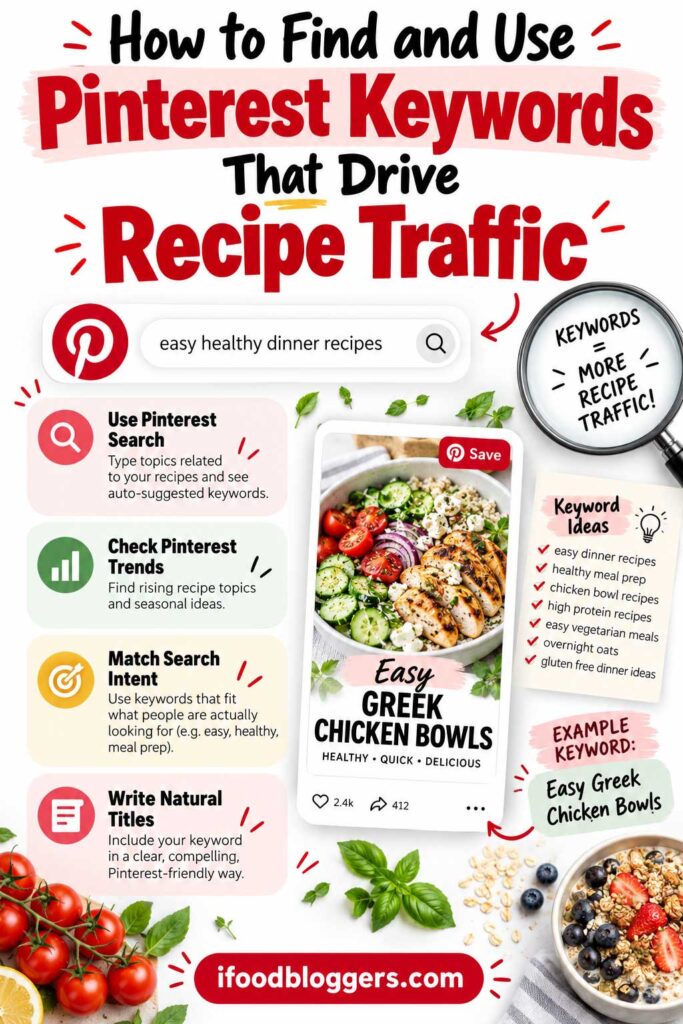
How to Find and Use Pinterest Keywords That Drive Recipe Traffic
Creating attractive Pins is important, but Pinterest also needs to understand what your recipes are about.
People search Pinterest for everything from easy weeknight dinners to traditional holiday desserts. Using relevant keywords helps connect your content with people interested in those recipes.
But Pinterest SEO isn’t about repeating search phrases everywhere. It’s about describing your food clearly and matching what users want to discover.
Find Recipe Keywords Using Pinterest Search and Trends
One of the easiest ways to research Pinterest keywords is to use Pinterest’s search bar.
Start with a broad phrase related to your recipe, such as “chicken dinner” or “homemade bread.”
Pinterest may suggest more specific searches, giving you ideas about how people describe the dishes they’re looking for.
For example, someone searching for “easy chicken dinner” may want a convenient weeknight meal, while someone looking for “chicken and rice recipes” has a more specific dish in mind.
These differences can help you choose better titles and descriptions.
You can also explore Pinterest Trends to investigate seasonal search interest.
For example, you might compare topics such as banana bread, pumpkin bread, and zucchini bread to understand how interest changes throughout the year.
Pinterest Trends generally shows relative search interest rather than exact monthly search volumes. A value of 100 represents the highest point on the displayed trend scale, not a particular number of searches.
Use the tool to identify patterns and promising topics, but don’t treat it as a guaranteed traffic forecast.
Pinterest Search and Trends are useful starting points, but they aren’t your only options. Our guide to the Best Free Keyword Research Tools for Food Bloggers covers additional ways to discover recipe topics, explore search interest, and plan future content.
Choose Keywords That Match Your Recipe and Search Intent
Broad keywords can describe popular topics, but more specific phrases often communicate what someone wants more clearly.
Consider the difference between “soup recipes” and “creamy Turkish red lentil soup.”
The second phrase identifies a particular dish, making it easier for interested readers to recognize relevant content.
These longer, descriptive phrases are often called long-tail keywords.
They aren’t automatically less competitive, but they can help you target a more specific audience.
Search intent matters, too.
Someone searching for “Christmas dinner ideas” may want a collection of recipes, while someone searching for “roasted Christmas potatoes” is more likely to be interested in preparing a particular dish.
Choose keywords that match the content you’re promoting.
If your Pin promises a collection of easy dinner recipes, it should link to a relevant collection. If it highlights homemade Greek tzatziki, it should lead directly to that recipe.
You can also examine the Pins currently appearing for your target keyword. Notice whether Pinterest is showing individual recipes, cooking tutorials, or recipe collections.
This can help you understand how the topic is being presented, although you can’t determine another blogger’s actual website traffic simply by viewing their Pins.
The best keywords aren’t necessarily the most popular ones. They’re the ones that accurately connect your recipes with interested readers.
Add Pinterest Keywords Naturally to Your Pins
Once you’ve researched a recipe topic, choose one primary keyword to guide your Pin’s title and description.
You can include closely related phrases where they fit naturally, but there’s no need to squeeze every variation into the same Pin.
For example, imagine you’re promoting homemade Turkish red lentil soup.
Here’s how you could optimize it:
| Pinterest Element | Example |
|---|---|
| Primary Keyword | Turkish red lentil soup |
| Pin Title | Easy Turkish Red Lentil Soup Recipe |
| Text Overlay | Creamy Turkish Red Lentil Soup |
| Pinterest Board | Turkish Recipes |
| Destination | Complete soup recipe on your food blog |
Example Pinterest description:
Make this comforting Turkish red lentil soup with red lentils, vegetables, and warming spices. It’s an easy homemade soup that’s perfect for lunch or a cozy dinner. Visit the blog for the complete recipe, ingredients, and step-by-step instructions.
Notice that the description sounds natural. It explains the dish, includes relevant terms, and gives readers a reason to visit the website.
Avoid descriptions that simply repeat keywords, such as “lentil soup, easy lentil soup, healthy soup, Turkish soup, homemade soup.”
Pinterest titles, descriptions, and boards should provide useful context rather than read like keyword lists.
Your linked article should also match the Pin. There’s no need to rewrite the recipe around every Pinterest keyword, but the title, ingredients, photographs, and instructions should accurately represent what you’re promoting.
Review Your Results and Refine Your Keywords
Pinterest keyword research doesn’t stop when you publish a Pin.
After your Pins have collected enough performance data, use Pinterest Analytics to identify recipes and topics that generate outbound clicks.
For example, you may notice that Mediterranean pasta salads attract more website visitors than general salad recipes.
That could be a reason to explore related topics and create additional original Pins.
However, Pinterest Analytics doesn’t provide a complete report identifying every organic search query responsible for your Pin’s traffic.
You shouldn’t assume that a particular keyword generated all the clicks simply because you included it in the title.
Instead, combine Pinterest Analytics with search research and look for recurring patterns across several Pins.
Google Search Console can also help you identify recipe topics attracting organic search interest, although Google’s keyword data won’t necessarily reflect Pinterest demand.
You don’t need expensive research tools or hours of optimization for every recipe.
Start with Pinterest Search, explore Trends when useful, choose accurate keywords, and write natural titles and descriptions.
Good Pinterest SEO helps people recognize recipes they want to make. The real goal is attracting readers who are interested enough to visit your food blog.
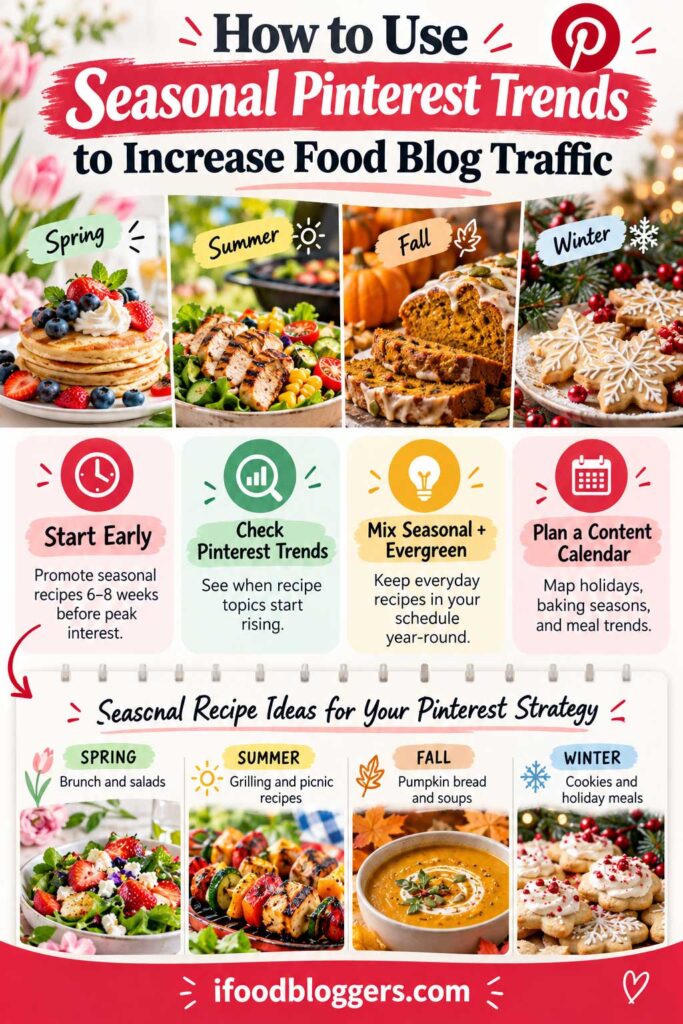
How to Use Seasonal Pinterest Trends to Increase Food Blog Traffic
Timing matters when promoting seasonal recipes on Pinterest.
People often start searching for holiday meals, seasonal desserts, and party ideas weeks before they plan to cook. If you wait until Christmas to promote your cookie recipes or until Thanksgiving week to share your holiday side dishes, you may miss part of that early planning period.
That’s why seasonal Pinterest marketing works best when you prepare content ahead of demand.
The goal is to make your recipes discoverable while people are planning, not just when they’re ready to start cooking.
Start Promoting Seasonal Recipes Before Interest Peaks
A useful starting point is to prepare seasonal Pins approximately 6–8 weeks before the expected peak in interest. For major holidays, planning two or three months ahead may make sense.
Treat those timeframes as a starting point. Christmas cookies and last-minute Halloween snacks won’t follow the same search pattern.
For example, someone might begin collecting Christmas cookie recipes in October but wait until the week before Halloween to search for a quick party snack.
Use Pinterest Trends to explore historical search-interest patterns for your recipe topics.
Search for phrases such as “pumpkin bread,” “Christmas cookies,” or “summer pasta salad.” Look at when interest begins increasing, when it peaks, and how quickly it declines.
Pinterest Trends generally displays relative search interest rather than exact monthly search volumes, so treat the information as a planning guide rather than a traffic prediction.
This research can help you publish relevant Pins before seasonal interest reaches its highest point.
A 12-Month Pinterest Recipe Content Calendar
A simple seasonal calendar makes it easier to plan Pinterest promotions without scrambling to create graphics before every holiday.
The following example is designed primarily for food bloggers targeting U.S. audiences.
| Month | Recipes to Promote | Prepare for |
|---|---|---|
| January | Healthy breakfasts, meal prep, warming soups | Valentine’s Day desserts |
| February | Chocolate desserts, romantic dinners, comfort food | Easter and spring baking |
| March | Spring salads, brunch recipes, fresh vegetables | Easter and Mother’s Day |
| April | Spring desserts, lighter meals, brunch ideas | Graduation parties and summer cooking |
| May | Grilling recipes, pasta salads, fruit desserts | Summer gatherings and Father’s Day |
| June | Summer salads, refreshing drinks, grilled meals | Independence Day and picnic recipes |
| July | No-cook meals, frozen desserts, summer vegetables | Back-to-school lunches |
| August | Lunchbox ideas, quick dinners, meal prep | Pumpkin recipes and fall baking |
| September | Apple desserts, pumpkin bread, fall soups | Halloween and Thanksgiving |
| October | Halloween snacks, comfort food, fall baking | Thanksgiving sides and Christmas cookies |
| November | Thanksgiving recipes, festive desserts, holiday meals | Christmas baking and party appetizers |
| December | Christmas cookies, festive dinners, holiday desserts | New Year’s appetizers and January meal prep |
This is an illustrative content calendar, not verified monthly Pinterest search-volume data. Adjust it using Pinterest Trends and your audience’s location and interests.
Notice that each month includes recipes for the current season alongside upcoming opportunities.
For example, August is a good time to prepare Pinterest graphics for pumpkin bread and fall desserts, while October can be useful for promoting Thanksgiving and Christmas recipes.
You should also consider your audience’s location and cultural traditions.
A Balkan or Mediterranean food blog might feature traditional Easter breads, Orthodox holiday dishes, or regional celebrations that don’t follow the typical U.S. holiday calendar.
Some holidays change dates each year, so check the calendar before scheduling content.
Refresh Existing Recipes Instead of Starting From Scratch
You don’t need to create new recipes for every holiday season.
If your website already has pumpkin desserts, Christmas cookies, summer salads, or traditional holiday dishes, start with those articles.
Check that the recipes are accurate, the photographs still look appealing, and the pages work properly on mobile devices.
Then review your existing Pinterest graphics.
Maybe an older pumpkin muffin Pin has a small headline that’s difficult to read. A new design using a different original photograph and a title such as Soft Pumpkin Muffins With Cinnamon Streusel could communicate the recipe more clearly.
You can also create seasonal Pins for recipes that are useful throughout the year.
For example, a homemade apple cake might be promoted as a fall baking recipe, while a baked feta appetizer could be highlighted for holiday entertaining.
Just make sure the seasonal angle genuinely fits the dish.
Recipe collections are another useful option. A post featuring several Thanksgiving side dishes or summer BBQ salads can help readers who haven’t decided exactly what they want to prepare.
These collections should provide helpful descriptions and direct links to the individual recipes, rather than functioning as thin lists of images.
And don’t abandon evergreen content while promoting seasonal dishes. Everyday recipes such as pancakes, chicken dinners, and homemade soups can remain part of your Pinterest publishing schedule throughout the year.
Track Seasonal Performance and Improve Next Year’s Plan
Pinterest Analytics can help you discover which seasonal Pins generate impressions, saves, and outbound clicks.
For example, you might notice that pumpkin bread Pins consistently attract website visitors during September and October, while Halloween cupcake Pins receive plenty of impressions but fewer clicks.
That doesn’t necessarily mean the cupcakes are unsuccessful. The audience might be saving ideas for later, or the Pin may need a clearer headline.
Compare results across several Pins rather than drawing conclusions from a single design.
Google Analytics 4 can also help you investigate which seasonal recipes receive Pinterest visitors and whether those readers explore additional content.
As you collect data, keep a simple record of your strongest seasonal topics and when their traffic increases.
Next year, you can use those findings to prepare content earlier, improve older Pins, and identify opportunities within your existing recipe library.
You don’t need to chase every new Pinterest trend. Focus on seasonal ideas that suit your food blog and attract readers likely to enjoy your other recipes.
Seasonal Pinterest traffic starts with preparation. Research what people want, publish useful Pins before interest peaks, and learn from the results so your strategy improves each year.
Once your seasonal calendar is organized, the next step is creating a Pinterest posting schedule you can realistically maintain.
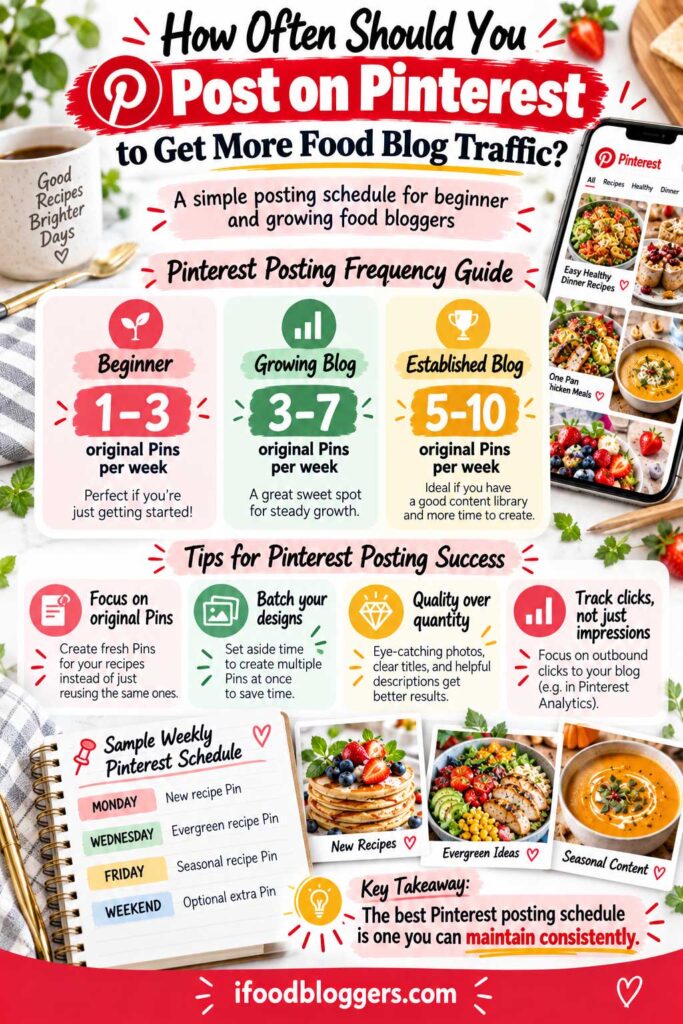
How Often Should You Post on Pinterest to Get More Food Blog Traffic?
How many Pinterest Pins should food bloggers publish each day? One, five, or even ten?
There’s no magic number.
Publishing more Pins gives your recipes additional opportunities to be discovered, but it doesn’t guarantee more website traffic. A few well-designed Pins that attract interested readers can be more valuable than dozens of repetitive graphics.
The best Pinterest posting schedule is one you can maintain without sacrificing recipe quality or spending all your time creating graphics.
How Many Pinterest Pins Should You Post Per Week?
Your ideal publishing frequency depends on the size of your recipe library, available photographs, and the time you can dedicate to Pinterest.
For beginners, three to five original Pins per week is a reasonable starting point. Established food bloggers with larger recipe collections may have enough content to publish more frequently.
Here’s a simple framework:
| Food Blog Stage | Suggested Frequency |
|---|---|
| Beginner: Under 30 recipes | 1–3 original Pins per week |
| Growing: 30–100 recipes | 3–7 original Pins per week |
| Established: 100+ recipes | 5–10 original Pins per week, if sustainable |
These are suggested starting ranges, not official Pinterest requirements or guaranteed traffic strategies.
You don’t need to publish every day. Posting on Monday, Wednesday, and Friday can be a perfectly manageable routine.
There’s also no universally proven best time to publish recipe Pins. You can experiment with different days and times, but Pinterest content may continue appearing in searches and recommendations long after publication.
Rather than worrying about posting at exactly the right hour, concentrate on creating Pins that match what people want to cook.
Focus on Original Pins, Not Repetitive Content
Pinterest encourages creators to publish original content consistently, but that doesn’t mean every Pin needs to promote a brand-new recipe.
You can create different Pins for an existing article when you have original photographs or a genuinely different way to present the dish.
For example, a homemade Greek moussaka recipe might have one Pin featuring the finished casserole and another showing its layers of eggplant, meat sauce, and béchamel.
Both can lead to the same recipe while offering distinct visual presentations.
However, repeatedly publishing nearly identical graphics isn’t a reliable way to increase traffic and may raise spam-related concerns.
Avoid creating ten versions of the same photograph simply by changing background colors or moving the headline.
It’s usually more useful to promote a variety of recipes and introduce new creative variations when they offer something different.
Batch Your Pins and Use a Simple Publishing Schedule
Creating Pins in batches can save considerable time.
Instead of opening your design software every day, set aside one session to prepare several graphics using your existing recipe photographs and templates.
For example, a beginner’s weekly Pinterest schedule might look like this:
| Day | Content to Publish |
|---|---|
| Monday | New dinner recipe Pin |
| Wednesday | Existing evergreen recipe Pin |
| Friday | Seasonal recipe Pin |
| Saturday | Optional original variation |
| Sunday | Optional recipe collection Pin |
This gives you a mix of new and existing content without requiring daily design work.
You can use Pinterest’s free native scheduling feature to prepare Pins for future publication, subject to its current scheduling limits.
For food bloggers managing larger recipe libraries, third-party tools such as Tailwind may provide additional scheduling options. However, paid software isn’t necessary when you’re just starting.
Choose tools based on how much time they save, not because you believe scheduling software will automatically increase your Pinterest traffic.
If you’re managing Pinterest alongside recipe development, photography, and other blogging tasks, our guide to the Best Productivity Tools for Food Bloggers explores ways to organize your workflow and spend less time on repetitive work.
Track Your Results Before Increasing Your Posting Frequency
Once you’ve established a manageable routine, give yourself time to evaluate it.
For example, you might publish five original Pins each week for approximately 8–12 weeks, then review the results.
This isn’t an official Pinterest evaluation period, but it can provide an initial picture of how your content is performing.
Pay attention to outbound clicks and the recipes bringing visitors to your website.
If you’re considering increasing your schedule from three Pins to five per week, think about whether the additional work is producing worthwhile results.
More impressions alone aren’t enough.
You also want to know whether your Pins are attracting website visitors and whether the extra publishing work is sustainable.
Keep in mind that seasonal changes, audience interests, and Pinterest distribution can influence performance. An increase in traffic doesn’t necessarily mean publishing frequency was the only reason.
If results are disappointing, don’t immediately respond by posting more. Review your recipe selection, photographs, headlines, and destination links first.
For a more detailed breakdown of publishing frequency and fresh Pin strategies, read our guide to How Many Pins Should Food Bloggers Create?.
Consistency matters, but quality and relevance should guide your Pinterest strategy. Start with a schedule you can maintain, use your existing recipes wisely, and increase publishing only when you have enough useful content to support it.
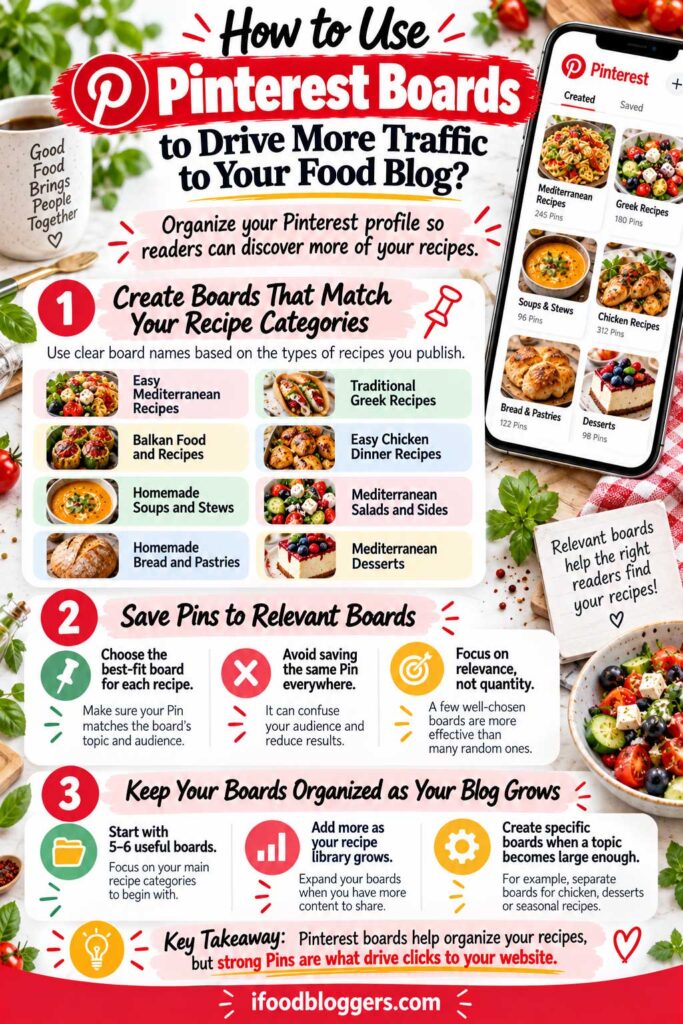
How to Use Pinterest Boards to Drive More Traffic to Your Food Blog
Pinterest boards help organize your recipes into collections that people can browse and explore.
They also provide context about your content. For example, saving a homemade Greek chicken souvlaki Pin to a board called “Traditional Greek Recipes” makes more sense than placing it in an unrelated dessert collection.
However, creating more boards doesn’t automatically increase Pinterest traffic.
Think about how someone would look for your recipes. A clear board name helps them find the dishes they’re interested in.
Create Boards That Match Your Recipe Categories
Start with the subjects your food blog already covers.
If you publish Mediterranean recipes, your boards might focus on Greek dishes, chicken dinners, homemade bread, salads, and traditional desserts.
Choose clear, descriptive names rather than vague titles such as “My Favorite Foods.”
Here’s an example of how a Mediterranean or Balkan food blog could organize its Pinterest boards:
| Pinterest Board | Example Recipes |
|---|---|
| Easy Mediterranean Recipes | Greek chicken bowls, baked feta, Mediterranean pasta |
| Traditional Greek Recipes | Tzatziki, spanakopita, Greek salad |
| Balkan Food and Recipes | Banitsa, cevapi, shopska salad |
| Easy Chicken Dinner Recipes | Chicken souvlaki, baked chicken, chicken skewers |
| Homemade Soups and Stews | Turkish lentil soup, bean soup, vegetable stew |
| Mediterranean Salads and Sides | Greek salad, roasted vegetables, cucumber salad |
| Homemade Bread and Pastries | Pita bread, banitsa, homemade flatbread |
| Mediterranean Desserts | Baklava, rice pudding, homemade cakes |
You don’t need to create all these boards immediately.
For a smaller food blog, five or six relevant collections may be enough. Add more as your recipe library grows.
Each board should also have a short description explaining what visitors can expect.
For example, a board titled Traditional Greek Recipes might use:
Discover traditional Greek recipes, including homemade tzatziki, chicken souvlaki, spanakopita, fresh salads, and classic Mediterranean dishes you can prepare at home.
Keep descriptions natural and avoid stuffing them with repetitive keywords.
Save Pins to Relevant Boards Without Overdoing It
When publishing a Pinterest Pin, choose the board that best matches the recipe.
A homemade tzatziki Pin could fit under Traditional Greek Recipes, Mediterranean Appetizers, or Homemade Sauces.
You don’t need to save it to every available collection.
Although a recipe may belong to more than one relevant topic, repeatedly saving identical content across numerous boards isn’t a reliable traffic strategy and can resemble spam-like activity.
The same applies to creating several nearly identical boards just to increase the number of places where you can save Pins.
For example, you probably don’t need separate collections called “Easy Chicken Recipes,” “Simple Chicken Recipes,” and “Best Chicken Recipes” unless they genuinely serve different purposes.
Seasonal boards can also be useful when you have enough content to support them.
A baking blog with dozens of holiday desserts might benefit from a dedicated Christmas Cookies board. A smaller website with only two holiday recipes can keep those Pins in a broader dessert collection.
Choose boards based on relevance and usefulness, not how many times you can publish the same Pin.
Keep Your Pinterest Boards Organized as Your Blog Grows
Your board structure should evolve alongside your recipe library.
A new food blog with 25 recipes doesn’t need the same organization as an established website with 500 articles.
As you publish more content, review whether your existing collections still make sense.
For example, if your general breakfast board eventually contains dozens of overnight oats recipes, creating a dedicated Overnight Oats board might make it easier for visitors to explore those dishes.
You can also use private boards for personal inspiration, keeping your public profile focused on the recipes and topics you want to promote.
Pinterest Analytics can help you identify recipe topics generating outbound clicks, but don’t assume a particular board caused those results. Photography, keywords, seasonality, and the recipe itself can all influence performance.
Remember that Pinterest boards organize your content, while individual Pins provide the links that bring readers to your website.
A well-organized profile is useful, but it can’t compensate for weak photography, misleading titles, or broken recipe links.
Think of Pinterest boards as the categories in your recipe collection. They help people find dishes they’re interested in, while your individual Pins give them a reason to visit your food blog.
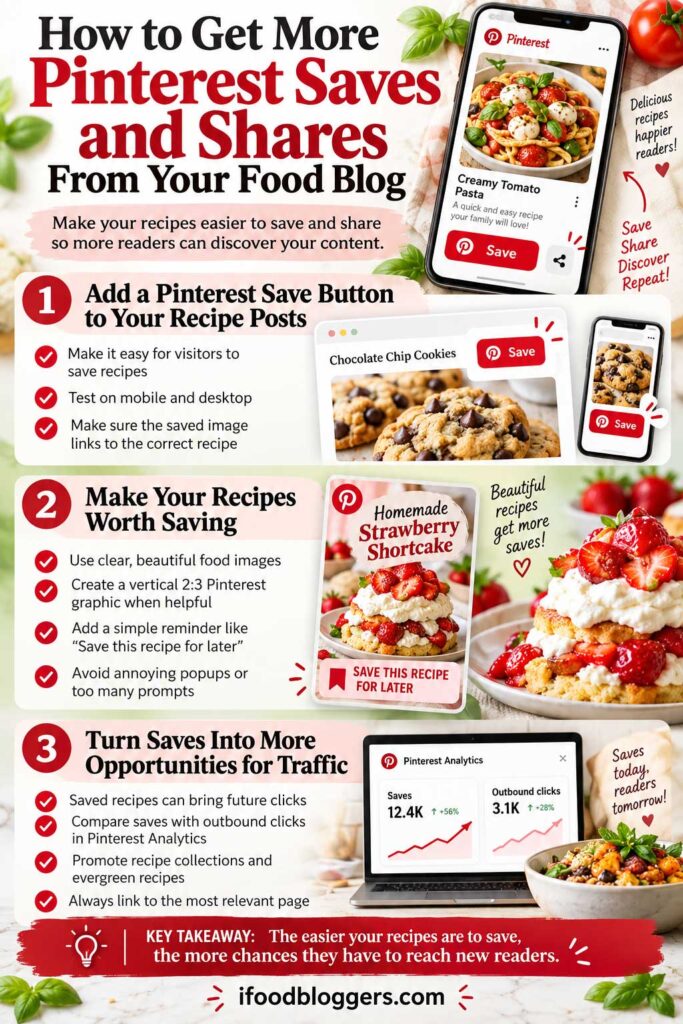
You don’t have to create every Pinterest Pin yourself. Your website visitors can also help other people discover your recipes.
Imagine someone finds your homemade cinnamon rolls through Google. They love the recipe but aren’t planning to bake until the weekend, so they save it to Pinterest.
That saved Pin may later appear in another user’s search results or recommendations, creating an additional opportunity for someone to visit your website.
Not every save leads to a click, but making recipes easy to save can support your Pinterest marketing efforts.
Add a Pinterest Save Button to Your Recipe Posts
One of the simplest ways to encourage sharing is to add a Pinterest Save button to your food blog.
Pinterest offers an official Save Add-On, and some WordPress themes or sharing plugins include similar functionality.
Before installing anything new, check whether your existing theme already supports Pinterest sharing.
Choose a solution that allows visitors to save suitable recipe images without interfering with the cooking instructions.
For example, someone reading your Greek chicken souvlaki recipe should be able to save a photograph of the finished skewers without navigating through several complicated menus.
Pay particular attention to mobile usability. Image-hover buttons that work on desktop computers may not be convenient on smartphones.
After configuring your sharing tools, test them on both desktop and mobile devices. Make sure the correct recipe image is saved and that the resulting Pin links to the original article.
Make Your Recipes Worth Saving
People usually save recipes because they want to prepare them later.
A family might collect easy weeknight dinners, while someone planning Christmas baking could save cookie recipes several weeks before the holiday.
You can make this easier by including appealing photographs that clearly represent the finished dish.
For recipes with strong Pinterest potential, consider providing a dedicated vertical graphic using the standard 2:3 aspect ratio (1000 × 1500 pixels).
You don’t need to place several large Pinterest graphics throughout every article. One well-designed, easily shareable image may be enough.
Make sure your image information is accurate, too. Use descriptive alternative text for meaningful photographs, but remember that alt text serves accessibility purposes and shouldn’t be stuffed with promotional keywords.
You can also include a short invitation near the recipe card or at the end of the article.
For example:
Want to make this recipe later? Save it to Pinterest so you can easily find the ingredients and instructions when you’re ready to cook.
Avoid adding a Pinterest reminder after every photograph or displaying intrusive sharing popups that prevent visitors from reading your recipes.
The goal is to make saving convenient, not to pressure readers into taking action.
Turn Pinterest Saves Into More Opportunities for Website Traffic
Saves can help your content remain discoverable, but they’re different from website visits.
Someone might save a pumpkin bread recipe in September and return to it several weeks later. Another person might discover the saved Pin and click through immediately.
Because these actions happen at different times, a high save count doesn’t necessarily mean a Pin is generating substantial traffic.
Use Pinterest Analytics to compare saves with outbound clicks and identify which recipes encourage people to visit your website.
You may discover that readers frequently save your homemade Greek tzatziki recipe, while your Mediterranean chicken bowls generate more direct website clicks.
Both patterns are useful. The first suggests that people want to keep the recipe, while the second indicates that visitors are following links to your website.
Recipe collections can also be worth sharing. A helpful roundup of easy Mediterranean dinners or Christmas desserts gives readers several ideas to explore and save for future meal planning.
Just make sure every saved Pin links to the relevant article and that older recipe URLs redirect correctly when necessary.
The best way to encourage Pinterest sharing is to publish recipes people genuinely want to keep and make saving them simple.
Your visitors shouldn’t have to struggle with sharing buttons, confusing images, or broken links.
When sharing feels like a natural part of the recipe experience, readers can help introduce your content to new audiences.
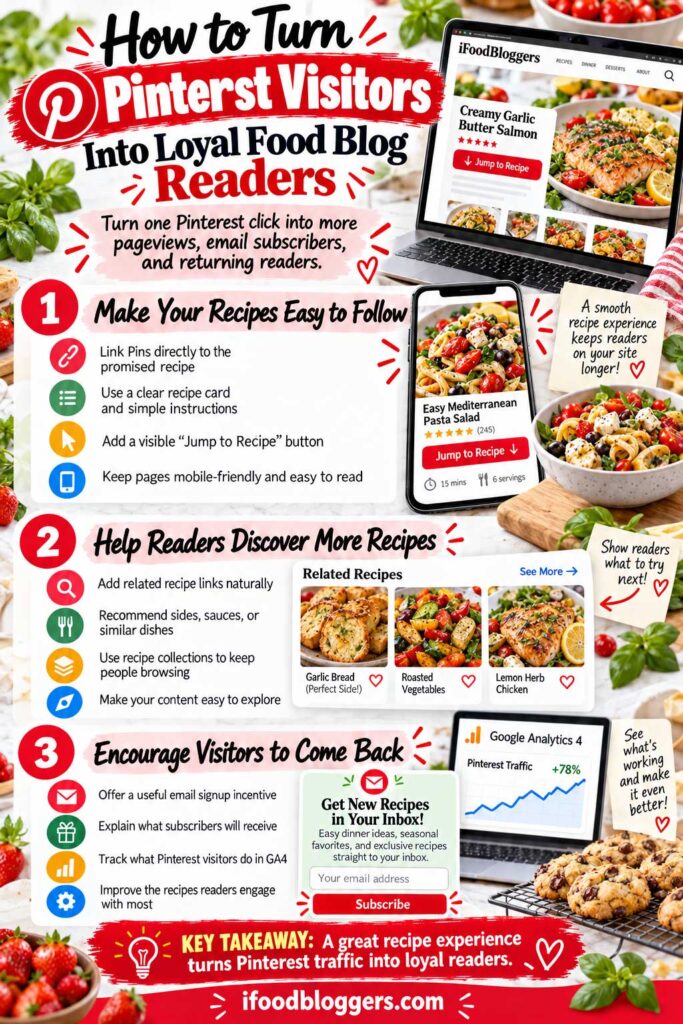
How to Turn Pinterest Visitors Into Loyal Food Blog Readers
Getting someone to click your Pinterest Pin is a good start, but what happens after they arrive at your food blog?
Some visitors will read one recipe and leave. Others might explore related dishes, save your website, or subscribe to receive more cooking ideas.
You can’t expect every Pinterest visitor to become a regular reader, but you can make it easier for interested people to discover more of your content.
Give readers a reason to try another recipe—or remember your blog the next time they need dinner ideas.
Make Your Recipes Easy to Find and Follow
When someone clicks a Pinterest Pin, they should immediately recognize the recipe they came to see.
A Pin promoting homemade Greek chicken souvlaki should lead directly to that recipe, with clear ingredients, accurate measurements, and instructions that are easy to follow.
Consider adding a visible Jump to Recipe button near the beginning of your articles. Readers who are ready to cook can go straight to the recipe card, while others can explore your preparation tips and ingredient explanations.
Pay attention to mobile usability, too.
Pinterest visitors may be using their phones, so make sure your recipe cards are readable, photographs load efficiently, and advertisements or popups don’t interfere with the instructions.
You don’t need an elaborate website design. A clean layout, reliable recipe information, and helpful cooking tips can make a better impression than unnecessary features.
Help Readers Discover Related Recipes
One of the simplest ways to encourage visitors to explore your food blog is through relevant internal links.
Imagine someone arrives from Pinterest to prepare Greek chicken souvlaki.
They might also appreciate a homemade tzatziki recipe, warm pita bread, or a fresh Greek salad.
Instead of expecting them to search for those dishes, introduce the recipes naturally within your article.
For example:
These Greek chicken skewers taste delicious with homemade tzatziki, warm pita bread, and a fresh Greek salad. Together, they make an easy Mediterranean dinner.
Each related dish can link directly to its recipe.
Recipe collections are another useful option. A roundup of easy Mediterranean dinners, homemade soups, or traditional holiday desserts gives readers opportunities to discover several dishes in one place.
However, don’t add unrelated links simply to increase pageviews.
Good internal linking helps readers find what they need next, rather than pushing them toward content they weren’t looking for.
Encourage Interested Visitors to Join Your Email List
Pinterest can introduce new readers to your food blog, but you can’t control how often the platform shows your content.
An email newsletter gives interested visitors another way to stay connected.
Instead of using a generic message such as “Subscribe to Our Newsletter,” explain what readers will receive.
For example, a Mediterranean recipe blog might offer:
Get Easy Mediterranean Recipes in Your Inbox
Discover simple weeknight dinners, traditional recipes, and seasonal cooking ideas delivered to your email.
You could also offer a useful free resource, such as a seven-day meal plan, printable shopping list, or collection of quick dinner recipes.
The offer should match your audience’s interests.
You also need an email platform that fits your food blog’s needs and budget. Our comparison of the Best Email Marketing Platforms for Food Bloggers explains the tools available for building subscriber lists, sending recipe newsletters, and setting up automated emails.
Place signup forms where they make sense, such as near the end of an article or within a relevant recipe collection.
Avoid intrusive popups that prevent people from reading the recipe they came to see.
Make it clear what subscribers are signing up for and provide an easy way to unsubscribe.
Not everyone will join, and that’s fine. The objective is to give interested readers a useful reason to return.
Measure What Pinterest Visitors Do on Your Website
Pinterest Analytics shows how many outbound clicks your Pins generate, but Google Analytics 4 helps you understand what happens after people arrive.
You can use GA4 to investigate which recipes attract Pinterest visitors and whether those readers explore other pages.
Useful metrics include:
- Sessions: Visits recorded from Pinterest.
- Engagement rate: The percentage of sessions meeting GA4’s engagement criteria.
- Views per session: How many pageviews or screenviews occur during a session.
- Newsletter signups: Completed subscriptions, if you’ve configured appropriate tracking.
These metrics provide useful clues, but they don’t tell the entire story.
Someone who quickly finds your ingredient measurements and leaves may have had a perfectly successful visit.
Likewise, spending several minutes on a page doesn’t necessarily mean someone enjoyed the recipe.
Look for patterns rather than judging individual visitors.
For example, if your Mediterranean chicken bowls consistently attract readers who explore additional dishes, consider whether related recipes deserve more promotion.
You can also measure meaningful actions such as completed newsletter subscriptions or meal-plan downloads.
As your website grows, these insights can help you understand whether Pinterest is simply generating visits or contributing to broader audience growth.
Ultimately, the best way to encourage repeat visits is to publish recipes people enjoy preparing.
Pinterest can help someone discover your food blog for the first time. Helpful recipes, a good reading experience, and relevant content give them reasons to return.
Once you’ve improved the experience for Pinterest visitors, the next step is measuring your traffic accurately so you can identify which Pins and recipes deserve more attention.
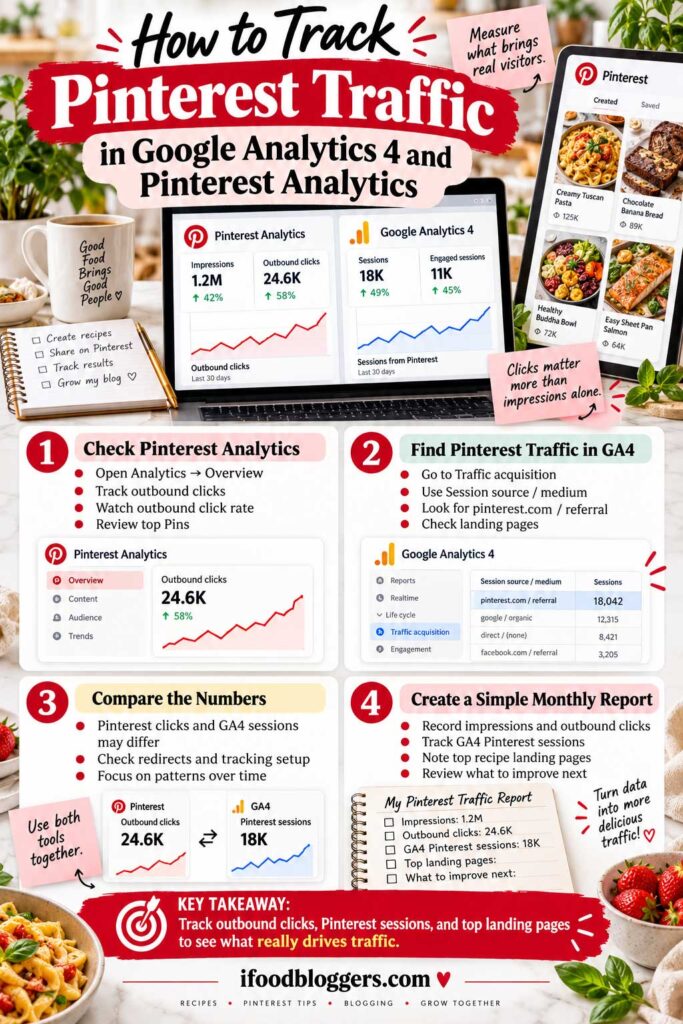
How to Track Pinterest Traffic in Google Analytics 4 and Pinterest Analytics
Creating Pinterest Pins is one thing. Knowing whether they’re bringing visitors to your food blog is another.
You might receive thousands of Pinterest impressions without seeing a noticeable increase in website traffic. That’s why it’s important to measure more than how often your Pins appear.
Fortunately, you don’t need expensive analytics software to get started.
Two free tools can provide most of the information you need: Pinterest Analytics and Google Analytics 4 (GA4).
Pinterest Analytics shows how people interact with your Pins, while GA4 helps you understand what happens after they arrive at your website.
Together, they can help you identify which recipes attract visitors and where your Pinterest strategy needs improvement.
Track Outbound Clicks in Pinterest Analytics
Start by opening your Pinterest Business account and navigating to Analytics → Overview. Pinterest’s official Analytics guide explains the available performance metrics and reporting options.
Choose a reporting period, such as the past 30 days, and filter for organic content if you want to exclude paid advertising.
You’ll see several performance metrics, including impressions, saves, Pin clicks, and outbound clicks.
For food bloggers trying to increase website traffic, pay particular attention to:
Outbound clicks: The number of clicks that take Pinterest users to an external destination, such as your recipe website.
Outbound click rate: The percentage of Pin impressions that result in outbound clicks.
The formula is simple:
Outbound Click Rate = (Outbound Clicks ÷ Impressions) × 100
For example, a Pin receiving 10,000 impressions and 150 outbound clicks has an outbound click rate of 1.5%.
However, a high click rate isn’t necessarily better if the Pin receives very few impressions. Consider both total outbound clicks and click rate when evaluating performance.
Next, find the Top Pins section and sort your results by outbound clicks.
This helps identify which recipes are encouraging people to visit your food blog.
You might discover that your Mediterranean chicken bowls generate more clicks than your chocolate cake, even though the cake receives more impressions.
Use those findings to investigate which recipe topics, photographs, and headlines are attracting interested readers.
Don’t assume one successful Pin proves that a particular design style will always work. Look for patterns across multiple recipes.
Find Pinterest Traffic in Google Analytics 4
Pinterest Analytics tells you how often people click links from your Pins, but it doesn’t show everything they do after reaching your website.
That’s where GA4 becomes useful.
If you haven’t installed Google Analytics, you can add it to WordPress through Google’s Site Kit plugin, Google Tag Manager, or another compatible integration.
Make sure the tracking implementation works correctly and avoid accidentally installing duplicate measurement tags.
Once GA4 is collecting data, open your property and navigate to:
Reports → Acquisition → Traffic acquisition
Depending on your GA4 configuration, the report may appear in a slightly different location.
Google’s Traffic Acquisition report documentation explains how to examine website sessions by traffic source and identify the channels bringing visitors to your food blog.
Change the primary dimension to Session source / medium.
Look for Pinterest-related traffic sources, which may appear as:
pinterest.com / referral
or
pinterest / organic
The exact naming can vary depending on referral information and campaign attribution.
You can use the report’s search field to help locate Pinterest-related sources.
Once you’ve identified the traffic, examine the number of sessions, engagement rate, and other relevant metrics.
To discover which recipes receive those visitors, open the Landing page report and filter or compare traffic using Pinterest-related session sources.
You can also add Session source / medium as a secondary dimension where your reporting setup allows it.
For example, you might discover that your Greek tzatziki recipe receives more Pinterest sessions than your homemade lentil soup.
That information can help you decide which existing recipes deserve additional promotion.
If you’re tracking newsletter subscriptions or other important actions, GA4 can also show whether Pinterest visitors contribute to those goals.
Just remember that engagement metrics aren’t perfect measures of reader satisfaction. Someone who quickly finds the recipe they need may still have had a successful visit.
Why Pinterest Clicks and GA4 Sessions Don’t Always Match
Don’t be surprised if Pinterest reports more outbound clicks than GA4 reports website sessions.
The platforms measure different activities.
Pinterest records clicks that take users toward external destinations, while GA4 measures website sessions using its own tracking and attribution methods.
For example, Pinterest might report 1,000 outbound clicks while GA4 records 780 Pinterest-attributed sessions.
That difference doesn’t automatically mean something is wrong.
A visitor might close the page before analytics loads. Browser privacy settings, consent restrictions, redirects, and measurement differences can also affect reporting.
Multiple outbound clicks don’t necessarily create the same number of GA4 sessions.
For that reason, don’t expect the numbers to match exactly.
Use Pinterest Analytics to measure clicks leaving Pinterest and GA4 to understand the website visits it records.
If the difference suddenly becomes unusually large, check that your destination links, website tracking, and redirects are working correctly.
Create a Simple Monthly Pinterest Traffic Report
You don’t need a complicated dashboard to understand your Pinterest results.
For most beginner food bloggers, a short monthly review is enough.
Track a few important metrics:
| Metric | What to Monitor |
|---|---|
| Pinterest Impressions | How often your content appears |
| Outbound Clicks | How many clicks lead away from Pinterest |
| Outbound Click Rate | How effectively Pins encourage clicks |
| GA4 Pinterest Sessions | Website sessions attributed to Pinterest |
| Top Recipe Landing Pages | Which recipes attract Pinterest visitors |
| New Pins Published | How much original content you’ve shared |
Compare the current month with previous periods, keeping seasonal changes in mind.
For example, if your pumpkin bread Pins generate additional traffic in October, that could reflect increasing fall baking interest rather than a sudden improvement in your overall Pinterest strategy.
Similarly, publishing more Pins doesn’t automatically explain an increase in traffic.
Look at which recipes performed well, when they were published, and whether their Pins offered a clear reason to click.
If a Pin receives many impressions but few outbound clicks, consider testing a different original photograph or a more descriptive headline.
If another Pin has a strong outbound click rate but limited reach, investigate related recipe topics and Pinterest keywords that might deserve attention.
You can also use GA4 to identify recipe pages that introduce readers to additional content or generate newsletter subscriptions.
A brief weekly check can help you catch broken links or tracking problems, while a more detailed monthly review gives you better information for planning future content.
Don’t make major changes based on a few days of data.
Check which Pins actually bring visitors to your recipes. Then use that information to decide what to promote or improve next.
Start with outbound clicks and Pinterest-attributed sessions. As your website grows, expand your reporting to include meaningful engagement, newsletter subscriptions, and revenue when you have reliable data.
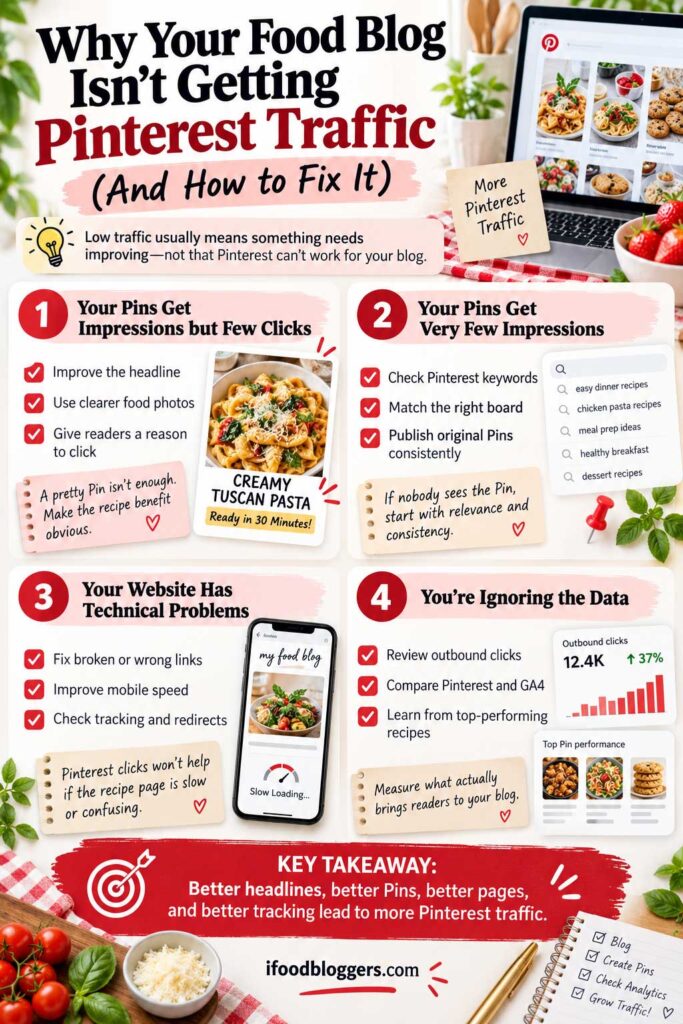
Why Your Food Blog Isn’t Getting Pinterest Traffic (And How to Fix It)
You’ve published recipes, created attractive Pins, and started posting consistently. But your website still isn’t receiving much Pinterest traffic.
Maybe your Pins receive thousands of impressions without generating clicks. Perhaps newer Pins barely get noticed, or your traffic suddenly dropped after several successful months.
Before publishing more content, it’s worth understanding what’s actually happening.
Low Pinterest traffic doesn’t always mean your recipes or Pin designs are the problem. Sometimes, the issue involves keyword targeting, seasonal demand, broken links, or your website’s technical setup.
Identify What’s Preventing Pinterest Traffic
Start by opening Pinterest Analytics and reviewing your impressions, saves, outbound clicks, and outbound click rate.
Different performance patterns suggest different problems.
| Pinterest Problem | What to Check First |
|---|---|
| Very few impressions | Keyword relevance, Pin quality, account status, and content accessibility |
| High impressions but few clicks | Photography, headlines, and whether the recipe offers a clear reason to visit |
| Many saves but few clicks | Seasonal timing and whether users are collecting ideas for later |
| Sudden traffic decline | Seasonal demand, previously successful Pins, and recent website changes |
| Pinterest clicks but few GA4 sessions | Analytics tracking, redirects, consent settings, and page loading |
| New Pins consistently underperform | Repetitive designs, unclear topics, or limited distribution |
These are possible explanations, not guaranteed diagnoses.
For example, a Pin with few impressions isn’t necessarily being penalized. It may simply need more time or appeal to a relatively small audience.
Similarly, a Pin with thousands of impressions but few outbound clicks might be reaching people who enjoy the photograph but aren’t interested in preparing the recipe.
Identifying the pattern helps you decide what to investigate instead of making random changes.
Improve Pins That Get Impressions but Few Clicks
If people are seeing your Pins but rarely visiting your website, take another look at how you’re presenting the recipes.
A beautiful food photograph doesn’t always communicate what makes a dish worth preparing.
For example, a Pin titled “Delicious Mediterranean Food” doesn’t tell readers much.
A more descriptive headline such as “Easy Mediterranean Chicken Bowls With Tzatziki” immediately identifies the dish and highlights something appealing about it.
Check whether your headline is readable on mobile devices and whether the photograph clearly shows the finished recipe.
Your keywords should also match the food you’re promoting.
If you’ve published traditional Bulgarian banitsa, a headline such as “Bulgarian Banitsa – Flaky Cheese Pastry Recipe” may help unfamiliar readers understand the dish better than a vague phrase like “Easy Breakfast Ideas.”
You can test a new original photograph or a meaningfully different Pin design, but avoid uploading numerous nearly identical versions.
Also, remember that saves don’t always lead to immediate clicks. Someone might save a Christmas cookie recipe in September and visit your website closer to December.
Look at performance over time before deciding that a Pin needs improvement.
Check Your Website for Technical Problems
Sometimes, Pinterest users want to visit your recipe, but the destination page creates problems.
Start by opening your most important Pinterest links on a smartphone.
Make sure each Pin leads directly to the correct recipe and that the page loads without broken images, unexpected redirects, or security warnings.
If you’ve changed recipe URLs, configure appropriate permanent redirects.
Website speed matters, too. Large photographs, excessive scripts, and poorly configured WordPress plugins can make recipe pages frustrating to use.
Some of these problems come from avoidable WordPress configuration issues. Our guide to Common WordPress Mistakes covers performance, security, SEO, and maintenance problems that can affect your food blog’s usability.
You can test individual articles with Google PageSpeed Insights to identify performance issues.
Another potential problem involves Pinterest’s crawler, Pinterestbot.
If your website uses security plugins, firewall rules, or restrictive robots.txt settings, Pinterest may have difficulty accessing certain pages.
This is worth investigating if your traffic declined after a hosting migration, security update, or firewall change.
Review your logs and verify whether legitimate Pinterestbot requests are being blocked before adjusting security rules. Don’t disable website protection or allow unverified bots simply to troubleshoot Pinterest.
Finally, check your Google Analytics 4 implementation.
If Pinterest continues reporting outbound clicks but GA4 suddenly records far fewer sessions, investigate tracking errors, redirects, consent settings, and attribution.
The two platforms won’t report identical numbers, but a sudden discrepancy may reveal a technical issue.
Investigate Sudden Pinterest Traffic Drops
A decline in traffic doesn’t automatically mean your Pinterest account has been restricted.
Seasonality is often one possible explanation, especially for food blogs.
For example, if most of your Pinterest traffic comes from pumpkin bread and fall desserts, visits may naturally decrease after October.
Use Pinterest Trends to investigate whether interest in your strongest recipes has changed.
Then compare your current Pinterest Analytics data with previous reporting periods.
If impressions and outbound clicks have both declined, investigate content distribution, seasonal demand, and account notifications.
If impressions remain relatively stable but outbound clicks fall, examine which Pins have lost their ability to attract visitors.
If the decline affects nearly every recipe, review recent website changes and check whether Pinterest has sent any account restriction notices.
Don’t automatically assume you’re experiencing a shadowban. Lower visibility alone doesn’t establish that Pinterest has imposed a hidden restriction.
If you receive an actual enforcement notice or Pinterest repeatedly blocks legitimate recipe links, review its official support and appeal options.
Most importantly, avoid responding to every traffic decline by doubling your publishing schedule.
Sometimes, the better solution is updating a broken link, improving an unclear headline, or promoting more evergreen recipes instead of relying heavily on seasonal content.
Fix identifiable problems before creating more Pins.
If your links work, your website is accessible, and your Pins accurately describe useful recipes, continue publishing consistently and evaluate performance over a meaningful period.
One unsuccessful Pin or disappointing month doesn’t tell you everything about your food blog’s Pinterest potential.
Once you’ve identified and addressed the main problems, you can build a more focused plan for increasing Pinterest traffic over the next 30 days.
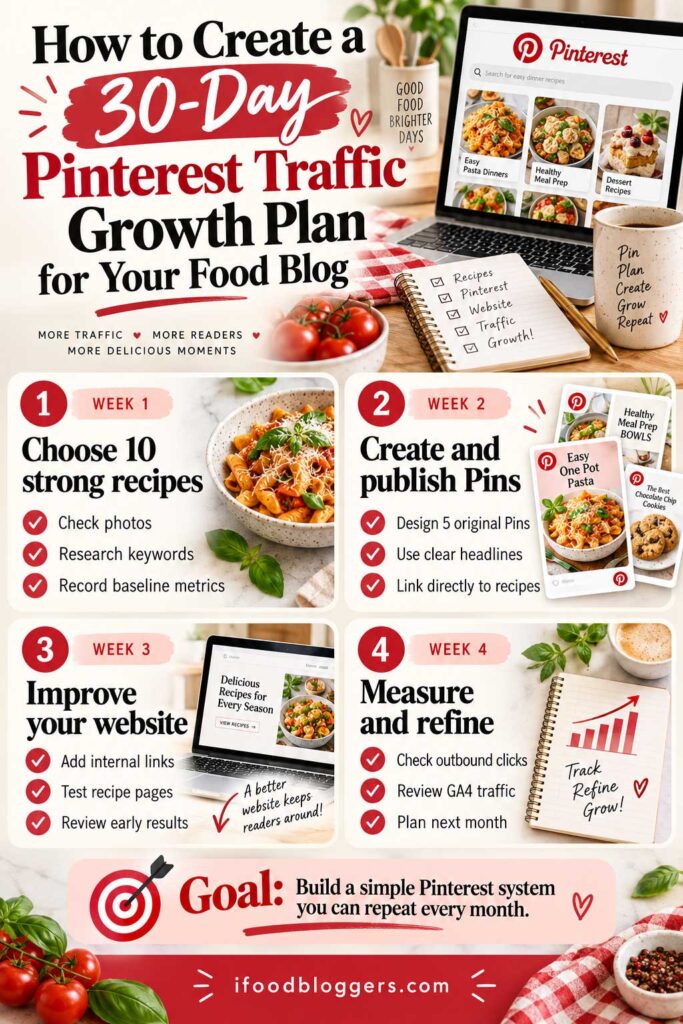
How to Create a 30-Day Pinterest Traffic Growth Plan for Your Food Blog
You don’t need to master Pinterest before publishing your first Pins. A simple 30-day plan can help you get started.
Instead of spending weeks researching keywords or experimenting with different designs, start with a simple 30-day plan that helps you promote your existing recipes and measure the results.
You don’t need hundreds of recipes or expensive scheduling tools. If your food blog already has useful articles and original photographs, you have a good starting point.
For this plan, we’ll aim to publish approximately 15–20 original Pins during the month, depending on your available content and time.
This isn’t an official Pinterest requirement or a guarantee of traffic growth. The goal is to establish a sustainable publishing routine and begin learning which recipes attract interested visitors.
Here’s how to organize your first month.
| Timeline | Main Focus | Suggested Goal |
|---|---|---|
| Days 1–7 | Research and preparation | Select 10 recipes, record baseline metrics, publish 3 Pins |
| Days 8–14 | Pin creation and scheduling | Publish 5 original Pins |
| Days 15–21 | Website improvements and publishing | Publish 5 Pins, review early results |
| Days 22–30 | Performance review and optimization | Publish 5–7 Pins, prepare next month’s plan |
Week 1: Choose Your Best Recipes and Set Up Tracking
Start by selecting approximately ten recipes from your existing food blog.
Look for dishes with appealing photographs, clear instructions, and topics that match recognizable Pinterest interests.
For example, a Mediterranean recipe website might choose Greek chicken souvlaki, homemade tzatziki, pasta salad, Turkish lentil soup, and several traditional desserts.
Include a mix of evergreen recipes and relevant seasonal dishes.
Before promoting each recipe, open the article on your phone. Check that the photographs load properly, the recipe card works, and the instructions are easy to follow.
Next, research your main keywords using Pinterest Search and Pinterest Trends.
You don’t need an extensive keyword list. Choose one descriptive phrase for each recipe and use it naturally in your Pin title and description.
Finally, record your current Pinterest impressions, outbound clicks, and GA4 Pinterest sessions. This gives you a starting point for future comparisons.
Your goal for week one: Publish three original Pins featuring different recipes.
Week 2: Create Pinterest Pins and Establish a Routine
During the second week, focus on making Pin creation more efficient.
Prepare two or three reusable design templates featuring your original food photography, readable headlines, and subtle website branding.
Use the standard 1000 × 1500-pixel vertical format as a starting point.
Instead of designing everything individually throughout the week, create several Pins during one session.
For each Pin, choose an appealing photograph, write a descriptive title, add a natural keyword-rich description, and link directly to the recipe.
If you’ve published Mediterranean chicken bowls, for example, a headline such as “Easy Greek Chicken Rice Bowls With Tzatziki” communicates much more than simply “Chicken Recipe.”
You can use Pinterest’s native scheduling feature to prepare content in advance.
Avoid publishing numerous nearly identical graphics for the same recipe. Promote different dishes first, then experiment with meaningful creative variations when appropriate.
Your goal for week two: Publish five original Pins and establish a repeatable workflow.
Week 3: Improve Your Recipe Pages and Review Early Results
Continue publishing approximately five original Pins, but spend some time improving the experience visitors receive after clicking.
Make sure your promoted recipes are easy to navigate and include useful cooking instructions.
Add relevant internal links where they naturally help readers.
For example, a Greek chicken souvlaki recipe could recommend homemade tzatziki, pita bread, or a fresh Greek salad.
If your website doesn’t already have Pinterest sharing functionality, consider adding a Save button so visitors can keep recipes for later.
Then review your early Pinterest Analytics results.
Which Pins are receiving impressions? Are any generating outbound clicks? Do certain recipe topics appear promising?
Don’t judge a Pin entirely by its first few days of performance. Pinterest content can continue receiving attention long after publication.
Instead, record your observations and identify anything that clearly needs fixing, such as broken links or unreadable graphics.
Your goal for week three: Publish five Pins, improve your most important recipe pages, and begin identifying useful performance patterns.
Week 4: Measure Your Results and Plan the Next Month
During the final days, publish another five to seven original Pins if you have enough useful content.
Then review your results in Pinterest Analytics.
Focus on outbound clicks, outbound click rate, and the recipes generating the most interest.
Open Google Analytics 4 to investigate how many Pinterest-attributed sessions reached your website and which recipe pages received those visits.
Remember that Pinterest outbound clicks and GA4 sessions won’t match exactly because the platforms measure different activities.
You should also distinguish between traffic generated by your newly published Pins and traffic from older content.
To keep everything organized, maintain a simple spreadsheet recording your recipe titles, destination URLs, target keywords, Pin publication dates, Pin URLs, outbound clicks, and notes.
For more meaningful comparisons, evaluate Pins over similar periods after publication rather than comparing a Pin published yesterday with one published four weeks ago.
At the end of the month, identify three recipes that deserve additional attention.
Perhaps your Greek chicken bowls attracted consistent outbound clicks, while your homemade soup Pins performed better as colder weather approached.
Use those observations to choose what to promote next.
You don’t need dramatic traffic growth in your first 30 days to make the effort worthwhile. Some Pins may take longer to reach interested users, and results will vary between food blogs.
If you have fewer than 20 recipes, scale the publishing plan down rather than creating repetitive Pins. If you manage hundreds of recipes, use your existing analytics and photography to identify additional opportunities.
The first month is about building a reliable system, not reaching an arbitrary traffic target.
Choose useful recipes, create original Pins, publish consistently, and learn from your results.
Once the routine feels manageable, continue refining it over the following months. The information you collect will help you decide which recipes, designs, and seasonal topics deserve more attention.
How Long Does It Take to Get Pinterest Traffic to a Food Blog?
One of the biggest challenges with Pinterest marketing is not knowing when your efforts will start producing results.
You might publish attractive recipe Pins every week, follow Pinterest SEO recommendations, and still see very few website visitors during your first month.
So, how long does it take to get Pinterest traffic to a food blog?
There’s no guaranteed timeline. Some Pins begin attracting outbound clicks within days, while others take weeks or months to receive meaningful attention.
Pinterest content can remain discoverable long after publication, but that doesn’t mean every Pin will eventually become successful.
Your results depend on factors such as recipe topics, search demand, photography, competition, seasonal interest, and how Pinterest distributes your content.
What to Expect During Your First Six Months
Instead of expecting a certain number of visitors by a particular date, use your first few months to establish a publishing routine and understand what works for your food blog.
Here’s a realistic evaluation framework:
| Time Period | Main Priority |
|---|---|
| First 30 days | Set up your account, publish original Pins, and verify analytics |
| Days 31–60 | Promote more recipes and identify early engagement patterns |
| Days 61–90 | Review outbound clicks, promising topics, and website traffic |
| Months 4–6 | Evaluate traffic trends, seasonal performance, and time investment |
| After 6 months | Decide whether to maintain, expand, or adjust your Pinterest strategy |
These are suggested review periods, not official Pinterest growth milestones or guaranteed traffic timelines.
During the first month, focus on getting your foundation right.
After approximately 60–90 days, you may have enough data to begin identifying which recipes and Pin designs attract interested readers.
By the six-month mark, you can take a broader look at whether Pinterest is becoming a worthwhile traffic source for your website.
However, some food blogs may see meaningful results sooner, while others may need longer to develop consistent traffic.
Why Some Pinterest Pins Take Longer to Generate Traffic
Pinterest traffic doesn’t always grow steadily.
A recipe Pin might receive limited attention initially, then attract more interest when its topic becomes relevant.
For example, imagine publishing a homemade pumpkin bread Pin in March.
Few people may be searching for fall baking ideas at that time. As autumn approaches, interest in pumpkin recipes could increase, giving your existing Pin additional opportunities for discovery.
Evergreen recipes, such as homemade pancakes, pasta dinners, and vegetable soups, may attract interest throughout more of the year.
However, continued visibility is never guaranteed.
Account history and recipe niche can also influence your results. An established food blogger with hundreds of recipes has more content available to promote, while a newer blogger may still be developing their recipe collection.
That doesn’t mean older accounts automatically perform better.
A smaller food blog publishing useful, relevant Pins can still attract visitors.
When comparing results, consider how long each Pin has been published. A graphic created six months ago has had more opportunities to accumulate clicks than one published last week.
Comparing Pins after similar periods, such as their first 30 or 60 days, can provide a more useful picture of performance.
When Should You Reevaluate Your Pinterest Strategy?
If you’ve been publishing consistently for approximately three months and still receive very little traffic, review your results before creating more Pins.
Start with Pinterest Analytics.
If your Pins receive almost no impressions, investigate keyword relevance, recipe topics, and potential technical problems.
If they receive impressions but few outbound clicks, consider whether your photographs and headlines clearly communicate what makes the recipes appealing.
If Pinterest reports clicks but GA4 records very few website sessions, check your destination links and tracking configuration.
After approximately six months, consider whether your Pinterest activity is worth the time you’re investing.
For example, if you’re spending several hours every week designing Pins but generating very few website visits, you might reduce your posting frequency and focus more attention on Google SEO, recipe improvements, or email marketing.
That doesn’t mean abandoning Pinterest entirely.
For some food bloggers, Pinterest becomes a major source of traffic. For others, it works better as a smaller part of their overall marketing strategy.
You should also remember that traffic isn’t always consistent. Seasonal recipes may generate concentrated interest during particular months, while older Pins can continue receiving attention over longer periods.
Give your Pins time to gain visibility, but if you’re consistently getting impressions without clicks, try improving the photographs or headlines.
Publish useful original Pins, review your performance over meaningful periods, and adjust your approach based on actual results.
Pinterest doesn’t need to deliver thousands of visitors immediately to be worth testing. What matters is whether your efforts are gradually helping more interested readers discover your recipes.
And because Pinterest is only one way to attract visitors, it’s worth understanding how it compares with another major traffic source: Google Search.
Pinterest Traffic vs. Google Traffic: Which Is Better for Food Bloggers?
If you’re trying to grow a food blog, you’ve probably wondered whether Pinterest or Google deserves more of your attention.
Both platforms can bring interested readers to your recipes, but people often use them differently.
Someone searching Google for “how to make Greek chicken souvlaki” may already know what they want to cook. Someone browsing Pinterest might discover the same dish while looking for Mediterranean dinner inspiration.
Both visitors could end up on your website, even though they started with different interests.
For most food bloggers, the strongest strategy isn’t choosing Pinterest over Google. It’s creating useful recipes that people can discover through both platforms.
Pinterest vs. Google: Key Differences for Food Bloggers
Google Search is particularly useful for reaching people looking for specific recipes, ingredients, cooking techniques, and answers to food-related questions.
Pinterest combines visual search with recommendations, making it useful for discovering recipes, planning meals, and collecting cooking inspiration.
Here’s how the two traffic sources compare:
| Feature | Google Search | |
|---|---|---|
| Main discovery method | Visual search and recommendations | Search queries and results |
| Typical user interest | Recipe inspiration and meal planning | Specific recipes and cooking instructions |
| Main content asset | Original Pins linked to recipes | Recipe articles on your website |
| Photography | Central to attracting attention | Important for recipe presentation and image discovery |
| Keyword optimization | Pin titles, descriptions, and relevance | Page titles, content, and search intent |
| Traffic measurement | Pinterest Analytics | Google Search Console |
| Long-term potential | Older Pins may remain discoverable | Existing recipes may continue attracting searches |
Neither platform guarantees traffic.
A recipe that performs well on Google may receive little attention on Pinterest, while an appealing Pinterest Pin might attract visitors even when its recipe doesn’t rank prominently in Google Search.
Pinterest can sometimes generate clicks soon after a Pin is published, but it isn’t necessarily faster than Google.
Neither channel promises steady traffic. Google search positions can change, and Pinterest may show your Pins more or less often over time.
What matters is whether your content reaches readers who are genuinely interested in preparing the recipes.
How to Optimize One Recipe for Pinterest and Google
You don’t need to create separate articles for each platform.
Start with one high-quality recipe that provides accurate ingredients, clear cooking instructions, original photographs, and helpful preparation tips.
For example, imagine you’re publishing homemade Greek chicken souvlaki.
For Google Search, you might research phrases such as “Greek chicken souvlaki recipe” or “chicken souvlaki marinade.”
Your article should address the relevant cooking questions naturally, with a descriptive title, useful headings, and a properly configured recipe card.
Google also provides official Recipe structured data guidelines explaining how recipe information can be marked up for eligible search features. Following these guidelines helps you implement the markup correctly, although it doesn’t guarantee enhanced search results.
Appropriate Recipe structured data can also help Google understand eligible recipe information, although it doesn’t guarantee rankings or enhanced search appearances.
If you want to improve your recipe pages for Google Search, our complete Recipe SEO Guide explains keyword research, recipe cards, structured data, image optimization, and internal linking in more detail.
Next, prepare a Pinterest graphic using an appealing photograph of the finished dish.
Your Pin headline could read:
Easy Greek Chicken Souvlaki With Lemon Garlic Marinade
Write a natural description explaining what makes the recipe appealing, then link directly to the complete article.
The website content remains the same. You’re simply presenting it differently for each platform.
You can also use Google Search Console to identify recipes already attracting search interest, then investigate related topics using Pinterest Search and Pinterest Trends.
The process works in reverse, too. If Pinterest Analytics shows that readers consistently click your Mediterranean chicken bowl Pins, that may inspire additional Google keyword research for related recipes.
Just remember that popularity on one platform doesn’t guarantee demand on the other.
And while Pinterest may introduce your content to new readers, Pinterest referral traffic doesn’t automatically improve your Google rankings.
Treat Pinterest as an additional discovery channel, not a shortcut to better Google SEO.
Should Food Bloggers Focus More on Pinterest or Google?
For a new food blog, I’d prioritize creating useful, search-friendly recipe articles first.
That means testing recipes, improving photography, writing clear instructions, and maintaining a website that’s easy to use on mobile devices.
These improvements benefit visitors regardless of where they come from.
Once a recipe is published, create an original Pinterest Pin and include it in your normal promotion schedule.
As your recipe library grows, you can also create meaningful new Pins for older articles with strong photographs and relevant search potential.
For established food bloggers, the balance may look different.
If Google already brings consistent visitors, Pinterest could provide an opportunity to reach additional audiences. If Pinterest generates stronger results, you might dedicate more time to creating original graphics and planning seasonal promotions.
Use Google Analytics 4 to compare the visitors arriving from each channel.
Look beyond total sessions. Consider whether readers explore related recipes, subscribe to your newsletter, or contribute to your website’s monetization goals.
Neither Google nor Pinterest traffic is automatically more valuable. Advertising revenue and affiliate conversions depend on your actual audience, content, and monetization setup.
You should also avoid relying entirely on one traffic source.
Google rankings can change, and Pinterest distribution can fluctuate. Building traffic from both platforms, alongside email subscribers and returning readers, can reduce your dependence on a single channel.
Google helps people find the recipes they’re searching for. Pinterest helps people discover dishes they may not have considered making.
Both can contribute to your food blog’s growth.
Instead of treating them as competing strategies, make your website the foundation. Publish recipes worth preparing, optimize them for relevant searches, and use Pinterest to introduce those recipes to more interested readers.
Then let your own analytics guide how much time you invest in each platform.
Frequently Asked Questions About Getting Pinterest Traffic to a Food Blog
If you’re new to Pinterest marketing, you probably have questions about followers, publishing frequency, and how quickly you can expect results.
Here are answers to some of the most common questions about getting Pinterest traffic to a food blog.
Is Pinterest Still Worth It for Food Bloggers in 2026?
Yes, Pinterest can still be a useful traffic source for food bloggers in 2026. People use the platform to discover recipes, plan meals, and save cooking ideas.
However, results vary depending on your recipes, photography, keywords, and audience. Start with a manageable publishing schedule and use Pinterest Analytics to decide whether increasing your efforts makes sense.
Can You Get Pinterest Traffic Without Followers?
Yes. Pinterest users can discover your recipes through search results and recommendations without following your account.
That means even a new food blogger has opportunities to reach people interested in their content. Focus on relevant keywords, appealing original photography, and useful recipes rather than trying to build a large follower count first.
How Can I Get Pinterest Traffic to My Food Blog for Free?
Start with a free Pinterest Business account, claim your website, and create original vertical Pins for your best recipes.
Use descriptive titles, natural keywords, and relevant Pinterest boards. Link each Pin directly to the corresponding recipe and publish consistently.
Pinterest Analytics can help you identify which Pins generate outbound clicks without paying for advertising or expensive marketing software.
How Many Pinterest Pins Should I Create for Each Recipe?
Start with one strong original Pin per recipe. If you have additional photographs or a genuinely different way to present the dish, you can create more.
For beginners, three to five original Pins per week is a reasonable publishing schedule, although there’s no required number.
Avoid producing large quantities of nearly identical graphics.
For more guidance, read How Many Pins Should Food Bloggers Create?.
How Long Does It Take to Get Pinterest Traffic?
Some Pins attract website clicks within days, while others take weeks or months to gain visibility.
There’s no guaranteed timeline. Use your first 30 days to establish a publishing routine, then review your results over the following two or three months.
Don’t assume a Pin has failed just because it receives little attention during its first week.
Why Am I Getting Pinterest Impressions but No Website Clicks?
Your Pins may be appearing in front of users without giving them a compelling reason to visit the complete recipe.
Review your photographs, headlines, and keyword relevance. A title such as “Easy Homemade Greek Tzatziki Recipe” explains more than “Delicious Greek Food.”
Try a meaningfully different design and compare outbound clicks rather than focusing only on impressions.
Are Pinterest Saves or Outbound Clicks More Important?
If your goal is increasing food blog traffic, outbound clicks are the more important metric.
Saves indicate that people want to keep your content for later, but they don’t necessarily represent website visits.
Both can be useful. However, outbound clicks provide a more direct measure of whether your Pins are encouraging people to leave Pinterest and visit your recipes.
Can I Get Pinterest Traffic Without Publishing New Recipes?
Absolutely. Your existing recipes can provide plenty of opportunities for Pinterest promotion.
Start with older articles that have appealing photographs and clear cooking instructions. Make sure the content is accurate and mobile-friendly, then create original Pins featuring those dishes.
You can also promote useful recipe collections or introduce meaningful new Pin designs for older recipes.
You don’t need to publish a new recipe every time you want to attract Pinterest visitors.
Final Thoughts: Turn Pinterest Impressions Into Real Food Blog Traffic
You don’t need hundreds of Pinterest Pins to start bringing more readers to your food blog.
Begin with a handful of recipes you’re proud of. Choose your strongest photographs, create clear vertical Pins, and write titles that tell people exactly what they’ll find when they click.
Some recipes will attract attention quickly. Others may take time, especially if they’re tied to a particular season. That’s normal, and it’s worth giving your Pins a chance before changing your entire strategy.
Pay more attention to outbound clicks and website visits than impressive-looking impression counts. Those numbers will help you understand which recipes people actually want to explore.
Most importantly, keep making your food blog worth visiting. Clear cooking instructions, useful tips, and links to related recipes can turn a single Pinterest click into someone discovering more of your content.
Start small, publish consistently, and let your results guide what you do next.
Pinterest can introduce people to your recipes. What they find on your website is what makes the visit worthwhile.
Read Next: More Ways to Grow Your Food Blog
Pinterest is only one part of growing a successful food blog. These additional guides can help you improve your traffic, keyword research, and search visibility.
How to Get More Traffic to Your Food Blog — Explore practical ways to attract readers through Google, Pinterest, email marketing, and content improvements.
How to Find Low-Competition Recipe Keywords — Discover recipe topics with realistic opportunities for smaller food blogs.
Best Free Keyword Research Tools for Food Bloggers — Find useful tools for researching recipe ideas, keywords, and seasonal trends.
Best SEO Tools for Food Bloggers — Compare tools for improving your website’s SEO, researching competitors, and monitoring performance.