

Choosing the best hosting for food bloggers is one of the most important decisions you can make when building or growing a recipe website.
Food blogs often place more demands on hosting than simple text-based websites. A single recipe post may include large photos, recipe cards, plugins, videos, ad scripts, affiliate links, and traffic coming from Google, Pinterest, email, and social media. All of that puts more pressure on your hosting.
The right host can help your site load faster, stay stable during traffic spikes, protect your content with reliable backups, and give you room to grow as your recipe library expands. The wrong host can lead to slow pages, downtime, support headaches, and an unnecessary migration later.
In this guide, we compare some of the best web hosting options for food blogs in 2026, from affordable WordPress hosting for beginners to managed and cloud hosting for more established recipe sites.
We’ll look at performance, backups, CDN features, staging, support, scalability, pricing, and the details that matter most for food bloggers so you can choose a host that fits your site now and still gives you room to grow.

Best Hosting for Food Bloggers: Quick Comparison
If you want the short version, these are the hosting providers we would look at first for a food or recipe blog in 2026. The best option depends on your budget, traffic level, technical comfort, and how much of the hosting management you want to handle yourself.
Affiliate Disclosure: Some links in this article may be affiliate links. If you buy a hosting plan through one of them, iFoodBloggers may earn a commission at no extra cost to you.
Affiliate relationships do not determine which providers we include or how we compare them. Our goal is to help food bloggers understand the differences between the available options and choose hosting that fits their website, budget, and stage of growth.
| Hosting Provider | Best For | Key Features | Price Level | Our Take | Check Plans |
|---|---|---|---|---|---|
| Hostinger | New food bloggers | LiteSpeed, CDN, backups, migration tools | $ | Strong value for beginners who want affordable WordPress hosting | View Hostinger Plans → |
| SiteGround | Growing food blogs | Caching, CDN, daily backups, staging | $$ | Great step up for bloggers who want easier management and stronger built-in tools | See SiteGround Plans → |
| BigScoots | Established food bloggers | Managed migrations, backups, staging, CDN | $$$ | Strong fit for serious content sites where support and stability matter | Explore BigScoots Plans → |
| Cloudways | Scaling food blogs | Cloud hosting, Redis, staging, vertical scaling | $$–$$$ | Excellent for bloggers who want more control and scalability | Compare Cloudways Plans → |
| WP Engine | Professional food sites | Managed WordPress, backups, CDN, staging | $$$ | Premium option for revenue-producing WordPress sites | View WP Engine Plans → |
| Bluehost | First-time bloggers | Easy WordPress setup, SSL, beginner tools | $ | Simple option for bloggers launching their first site | See Bluehost Plans → |
| Pressable | Growing professional sites | Hourly backups, CDN, staging, PHP workers | $$$ | Strong managed alternative for bloggers who want hands-off hosting | Explore Pressable Plans → |
Which Host Fits Your Food Blog Best?
| Your Situation | Best Options | Why |
|---|---|---|
| I’m starting my first food blog | Hostinger, Bluehost | Lower cost and easy WordPress setup |
| My food blog is growing steadily | SiteGround, Cloudways | Better performance tools and more room to scale |
| I’m monetizing with ads and affiliates | BigScoots, Pressable | Better support, backups, staging, and reliability |
| I’m getting large traffic spikes | Cloudways, BigScoots | Stronger scalability and server resources |
| I want premium managed WordPress | WP Engine, Pressable | More hands-off management and advanced WordPress tools |
| I want the lowest-cost serious option | Hostinger | Strong feature-to-price ratio for smaller sites |
Before You Buy
Do not choose a hosting plan based only on the lowest advertised monthly price. Compare the renewal rate, storage allowance, backup frequency, traffic limits, CDN features, migration support, staging availability, number of websites included, overage charges, and contract length.
Hosting companies change prices and promotions frequently, so always verify the current plan details before purchasing.
Our Top Hosting Picks for Food Bloggers
The hosting providers below cover different stages of a food blog, from a brand-new recipe site to an established publication receiving significant traffic.
Rather than looking only at the cheapest introductory price, we compared the features that matter most for food bloggers, including WordPress performance, caching, CDN access, backups, staging, storage, scalability, support, and overall ease of use.
Some hosts are better suited to beginners, while others make more sense once your food blog is earning revenue or handling heavier traffic. The goal is to help you choose a host that fits your site now without paying for more than you actually need.

1. Hostinger — Best Affordable Hosting for New Food Bloggers
Hostinger is one of the strongest options for new food bloggers who want affordable WordPress hosting with enough features to support a growing recipe website.
It is also one of the three hosting providers currently listed on WordPress.org’s official hosting recommendations page, alongside Bluehost and Pressable. WordPress.org highlights Hostinger’s managed WordPress environment, built-in CDN, automated backups, free migrations, and 24/7 support.
That makes Hostinger especially appealing for beginners because you can start at a relatively low cost without giving up many of the features that become useful as your food blog grows.
Why Hostinger Works Well for Food Bloggers
Food blogs usually become more demanding than basic text-based websites. Even a fairly simple recipe post can include a featured image, several step-by-step photos, a recipe card, related-post thumbnails, analytics, affiliate links, and eventually ad scripts.
Hostinger’s WordPress hosting uses LiteSpeed server technology and caching to help WordPress pages load efficiently. It also includes WordPress tools inside Hostinger’s hPanel dashboard, which makes common tasks easier for bloggers who do not want to deal directly with server settings.
For someone launching a first recipe website, that balance between performance and ease of use is one of Hostinger’s main advantages.
Performance and Caching
Hostinger uses LiteSpeed Web Server across its managed WordPress hosting and integrates LiteSpeed caching into the platform. Higher-tier plans also provide additional performance features such as object caching and greater server resources.
That matters for recipe sites because caching reduces how much work WordPress has to do each time someone opens a page.
Hosting alone will not make an image-heavy food blog fast, but combining a capable server with optimized photos, sensible plugins, and caching gives you a much stronger starting point.
CDN and Image Delivery
Hostinger currently includes its own CDN with its web hosting plans, and the CDN also provides caching and image-optimization functionality.
A CDN can be valuable for food bloggers because it helps deliver static assets such as images, CSS, and JavaScript from infrastructure closer to the visitor instead of relying entirely on the original hosting server.
If your readers come from Google, Pinterest, email, and social media across different regions, a CDN can help deliver that content faster.
Backups
Automatic backups are included, but the frequency depends on the plan.
Hostinger’s current WordPress lineup provides weekly backups on its lower-level Premium plan, while Business and Cloud plans include daily and on-demand backups.
For a serious food blog, I prefer daily backups if the budget allows. Once you are regularly publishing recipes, updating plugins, changing affiliate links, and making site adjustments, having a recent restore point becomes much more valuable.
Hostinger also provides tools for restoring WordPress sites from its automated backups directly through the hosting platform.
Staging
Hostinger provides WordPress staging on qualifying higher-level plans rather than universally across every entry-level option. Its current Business-level WordPress hosting and above include staging functionality for testing changes before pushing them to the live site.
This may not matter much when your site only has ten recipes.
It becomes much more useful later when you want to test a new recipe plugin, theme update, PHP version, caching configuration, or major design change without risking the live website.
Storage and Room to Grow
Food bloggers should pay more attention to storage than many other types of bloggers because photography can consume space quickly.
Hostinger offers different storage and resource limits depending on the plan, so I would not choose solely based on the cheapest introductory price. Instead, consider how large your media library is likely to become and whether you plan to operate multiple websites from the same account.
You can also upgrade into Hostinger’s cloud hosting later if your recipe site starts needing more resources. Its cloud platform includes LiteSpeed, CDN, object caching, NVMe storage, additional PHP workers, and more resources for busier websites.
That gives Hostinger a reasonable upgrade path so it doesn’t feel like a platform you’ll outgrow immediately.
Moving an Existing Food Blog to Hostinger
If you already have a food blog hosted somewhere else, Hostinger currently offers free website migration and says it can migrate an unlimited number of websites without taking the original site offline during the process.
That can save a lot of work if your site already has years of recipe images, plugin settings, database content, and SEO data.
Hostinger Pros and Cons
| Pros | Cons |
|---|---|
| Affordable starting point for new food bloggers | Lowest advertised pricing usually requires a longer commitment |
| Officially listed on WordPress.org’s hosting page | Renewal rates are higher than introductory pricing |
| LiteSpeed hosting and caching | Some stronger features are limited to higher plans |
| Built-in CDN and image optimization | Entry-level backup frequency may not be enough for an active site |
| Free website migrations | Very large food sites may eventually need cloud or premium managed hosting |
| WordPress staging on qualifying plans | |
| Straightforward hPanel management | |
| Clear upgrade path into cloud hosting |
Who Should Choose Hostinger?
Hostinger makes the most sense for a new or smaller food blog that wants good WordPress features without paying premium managed-hosting prices.
It is particularly attractive if you are launching your first serious recipe website, expect your content library to grow steadily, and want features such as caching, CDN delivery, backups, migration assistance, and WordPress management built into the hosting platform.
For a brand-new food blogger, I would look especially closely at the plan that includes daily backups and staging, rather than automatically choosing the cheapest possible option. Those two features become useful surprisingly quickly once the site starts growing.
Best for: New and growing food bloggers
Hosting type: Managed WordPress hosting
Difficulty level: Beginner-friendly
Main advantage: Strong balance of price, WordPress features, and room to grow
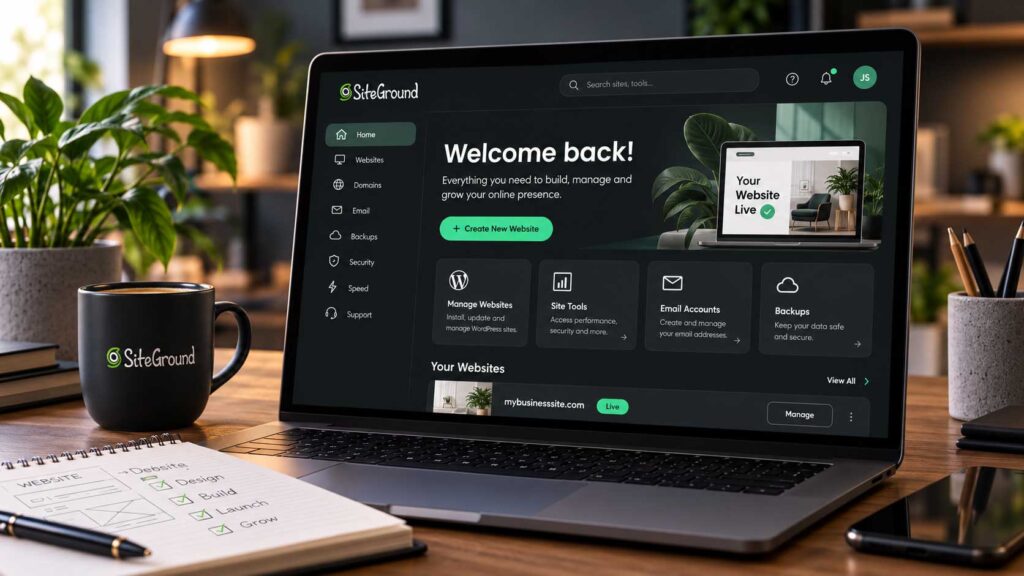
2. SiteGround — Best for Food Bloggers Who Want Easy Performance
SiteGround is a strong option for food bloggers who want better performance and easier WordPress management without jumping straight into expensive premium hosting.
It works especially well for growing recipe sites because many of the tools you might otherwise need to set up separately are already built into the platform. SiteGround’s current WordPress hosting includes multilevel caching, free CDN access, daily backups, managed WordPress updates, migration tools, security features, and its Speed Optimizer plugin.
For a food blog with a growing recipe library and plenty of images, SiteGround can be a practical step up from basic beginner hosting.
WordPress Management
SiteGround is designed to remove a lot of routine WordPress maintenance.
Its current hosting plans include managed WordPress updates, free migrations, WP-CLI and SSH access, and WordPress-specific performance and security tools. The dashboard also gives you direct access to backups, caching, CDN settings, staging on qualifying plans, and site-management features.
That can be helpful if you want more control than basic shared hosting provides but do not want to manage a cloud server yourself.
Caching and Performance
SiteGround uses a multilevel caching system across its WordPress hosting plans.
Its current platform combines server-level caching with the SiteGround Speed Optimizer plugin, which gives WordPress users additional control over caching and performance settings. GrowBig and GoGeek also include faster PHP resources compared with the entry-level plan.
For a food blog, that matters because a recipe page may be loading photography, recipe cards, related posts, analytics, affiliate links, and advertising scripts at the same time.
Caching will not fix an oversized image library or a bloated theme, but it reduces the amount of repeated work the server has to perform.
CDN for Image-Heavy Food Blogs
SiteGround includes a free CDN with its hosting plans. The CDN caches and serves site content from edge locations closer to visitors rather than forcing every request to travel back to the origin server.
That is particularly useful for food bloggers because images are usually one of the heaviest parts of a recipe page.
If your readers arrive from Google, Pinterest, social media, or email campaigns across different parts of the country or world, CDN delivery can help reduce latency.
You should still compress and properly size your images, but having CDN delivery built into the hosting platform makes the process easier.
Backups
SiteGround includes automatic daily backups across its current WordPress hosting plans.
The company currently keeps up to 30 days of backups, and GrowBig and GoGeek also include on-demand backups.
For a food blog, daily backups are a meaningful feature once you begin publishing regularly.
If a plugin update, WordPress change, theme edit, or configuration problem breaks the site, having a recent restore point can save a lot of work.
I particularly like the addition of on-demand backups on GrowBig and GoGeek because you can create a fresh restore point immediately before making a major site change.
Staging
Staging is available on SiteGround’s GrowBig and GoGeek plans.
This gives you a separate copy of your site where you can test a new plugin, recipe-card update, design change, PHP version, or caching setup before pushing the change to your live food blog.
That feature becomes much more valuable once your site is receiving steady traffic or earning money.
Testing directly on a live recipe site is risky when a broken page can affect visitors, search traffic, or ad revenue.
Storage for Food Photography
Storage is another area food bloggers should look at carefully.
SiteGround’s current WordPress plans provide approximately 10 GB on StartUp, 50 GB on GrowBig, and 100 GB on GoGeek.
For most properly optimized food blogs, GrowBig’s 50 GB allowance gives considerably more breathing room than the entry plan.
That said, storage can disappear quickly if you upload large original photos straight from a camera.
A better long-term strategy is to resize and compress food photography before uploading rather than simply paying for more storage.
Customer Support
SiteGround provides 24/7 support through phone, chat, and ticket channels, while GoGeek includes priority support.
Support becomes increasingly important as a food blog grows.
When your site is generating traffic or revenue, you do not want to spend hours trying to determine whether a problem is caused by WordPress, caching, PHP, DNS, or the hosting environment.
This is where paying a little more for hosting can start to feel worthwhile.
SiteGround Pricing and Renewal Costs
SiteGround’s introductory pricing is attractive, but the renewal rate is the main thing to pay attention to.
Current 12-month promotional pricing is approximately $2.99 per month for StartUp, $4.99 for GrowBig, and $7.99 for GoGeek. After the introductory term, the current 12-month renewal rates are approximately $17.99, $29.99, and $44.99 per month respectively.
That is a substantial increase, especially for GrowBig and GoGeek.
For this reason, I would not recommend SiteGround simply because the first-year price looks inexpensive. It makes more sense for bloggers who value the built-in caching, daily backups, staging, support, and WordPress management enough to justify the higher ongoing cost.
Which SiteGround Plan Is Best for Food Bloggers?
For most serious food bloggers, GrowBig is the plan I would look at first.
StartUp can work for a small new site, but GrowBig adds several features that become useful quickly, including 50 GB of storage, staging, on-demand backups, more server resources, and support for multiple websites. SiteGround currently describes GrowBig as suitable for roughly 100,000 monthly visits, although that figure is only a general reference and not a guaranteed traffic limit.
GoGeek makes more sense for larger sites or bloggers who want additional storage, higher resources, Git integration, private DNS, and priority support.
SiteGround Pros and Cons
| Pros | Cons |
|---|---|
| Strong WordPress management tools | Renewal pricing is much higher than introductory pricing |
| Multilevel caching and Speed Optimizer | Staging is not included with StartUp |
| Free CDN | More expensive long term than many beginner hosts |
| Daily backups with up to 30 days of history | High-traffic sites may eventually need stronger hosting |
| On-demand backups on GrowBig and GoGeek | |
| Staging on GrowBig and GoGeek | |
| 50 GB storage on GrowBig | |
| 24/7 support |
Who Should Choose SiteGround?
SiteGround is a good choice for a growing food blogger who wants better WordPress performance and easier site management without jumping immediately into premium managed hosting.
It is particularly attractive if you want caching, CDN delivery, automatic backups, staging, and responsive support built into one platform rather than configuring each feature separately.
For a completely new blog where cost is the main priority, Hostinger may still make more sense.
Once your recipe site starts gaining traffic and you want stronger tools without getting too technical, SiteGround GrowBig is one of the most balanced options in this comparison.
Best for: Growing food and recipe blogs
Hosting type: Managed WordPress/shared hosting
Difficulty level: Beginner-friendly
Main advantage: Easy WordPress management with strong built-in performance tools

3. BigScoots — Best for Established Food Bloggers
BigScoots is one of the strongest options in this comparison for established food bloggers who already have solid traffic, a large content library, or meaningful revenue from display ads, affiliate marketing, and other monetization channels. It stands out because it focuses on managed WordPress hosting for serious publishers rather than generic low-cost hosting. Its managed plans currently include free migrations, staging environments, daily backups, Cloudflare-powered CDN delivery, proactive monitoring, security tools, and 24/7 support.
BigScoots is also closely connected with the publisher ecosystem. It currently has dedicated hosting plans developed with Mediavine, and BigScoots says more than 3,000 Mediavine publishers use its hosting. That makes it especially relevant for food bloggers monetizing through display advertising rather than just running a small hobby site.
Why BigScoots Works Well for Professional Food Bloggers
Once a food blog becomes a real business, hosting problems become much more expensive.
A recipe site receiving heavy Google or Pinterest traffic may be running hundreds or thousands of posts, a large WordPress database, years of food photography, advertising scripts, affiliate links, recipe-card plugins, email integrations, and analytics tools at the same time.
At that point, the main question is no longer simply, “What is the cheapest hosting plan?”
You start caring more about uptime, support, backups, performance during traffic spikes, and how quickly someone can help when something breaks.
This is where BigScoots starts to make more sense.
A Strong Fit for Mediavine Publishers
BigScoots has a specific hosting partnership with Mediavine and offers plans designed for publishers participating in Mediavine programs. Its Mediavine-specific hosting is built around performance, managed support, and publisher growth.
That is especially relevant to food bloggers, since many established recipe sites rely heavily on display advertising.
If your income depends partly on ad impressions, slow pages and downtime are no longer just technical annoyances. They can directly reduce revenue.
BigScoots is not limited to Mediavine users, of course. Its regular managed WordPress plans are available to other publishers as well, including bloggers using Raptive or other monetization platforms.
Handling Large Recipe Libraries
Established food blogs often contain years of content.
A mature recipe website may have several hundred or even several thousand recipes, alongside thousands of media files and a much larger WordPress database than a new blog.
BigScoots’ managed WordPress plans are structured around increasing levels of traffic, storage, bandwidth, and site capacity. Current plans range from Essential 75 for roughly 75,000 monthly visitors up through Core 1000 for sites approaching one million monthly visitors, with enterprise options available beyond that.
That gives growing publishers a clearer upgrade path than repeatedly moving between unrelated hosting platforms.
High Google and Pinterest Traffic
Food blogs can experience unusual traffic patterns.
A strong Google ranking may bring consistent daily traffic, while Pinterest can sometimes send a sudden burst of visitors when a recipe pin gains momentum. Seasonal content can create another layer of unpredictability around Thanksgiving, Christmas, Easter, summer grilling, or other food-heavy periods.
BigScoots’ higher managed plans include its Boost performance layer, which uses a customized Cloudflare Enterprise configuration for edge delivery, scalability, and reliability.
That kind of infrastructure becomes much more valuable when the site needs to remain stable during high-traffic periods.
Managed Migrations
Moving a mature food blog can be intimidating.
An established recipe website may contain thousands of images, a large database, redirects, plugin configurations, SEO metadata, recipe schema, and years of content.
BigScoots includes managed migrations with its WordPress plans and describes them as zero-downtime migrations handled by its team.
For a professional blogger, that can be a meaningful advantage over trying to migrate everything manually.
Backups and Staging
BigScoots currently provides daily backups with up to 30 days of retention on its managed WordPress plans. The platform also allows up to five manual backups, which can be useful before making major site changes.
Staging environments are also included, giving you a separate place to test changes before applying them to the live site.
That becomes especially important when your site is generating revenue. Testing a recipe plugin update, theme change, PHP upgrade, or new ad configuration directly on the live site creates unnecessary risk.
Pricing and Plan Levels
BigScoots costs considerably more than beginner hosting, but it is aimed at a very different type of site.
Its current entry-level managed plan, Essential 75, costs $35 per month or $350 per year and includes one WordPress site, 75,000 monthly visitors, 10 GB of storage, 150 GB of bandwidth, CDN access, staging, and managed migration.
Higher plans increase traffic capacity, storage, bandwidth, the number of websites, and access to BigScoots’ Boost performance layer.
For a brand-new food blog, that price would usually be unnecessary.
For a recipe site already generating meaningful advertising or affiliate revenue, paying more for managed hosting may be much easier to justify.
BigScoots Pros and Cons
| Pros | Cons |
|---|---|
| Strong fit for established content publishers | Much more expensive than beginner hosting |
| Dedicated Mediavine hosting partnership | Entry-level storage is relatively modest |
| Managed migrations included | Overkill for a new or low-traffic food blog |
| Daily backups with up to 30 days of retention | Higher traffic levels require upgrading plans |
| Staging environments included | Extra storage and additional sites can increase cost |
| Cloudflare-powered CDN and edge delivery | |
| Proactive monitoring and 24/7 support | |
| Clear upgrade path for high-traffic sites |
Who Should Choose BigScoots?
BigScoots makes the most sense for an established food blogger whose website is already operating like a publishing business.
It is particularly worth considering if you are monetizing with Mediavine, Raptive, affiliate programs, sponsored content, or digital products and your site is receiving enough traffic that downtime or poor performance can affect revenue.
It is also a good fit for bloggers who have built large recipe libraries and would rather have a hosting team handle migrations, backups, monitoring, and infrastructure than spend their own time troubleshooting technical problems.
For a brand-new food blog, Hostinger or SiteGround will usually be more economical.
For a successful recipe site with strong Google traffic, Pinterest traffic, or display-ad revenue, BigScoots is one of the most relevant hosting options in this comparison.
Best for: Established and monetized food blogs
Hosting type: Managed WordPress hosting
Difficulty level: Easy to manage
Main advantage: Hands-on managed hosting built around serious content publishers
4. Cloudways — Best for Scaling a Growing Food Blog
Cloudways is a strong fit for food bloggers who are starting to outgrow basic shared hosting and want more server resources, better scalability, and more control over performance. It works differently from beginner hosts such as Hostinger or Bluehost. Instead of placing your site on a traditional shared hosting plan, Cloudways gives you managed access to cloud infrastructure, along with tools for scaling resources, staging, caching, backups, security, and migration.
For a growing food blog, that becomes useful once traffic, plugins, ad scripts, and a larger recipe library start putting more pressure on the server.
With traditional shared hosting, many websites share the same pool of server resources.
Cloudways Flexible gives your site its own cloud resources, giving you more control over processing power, memory, and storage.
That makes Cloudways more suitable for bloggers who are comfortable with a few technical settings and want the ability to scale their hosting as the site grows.
You do not need to manage a completely unmanaged server, but Cloudways does give you more decisions than a typical beginner host.
Performance and Caching
Cloudways includes several performance tools directly in its hosting stack.
Its current WordPress setup includes Redis caching, server-level caching, a built-in WordPress performance stack, and Object Cache Pro on qualifying server configurations.
For a food blog, object caching can become valuable as the WordPress database grows.
A large recipe site may contain hundreds or thousands of posts, recipe-card data, internal searches, related-content queries, advertising scripts, and many plugins. Caching frequently requested data can reduce how often WordPress has to rebuild the same information.
That does not eliminate the need for good image optimization and a lightweight theme, but it gives the site a stronger technical foundation.
Scaling as Traffic Grows
One of Cloudways’ main advantages is vertical scaling.
Instead of moving your website to a completely different hosting platform every time you need more resources, you can increase the size of the underlying cloud server as your traffic grows.
That is particularly useful for food bloggers because traffic can increase unevenly.
A recipe may suddenly rank well in Google, take off on Pinterest, appear in Google Discover, or receive a large seasonal surge around Thanksgiving, Christmas, Easter, or summer grilling season.
Being able to add more server resources gives you more flexibility as the site grows.
Flexible vs. Autonomous
Cloudways now offers two different approaches: Flexible and Autonomous.
Flexible gives you more direct control over cloud resources and is the option I would expect most technically comfortable independent bloggers to consider first. Cloudways currently advertises Flexible entry pricing from about $11 per month, depending on the infrastructure and configuration selected.
Autonomous is more hands-off and is designed around automatic scaling. It uses Kubernetes-based autoscaling, load balancing, Cloudflare Enterprise, Redis, Object Cache Pro, and high-availability infrastructure to automatically adjust resources when traffic changes.
For most smaller food blogs, Autonomous would be unnecessary.
It becomes more interesting for large recipe sites where sudden traffic spikes are common and keeping the site online during those spikes is worth paying more for.
Backups and Staging
Cloudways includes automated and on-demand backups, along with one-click restoration. Flexible plans use off-site backup storage, which currently carries a small per-GB charge.
Staging and cloning are also included.
That allows you to test recipe plugin updates, theme changes, PHP versions, advertising scripts, caching changes, or major redesigns before applying them to the live site.
For a monetized food blog, staging becomes increasingly important because a broken update can affect both traffic and revenue.
Cloudflare and CDN Options
Cloudways also offers Cloudflare-based performance tools.
On the Flexible platform, Cloudflare Enterprise is available as an add-on, while Autonomous includes Cloudflare Enterprise as part of the platform.
For food bloggers, edge caching and CDN delivery can be valuable because recipe websites usually contain many large image assets.
Serving those files closer to visitors can reduce latency and help the site remain responsive for readers in different locations.
Migrations
Cloudways includes managed migration support as well as its own migration tools.
This can make moving a large WordPress site easier, especially if your food blog already has a large media library, a substantial database, many plugins, and years of SEO work.
The more established the site becomes, the more valuable a managed migration can be.
Pricing
Cloudways pricing is different from the typical shared-hosting model.
Flexible plans are priced according to the cloud server and resource configuration you choose, rather than relying mainly on a very cheap first-year promotion followed by a large renewal increase.
Cloudways currently advertises Flexible hosting starting at roughly $11 per month, while additional server resources increase the monthly cost.
Autonomous costs considerably more because it includes automatic scaling and higher-end infrastructure. The current Growth plan starts around $99 per month, with larger Scale and Plus tiers available for more demanding workloads.
For most growing independent food bloggers, Flexible will usually make more sense than Autonomous.
Cloudways Pros and Cons
| Pros | Cons |
|---|---|
| More scalable than traditional shared hosting | More technical than beginner hosting |
| Vertical server scaling | Pricing increases as server resources grow |
| Redis and advanced caching | Some features or services cost extra |
| Object Cache Pro on qualifying servers | Flexible plans charge separately for off-site backup storage |
| Advanced staging and cloning | More settings to understand and manage |
| Managed migration tools | Probably unnecessary for a very small food blog |
| Strong fit for growing WordPress sites | |
| Autonomous option for automatic scaling |
Who Should Choose Cloudways?
Cloudways makes the most sense for a growing food blogger who has started to outgrow shared hosting and is comfortable managing a slightly more technical hosting environment.
It is a strong fit if you want more control over server resources, expect traffic to continue growing, and do not want to migrate to a completely new host every time your site needs more power.
For a completely new food blog, Hostinger or SiteGround will usually be simpler.
For an established blogger who wants someone else to handle nearly everything, BigScoots may be more attractive.
If you want more control and scalability without moving to fully unmanaged cloud hosting, Cloudways is one of the strongest middle-ground options in this comparison.
Best for: Technically comfortable bloggers and growing food sites
Hosting type: Managed cloud hosting
Difficulty level: Intermediate
Main advantage: Scalable cloud resources with more control than shared hosting

5. WP Engine — Best Premium Managed WordPress Hosting
WP Engine is a premium managed WordPress hosting platform for site owners who want strong performance, automatic backups, staging, security, and WordPress-focused management without having to handle much of the technical infrastructure themselves.
For established food bloggers, that can be very appealing. As recipe websites grow, they often become more complex, with large media libraries, recipe-card plugins, display ads, affiliate tools, analytics, email integrations, and seasonal traffic spikes all putting more pressure on the site.
WP Engine’s managed platform is built specifically for WordPress and includes proprietary EverCache technology, a global CDN, automated backups, security management, staging and development environments, and tools designed to reduce the amount of technical maintenance required from the site owner.
Why WP Engine Works Well for Food Blogs
WP Engine is not trying to be the cheapest place to host WordPress.
Its main value is reducing the amount of technical work you need to handle yourself.
For a food blogger already generating steady traffic or revenue, that can be more valuable than saving a few dollars each month on hosting.
WP Engine manages much of the performance, security, caching, and backup infrastructure at the platform level, giving publishers more time to focus on recipes, photography, SEO, email growth, and monetization.
Performance and EverCache
WP Engine uses its proprietary EverCache technology to serve cached WordPress content efficiently and reduce unnecessary load on the origin server.
Its managed platform also includes global CDN delivery, helping static content reach visitors from locations closer to them. WP Engine specifically positions its infrastructure around maintaining performance during traffic spikes.
That matters for food blogs because recipe pages can become heavy quickly.
A recipe page may contain a large featured image, step-by-step photography, recipe-card assets, related recipes, advertising scripts, analytics, and social-sharing tools all loading together.
Caching and CDN delivery can provide a stronger foundation for that type of site, although food bloggers still need to optimize images, plugins, themes, and advertising scripts.
Backups
WP Engine automatically creates backups for production, staging, and development environments and also allows manual backup checkpoints.
Its current documentation states that 30 days of backups are retained, and those backups are stored offsite. They can also be restored through the WP Engine portal when needed.
That is especially useful for an established recipe site because a mature food blog can contain years of content, images, recipe data, SEO settings, affiliate links, comments, and monetization configurations.
A reliable restore point can be extremely valuable when a plugin update or site change goes wrong.
Staging and Development Environments
Each WP Engine site can include separate production, staging, and development environments.
That gives food bloggers a safer place to test changes before touching the live site.
You might use staging to test a new recipe plugin, theme update, PHP version, caching configuration, ad setup, or larger redesign.
Once a food blog is earning money, this becomes far more important. Breaking a live recipe page can affect search traffic, advertising revenue, affiliate clicks, and reader experience at the same time.
Handling Higher Traffic
WP Engine’s plans are partly structured around monthly billable visits, and the platform offers progressively larger hosting tiers as traffic increases.
One important detail is that WP Engine’s visitor limits are billing limits rather than a guarantee that every site with a certain number of visitors will use the same resources. WP Engine currently charges overages on several shared plans when a site exceeds its included monthly visits.
That matters for food bloggers because two sites receiving the same amount of traffic may behave very differently.
A heavily cached recipe blog with a lightweight theme may require fewer resources than a site running WooCommerce, complex search tools, many plugins, and several dynamic features.
For that reason, traffic should be considered alongside the actual complexity of the site.
Security and WordPress Management
WP Engine’s managed platform includes automated security patching, monitoring, plugin-related protection, and infrastructure designed specifically for WordPress.
That hands-off approach is one of the main reasons established publishers move to premium hosting.
Instead of spending time dealing with server configuration, updates, backups, and many infrastructure-level tasks yourself, more of that work is handled within the hosting platform.
For a professional food blogger or small publishing team, the time saved can sometimes be just as important as the raw hosting performance.
Pricing
WP Engine is considerably more expensive than beginner shared hosting.
Its pricing is designed around managed WordPress infrastructure, traffic allowances, storage, and the number of websites included. Promotional first-year pricing may be available, but WP Engine itself notes that renewal pricing can differ from introductory offers.
For that reason, I would compare the ongoing cost, not just the first-year deal.
A new food blog does not usually need this level of hosting.
But for a site that already generates advertising, affiliate, or product revenue, the higher monthly cost may be easier to justify if better management, backups, staging, security, and support reduce technical risk.
WP Engine Pros and Cons
| Pros | Cons |
|---|---|
| Fully managed WordPress environment | Much more expensive than beginner hosting |
| EverCache performance technology | Usually unnecessary for a brand-new food blog |
| Global CDN included | Visitor overages can increase costs |
| Automatic and manual backups | Storage limits may matter for very large photo libraries |
| 30 days of backup retention | Some higher-end features are limited to more expensive plans |
| Production, staging, and development environments | |
| Strong WordPress-focused security and management | |
| Built for sites where performance and uptime matter |
Who Should Choose WP Engine?
WP Engine is best suited to an established food blogger, professional recipe publisher, or growing content business that values managed infrastructure more than low hosting costs.
It makes the most sense once your website is already earning meaningful revenue and technical problems or downtime have a measurable business impact.
If you want automatic backups, separate staging and development environments, WordPress-specific performance tools, managed security, and a platform designed to handle continued growth, WP Engine is worth comparing with BigScoots and Pressable.
For a brand-new food blogger, it is probably unnecessary.
For a successful recipe website where hosting has become part of the business infrastructure, however, WP Engine is one of the strongest premium managed WordPress options in this comparison.
Best for: Established and professional food websites
Hosting type: Premium managed WordPress hosting
Difficulty level: Beginner-friendly to manage
Main advantage: Premium hands-off WordPress management with strong performance, backups, staging, and security

6. Bluehost — Best Simple WordPress Setup for Beginners
Bluehost is one of the better-known hosting providers for new WordPress users, and it remains one of the hosts currently recommended on WordPress.org’s official hosting page. WordPress.org describes Bluehost as its longest-running recommended host and highlights features such as WordPress preinstallation, SSL, built-in CDN, and 24/7 support.
For food bloggers, Bluehost’s main appeal is simplicity. It combines WordPress hosting, domain management, security, caching, CDN delivery, backups, staging, and site-building tools within one platform, making it easier to launch a recipe website without configuring many separate services.
That makes Bluehost a good fit for someone building a first food blog and prioritizing an easy setup over advanced server control.
Why Bluehost Works Well for New Food Bloggers
When a food blog is brand new, you usually do not need an advanced cloud environment or expensive premium managed hosting.
What matters more is having a reliable place to install WordPress, publish recipes, upload photos, manage plugins, and grow the website without dealing with too much technical complexity.
Bluehost’s current Starter WordPress plan already includes managed WordPress updates, free SSL, Cloudflare CDN, static and object caching, a staging environment, weekly backups, a web application firewall, DDoS protection, malware scanning, and a free migration tool.
That gives beginners more than a bare-bones shared hosting setup.
Easy WordPress Setup
Bluehost provides WordPress-focused onboarding and site-creation tools designed to simplify the setup process for new users.
WordPress is preinstalled, and current plans also include Bluehost’s AI site-creation tools, which can help beginners get a basic website structure online before customizing the site further.
For a first-time food blogger, that can remove some of the friction involved in configuring hosting, installing WordPress, and getting the initial website running.
You can then focus on the parts that actually make the food blog valuable: recipes, photography, SEO, branding, and audience growth.
Performance, Caching, and CDN
Bluehost now includes both static content caching and object caching across its current WordPress plans. It also includes a Cloudflare-powered CDN with Argo Routing.
That combination is useful for recipe websites because food blogs typically contain more images and more dynamic WordPress content than basic text blogs.
The CDN helps deliver static content closer to visitors, while caching reduces the amount of repeated work WordPress needs to perform when pages are requested.
You should still optimize your food photography, theme, plugins, and advertising scripts. Hosting cannot compensate for oversized images or a bloated website, but these built-in tools give a new food blog a better technical starting point.
Backups and Staging
Bluehost’s current WordPress plans include weekly website backups and a WordPress staging environment.
Staging is a particularly useful addition because it allows you to test changes on a copy of the site before applying them to the live version.
You might use it when testing a new recipe plugin, theme update, WordPress change, or larger design adjustment.
Weekly backups are adequate for many smaller sites, although an active food blogger publishing and updating content frequently may eventually prefer a backup system with daily restore points.
Storage and Growth
The current Starter plan includes 10 GB of NVMe SSD storage and is positioned for sites receiving around 40,000 monthly visits. The Business plan increases that to 50 GB and is positioned for substantially higher traffic. Bluehost describes these numbers as ideal usage levels rather than absolute performance guarantees.
For a new food blog, 10 GB can be sufficient if images are properly resized and compressed.
However, food photography can consume storage quickly, so bloggers should avoid uploading full-resolution camera originals directly to WordPress.
As the site grows, Bluehost also offers higher WordPress tiers and managed cloud hosting for sites that need more resources.
Security
Bluehost’s current WordPress hosting includes more security features than many beginners may expect from an entry-level plan.
Starter currently includes free SSL, malware scanning, malware detection and removal, a web application firewall, and DDoS protection.
That does not remove the need to keep WordPress, themes, and plugins updated, but it provides a stronger security baseline than relying entirely on plugins after the site is launched.
Bluehost Pricing
Bluehost continues to use promotional introductory pricing, so the renewal rate matters.
Its current Starter plan is advertised from $3.99 per month on a 36-month term and renews at $9.99 per month. The Business plan is currently advertised from $6.99 per month on the same term and renews at $13.99 per month.
Those prices can change, so readers should always verify the current offer before purchasing.
The important point is to compare the full long-term cost rather than choosing Bluehost—or any host—because of a temporary promotional rate.
Bluehost vs. Hostinger for Beginners
Bluehost and Hostinger both make sense for new food bloggers, but they appeal to slightly different users.
Hostinger is especially strong for bloggers focused on getting as much value as possible from a lower-cost WordPress plan.
Bluehost is appealing if you want a very straightforward WordPress-first experience with staging, caching, security, CDN delivery, and site-building tools already included.
There is no need to choose based on brand recognition alone. Compare the plan you would actually buy, including storage, backup frequency, renewal pricing, staging, and upgrade options.
Bluehost Pros and Cons
| Pros | Cons |
|---|---|
| Beginner-friendly WordPress setup | Promotional pricing requires a longer commitment for the lowest rate |
| Currently recommended by WordPress.org | Renewal pricing is higher than introductory pricing |
| Free CDN with Argo Routing | Weekly backups may be too infrequent for very active sites |
| Static and object caching included | Starter storage is limited to 10 GB |
| WordPress staging included | Less flexible than a cloud platform such as Cloudways |
| SSL, WAF, DDoS protection, and malware tools | Larger professional sites may eventually want more specialized managed hosting |
| Free migration tool | |
| Clear upgrade path into larger WordPress and cloud plans |
Who Should Choose Bluehost?
Bluehost makes the most sense for someone starting a first food blog who wants WordPress hosting that is straightforward to set up and manage.
It provides more than enough functionality for a typical new recipe website, including caching, CDN delivery, staging, security tools, backups, and WordPress management without requiring the blogger to understand cloud-server configuration.
If your priority is maximum flexibility and server control, Cloudways is a stronger fit.
If you already run a large, revenue-producing food publication, BigScoots, WP Engine, or Pressable may offer a more specialized managed environment.
For someone who wants to get a new recipe website online without making hosting complicated, Bluehost remains one of the most practical beginner options here.
Best for: First-time food bloggers
Hosting type: WordPress hosting
Difficulty level: Beginner-friendly
Main advantage: Easy WordPress setup with caching, CDN, staging, security, and backups already included
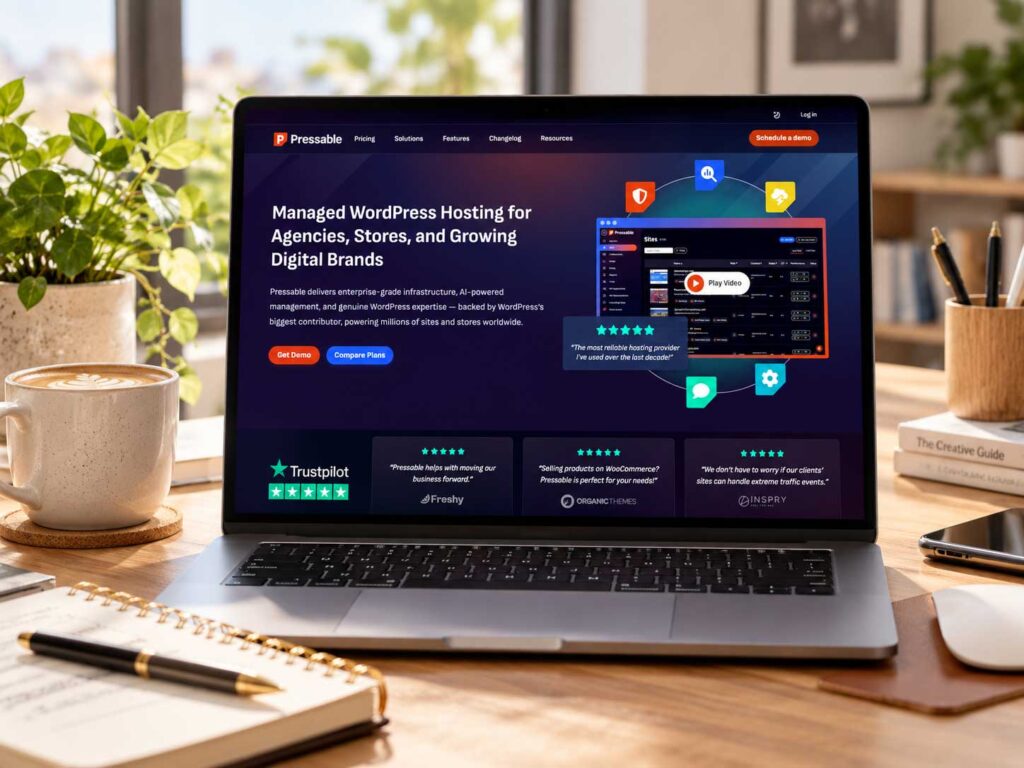
7. Pressable — Best Managed WordPress Alternative for Growing Food Blogs
Pressable is a managed WordPress hosting provider built for site owners who want strong performance, frequent backups, staging, security, and WordPress-focused support without managing the underlying server themselves.
For growing food bloggers, it sits between inexpensive beginner hosting and higher-end premium infrastructure. Its current Signature plans include dedicated PHP workers, edge caching, a global CDN, hourly and daily backups, staging and sandbox environments, Jetpack Security, free site migrations, and 24/7 WordPress support.
That combination makes Pressable appealing to food blogs that already have steady traffic, a large recipe library, or regular revenue and want a more hands-off hosting environment.
Why Pressable Works Well for Food Blogs
As a recipe site grows, the workload becomes more complex.
You may have hundreds or thousands of posts, a large food photography library, recipe-card plugins, display ads, affiliate tracking, email integrations, analytics, related-content tools, and a larger WordPress database all operating together.
Pressable is built specifically around WordPress, and its managed platform includes page cache, query cache, OPcache, edge caching, dedicated PHP workers, backups, security tools, and staging environments as part of the hosting stack.
For bloggers who would rather focus on creating recipes and growing traffic than troubleshooting server settings, that managed approach can be a major advantage.
Dedicated PHP Workers
One feature that separates Pressable from inexpensive shared hosting is its use of dedicated PHP workers.
Current Signature plans include five dedicated PHP workers per site, with 512 MB allocated to each worker and additional burst capacity available when needed.
PHP workers handle uncached WordPress requests. That matters more as a site becomes dynamic or complex.
A well-cached recipe page may require relatively little PHP processing, but WordPress admin activity, internal searches, uncached pages, plugin operations, and other dynamic requests still depend on server-side processing.
For a larger food blog, having dedicated resources can help provide more predictable performance than relying entirely on a shared resource pool.
Hourly and Daily Backups
Backups are one of Pressable’s stronger features.
Its current Signature plans include hourly database backups and daily full-site backups, along with restore functionality.
That can be especially valuable for an active food blog where content and settings change frequently.
If you publish recipes, update recipe cards, change affiliate links, adjust plugins, or modify monetization settings throughout the day, more frequent database backups can reduce how much work might be lost if something goes wrong.
For an established food blog, a backup protects far more than article text. It can also protect recipe data, SEO metadata, comments, plugin settings, affiliate links, and years of WordPress configuration.
Staging and Sandbox Environments
Pressable includes both staging and sandbox environments with its Signature plans.
That gives you more flexibility than simply having one live site and one test copy.
A staging environment can be used to test changes against a close copy of your live website, while a sandbox can be useful for experimenting with new ideas, plugins, or configurations without affecting production.
For a monetized food blog, this can reduce the risk involved in testing recipe plugin updates, new advertising scripts, PHP changes, theme updates, caching adjustments, or a larger redesign.
CDN, Edge Caching, and WordPress Performance
Pressable includes built-in edge caching and a global CDN across its Signature plans. It also provides page cache, query cache, and OPcache as part of its WordPress performance stack.
That is relevant for food bloggers because images and other static assets usually account for a large portion of a recipe page.
Serving cached content closer to visitors can improve delivery times and reduce the amount of work required from the origin infrastructure.
As always, hosting is only part of performance. Food bloggers should still resize and compress photography, avoid unnecessary plugins, and keep themes and advertising scripts under control.
Security
Jetpack Security is included with Pressable plans and currently provides malware scanning, downtime monitoring, activity logging, and additional security tools.
For a revenue-producing food blog, security becomes much more important because a compromised site can affect search traffic, advertising revenue, reader trust, and your ability to publish new content.
Pressable’s managed approach means more of the security stack is integrated into the hosting environment rather than leaving everything to separate WordPress plugins.
Free Site Migrations
Pressable currently includes free site migrations across its Signature plans.
That can make moving an established food blog much easier.
A mature recipe site may contain thousands of images, a large WordPress database, recipe schema, redirects, SEO settings, affiliate links, and years of plugin configuration.
Migration assistance can make the move much easier, especially on a large recipe site.
Pressable Pricing
Pressable costs more than beginner shared hosting, but the plans include substantially more managed infrastructure.
Current annual Signature pricing starts at about $20.83 per month for one WordPress site, up to 30,000 monthly visits, and 20 GB of storage. Larger plans increase the number of sites, traffic allowance, and storage.
| Plan | WordPress Sites | Monthly Visits | Storage | Annual-Billing Equivalent |
|---|---|---|---|---|
| Signature 1 | 1 | 30,000 | 20 GB | $20.83/mo |
| Signature 2 | 3 | 50,000 | 30 GB | $37.50/mo |
| Signature 3 | 5 | 75,000 | 35 GB | $50/mo |
| Signature 4 | 10 | 150,000 | 50 GB | $75/mo |
| Signature 5 | 20 | 400,000 | 80 GB | $129.17/mo |
Pressable also offers larger Signature plans supporting up to two million monthly visits, as well as Premium plans for more demanding sites.
Pricing can change, so always verify the current plan details before purchasing.
What Happens If You Exceed the Limits?
Pressable currently charges $1.20 per additional 1,000 visits and $1 per additional GB of storage when a site exceeds its included allowance. It also offers discounted prepaid add-ons for sites that regularly need more visits or storage.
That is worth considering for food blogs with highly seasonal traffic.
A recipe website might be comfortable within its normal plan for most of the year and then receive a large surge around Thanksgiving, Christmas, Easter, or another seasonal period.
If you regularly approach the plan limits, moving to the next tier may make more sense than repeatedly paying overage charges.
Pressable vs. WP Engine
Pressable and WP Engine occupy similar territory because both focus heavily on managed WordPress hosting.
Pressable stands out for its dedicated PHP workers, hourly database backups, staging plus sandbox environments, Jetpack Security, and straightforward traffic-based plans.
WP Engine offers a broader ecosystem of developer, performance, and enterprise-oriented tooling.
For most food bloggers, the better choice will come down to pricing, expected traffic, storage requirements, backup preferences, support, and how much control you want over the hosting environment.
Pressable Pros and Cons
| Pros | Cons |
|---|---|
| Fully managed WordPress hosting | More expensive than beginner hosting |
| Five dedicated PHP workers per site on Signature plans | Traffic limits apply to each plan |
| Hourly database and daily full backups | Storage limits should be watched on image-heavy sites |
| Global CDN and edge caching included | Overage charges apply beyond included usage |
| Staging and sandbox environments | Probably unnecessary for a brand-new food blog |
| Jetpack Security included | |
| Free site migrations | |
| 24/7 WordPress-focused support | |
| Plans scale from smaller sites to millions of visits |
Who Should Choose Pressable?
Pressable makes the most sense for a growing or established food blogger who wants managed WordPress hosting without having to manage cloud infrastructure personally.
It is especially appealing if frequent backups, staging, WordPress-specific support, security, dedicated PHP resources, and hands-off migrations are priorities.
A new food blog receiving very little traffic probably does not need this level of hosting.
But once your recipe site has meaningful traffic, revenue, or a large content library, Pressable becomes a strong managed alternative to WP Engine and BigScoots.
Best for: Growing and established food blogs
Hosting type: Managed WordPress hosting
Difficulty level: Beginner-friendly to manage
Main advantage: Managed WordPress hosting with dedicated PHP resources, frequent backups, staging, and strong built-in security
Other Hosting Options Worth Considering
The seven hosting providers above are the options we would consider first for most food bloggers, but they are not the only choices available.
A few other providers can still make sense depending on your budget, existing setup, or preference for a particular hosting platform.

Namecheap — Budget-Friendly Alternative
Namecheap is best known as a domain registrar, but it also offers both traditional shared hosting and managed WordPress hosting through EasyWP.
Its current EasyWP platform includes automated daily backups, WordPress auto-updates, SSL, CDN access, automated migration, a web application firewall, HackGuardian protection, and several layers of caching including Varnish, OPcache, and Redis object caching.
For a new food blogger who wants to keep costs low, Namecheap can be a reasonable alternative to Hostinger or Bluehost.
Its shared hosting plans are also inexpensive and currently include SSL, automated backups, free migration, security tools, and unmetered bandwidth on applicable plans.
The main reason we do not rank it among our top choices is that Hostinger and Bluehost currently offer a stronger overall WordPress-focused experience for beginners, while SiteGround and the managed providers above provide clearer upgrade paths for serious food publishers.
Namecheap Pros and Cons
| Pros | Cons |
|---|---|
| Very affordable hosting options | Not as food-blogger-focused as BigScoots or managed WordPress specialists |
| EasyWP provides managed WordPress hosting | Shared hosting is less specialized for high-traffic recipe sites |
| Daily backups on EasyWP | May require upgrading sooner as traffic grows |
| CDN and SSL included | Fewer publisher-specific features than premium hosts |
| Redis, Varnish, and OPcache available | |
| Free automated migration |
Best for: Budget-conscious beginners
Main advantage: Affordable WordPress hosting with solid built-in features

DreamHost — Solid WordPress Alternative for Beginners
DreamHost is another established WordPress hosting provider that can work well for bloggers who want straightforward hosting with good backup and migration features.
Its current entry-level hosting includes daily automated backups, NVMe SSD storage, SSL, unmetered bandwidth, and WordPress support. DreamPress, its managed WordPress platform, adds one-click staging, CDN access, managed migrations, server-level caching, and additional WordPress-focused support.
DreamHost is especially attractive to bloggers who value straightforward pricing and want a clear path from basic hosting into managed WordPress hosting later.
DreamHost Pros and Cons
| Pros | Cons |
|---|---|
| Daily automated backups | Not currently listed among WordPress.org’s recommended hosts |
| Free SSL | DreamPress costs more than entry-level shared hosting |
| NVMe SSD storage | Custom control panel may feel unfamiliar to cPanel users |
| Managed DreamPress upgrade path | Some advanced features require DreamPress |
| Staging and CDN on DreamPress | |
| Free WordPress migrations |
Best for: Beginners who want straightforward WordPress hosting
Main advantage: Simple hosting with daily backups and a clear managed WordPress upgrade path

What Should Food Bloggers Look for in Web Hosting?
The best hosting for food bloggers is not necessarily the cheapest plan or the host with the longest feature list. Food and recipe websites have some specific technical needs, especially as they grow.
A good hosting provider should make it easier to keep the site fast, secure, backed up, and stable as you publish more recipes and attract more visitors.
Fast Server Performance
Speed matters for almost every website, but it is especially important for food blogs because recipe pages are often image-heavy and may also load recipe cards, ads, analytics, social-sharing tools, and other scripts.
A slow server can make an already-heavy page feel even slower. Look for hosting with strong server-side caching, modern PHP support, optimized WordPress infrastructure, and enough resources for your traffic level.
Google also recommends monitoring Core Web Vitals, which measure important aspects of real-world page experience such as loading performance, responsiveness, and visual stability.
Good hosting will not fix every performance problem, but it gives you a much better foundation.
CDN Support
A content delivery network can help serve images, CSS, JavaScript, and other static files from locations closer to your visitors.
That is useful for food bloggers because readers may come from different parts of the country or around the world. If your host includes a CDN, setup is usually easier and you may not need to pay for a separate service.
Support for Image-Heavy Websites
Food photography is one of the biggest differences between a recipe blog and a simple text-based website.
A single recipe may contain a featured image, ingredient photos, step-by-step images, finished-dish photos, and related-recipe thumbnails. Over time, that can create a very large media library.
Your host should provide enough storage for the site you plan to build, but image optimization matters just as much. Properly sized and compressed images, along with modern formats such as WebP, can reduce page weight and help your hosting resources go further.
Google’s image performance guidance also recommends serving appropriately sized and efficiently encoded images instead of sending unnecessarily large files to visitors.
Reliable Backups
Automatic backups should be considered essential.
WordPress recommends maintaining regular backups of both your site files and database so the website can be fully restored if something goes wrong.
If something goes wrong after a plugin update, theme change, WordPress update, or accidental edit, a recent backup can save hours or even days of work.
For a growing food blog, daily backups are a good baseline. Even better is a host that also provides multiple restore points, easy one-click restoration, off-site backup storage, and on-demand backups before major changes.
Some premium hosts also offer hourly database backups, which can be useful for very active websites.
Easy Staging Environments
A staging site is a private copy of your website where you can test changes without affecting the live version.
This becomes increasingly valuable as a food blog grows. You may want to test a new recipe plugin, theme update, PHP version, caching configuration, advertising script, or redesign before pushing it live.
For an established site receiving meaningful traffic, staging can reduce the risk of breaking pages that are actively bringing in visitors and revenue.
WordPress-Focused Support
Most food blogs run on WordPress, so support staff who understand WordPress can be much more useful than generic hosting support.
When something goes wrong, you want someone who understands plugins, caching, PHP, databases, SSL, DNS, migrations, and staging environments.
Choosing reliable hosting is only part of maintaining WordPress. Our guide to the best WordPress security plugins for food bloggers covers additional ways to protect your site.
A low-cost host may be perfectly adequate when everything is working. The real difference often becomes apparent when you need help solving a technical problem quickly.
Security and SSL
Your hosting plan should include SSL so your website loads over HTTPS.
It should also provide a solid security baseline, ideally with tools such as malware scanning, firewalls, DDoS protection, login protection, automatic security updates, or threat monitoring.
A compromised WordPress site can damage search visibility, reader trust, traffic, and revenue, so security should not be treated as an optional extra.
WordPress also publishes a detailed WordPress security hardening guide covering additional steps site owners can take to protect their installations.
Enough Storage
Storage requirements vary widely between food blogs.
A carefully optimized site with hundreds of recipes may use surprisingly little space, while a photographer uploading full-resolution originals can consume tens of gigabytes very quickly.
Before choosing a plan, check the current size of your WordPress installation and media library and think about how fast both are growing.
The goal is not to buy the biggest storage allowance available. It is to make sure you have enough room to grow without constantly worrying about limits.
Ability to Handle Traffic Spikes
Food blog traffic is often seasonal and unpredictable.
A recipe can suddenly gain traction through Google Search, Google Discover, Pinterest, email, or social media. Seasonal content can also create major surges around Thanksgiving, Christmas, Easter, summer grilling season, and other food-heavy periods.
Your hosting should be able to handle reasonable spikes without slowing dramatically or taking the site offline.
This becomes especially important once your blog is monetized and each lost visitor can mean lost ad revenue, affiliate clicks, or email signups.
Easy Website Migration
You may eventually outgrow your first host, and that is completely normal.
A good hosting provider should make moving your WordPress site relatively straightforward, ideally with an automated migration tool or a managed migration service.
That becomes much more valuable once your site contains hundreds of posts, thousands of images, custom settings, redirects, plugins, and years of SEO work.
Room to Scale
The hosting plan you need at 2,000 monthly visitors may be very different from the one you need at 200,000.
Look for a host that gives you a practical upgrade path, whether that means larger WordPress plans, cloud hosting, dedicated resources, automatic scaling, or higher traffic allowances.
You do not need to overpay for future growth on day one, but you also do not want to rebuild your entire hosting setup every time the site reaches a new stage.
Transparent Renewal Pricing
One of the most common hosting mistakes is choosing a plan based only on the introductory price.
A host may advertise a very low monthly rate that applies only if you prepay for several years, while the renewal cost is much higher.
Before signing up, compare the introductory and renewal prices, contract length, refund policy, backup charges, migration fees, CDN costs, overage fees, and optional add-ons.
The cheapest first-year plan is not always the cheapest option over three or four years.
Good Value for Your Current Stage
Finally, match the hosting to where your food blog is today.
A brand-new blogger usually does not need premium managed hosting costing hundreds of dollars per year.
If you are still deciding where to build your site, our guide to the best blogging platforms for food bloggers compares WordPress with other popular options.
At the same time, a recipe site earning thousands of dollars per month probably should not stay on the cheapest possible shared plan just to save a few dollars.
The goal is to choose hosting that supports your current traffic, workload, and revenue without paying for resources you do not yet need.
Which Hosting Should You Choose Based on Food Blog Traffic?
Traffic is not the only factor that determines how much hosting power a food blog needs, but it is a useful starting point.
Two recipe sites with the same number of monthly visitors can use very different amounts of server resources depending on their theme, plugins, image sizes, caching, advertising setup, and database activity.
The ranges below are best treated as practical guidelines rather than strict limits.
New Food Blog: 0–10,000 Monthly Visits
If your food blog is new and receiving fewer than about 10,000 monthly visits, you usually do not need expensive managed hosting.
At this stage, the most important things are reliable WordPress hosting, SSL, backups, basic caching, enough storage for your images, and an easy-to-use dashboard.
For most new food bloggers, Hostinger or Bluehost should provide enough resources to get started without adding a large monthly expense.
This is also the stage where your time and budget are usually better spent on publishing recipes, improving food photography, learning SEO, growing Pinterest traffic, and building an email list rather than paying for infrastructure you do not yet need.
If email is part of your growth strategy, our guide to the best email marketing platforms for food bloggers can help you compare your options.
Good options: Hostinger, Bluehost
Growing Food Blog: 10,000–50,000 Monthly Visits
Once a food blog begins attracting consistent traffic, hosting quality becomes more noticeable.
You may now have dozens or hundreds of recipes, a larger image library, more plugins, affiliate links, analytics, and possibly your first advertising scripts.
At this level, stronger caching, daily backups, staging, CDN access, and better technical support start becoming more valuable.
SiteGround is a good fit for bloggers who want easier WordPress management, while a higher Hostinger plan may still work well for an optimized site. Cloudways becomes more interesting if you want greater server control and expect traffic to continue growing quickly.
Good options: SiteGround, Hostinger, Cloudways
Established Food Blog: 50,000–100,000 Monthly Visits
At this stage, many food blogs begin operating more like publishing businesses than hobby websites.
The site may already be earning money through display advertising, affiliate programs, sponsored content, email marketing, digital products, or brand partnerships.
Hosting reliability matters more because downtime can now directly affect revenue.
A successful site may also have a much larger WordPress database, hundreds of recipe posts, thousands of media files, and more scripts running on every page.
This is where managed hosting such as BigScoots or Pressable becomes easier to justify. Cloudways can also work very well for bloggers who want more technical control over their hosting environment.
Good options: BigScoots, Cloudways, Pressable
High-Traffic Food Blog: 100,000–500,000 Monthly Visits
A food blog receiving hundreds of thousands of monthly visits should generally prioritize performance, support, backups, scalability, and stability over finding the cheapest possible hosting plan.
Traffic may also become much less predictable.
A recipe ranking strongly in Google, appearing in Google Discover, or taking off on Pinterest can send thousands of additional visitors in a short period.
At this level, BigScoots, Cloudways, WP Engine, and Pressable are all worth comparing.
The right choice depends less on the raw visitor number and more on how the site behaves under load. A heavily cached recipe site may run efficiently at high traffic levels, while another site with many dynamic plugins, heavy advertising scripts, and poor optimization may require substantially more resources.
Large Recipe Site: 500,000+ Monthly Visits
At this level, hosting should be treated as part of the business infrastructure.
The cheapest plan should no longer be the main consideration.
Server resources, database performance, PHP workers, object caching, CDN configuration, backup frequency, security, technical support, staging, and traffic-spike handling all become more important.
BigScoots, WP Engine, Pressable, and larger Cloudways configurations can all support substantial WordPress sites, depending on the workload and plan selected.
For very large food publications, custom or enterprise hosting may eventually make more sense than a standard off-the-shelf plan.
Don’t Upgrade Based on Traffic Alone
One mistake is assuming you need to change hosts as soon as your analytics cross a particular visitor number.
Traffic alone does not tell the whole story.
If your website remains fast, stable, and easy to manage, there may be no reason to migrate simply because you passed 50,000 or 100,000 monthly visits.
On the other hand, recurring slow server response, downtime, 502 or 503 errors, resource-limit warnings, database timeouts, slow WordPress admin performance, or problems during traffic spikes are stronger signs that the site may be outgrowing its current hosting.
The best time to upgrade is when your current hosting becomes a bottleneck—not when you cross an arbitrary traffic milestone.
Quick Hosting Guide by Traffic Level
| Monthly Traffic | Hosting Type to Consider | Good Starting Options |
|---|---|---|
| 0–10K | Affordable WordPress hosting | Hostinger, Bluehost |
| 10K–50K | Stronger shared or managed WordPress | SiteGround, Hostinger, Cloudways |
| 50K–100K | Managed WordPress or cloud hosting | BigScoots, Cloudways, Pressable |
| 100K–500K | Premium managed or cloud hosting | BigScoots, WP Engine, Pressable, Cloudways |
| 500K+ | High-resource managed or custom infrastructure | BigScoots, WP Engine, Pressable, larger Cloudways plans |
These ranges are only a starting point. A well-optimized food blog can often handle more traffic than expected, while a poorly optimized site may struggle much earlier.
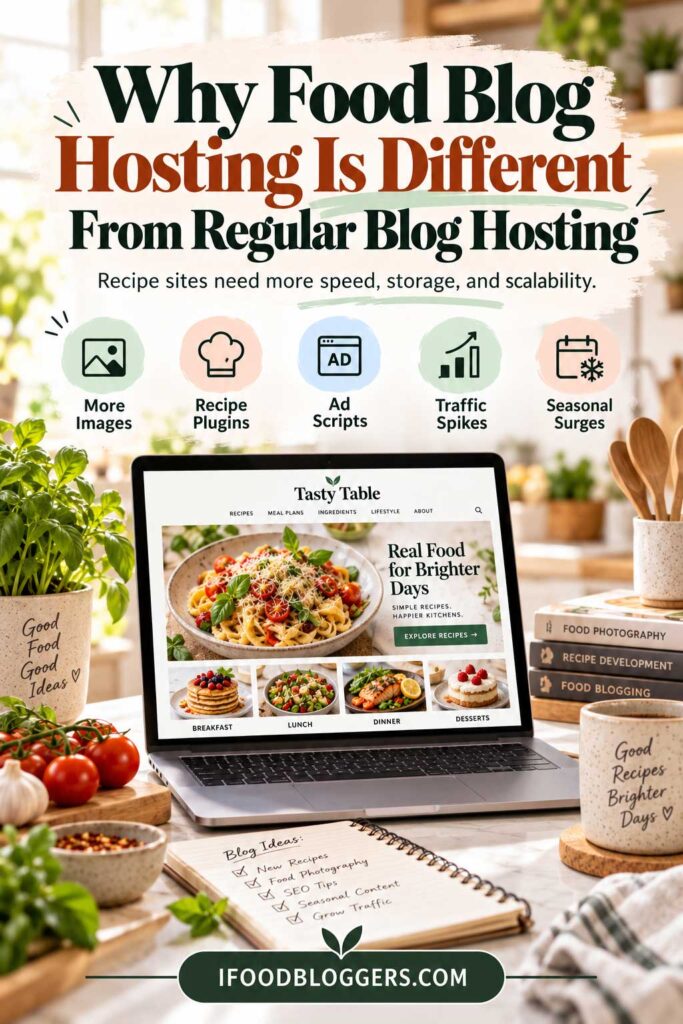
Why Food Blog Hosting Is Different From Regular Blog Hosting
Food blogs often place more demands on a hosting environment than simple text-based websites.
A personal blog may consist mostly of articles and a few images. A recipe site, by comparison, can combine large photography galleries, structured recipe data, advertising scripts, social-sharing tools, affiliate links, video embeds, and multiple WordPress plugins on the same page.
That extra complexity is why hosting becomes more important as a food blog grows.
Food Blogs Usually Have More Images
Food photography is one of the biggest differences.
A single recipe post may include a featured image, ingredient photos, step-by-step preparation shots, finished-dish photography, serving suggestions, and related-recipe thumbnails.
Multiply that by several hundred recipes and the media library can become one of the largest parts of the entire website.
That means food bloggers need to think about both storage and delivery speed. A good host should provide enough storage, but image optimization is equally important. Compressing photos, resizing them appropriately, and using modern formats such as WebP can reduce page weight and help your hosting resources go further.
Recipe Plugins Add More Database Activity
Most food blogs use a recipe plugin to generate recipe cards and structured data.
Those plugins can store ingredients, instructions, nutrition information, prep and cooking times, ratings, recipe categories, schema markup, and print settings inside the WordPress database.
As the recipe library grows, the database becomes more complex.
Efficient caching, database performance, and enough server resources can therefore become more important than they would be on a very simple blog.
Display Ads Can Make Pages Heavier
Once a food blog qualifies for an advertising network, page complexity often increases.
Display ads can add JavaScript, additional network requests, lazy-loaded ad units, tracking scripts, and consent-management tools.
Those elements can affect page performance even if the hosting itself is fast.
Hosting cannot eliminate the performance impact of advertising, but faster server response, good caching, and CDN delivery can help provide a stronger technical foundation.
Food Blogs Often Depend Heavily on Search Traffic
Many recipe sites rely on Google Search for a significant share of their traffic.
That makes site performance, uptime, mobile usability, and Core Web Vitals commercially important.
Hosting provides the technical foundation, but keyword selection matters just as much for organic growth. Our guide to the best free keyword research tools for food bloggers explains how to find recipe and food-blog topics people are actually searching for.
A hosting outage during a high-traffic period can cost more than a few page views. It can also interrupt ad revenue, affiliate clicks, email signups, and reader engagement.
As traffic grows, reliability becomes increasingly important.
Pinterest Can Create Sudden Traffic Spikes
Food content also performs well on Pinterest, and a popular pin can sometimes send a sudden burst of visitors to a recipe.
That traffic can be unpredictable.
A food blog may normally receive modest hourly traffic and then experience a sharp increase because one recipe starts gaining traction.
Hosting that can handle short-term bursts without slowing dramatically gives food bloggers a safer margin for growth.
Seasonal Recipes Can Cause Major Traffic Surges
Food traffic is also highly seasonal.
Recipes tied to Thanksgiving, Christmas, Easter, Halloween, Valentine’s Day, summer grilling, back-to-school season, or New Year’s healthy-eating searches can become dramatically more popular for a short period.
A recipe site that receives moderate traffic throughout most of the year may see several times its normal volume during a seasonal peak.
That is another reason to think beyond average monthly traffic when choosing hosting.
Recipe Schema Makes Site Stability More Important
Recipe websites commonly use recipe structured data so Google can better understand details such as cooking time, nutrition, ratings, images, and other recipe information.
If a plugin update, theme issue, or server problem breaks recipe pages, the damage may go beyond visual appearance.
It can also interfere with structured data or how recipes are presented in search results.
That makes reliable backups, staging environments, and knowledgeable WordPress support particularly valuable for recipe sites.
Food Blogs Often Use More Plugins
A mature food blog may rely on plugins for recipe cards, SEO, caching, image optimization, affiliate links, social sharing, analytics, email marketing, security, redirects, related posts, and ad management.
Each plugin adds some combination of code, database queries, scripts, and maintenance requirements.
Using many plugins does not automatically make a site slow, but poorly coded or resource-heavy plugins can add significant overhead. A stronger hosting environment can help WordPress handle that workload more reliably.
If you are building your WordPress toolkit, see our guide to the best tools for food bloggers for more options covering SEO, content creation, analytics, email marketing, and site management.
Food Bloggers Need Room to Grow
A recipe blog can expand quickly once content begins ranking.
What starts as a small site with 30 recipes may eventually become a publication with hundreds of recipes, thousands of media files, substantial organic traffic, display advertising, affiliate monetization, email marketing, digital products, and even multiple contributors.
As your audience grows, you may also want to explore the best affiliate programs for food bloggers to add another revenue stream alongside advertising.
The hosting that works at the beginning may not be the right hosting three years later.
That is why it is useful to choose a provider with a realistic upgrade path instead of forcing yourself into a full migration every time the site reaches a new stage.
The Bottom Line
Food blogs are not necessarily difficult to host, but they are often more resource-intensive than simple blogs because of photography, recipe data, plugins, advertising, and seasonal traffic.
For a new food blogger, affordable hosting is usually perfectly adequate.
As the site grows, however, features such as stronger caching, CDN delivery, automatic backups, staging, better database performance, and more responsive support become increasingly valuable.
How We Chose the Best Hosting for Food Bloggers
We compared these hosting providers based on the features that matter most for food and recipe websites rather than simply ranking them by the lowest introductory price.
Our evaluation considered WordPress performance, caching and CDN support, backup options, staging environments, storage, migration tools, scalability, security, ease of use, technical support, renewal pricing, and how well each host handles image-heavy recipe sites.
We also looked at where each provider fits in the life of a food blog. Some hosts are better suited to a brand-new recipe site, while others make more sense for an established publication receiving substantial traffic and earning meaningful revenue.
Because hosting plans, prices, traffic allowances, and included features can change, always check the provider’s current terms before purchasing.
Frequently Asked Questions About Food Blog Hosting
What Is the Best Hosting for Food Bloggers?
The best hosting for food bloggers depends on the size and stage of the website.
For a new recipe blog, Hostinger or Bluehost can provide an affordable starting point. Growing food blogs may benefit from SiteGround or Cloudways, while established, revenue-producing sites may prefer managed hosting from BigScoots, WP Engine, or Pressable.
The right choice should reflect your traffic, storage needs, budget, technical comfort, and how much hosting management you want to handle yourself.
How Much Should a Food Blogger Spend on Hosting?
A new food blogger can often start with hosting that costs only a few dollars per month during the introductory period.
As the site grows, spending roughly $20 to $100+ per month can become reasonable for stronger backups, staging, support, caching, and additional server resources. Large recipe publications with substantial traffic may spend considerably more.
The goal is to match hosting costs to the size, traffic, and revenue of the site rather than paying for premium infrastructure too early.
Yes. Shared hosting can be perfectly adequate for a new or smaller food blog.
If the site has relatively low traffic, optimized images, a lightweight theme, and carefully chosen plugins, you may not need cloud or premium managed hosting.
Shared hosting becomes more limiting when traffic grows, resource limits become noticeable, or downtime and slow performance begin affecting revenue.
When Should I Upgrade My Food Blog Hosting?
You should consider upgrading when your current hosting becomes a bottleneck rather than simply because you reached a particular traffic number.
Warning signs include slow server response, recurring downtime, resource-limit warnings, 502 or 503 errors, poor performance during traffic spikes, a very slow WordPress admin area, database timeouts, or frequent support issues related to server resources.
If your current hosting remains fast and stable, there may be no reason to move yet.
Does Web Hosting Affect SEO?
Hosting can affect SEO indirectly through factors such as site speed, uptime, server reliability, and user experience.
A faster host does not guarantee higher rankings, and switching hosting providers will not automatically improve SEO.
However, frequent downtime or consistently poor server performance can make it harder to maintain a technically healthy site and provide a good experience for visitors. Hosting is best viewed as part of your overall SEO foundation rather than a ranking shortcut.
Which Hosting Is Best for a High-Traffic Recipe Blog?
For a high-traffic recipe website, managed WordPress or scalable cloud hosting is usually more appropriate than inexpensive entry-level shared hosting.
BigScoots, Cloudways, WP Engine, and Pressable are all worth comparing.
The right option depends on your traffic pattern, database workload, storage requirements, number of sites, support needs, and budget. Two websites with the same monthly traffic can require very different server resources.
Do Food Bloggers Need Managed WordPress Hosting?
No. A new food blogger usually does not need managed WordPress hosting.
Managed hosting becomes more attractive as the site grows because the provider can handle more of the technical work involving backups, caching, updates, security, staging, migrations, and performance troubleshooting.
For an established food blog earning steady revenue, paying more for managed hosting can save time and reduce technical risk.
How Much Storage Does a Food Blog Need?
There is no single storage requirement that works for every food blog.
A well-optimized recipe site with hundreds of posts may fit comfortably within a modest storage allowance, while a photographer uploading full-resolution images directly from a camera can use the same amount of space much more quickly.
Before choosing a plan, check the current size of your WordPress installation and media library. Optimizing images before or during upload is usually a better long-term strategy than paying indefinitely to store unnecessarily large files.
Do I Need a CDN for My Food Blog?
A CDN is not absolutely required, but it can be very useful for food blogs.
Recipe sites are often image-heavy, and a CDN can deliver images, CSS, JavaScript, and other static assets from locations closer to your readers.
That can improve delivery speed, especially if your audience is spread across different regions. Many hosting providers now include CDN functionality as part of their WordPress plans.
Can I Move My Food Blog to Another Host Later?
Yes. WordPress websites can be migrated between hosting providers.
Many hosts offer either an automated migration tool or a managed migration service.
Moving becomes more complicated as a site grows, particularly when it contains thousands of media files, a large database, redirects, custom configurations, and substantial traffic. For that reason, established food bloggers may prefer a host that includes professional migration assistance.
What Is More Important: Hosting or Image Optimization?
You need both.
Fast hosting cannot fully compensate for a recipe page filled with huge uncompressed images, while excellent image optimization cannot completely overcome an overloaded or unreliable server.
The best results come from combining reliable hosting with properly sized images, compression, modern image formats, caching, CDN delivery, a lightweight theme, and carefully selected plugins.
Food blog performance depends on the entire technical stack, not one individual setting.
Should I Choose Hosting Based on the Cheapest Price?
Usually not.
The lowest advertised hosting price often applies only to the introductory term and may require a multi-year commitment. Renewal rates can be much higher.
Compare the full package, including renewal pricing, backups, storage, CDN access, SSL, traffic allowances, migration support, staging, security, and customer support.
A slightly more expensive plan may offer better long-term value if it includes features you would otherwise need to purchase separately.
Which Hosting Is Right for Your Food Blog?
There is no single hosting provider that is best for every food blogger. The right choice depends on your traffic, budget, technical comfort, and how much of the hosting management you want handled for you.
For a new food blog, the goal is usually to keep costs reasonable while still getting solid WordPress performance, backups, security, and room to grow. At that stage, Hostinger or Bluehost can make sense.
If your site is growing and you want stronger built-in performance tools, staging, and easier day-to-day management, SiteGround becomes more attractive.
For bloggers who want more control and scalability, Cloudways is a strong option, especially if you are comfortable with a slightly more technical hosting environment.
Once your food blog becomes an established business with steady traffic and revenue, managed hosting becomes easier to justify. BigScoots, WP Engine, and Pressable are all worth comparing if uptime, support, backups, staging, and hands-off infrastructure matter more than keeping hosting costs as low as possible.
Quick Decision Guide
| If You Are… | Start With |
|---|---|
| Launching your first food blog | Hostinger or Bluehost |
| Growing steadily and want easier management | SiteGround |
| Outgrowing shared hosting and want more control | Cloudways |
| Running an established monetized recipe site | BigScoots |
| Wanting premium managed WordPress hosting | WP Engine |
| Wanting managed WordPress with frequent backups and staging | Pressable |
The best approach is to choose a host that fits your site today while still giving you a realistic upgrade path.
A brand-new recipe blog does not need enterprise-level infrastructure. Once your site is producing consistent revenue, hosting becomes part of the infrastructure protecting that income.
At that stage, paying more for stronger performance, backups, support, and reliability can be a sensible business decision.
Choosing the Best Hosting for Your Food Blog
Choosing the best hosting for food bloggers comes down to balancing performance, reliability, support, scalability, and cost.
For beginners, affordable WordPress hosting is usually more than enough. As your recipe library, traffic, image collection, and monetization grow, features such as advanced caching, CDN delivery, automatic backups, staging, stronger server resources, and managed support become much more valuable.
The goal is not to buy the most expensive hosting from day one. It is also not to stay on underpowered hosting after your site has clearly outgrown it.
Choose a plan that fits your current needs, monitor how the site performs as traffic grows, and upgrade when hosting begins to become a bottleneck.
Before making a final decision, compare the current renewal price, storage limits, backup policy, traffic allowances, migration options, staging features, and any overage charges. Hosting companies change their plans and promotions frequently, so those details matter just as much as the provider’s name.
If you are ready to choose, review the comparison above and start with the hosting provider that best matches the current stage of your food blog.
Hosting is only one part of building a successful site. If you are planning your next content topics, our guide to content discovery tools for food bloggers can help you uncover new recipe, SEO, and audience-growth opportunities.
More Resources for Growing Your Food Blog
Choosing the right hosting is only one part of building a faster, more profitable food blog. These guides can help you improve your website, grow traffic, choose better tools, and create additional income streams:
- Best Blogging Platforms for Food Bloggers
- Best Tools for Food Bloggers
- Best Free Keyword Research Tools for Food Bloggers
- Best Affiliate Programs for Food Bloggers
- Best Email Marketing Platforms for Food Bloggers
- Best Content Discovery Tools for Food Bloggers
- Best WordPress Security Plugins for Food